/ Kontakt Instrument / CineStrings Runs
Cinesamples

CineStrings Runs

4.8 (4 Reviews)
$149.00
CineStrings Runs
CineStrings Runs
CineStrings RUNS Walkthrough gallery thumbnail
CineStrings RUNS
CineStrings RUNS 2
CineStrings RUNS 3
Buy Now
Product information

A collection of tempo-locked runs, scales, and rips
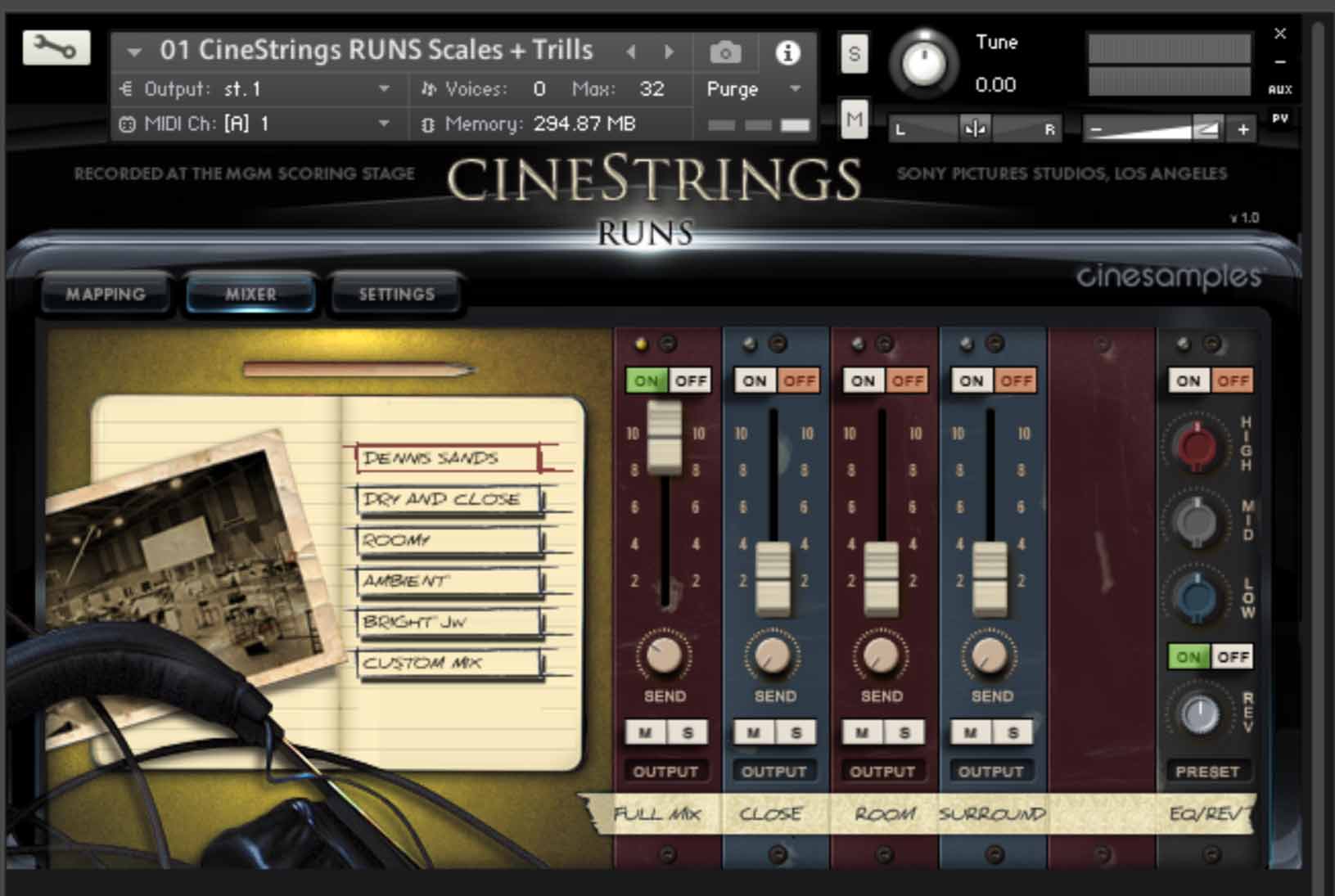
CineStrings RUNS is the most composer-friendly strings scales, runs and rips library in the world. Recorded at the world-famous MGM Scoring Stage at Sony Pictures studios in Los Angeles, CA, CineStrings RUNS compliments both the CineStrings CORE library and the popular Hollywoodwinds library. (The mapping is identical to Hollywoodwinds.) Nothing can make for a more authentic string section sound than the actual recordings of strings runs in a great room. Combined with an advanced script and easy-to-use interface, this is a remarkably convincing library for anyone who needs to add a more realistic flair to their mockups.

Interface and Features

Sync To Downbeat

What makes this library so intuitive and useful right out of the box is the all-new "Sync to Downbeat" function. This innovative feature allows you to sync the end of the run to the nearest downbeat, regardless of where you start in the bar, or your time signature. The runs will also sync to changing tempos mid-run.

Very useful for writing quickly!

Notation View

All included runs, rips and trills have been notated out and are displayed as selected within the interface, so you can easily see exactly what is being played as you trigger different samples.

The types of scales include:

  • Major Scale
  • Natural Minor Scale
  • Harmonic Minor Scale
  • Octatonic Scale
  • Whole Tone Scale
  • Chromatic Scale

(With various combinations of one half, one full, or two full octaves upwards and downward runs starting on the tonic, 5th note and/or tritone of the key)

The Scales and Trills patch also includes the chordal whole step trill samples for both a major and a minor chord, while Tonal and Atonal Rips patch contains samples of short tonal and atonal rips of both upward and downward directions. 

Playback

CineStrings RUNS does not require you to purchase any additional sample playback software, and is licensed to work with Native Instrument’s free Kontakt Player. 

Care for the Community

As with the rest of Cinesamples libraries, a percentage of the sale of CineStrings RUNS is shared directly with every musician who performed on this library. 

System Requirements

  • Works with the free Kontakt Player 6.6.1+
  • Installed directly through Native Access
  • 1.3 GB disk space required*

This instrument requires the FREE or FULL version of Kontakt 6.6.1+

Installation Instructions

Important note: Sonuscore Time Textures is used as an example as the process is identical for this product.

Mac

1. Download the .dmg installer file from your Plugin Boutique account.

2. Double-click the .dmg file to install Native Access.

3. Open Native Access > Create a new Native ID if you do not have one already. If you do, skip ahead to step 5.

4. You will then receive an email with a confirmation link > Open the email and click 'CONFIRM EMAIL'.

5. Log in to Native Access with your Native ID.

6. Click 'Add a serial'

7. Enter your Serial Number found in your Plugin Boutique account > Click 'ADD SERIAL'.

8. Click the 'Not installed' tab > Locate Time Textures > Click 'INSTALL'.

9. Time Textures is now installed on your system.

10. Open Kontakt in your DAW > You should see Time Textures on the left sidebar > Click the drop-down bar and drag the .nki file into the middle of the window.

Your software is now ready to use in your DAW!

Windows

1. Download the .zip installer file from your Plugin Boutique account.

2. Double-click the extracted .exe file to begin the installation process > click ‘Run’.

3. Read the welcome message > click 'Next'.

4. Click 'Next' to begin the installation.

5. Native Access has now been installed > Click 'Finish'.

6. Open Native Access > Create a new Native ID if you do not have one already. If you do, skip ahead to step 8.

7. You will then receive an email with a confirmation link > Open the email and click 'CONFIRM EMAIL'.

8. Log in to Native Access with your Native ID.

9. Click 'Add a serial'.

10. Enter your Serial Number found in your Plugin Boutique account > Click 'ADD SERIAL'.

11. Click the 'Not installed' tab > Locate Time Textures > Click 'INSTALL'.

12. Your new Kontakt Instrument is now installed on your system.

13. Open Kontakt in your DAW > You should see Time Textures on the left sidebar > Click the drop-down bar and drag the .nki file into the middle of the window.

Your software is now ready to use in your DAW!

Plugin Boutique Rewards

Discover the most rewarding loyalty programme among all plugin retailers.

  • Free Loopmasters Samplepacks
  • Discounts on products and courses
  • Extra Virtual Cash claimed immediately at checkout
Find out more

Follow us:

X (Twitter) Facebook YouTube Instagram
Logo Logo

Plugin Boutique Limited, Part of the Beatport Group LLC.

Copyright © 2011-2025 Plugin Boutique. All rights reserved



















