Buy Middle East, get a free gift with purchase:
Captivating Percussion Library
Immersive Rhythms
Dive into rich percussion traditions and explore instruments like the Darabuka, Tupan, and Riq. World Percussion Middle East offers authentic rhythms from across the region, expertly performed by master drummer Ian “Coomba” Watson. Each instrument is sampled to the highest level of detail, preserving the nuances and raw beauty of the performance.
About Evolution Series
This dedicated team of globe-trotting developers is inspired by sounds from all over the planet. They capture only the most expressive performances from talented players to deliver completely authentic libraries. With a focus on the raw quality of traditional instruments and voices, Evolution Series continues to set the bar for high-quality sounds and intuitive engines, suitable for all types of composing.
Features
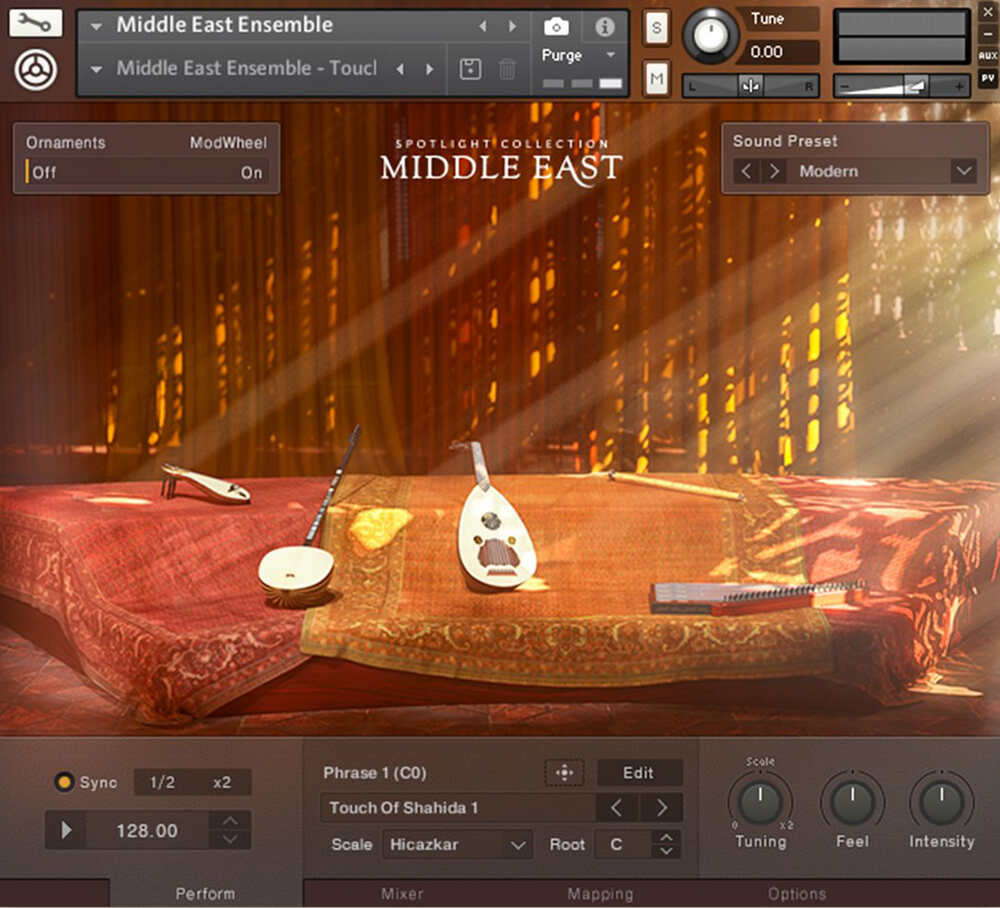
- Enthralling instruments from across the Middle East
- Expertly performed by master drummer Ian Watson
- Multiple playable techniques captured in world-class detail
System Requirements
- FREE Kontakt Player or Kontakt
- Download size: 4.09 GB

Note: Massive is used as an example.
Windows
1. Download the .zip installer file from your Plugin Boutique User Account.
2. Double-click the extracted .exe file to begin the installation process > click ‘Run’.
3. Read the welcome message > click 'Next'.

4. Click 'Next' to begin the installation.

5. Native Access has now been installed > Click 'Finish'.

6. Open Native Access > Create a new Native ID if you do not have one already. If you do, skip ahead to step 8.

7. You will then receive an email with a confirmation link > Open the email and click 'CONFIRM EMAIL'.
8. Log in to Native Access with your Native ID.

9. Click 'Add a serial'.

10. Enter your Serial Number found in your Plugin Boutique User Account > Click 'ADD SERIAL'.

11. Once your serial has been registered, click 'VIEW PRODUCTS NOT INSTALLED'.

12. Click the 'Not installed' tab > Locate Massive > Click 'INSTALL'.

Your software is now activated and ready for use within your DAW.

Mac
1. Download the .dmg installer file from your Plugin Boutique User Account.
2. Double-click the .dmg file to install Native Access.
3. Open Native Acces > Create a new Native ID if you do not have one already. If you do, skip ahead to step 5.

4. You will then receive an email with a confirmation link > Open the email and click 'CONFIRM EMAIL'.
5. Log in to Native Access with your Native ID.

6. Click 'Add a serial'

7. Enter your Serial Number found in your Plugin Boutique User Account > Click 'ADD SERIAL'.

8. Click the 'Not installed' tab > Locate Massive > Click 'INSTALL'.

Your software is now activated and ready for use within your DAW.
