


 Log In
.jpg)
Free gifts available with your purchase
A Perfectly Picked Vintage Guitar
Picked Patterns and Melodies for Any Production
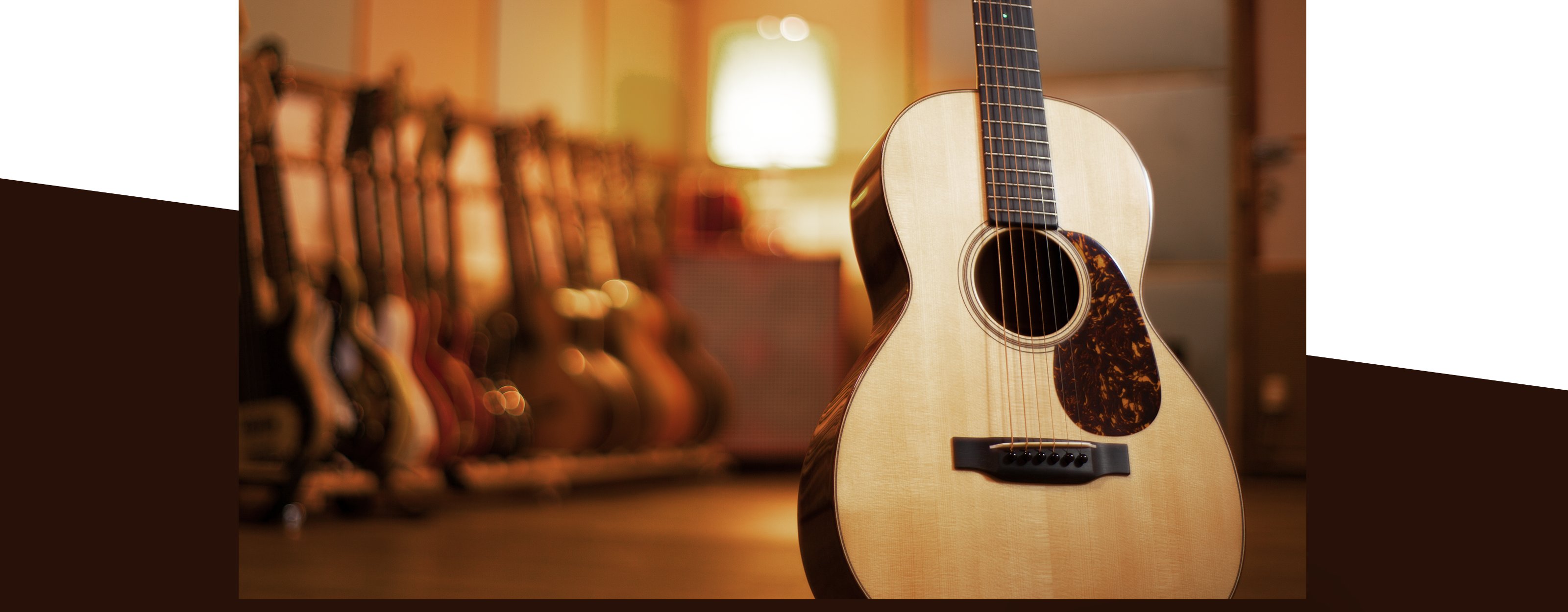
Perform with your pick of two powerful KONTAKT instruments: A pattern-based instrument packed with 194 authentic picking and strumming patterns, and another primed for playing or programming in your own melodies. Each instrument is based on a carefully sampled 1973 Martin 00-21, played by a studio-session veteran and recorded through a mix of boutique and vintage microphones and high-end outboard gear.

3 Boutique Setups, 3 Distinct Sounds
PICKED ACOUSTIC captures the rich, clear tone of a Martin 00-21 – a small-bodied, Sitka spruce–topped guitar, perfectly suited to melodic and finger-picked playing styles. Favored by Bob Dylan, Elvis Presley, and many others over the years, the 00-21 has featured on countless hit records. Our model, a pristine 1973 example, was played by a seasoned session pro and sampled through three different stereo microphone setups for maximum versatility:
The Condenser (AB) mic setup uses two condenser mics for a natural, modern-sounding stereo image. Dynamic (MS) uses a vintage dynamic mic to recall the rock and folk sounds of the 70s, enhanced with a tube condenser mic in figure-of-eight mode for adjustable stereo width. And Ribbon (Blumlein) employs two ribbon mics for a rich and warm vintage sound.

Dial in Your Own Tone
Beyond selecting your microphone setup, PICKED ACOUSTIC makes it easy to adjust the stereo width, add doubling and add high-end studio effects. And with REPLIKA delay built right in, plus all-new plate reverb, chorus, vintage compression, tape saturation, and more, you’ve got all the flexibility you need to craft the guitar sound in your head.
194 Patterns and Melodies on Tap
Whether you’re producing a track, recording a jingle, or just laying down a demo, PICKED ACOUSTIC gets you started fast. Choose from a huge variety of picked rhythms, arpeggios, and strummed patterns in a range of styles and musical genres. Load the separate melody instrument to meld loops and melodies into one cohesive, authentic performance. Then polish your performance with vibrato, hammer-ons and pull-offs, as well as advanced playing techniques like harmonics and tremolo – each playable with fingers or plectrum in multiple positions on the neck. Add slides, fret noise, and even tweak the guitar’s tuning accuracy.
Get Hands-on With Komplete Kontrol
Pair PICKED ACOUSTIC with a KOMPLETE KONTROL keyboard for a fun, easy, and efficient way to access everything the instrument has to offer. With KOMPLETE KONTROL hardware, you can quickly browse patterns, tweak and preview sounds, and get at-a-glance info on key ranges and articulations with the Light Guide.
Features
- A vintage steel-string acoustic played with fingers and plectrum by a studio session pro
- Perform 194 picking and strumming patterns in real-time, plus get a dedicated second instrument for melodic playing
- Dial-in your sound with three different microphone setups and an extended effects section
System Requirements
- FREE Kontakt 7 Player or Kontakt 7 Version 7.6 or higher is required to use this instrument
- Download size: 8.4 GB


