


 Log In

Free gifts available with your purchase
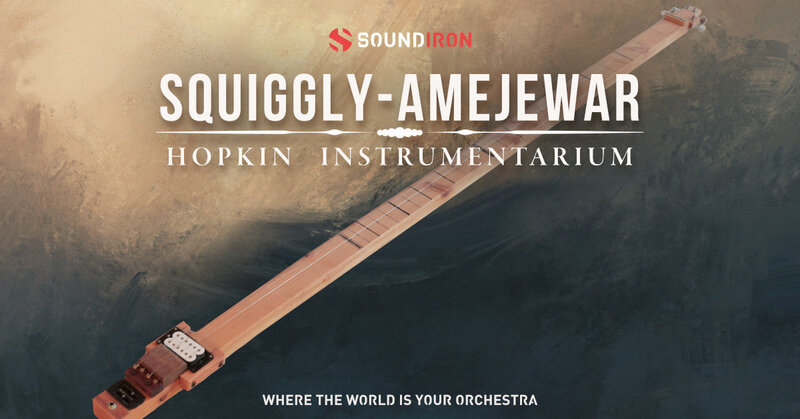
A bespoke stringed instrument & sound-design library built for Kontakt
Squiggly-Amejewar is a custom wooden instrument with four strings and a buzzing bridge. This buzz effect works best with very long strings, and the strings on Squiggly are about seven feet long. They’re played with a flat-sided slide which can add to the buzzing effect by changing how the flat side contacts the strings, making for a complex, varied and evolving sound.
The Indian sitar, tamboura, and the Kenyan obokano are three famous examples of the intentionally buzzing bridge. The Indian designs are subtle and refined in their effect, while obokano brings out a more, exciting, edgy, rhythmic sound. Squiggly-Amejewar owes a debt to all of these, but with its own distinct flavor. It can tend toward the raunchy, but with a sustained and interestingly variegated and multifaceted tone.
In this collection, the tones of the scale were recorded in two ways: straight – that is, with no vibrato or other added color, just the fascinatingly evolving spectrum of buzzing overtones, and modulated, with the additional colorizing effects created through subtle manipulation of the slide as the note sustains. If you’re looking for a truly new and unique timbre, take a listen to Squiggly!
Soundiron have faithfully sampled every interesting sound they could get out of this zither, with three stereo mic positions: Close mics, Pickups, and Contact mics. Plucks, Glisses, and FX are available in all four layers to easily mix and match. With up to 8x round robin and 6 velocity layers per note, you’ll be swimming in lush timbres in no time. They've also included a wide selection of custom FX presets and plenty of Soundiron's signature sound-designed ambient content, crafted from the raw acoustic source to give you complete creative freedom.
This library comes with an adaptable LFO system, with selectable LFO shape, modulation target parameter, speed, intensity, tempo-syncing and fade-in time. You can also apply your choice of 12 lowpass, high-pass and FX filters, with assignable modulation targets such as velocity, modwheel, expression, after-touch, key position and step-sequencer table control. A customizable arpeggiator offers a velocity table and control over arp direction, timing, swing, randomization and duration. Soundiron have included a key and scale lock system to constrain your notes to common scales and keys for easy melodic composition and live performance.
Features
- Zither pluck, gliss, FX articulations in three mic positions: Close, Pickups, Contact
- 20 ambient pads and evolving drones created from the source content
- 21 Powerful Kontakt .nki instrument presets
- 5,532 stereo samples in unlocked .WAV format
- 11.1 GB Installed
- Made for the full retail version of Kontakt (version 6.5+)
System Requirements
- The full retail version of Native Instruments Kontakt version 6.5+ is required to use .nki instrument presets included in this library. The free Kontakt "Player" and "Add Library" import process do not support this standard open-format Kontakt library.
- Windows 7 or higher.
- Mac OSX 10.12 or higher.
- Dual Core CPU
- 2 GB System Ram
- SATA or SSD hard drive recommended for this library.





















