/ Kontakt Instrument / Sound Like El Camino - Kontakt
Just Add Drums

Sound Like El Camino - Kontakt

$47.00
Sound Like El Camino
Sound Like El Camino - Kontakt Player Presets gallery thumbnail
Sound Like El Camino - UI
Buy Now
Product information

This pack is inspired by the raw, gritty, and powerful drum sound of The Black Keys, delivering a mix of vintage blues-rock punch and modern garage energy. Known for its minimalist setup and heavy-hitting style, the samples feature a deep, booming kick, a dry and low snare, with dark, resonant cymbals. The sound is both soulful and unapologetically bold, capturing the essence of classic rock while pushing boundaries with a modern edge.

This premium Kontakt instrument offers a streamlined master section for quick access, while also allowing deep customisation of individual elements—including Kick, Snare, Toms, and Cymbals. Take full control over every microphone channel to shape your perfect drum sound.

Sound Like El Camino includes the following articulations:

  • Kick
  • Snare
  • Tom 3
  • Hats (Closed)
  • Tom 2
  • Hats (Pedal)
  • Hats (Open)
  • Tom 1
  • Crash 1
  • Ride (Tip)
  • Ride (Bell)
  • Hats (Tip)
  • Crash 2
  • Ride (Crash)
  • Crash 1 (Choke)
  • Crash 2 (Choke)

Snare rimshot is included as the top velocity for natural playing


Features

  • Kit: Yamaha Recording Custom
  • Snare: Dunnett Titanium
  • Cymbals: Zildjian / Paiste: Hats, 2x Crash, Ride, China & Splash
  • Velocity Layers: 4/5
  • Round Robins: 4
  • Presets: 4
  • Multi Output Routing: Yes
  • Midi Mapping: Yes
     
System Requirements
  • Kontakt is available in VST / AU / AAX / Standalone
  • macOS 12+ (Intel and Silicon)
  • Windows 10+
  • Kontakt Player 8+
  • Native Access 2

Installation Instructions

Windows

1. Download the .zip installer file from your Plugin Boutique User Account.

2. Double-click the extracted .exe file to begin the installation process > click ‘Run’.

3. Read the welcome message > click 'Next'.

4. Click 'Next' to begin the installation.

5. Native Access has now been installed > Click 'Finish'.

6. Open Native Access > Create a new Native ID if you do not have one already. If you do, skip ahead to step 8.

7. You will then receive an email with a confirmation link > Open the email and click 'CONFIRM EMAIL'.

8. Log in to Native Access with your Native ID.

9. Click 'Add a serial'.

10. Enter your Serial Number found in your Plugin Boutique User Account > Click 'ADD SERIAL'.

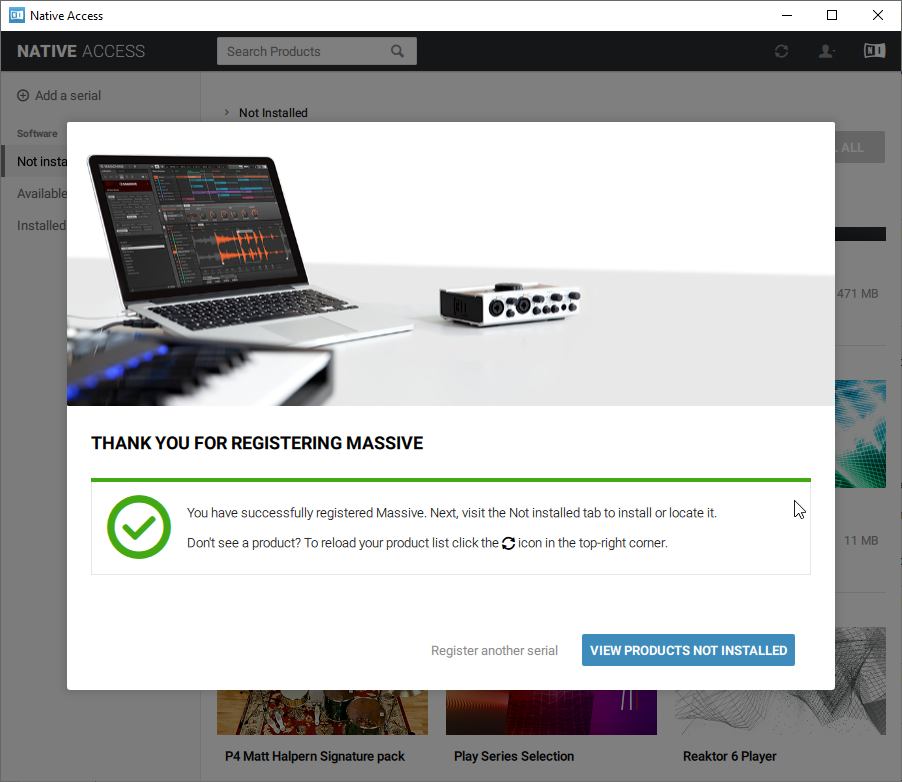
11. Once your serial has been registered, click 'VIEW PRODUCTS NOT INSTALLED'.

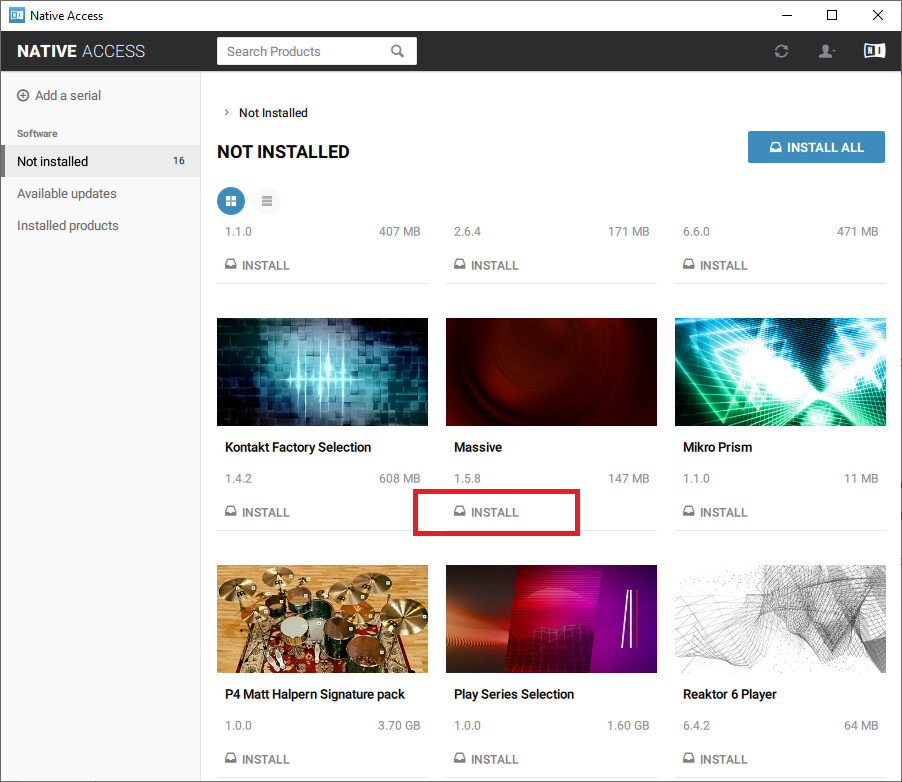
12. Click the 'Not installed' tab > Locate Massive > Click 'INSTALL'.

Your software is now activated and ready for use within your DAW.

Mac

1. Download the .dmg installer file from your Plugin Boutique User Account.

2. Double-click the .dmg file to install Native Access.

3. Open Native Acces > Create a new Native ID if you do not have one already. If you do, skip ahead to step 5.

4. You will then receive an email with a confirmation link > Open the email and click 'CONFIRM EMAIL'.

5. Log in to Native Access with your Native ID.

6. Click 'Add a serial'

7. Enter your Serial Number found in your Plugin Boutique User Account > Click 'ADD SERIAL'.

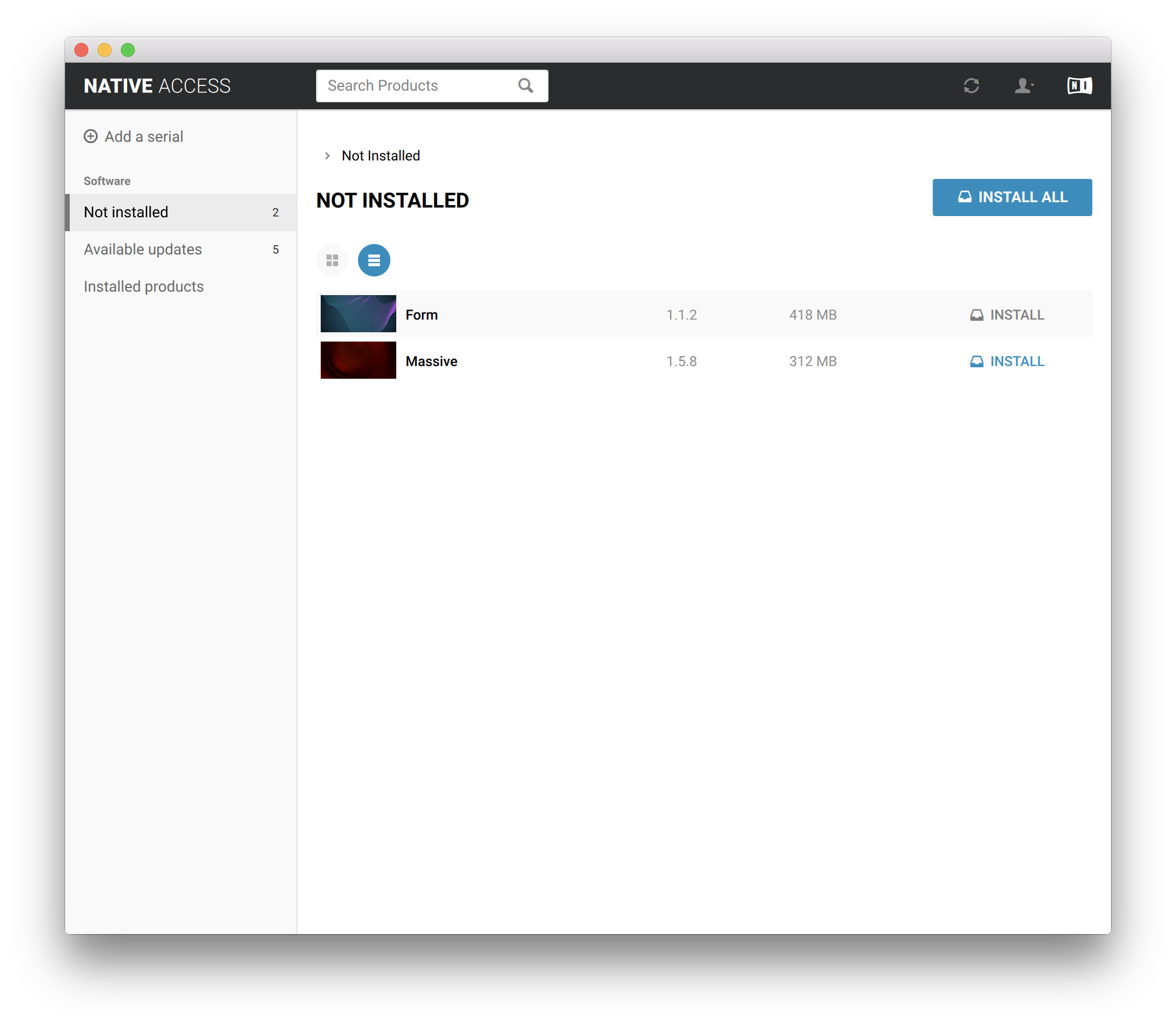
8. Click the 'Not installed' tab > Locate Massive > Click 'INSTALL'.

Your software is now activated and ready for use within your DAW.

Bundle & Save

Sound Like El Camino Bundle
$66.00
Sound Like Bundle - Kontakt
$188.00
Sound Like Bundle - Complete Collection
$400.00

Plugin Boutique Rewards

Discover the most rewarding loyalty programme among all plugin retailers.

  • Free Loopmasters Samplepacks
  • Discounts on products and courses
  • Extra Virtual Cash claimed immediately at checkout
Find out more

Follow us:

X (Twitter) Facebook YouTube Instagram
Logo Logo

Plugin Boutique Limited, Part of the Beatport Group LLC.

Copyright © 2011-2025 Plugin Boutique. All rights reserved