Buy Vocalise, get a free gift with purchase:

An Evocative Vocal Experience
Heavyocity has combined the raw character of the human voice with their signature sound design capabilities to create Vocalise , an alluring collection of vocal pads and phrases.
With over 4 GB of production-ready content, Vocalise adds an emotional vocal component to the already-diverse GRAVITY family of instruments. Featuring an esteemed roster of professional vocalists, including Siobhan Magnus of American Idol Season 9, Vocalise delivers a sonic sound palette unlike anything else in your cinematic collection.
Inspiring Vocalists

After amassing a talented lineup of professional vocalists, Heavyocity headed into the studio to meticulously capture moving vowels, phrases and ensembles. Leveraging the serene intimacy from Brick Hill Studios in Massachusetts and Heavyocity HQ in NYC, the award-winning sound design team went to work converting this dynamic source material into highly-stylized playable pads and phrases. In their first-ever dedicated vocal instrument, Heavyocity interprets the human voice in the way that only they can -- creating a cinematic vocal experience unlike any other.
Expert Sound Design
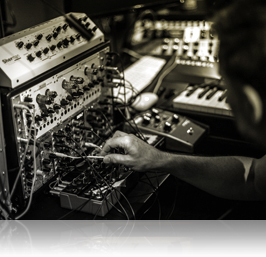
It’s no secret that Heavyocity’s prowess for creating cinematic sound design content is unparalleled in the industry, and Vocalise is no exception. With precision processing and creative synthetic manipulation, these already-vibrant organic sound sources were given new life, and a commanding sonic voice.
Add a whole new center to GRAVITY, or feel the pull of Vocalise on its own. Either way, inspiration awaits.
Features
- 4 GB uncompressed
- Available as direct download only
- 750+ Sound Sources
- 330+ Snapshots
- 300+ Motion Presets (NKA’s)
- 170+ NKIs
- 20 Complex Pads
- 120 Single Pads
- 16 Sustained and Moving Vowel Pads
- 16 Performance Palettes
- Motion page for advanced volume, pitch, and pan pattern creation
- Playable Trigger FX™ for real-time control
- Stand-alone, VST, AU, AAX
System Requirements
- DOES NOT require Gravity
- Powered by the Kontakt 5 Engine
- Kontakt 5 (Player) ver 5.5.1.451 or higher
- Minimum System Requirements
- Mac: OS X 10.9, Intel Core 2 Duo, 4 GB RAM
- PC: Windows 7 or 8 (latest Service Pack, 32/64 Bit, Intel Core Duo or AMD Athlon 64 X2, 4GB RAM
Notes:
- This product requires a Native Instruments Account and a free copy of Native Instruments Kontakt Player, which you can download here.
- NOVO Essentials is used as the example.
Mac
Registration
1. Visit https://heavyocity.com/my-account/ and fill out the account registration form > Click 'Register'.

Installation
1. Download the Heavyocity Product Portal Installer from within your Plugin Boutique User Account
2. Double-click the .pkg file to begin the installation > Click 'Continue'.

3. Click 'Continue'.

4. Click 'Agree'.

5. Click 'Install'.

6. Enter your computer Username and Password > Click 'Install Software'.

7. Click 'Close'.

8. Open the Heavyocity Portal and enter your Heavyocity-registered Username (Email Address) and Password > Click 'Login'.

9. Click 'Register Now', located at the bottom of the Product Portal.

10. Complete the form and enter the serial number found in your Plugin Boutique User Account > Click 'Register'.

11. Click 'Install' on the far right of the portal.

12. Select an installation location for your Heavyocity product > Click 'Install'.

Activation
1. Log in to Native Access.

2. Click 'Add a serial' in the top left corner of Native Access.

3. Enter the serial number found in your Plugin Boutique User Account > Click 'Add Serial'.

4. Click 'Close'.

5. Click the 'Not Installed' tab on the left-hand side of Native Access.

6. Locate NOVO Essentials > Click 'Add Library'.

7. Click 'browse' and locate the recently installed product > Click 'Install'.

Your product is now activated and ready to use.

Windows
Registration
1. Visit https://heavyocity.com/my-account/ and fill out the account registration form > Click 'Register'.

Installation
1. Download the Heavyocity Product Portal Installer from within your Plugin Boutique User Account > Double-click the .zip file to extract the contents.
2. Double-click the .exe file to begin the installation > Click 'Next'.

3. Select 'I accept the terms in the license agreement' > Click 'Next'.

4. Click 'Next'.

5. Click 'Install'.

6. Click 'Finish'.

7. Enter your Heavyocity-registered Username (Email Address) and Password > Click 'Login'.

8. Click 'Register Now', located at the bottom of the Product Portal.

9. Complete the form and enter the serial number found in your Plugin Boutique User Account > Click 'Register'.

10. Click 'Install' on the far right of the portal.

11. Select the installation location for your Heavyocity product > Click 'Ok'.

12. Click 'Install'.

Activation
1. Log in to Native Access.

2. Click 'Add a serial' in the top left corner of Native Access.

3. Enter the serial number found in your Plugin Boutique User Account > Click 'Add Serial'.

4. Click 'Close'.

5. Click the 'Not Installed' tab on the left-hand side of Native Access.

6. Locate NOVO Essentials > Click 'Add Library'.

7. Click 'browse' and locate the recently installed product > Click 'Install'.

Your product is now activated and ready to use.