


 Log In

Free gifts available with your purchase
The Sound of Brazil for Kontakt
This sample instrument features a set of folk instruments from Brasil including surdo 22″, 20″ and 18″, snare, timba, repinique, tamborín, rocar, agogó and whistle. Coming from African roots, the samba band or batucada is a percussion ensemble characterized by its repetitive style and fast pace.
Solo and ensemble versions of each articulation, with 4 velocity layers and 6 round robin (repetitions per key). Recorded in a perfectly dry studio environment using 2 microphone positions.
Main User Interface
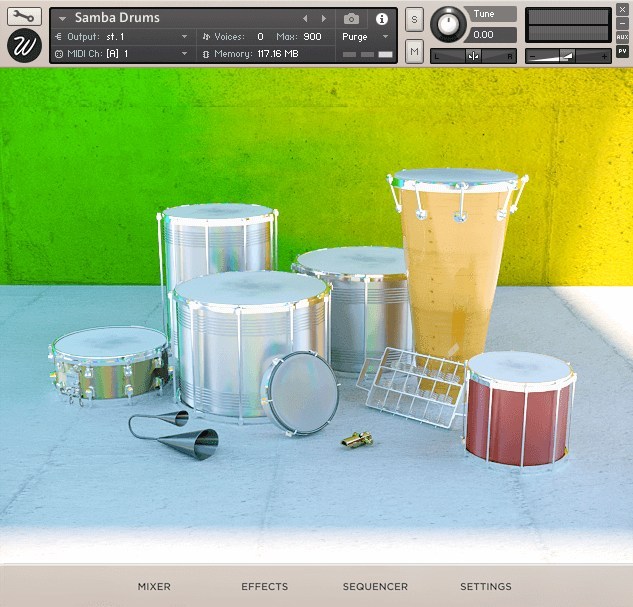
In the main view you can see a 3D representation of the 10 included instruments:
- Surdo 18″, 20″ and 22″.
- Snare.
- Timba.
- Repinique.
- Tamborim.
- Rocar.
- Agogo.
- Whistle.
Click on any of them to adjust the individual volume, pan and pitch for solo and ensemble articulations.
Effects
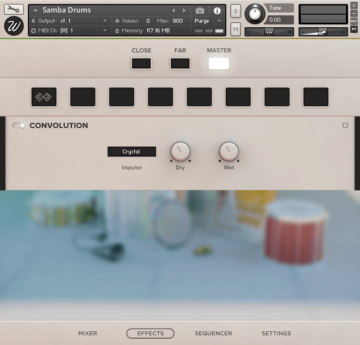
The library features Wavesfactory's advanced effect script that lets you insert any effect chain in any channel separately, including:
- High-Quality EQ.
- Various types of compressors.
- Modulation: chorus, flanger, phaser.
- Distortion / Saturation / Tape
- Algorithmic and convolutional reverb with more than 40 custom impulse responses.
- Amp simulators.
This script boosts exponentially the sonic capabilities of the library, easy to use in a simple and elegant design.
Sequencer
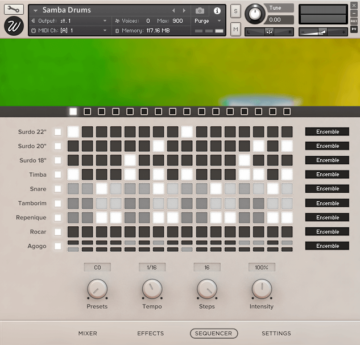
Samba Drums includes a full sequencer with 7 presets in which you can create your own rhythms.
Adjust the tempo, steps, intensity of each preset individually and play them on loop in your DAW. Take out any instruments that you don’t want to be playing and set if you want the ensemble or solo articulations.
Unless the majority of sequencers, this one also allows you to define the velocity of each hit, making it very versatile and natural sounding.
Settings
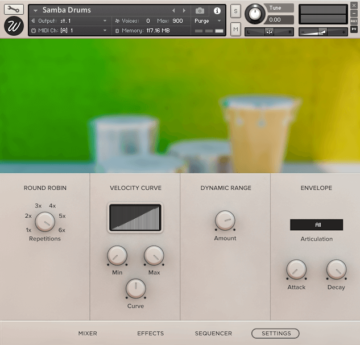
From the settings page you can control basically any parameter you might ever need. Divided in four sections you can find:
- Round robin: the instrument was sampled with 6 true round robin repetitions, you can select the number you want and the rest will be purged from memory in order to reduce RAM usage.
- Dynamic range: control the difference between the loudest and quietest hits.
- Velocity curve: control how the library reacts to incoming midi notes.
- Envelope: set the attack and decay time ballistics of the different instruments separately.
System Requirements

Important Notes:
- The FULL version of Native Instruments Kontakt 5.7.3 or above is required to run this software.
- This software will not function in full within the FREE Kontakt Player engine and will only be available in DEMO mode.


