/ Kontakt Instrument / Vocalise 2
Heavyocity

Vocalise 2

4.7 (412 Reviews)
$49.50 $99.00

50% off until Dec 12

Vocalise 2: Gravity Pack 04 - Main User Interface
Creating Vocal Parts With Vocalise 2 Kontakt Instrument - By Heavyocity gallery thumbnail
Heavyocity - Vocalise 2 - Trailer gallery thumbnail
Vocalise 2: Gravity Pack 04 - Motion User Interface
Vocalise 2: Gravity Pack 04 - Twist User Interface
Heavyocity - Vocalise 2 - Demo Walkthrough gallery thumbnail
Heavyocity - Vocalise 2 - Preset Playthrough gallery thumbnail
Heavyocity - Vocalise 2 - Content Overview gallery thumbnail
Buy Now
Product information

The Evocative Experience Continues

Heavyocity presents the thrilling sequel to their award-winning GRAVITY Pack, Vocalise. With a lineup of world-class singers and a stirring collection of tempo-synced vocal content, Vocalise 2 delivers over 3 GB of pure vocal inspiration for composers and producers of all genres. Featuring a diverse array of sound sources - including vocal pads, phrases, and a truly innovative collection of rhythmic pedals and motifs - Vocalise 2 elevates the mission of the original Vocalise to a whole new sonic plateau. Build expansive cinematic ambient beds or contemporary rhythmic stutter effects with almost 700 production-ready sound sources. Re-discover the evocative power of the human voice with Vocalise 2. 

World-Class Singers

An extraordinary vocal instrument has to start with extraordinary vocal performances, and that’s exactly what Heavyocity has captured in Vocalise 2. Recorded at Heavyocity HQ in NYC, their award-winning sound design team has leveraged each singer’s individual timbre, to build an inspiring instrument from the ground up. Cinematic phrases and contemporary rhythmic pedals were captured in pristine detail to inspire and elevate musicmakers of every style and format. These totally modern and completely unique performances laid the groundwork for the Heavyocity team to create an all-new instrument that still channels the power and emotion of the original.

Tempo-Synced Rhythms
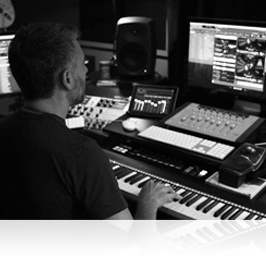
Perhaps the most useful additional feature included in Vocalise 2 is tempo-syncing. Ease of use and streamlining workflow can be inspirational in and of themselves, so that’s why Heavyocity decided to ensure that all vocal phrases, pedals, and rhythmic motifs are setup to sync seamlessly with your Kontakt-compatible DAW of choice. From complex and contemporary stutters to lush, organic vocal scapes, Vocalise 2 will drive any composition. Sitting seamlessly on top of the mix, or layered underneath to provide that little something extra, the dynamic flexibility of the instrument is what truly sets it apart. Tempo-Synced Rhythms. Unbridled Emotion. Vocalise 2 is another evocative vocal experience.

Features

  • 3.4 GB uncompressed (2.6GB compressed)
  • Available as direct download only

700 Sound Sources:

  • 192 Tempo-Synced Melodic Phrases (comprising four different keys)
  • 24 Tempo-Synced Multi-Sampled Syllabic Pedals
  • 48 Tempo-Synced Remixed (chopped and stuttered) Motifs
  • 10 Dynamic and Moving Vowels
  • 10 Three-Channel Complex Pads (channels available in individual presets as well)
  • 48 Unique Vocal Scapes (ambient beds)
  • 200+ Snapshots
  • 300+ Motion Presets (NKA’s)
  • 190+ NKIs
  • Motion page for advanced volume, pitch, and pan pattern creation
  • Playable Trigger FX™ for real-time control
  • Stand-alone, VST, AU, AAX

System Requirements

Minimum Requirements:

Mac

  • OS X 10.10, 10.11 or 10.12 (latest update)
  • Intel Core 2 Duo, 4 GB RAM
  • This pack doesn't require Gravity
  • Powered by the Kontakt 5 Engine
  • Kontakt 5 (Player) ver 5.6.8 or higher
  • Komplete Kontrol integrated (NKS-ready)

Formats:

  • Audio Units (AU)
  • AAX
  • NKS
  • Stand-alone
  • VST

PC

  • Windows 7, Windows 8, or Windows 10 (latest Service Pack, 32/64-bit) Intel Core 2 Duo or AMD Athlon 64 X2, 4GB RAM
  • This pack doesn't require Gravity
  • Powered by the Kontakt 5 Engine
  • Kontakt 5 (Player) ver 5.6.8 or higher
  • Komplete Kontrol integrated (NKS-ready)

Formats:

  • AAX
  • NKS
  • Stand-alone
  • VST

Note: This software requires the Full Kontakt 5 Engine, or the Free Kontakt 5 Player (ver 5.6.8 or later).

Installation Instructions

Notes: 

  • This product requires a Native Instruments Account and a free copy of Native Instruments Kontakt Player, which you can download here.
  • NOVO Essentials is used as the example.

Mac

Registration

1. Visit https://heavyocity.com/my-account/  and fill out the account registration form > Click 'Register'.

Installation

1. Download the Heavyocity Product Portal Installer from within your Plugin Boutique User Account

2. Double-click the .pkg file to begin the installation > Click 'Continue'.

3. Click 'Continue'.

4. Click 'Agree'.

5. Click 'Install'.

6. Enter your computer Username and Password > Click 'Install Software'.

7. Click 'Close'.

8. Open the Heavyocity Portal and enter your Heavyocity-registered Username (Email Address) and Password > Click 'Login'.

9. Click 'Register Now', located at the bottom of the Product Portal.

10. Complete the form and enter the serial number found in your Plugin Boutique User Account > Click 'Register'.

11. Click 'Install' on the far right of the portal.

12. Select an installation location for your Heavyocity product > Click 'Install'.

Activation

1. Log in to Native Access.

2. Click 'Add a serial' in the top left corner of Native Access.

3. Enter the serial number found in your Plugin Boutique User Account > Click 'Add Serial'.

4. Click 'Close'.

5. Click the 'Not Installed' tab on the left-hand side of Native Access.

6. Locate NOVO Essentials > Click 'Add Library'.

7. Click 'browse' and locate the recently installed product > Click 'Install'.

Your product is now activated and ready to use.

Windows

Registration

1. Visit https://heavyocity.com/my-account/  and fill out the account registration form > Click 'Register'.

Installation

1. Download the Heavyocity Product Portal Installer from within your Plugin Boutique User Account > Double-click the .zip file to extract the contents.

2. Double-click the .exe file to begin the installation > Click 'Next'.

3. Select 'I accept the terms in the license agreement' > Click 'Next'.

4. Click 'Next'.

5. Click 'Install'.

6. Click 'Finish'.

7. Enter your Heavyocity-registered Username (Email Address) and Password > Click 'Login'.

8. Click 'Register Now', located at the bottom of the Product Portal.

9. Complete the form and enter the serial number found in your Plugin Boutique User Account > Click 'Register'.

10. Click 'Install' on the far right of the portal.

11. Select the installation location for your Heavyocity product > Click 'Ok'.

12. Click 'Install'.

Activation

1. Log in to Native Access.

2. Click 'Add a serial' in the top left corner of Native Access.

3. Enter the serial number found in your Plugin Boutique User Account > Click 'Add Serial'.

4. Click 'Close'.

5. Click the 'Not Installed' tab on the left-hand side of Native Access.

6. Locate NOVO Essentials > Click 'Add Library'.

7. Click 'browse' and locate the recently installed product > Click 'Install'.

Your product is now activated and ready to use.

Plugin Boutique Rewards

Discover the most rewarding loyalty programme among all plugin retailers.

  • Free Loopmasters Samplepacks
  • Discounts on products and courses
  • Extra Virtual Cash claimed immediately at checkout
Find out more

Follow us:

X (Twitter) Facebook YouTube Instagram
Logo Logo

Plugin Boutique Limited, Part of the Beatport Group LLC.

Copyright © 2011-2025 Plugin Boutique. All rights reserved