/ Kontakt Instrument / Intimate Textures: NOVO Pack 01
Heavyocity

Intimate Textures: NOVO Pack 01

4.7 (107 Reviews)
$74.50 $149.00

50% off until Dec 12

Intimate Textures Mix User Interface
Heavyocity - Intimate Textures - Trailer gallery thumbnail
Intimate Textures EQ User Interface
Intimate Textures 3 Channel User Interface
Heavyocity - Intimate Textures - Content Overview gallery thumbnail
Heavyocity - Intimate Textures - Demo Walkthrough gallery thumbnail
Buy Now
Product information

Emotional. Textural. Orchestral.

Intimate Textures

Combining the lush and textural beauty of violin, viola, and cello chamber string ensembles with Heavyocity’s signature hybrid sound design proficiency, Intimate Textures delivers a truly inspirational palette of cinematic orchestral textures. Featuring creative extended techniques like vibrato waves and octave pulses, plus more traditional extended articulations like sul tasto and sul ponticello, Intimate Textures  empowers composers to create unique orchestral landscapes in an entirely new way. Add in the award-winning NOVO engine, and the first NOVO Pack delivers an unparalleled package -- stunning source material, advanced processing capabilities, and a powerfully intuitive workflow.

Extended Techniques

Recorded at the famous Reservoir Studios in NYC, Intimate Textures features world-class players, performing in three and four person violin, viola, and cello ensembles. These advanced technique performances deliver a clean and lyrical sound, providing rich movement and texture with each note performed - perfect for scoring to film, games, and television. Composers will find Intimate Textures to almost-immediately become an integral part of their template, with its ability to create production-ready composition elements quickly and easily. Creatively, Intimate Textures is a deep well of inspiration - featuring a 14.2 GB (uncompressed) library, including over 5,000 samples and 192 snapshots.

Award-Winning Engine
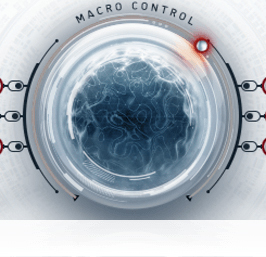
Heavyocity has spent nearly a decade building virtual instrument engines that inspire and enable creativity for the modern composer. And to that end, the award-winning NOVO engine is our greatest achievement so far. It starts with the MACRO CONTROL,  the power to modulate and automate multiple parameters across each channel - including volume, pan, EQ, envelope, and various effects - MACRO is at the front and center of Intimate Textures' lush Texture Designer. And if you want to dive in deeper, Intimate Textures also includes NOVO's CYCLE feature - a new frontier for sound manipulation in a KONTAKT-based virtual instrument. Quickly create rhythmic pulses, swells, and granular-style pads with this cutting-edge dynamic playback engine. Explore an infinite world of sound design with Heavyocity's new NOVO Pack, Intimate Textures.

Features

  • 14.2 GB uncompressed (9.46 GB on Disk with NI lossless compression)
  • Available as direct download only
  • 5,265 Samples
  • 192 Snapshot Presets
  • 7 NKIs
  • 43 unique articulations across three sections:
  • Violins – 14 Articulations: Sul Pont, Sul Tasto, Scrapes, Sul Pont Spiccato, Sul Pont Grace (minor), Sul Pont Grace (major), Vibrato Pulses, Butterfly Tremolo, Octave Pulses, Vibrato Waves, Droplets, Wavers, Shudders, Overtones
  • Violas – 15 Articulations: Sul Pont, Sul Tasto, Scrapes, Sul Pont Tremolo, Sul Pont Spiccato, Sul Pont Grace (minor), Sul Pont Grace (major), Vibrato Pulses, Butterfly Tremolo, Octave Pulses, Vibrato Waves, Droplets, Wavers, Shudders, Overtones
  • Celli – 14 Articulations: Sul Pont, Sul Tasto, Scrapes, Sul Pont Tremolo, Sul Pont Spiccato, Sul Pont Grace (minor), Vibrato Pulse, Butterfly Tremolo, Octave Pulses, Vibrato Waves, Droplets, Wavers, Shudders, Overtones
  • Intuitive Sample Browser
  • CYCLE page for advanced granular & rhythmic playback
  • MACRO knob for dynamic multi-parameter control
  • Stand-alone, VST, AU, AAX

System Requirements

Powered by the Kontakt 5 Engine

  • Kontakt 5 (Player) ver 5.6.8 or later
  • Komplete Kontrol integrated (NKS-ready)

Mac

  • Mac OS X 10.10, 10.11 or macOS 10.12 (latest update)
  • Intel Core 2 Duo
  • 4 GB RAM

PC

  • Windows 7, Windows 8, or Windows 10 (latest Service Pack, 32/64-bit)
  • Intel Core 2 Duo or AMD Athlon 64 X2
  • 4GB RAM

Installation Instructions

Notes: 

  • This product requires a Native Instruments Account and a free copy of Native Instruments Kontakt Player, which you can download here.
  • NOVO Essentials is used as the example.

Mac

Registration

1. Visit https://heavyocity.com/my-account/  and fill out the account registration form > Click 'Register'.

Installation

1. Download the Heavyocity Product Portal Installer from within your Plugin Boutique User Account

2. Double-click the .pkg file to begin the installation > Click 'Continue'.

3. Click 'Continue'.

4. Click 'Agree'.

5. Click 'Install'.

6. Enter your computer Username and Password > Click 'Install Software'.

7. Click 'Close'.

8. Open the Heavyocity Portal and enter your Heavyocity-registered Username (Email Address) and Password > Click 'Login'.

9. Click 'Register Now', located at the bottom of the Product Portal.

10. Complete the form and enter the serial number found in your Plugin Boutique User Account > Click 'Register'.

11. Click 'Install' on the far right of the portal.

12. Select an installation location for your Heavyocity product > Click 'Install'.

Activation

1. Log in to Native Access.

2. Click 'Add a serial' in the top left corner of Native Access.

3. Enter the serial number found in your Plugin Boutique User Account > Click 'Add Serial'.

4. Click 'Close'.

5. Click the 'Not Installed' tab on the left-hand side of Native Access.

6. Locate NOVO Essentials > Click 'Add Library'.

7. Click 'browse' and locate the recently installed product > Click 'Install'.

Your product is now activated and ready to use.

Windows

Registration

1. Visit https://heavyocity.com/my-account/  and fill out the account registration form > Click 'Register'.

Installation

1. Download the Heavyocity Product Portal Installer from within your Plugin Boutique User Account > Double-click the .zip file to extract the contents.

2. Double-click the .exe file to begin the installation > Click 'Next'.

3. Select 'I accept the terms in the license agreement' > Click 'Next'.

4. Click 'Next'.

5. Click 'Install'.

6. Click 'Finish'.

7. Enter your Heavyocity-registered Username (Email Address) and Password > Click 'Login'.

8. Click 'Register Now', located at the bottom of the Product Portal.

9. Complete the form and enter the serial number found in your Plugin Boutique User Account > Click 'Register'.

10. Click 'Install' on the far right of the portal.

11. Select the installation location for your Heavyocity product > Click 'Ok'.

12. Click 'Install'.

Activation

1. Log in to Native Access.

2. Click 'Add a serial' in the top left corner of Native Access.

3. Enter the serial number found in your Plugin Boutique User Account > Click 'Add Serial'.

4. Click 'Close'.

5. Click the 'Not Installed' tab on the left-hand side of Native Access.

6. Locate NOVO Essentials > Click 'Add Library'.

7. Click 'browse' and locate the recently installed product > Click 'Install'.

Your product is now activated and ready to use.

Plugin Boutique Rewards

Discover the most rewarding loyalty programme among all plugin retailers.

  • Free Loopmasters Samplepacks
  • Discounts on products and courses
  • Extra Virtual Cash claimed immediately at checkout
Find out more

Follow us:

X (Twitter) Facebook YouTube Instagram
Logo Logo

Plugin Boutique Limited, Part of the Beatport Group LLC.

Copyright © 2011-2025 Plugin Boutique. All rights reserved