/ Kontakt Instrument / Scoring Guitars 2
Heavyocity

Scoring Guitars 2

4.6 (120 Reviews)
$49.50 $99.00

50% off until Dec 12

Scoring Guitars 2: Gravity Pack 05 - Main UI
Heavyocity - Scoring Guitars 2 - Trailer gallery thumbnail
Scoring Guitars 2: Gravity Pack 05 - Mixer
Scoring Guitars 2: Gravity Pack 05 - Motion
Heavyocity - Scoring Guitars 2 - Content Overview gallery thumbnail
Heavyocity - Scoring Guitars 2 - Rhythmic Pedals gallery thumbnail
Heavyocity - Scoring Guitars 2 - Demo Walkthrough gallery thumbnail
Buy Now
Product information

Overview

Scoring Guitars 2 builds on the inspiring foundation of the original, featuring over 5 GB of all-new production-ready guitar content. Heavyocity’s own Neil Goldberg dove back into the studio to record an atmospheric collection of driving pulses, complex pads, cinematic phrases, and ambient beds and drones --  this time focusing on pushing his arsenal of world-class guitars and amps into an edgier sonic space. Add in chunky rhythmic pedals, a plucked, multi-sampled semi-hollow body, and a new set of keys (D & G), and Scoring Guitars 2 is bound to become an invaluable tool for beefing up your cinematic score.

World-Class Gear

From a souped-up Strat to a classic 335, the Heavyocity team has harnessed the beautiful tones and electric energy of their world-class guitar collection. Driven through a wall of premium American & British amps and cabs, this arsenal of equipment elevates the inspiring phrases and rhythmic pedals to a new level. Heavyocity's stable of high-end outboard gear added additional depth and detail to this cinematic content- the kind that can only be achieved with premium guitars, amps, mics, pedals, and preamps. From chimey, bright clean to warm and crunchy overdrive, Scoring Guitars 2 delivers pure analog vibe and ambience from some of the best guitars and amps available anywhere.

Overdrive
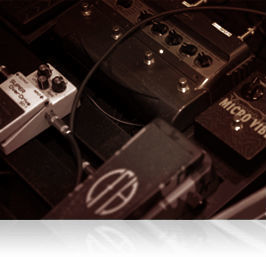
With the cinematic sequel to the award-winning Scoring Guitars, Heavyocity set out to create another cutting-edge guitar virtual instrument...but this time with a little more edge. Driven through a vast collection of studio-quality effects, these guitars were pushed beyond the point of subtle, well into the realm of saturation. After capturing this array of guitar tones, Heavyocity's team of expert sound designers proceeded to tweak, mix, and mangle these sounds until the cinematic guitars had reached the Heavyocity brand of hybrid sound, heard in film, TV, and game music for nearly a decade.

Features

  • 5.33 GB uncompressed (4.1 GB compressed)
  • Available as direct download only
  • 300+ Motion Presets (NKA’s)
  • 380+ NKIs
  • 71 Complex Pads
  • 50 Ambient Beds and Drones
  • 164 Melodic Pulses and Phrases (wet & dry)
  • 88 Rhythmic Pedals (wet & dry)
  • 12 Performance Palettes
  • 3 Xtra Playables
  • Motion page for advanced volume, pitch, and pan pattern creation
  • Playable Trigger FX™ for real-time control
  • Stand-alone, VST, AU, AAX

System Requirements

  • Does NOT require Gravity
  • Powered by the Kontakt 5 Engine
  • Kontakt 5 (Player) ver 5.7.1 or higher
  • Mac: Mac OS X 10.11, macOS 10.12 or 10.13 (latest update), 4 GB RAM
  • PC: Windows 7, Windows 8, or Windows 10 (latest Service Pack, 32/64-bit) Intel Core 2 Duo or AMD Athlon 64 X2, 4GB RAM
Installation Instructions

Notes: 

  • This product requires a Native Instruments Account and a free copy of Native Instruments Kontakt Player, which you can download here.
  • NOVO Essentials is used as the example.

Mac

Registration

1. Visit https://heavyocity.com/my-account/  and fill out the account registration form > Click 'Register'.

Installation

1. Download the Heavyocity Product Portal Installer from within your Plugin Boutique User Account

2. Double-click the .pkg file to begin the installation > Click 'Continue'.

3. Click 'Continue'.

4. Click 'Agree'.

5. Click 'Install'.

6. Enter your computer Username and Password > Click 'Install Software'.

7. Click 'Close'.

8. Open the Heavyocity Portal and enter your Heavyocity-registered Username (Email Address) and Password > Click 'Login'.

9. Click 'Register Now', located at the bottom of the Product Portal.

10. Complete the form and enter the serial number found in your Plugin Boutique User Account > Click 'Register'.

11. Click 'Install' on the far right of the portal.

12. Select an installation location for your Heavyocity product > Click 'Install'.

Activation

1. Log in to Native Access.

2. Click 'Add a serial' in the top left corner of Native Access.

3. Enter the serial number found in your Plugin Boutique User Account > Click 'Add Serial'.

4. Click 'Close'.

5. Click the 'Not Installed' tab on the left-hand side of Native Access.

6. Locate NOVO Essentials > Click 'Add Library'.

7. Click 'browse' and locate the recently installed product > Click 'Install'.

Your product is now activated and ready to use.

Windows

Registration

1. Visit https://heavyocity.com/my-account/  and fill out the account registration form > Click 'Register'.

Installation

1. Download the Heavyocity Product Portal Installer from within your Plugin Boutique User Account > Double-click the .zip file to extract the contents.

2. Double-click the .exe file to begin the installation > Click 'Next'.

3. Select 'I accept the terms in the license agreement' > Click 'Next'.

4. Click 'Next'.

5. Click 'Install'.

6. Click 'Finish'.

7. Enter your Heavyocity-registered Username (Email Address) and Password > Click 'Login'.

8. Click 'Register Now', located at the bottom of the Product Portal.

9. Complete the form and enter the serial number found in your Plugin Boutique User Account > Click 'Register'.

10. Click 'Install' on the far right of the portal.

11. Select the installation location for your Heavyocity product > Click 'Ok'.

12. Click 'Install'.

Activation

1. Log in to Native Access.

2. Click 'Add a serial' in the top left corner of Native Access.

3. Enter the serial number found in your Plugin Boutique User Account > Click 'Add Serial'.

4. Click 'Close'.

5. Click the 'Not Installed' tab on the left-hand side of Native Access.

6. Locate NOVO Essentials > Click 'Add Library'.

7. Click 'browse' and locate the recently installed product > Click 'Install'.

Your product is now activated and ready to use.

Plugin Boutique Rewards

Discover the most rewarding loyalty programme among all plugin retailers.

  • Free Loopmasters Samplepacks
  • Discounts on products and courses
  • Extra Virtual Cash claimed immediately at checkout
Find out more

Follow us:

X (Twitter) Facebook YouTube Instagram
Logo Logo

Plugin Boutique Limited, Part of the Beatport Group LLC.

Copyright © 2011-2025 Plugin Boutique. All rights reserved