Buy Synthetic Strings: NOVO Pack 03, get a free gift with purchase:
Overview
Ranging from classic to contemporary, Synthetic Strings brims with all the warmth and depth that these iconic synths can muster, with none of the unreliable tuning issues of the analog versions. With over 200 Snapshot Presets delivered in playable, rhythmic performance, and loop formats, and almost a dozen string-based synthesizers to choose from, Synthetic Strings is more than just a fresh take on analog synths, it's key-down, Raw Inspiration.
Classic Contemporary
There's a reason these household names have been showing up in studios for decades, and now with the power of the NOVO engine, they've been reinvigorated with all-new rhythmic and sound-shaping capabilities. You’ve heard of these synths before: Crumar, Solina, Juno, Streichfett, Supernova, Boomstar, Matrix, RS202. Heavyocity has curated an iconic collection of vintage and modern synths, the tools behind the lush expanses of scores from films like Dunkirk and The Social Network and TV Shows like Mr Robot and The Knick -- and infused them with new life.
Award-Winning Engine
A collection of thousands of meticulously recorded samples is great, but what sets Heavyocity's virtual instruments apart are the serious sound design capabilities of their engines. And the award-winning NOVO engine is no exception. Armed with the raw analog samples from these iconic string synthesizers, the ability to create tonal beds and deeply unique rhythmic pulses is right at your fingertips. Simply put, the NOVO engine puts a cutting-edge arsenal of sound-design tools directly into the hands of the cinematic composer.
Features
- 13.6 GB uncompressed (12.1 GB on Disk with NI lossless compression)
- Available as direct download only
- 4,513 Samples
- 227 Snapshot Presets
- 6 NKIs
- 120 Rhythmic Loops, Pedals, and tempo-synced Ambience
- 81 Sound Sources from 10 Modern & Vintage Synths
- Juneau 2
- Boomsynth
- Analog Brute
- Sub 307
- StringFett
- Nova
- Performer One
- HY-101
- HY-202
- String Ensemble
- Intuitive Sample Browser
- CYCLE page for advanced granular & rhythmic playback
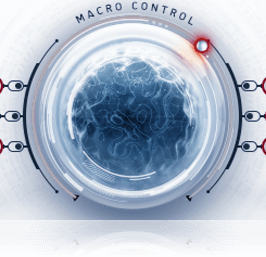
- MACRO knob for dynamic multi-parameter control
- Stand-alone, VST, AU, AAX
System Requirements
- Powered by the Kontakt 5 Engine
- Kontakt 5 (Player) ver 5.8.1 or later
- Komplete Kontrol integrated (NKS-ready)
Mac OS X
- 10.10, 10.11 or macOS 10.12 (latest update)
- Intel Core 2 Duo
- 4 GB RAM
Win
- Windows 7, Windows 8, or Windows 10 (latest Service Pack, 32/64-bit)
- Intel Core 2 Duo or AMD Athlon 64 X2
- 4GB RAM

Notes:
- This product requires a Native Instruments Account and a free copy of Native Instruments Kontakt Player, which you can download here.
- NOVO Essentials is used as the example.
Mac
Registration
1. Visit https://heavyocity.com/my-account/ and fill out the account registration form > Click 'Register'.

Installation
1. Download the Heavyocity Product Portal Installer from within your Plugin Boutique User Account
2. Double-click the .pkg file to begin the installation > Click 'Continue'.

3. Click 'Continue'.

4. Click 'Agree'.

5. Click 'Install'.

6. Enter your computer Username and Password > Click 'Install Software'.

7. Click 'Close'.

8. Open the Heavyocity Portal and enter your Heavyocity-registered Username (Email Address) and Password > Click 'Login'.

9. Click 'Register Now', located at the bottom of the Product Portal.

10. Complete the form and enter the serial number found in your Plugin Boutique User Account > Click 'Register'.

11. Click 'Install' on the far right of the portal.

12. Select an installation location for your Heavyocity product > Click 'Install'.

Activation
1. Log in to Native Access.

2. Click 'Add a serial' in the top left corner of Native Access.

3. Enter the serial number found in your Plugin Boutique User Account > Click 'Add Serial'.

4. Click 'Close'.

5. Click the 'Not Installed' tab on the left-hand side of Native Access.

6. Locate NOVO Essentials > Click 'Add Library'.

7. Click 'browse' and locate the recently installed product > Click 'Install'.

Your product is now activated and ready to use.

Windows
Registration
1. Visit https://heavyocity.com/my-account/ and fill out the account registration form > Click 'Register'.

Installation
1. Download the Heavyocity Product Portal Installer from within your Plugin Boutique User Account > Double-click the .zip file to extract the contents.
2. Double-click the .exe file to begin the installation > Click 'Next'.

3. Select 'I accept the terms in the license agreement' > Click 'Next'.

4. Click 'Next'.

5. Click 'Install'.

6. Click 'Finish'.

7. Enter your Heavyocity-registered Username (Email Address) and Password > Click 'Login'.

8. Click 'Register Now', located at the bottom of the Product Portal.

9. Complete the form and enter the serial number found in your Plugin Boutique User Account > Click 'Register'.

10. Click 'Install' on the far right of the portal.

11. Select the installation location for your Heavyocity product > Click 'Ok'.

12. Click 'Install'.

Activation
1. Log in to Native Access.

2. Click 'Add a serial' in the top left corner of Native Access.

3. Enter the serial number found in your Plugin Boutique User Account > Click 'Add Serial'.

4. Click 'Close'.

5. Click the 'Not Installed' tab on the left-hand side of Native Access.

6. Locate NOVO Essentials > Click 'Add Library'.

7. Click 'browse' and locate the recently installed product > Click 'Install'.

Your product is now activated and ready to use.