Log In

Free gifts available with your purchase
Colour Palette of Analog Sound
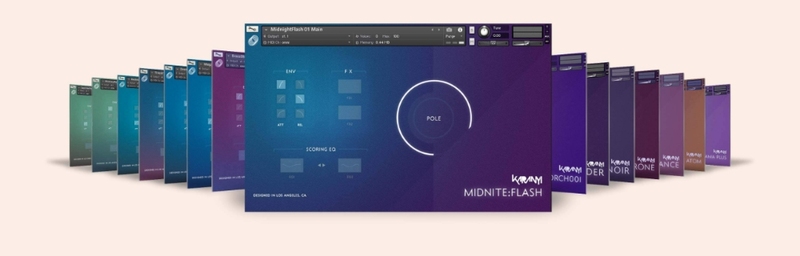
Synths I DX is a collection of inspiring sounds for creating subtle cinematic atmospheres, deep, wide sci-fi pads for film, videogame, ambient and synthwave music production. With its 60+ instrument presets you get a palette of colours for your next track.
All samples are recorded key-to-key in 24 bit 48kHz. We captured these sounds with analog gear and by applying the minimum software post-production process to keep these patches rich and fresh.
This boutique library contains 9 analogue and PCM synth gears such as Dave Smith OB6, Moog Minitaur, Moog Sub 37, Novation X Station, Nord Lead 2, Oberheim Matrix 6, Oberheim Matrix 1000, Roland Super JV & Yamaha DX7. Karanyi recorded and designed these synths in Budapest and Los Angeles during the summer of 2018.
Features
- 9 Synth Sources: Inspiring bass patches created on DAVE SMITH OB6, MOOG MINITAUR, MOOG SUB 37, NOVATION X STATION, NORD LEAD 2, OBERHEIM MATRIX 6, OBERHEIM MATRIX 1000, ROLAND SUPER JV & YAMAHA DX7
- 60+ Kontakt Presets: Made for fast and effective work: simple-to-use interface for Kontakt 5.7.3+
- High Quality Recording: All samples are recorded in 24bit / 48kHz through UAD Apollo AD converters
- Made in Los Angeles: Sound design, recordings, coding and design are made in Budapest & LA
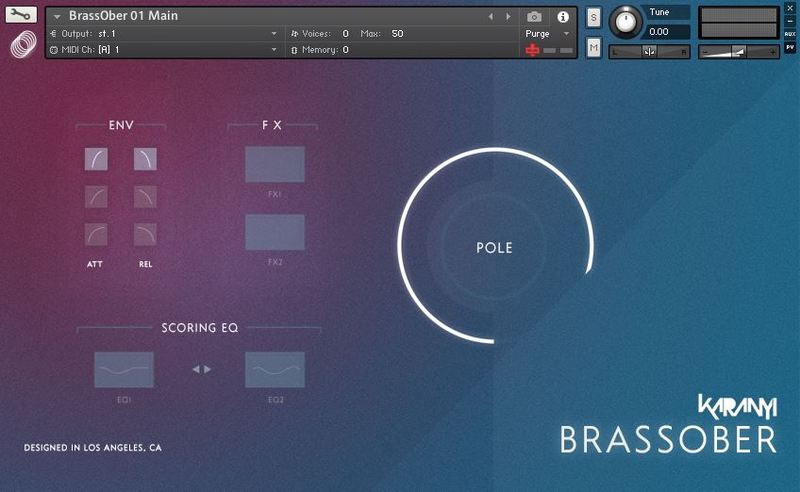
The concept behind SYNTHS DX is to build a ROMpler-like sampled instrument which sounds as great as the original synths: we captured almost all instruments patches key-to-key and we applied the minimum software post-production effects to keep these patches as rich and fresh as the originals. Therefore the GUI is extremely simple & easy-to-use – and were carefully selected and tailored these controls for each instruments so every variations sound great:
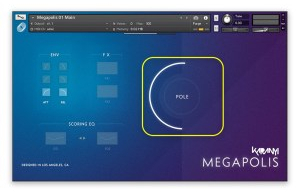
Pole Modulation
Every synth contains 2 layers of recorded samples which you can blend with the Pole – controlled by the modwheel.
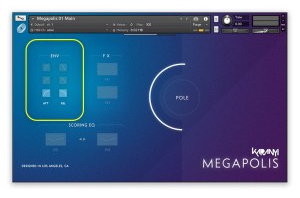
Envelope Slots
Custom envelope slots which perfectly matches for the instruments corpus: attack and release times.
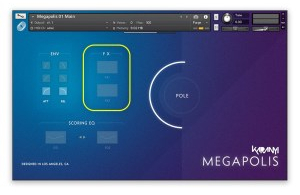
80s Vibe FX
FX section with 2 kinds of effects such as phaser, chorus, delay, flanger and lesley. These effects were carefully selected and adjusted to add subtle variations to your patches.
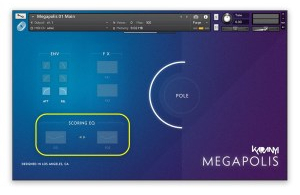
Scoring EQ
Scoring EQ with 2 custom eq settings which are adjustable one-by-one or both at the same time. These subtle eq settings designed to “push back and add space” for dialogues in film or videogame production.
Content Summary
- 1600+ samples
- 24bit / 48kHz sample rate
- 2.7 GB total size (3.6 GB uncompressed)
- Recorded with Universal Audio Apollo 8p & Focusrite Preamps
- Kontakt 5.8.1+ required
- Royalty free license
Instrument Controls
- Envelope selector with 3 Attack & 3 Release stages
- 6 Effects: Phaser, 80s Flanger, Leslie, Delay, Reverb & Ladder Filer (2 effects / Instrument)
- 2 SSL-style EQs: Bass Booster – Mid Attenuator & Mid Attenuator – Hi Booster combo
- Pole wheel for soft sample group blending
- Custom GUI with SYNTHS Engine 1.1
System Requirements
- Windows 7 (latest Service Pack, 32-/64‑bit), Intel Core Duo or AMD Athlon 64 CPU, 2GB RAM
- Mac OS 10.7 or higher, Intel Core Duo CPU, 2GB RAM
- 10 GB free disk space for complete installation
- FULL version of Kontakt 5.8.1
Important Notes:
- The FULL Version of Kontakt 5.8.1+ is required in order to use this instrument.
- You will be stuck in DEMO MODE if trying to use this instrument in the FREE Kontakt Player.