


 Log In
.jpg)
Free gifts available with your purchase
Fulfils Your Nasty Lo-Fi Drum Desires...
Fameboy is a classic drum synthesiser propelled into the modern age for the professional music producers of today. Featuring original samples fused with cutting-edge technology, advanced sequencing and sound-shaping capabilities.
Divergent Audio Group packaged all of this inside the most spectacular interface they could create.
Fameboy can be used for any purpose - It’s not just a Chiptune machine...The advanced architecture and sound-mangling controls will enable you to use it for any music production purposes. Or maybe, you just want to be inspired and use it to show off to your friends.
Sequencers
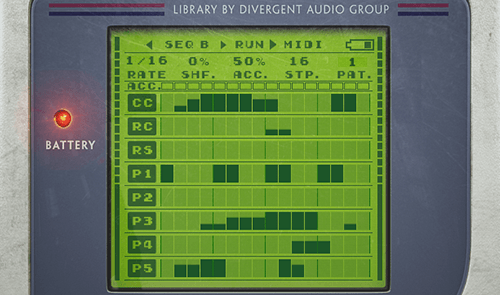
The Sequencers in Fameboy are small but very powerful offering many functions for creating unique and interesting patterns. Once you have a sequence you can easily export the midi pattern to your host using drag ‘n’ drop!
MIDI Drag 'n' Drop
Fameboy allows you to drag any created pattern into your DAW for further tweaking. We love this feature! Simply click the midi button and a small icon will appear. Drag that icon into a sequencer lane in your DAW and have your way with it.
Each Sequence can hold up to 8 unique patterns and each pattern can be triggered on-the-fly using key switches!
Master Effects
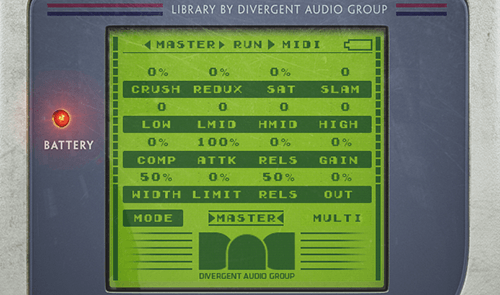
The Master page contains a wealth of effect controls that operate across the entire mix including:
- Crush (Bit Rate)
- Redux (Sample Rate)
- Saturation (Master Saturation)
- Slam (heavy compression)
- Master EQ (Low, Low-Mid, High-Mid, High)
- Comp (Threshold)
- Attack (Compressor Attack)
- Release (Compressor Release)
- Gain (Compressor Gain)
- Width (Stereo Width)
- Limit (Master Limiter Gain)
- Release (Master Limiter Release Speed)
- Master and Multi-Out (When enabled this mode bypasses the master effects and sends each channel to its own output in Kontakt.)
Snapshots
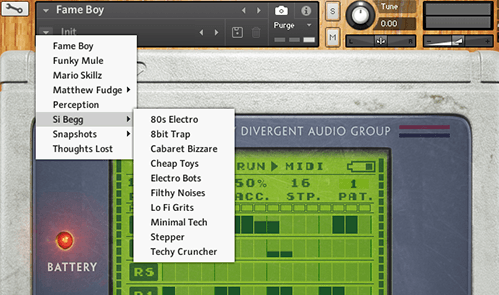
Snapshots are the easiest and most efficient way of loading and saving presets within Kontakt. Fameboy comes with a vast selection of snapshots ready to use. Please go to the snapshots folder inside your product folder and locate the folder named [Fame Boy] then copy that folder to your user content folder.
Fameboy comes with a selection of sound design and sequencer presets from our good friend and talented producer Si Begg.
3D Interface
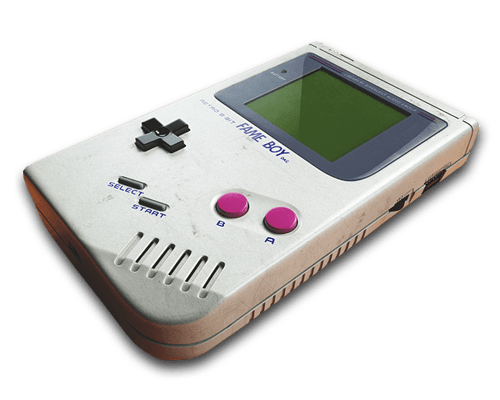
Just for fun - relive your retro dreams with our realistic interface complete with loading animations and startup sound effect.
Voice Select
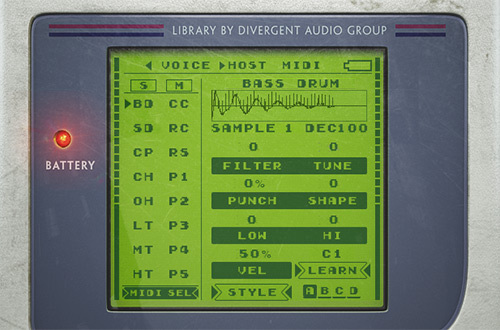
The Voice page is where you'll spend most of your time. There are 16 different channels and each channel has up to 16 different samples to choose from. Each sample also has 4 different variations. By using the 'Style' controls you can move through each style.
- Style A is a clean and modern playback engine.
- Style B is a gritty and filtered playback engine.
- Style C is a gritty playback engine.
- Style D is a gritty playback engine which, is similar to but differs from Style C.
Each sound can be manipulated even further with a selection of sound-design controls and each sound can be selected for editing using incoming midi notes for ease-of-use.
Mixer Page
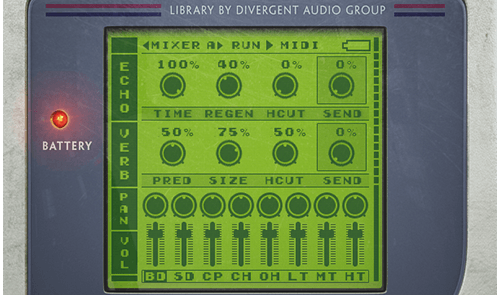
Every single sound in Fameboy has its own mixer channel and send levels with controls over:
- Channel Volume
- Pan
- Reverb (Pre-delay, Size, Hi-Cut, Send)
- Echo (Time, Regen, Hi-Cut, Send)
Tape Drive
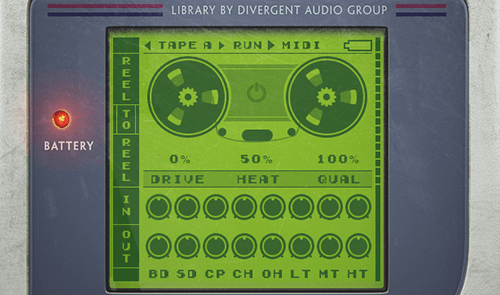
The Tape Drive pages offer a full set of controls to emulate classic tape degradation effects to add an authentic layer of analogue grit to your drums.
System Requirements

Important Note: Full version of NI Kontakt 5.6 and above is required.










