


 Log In

Free gifts available with your purchase
Guitar Analog Synthesis
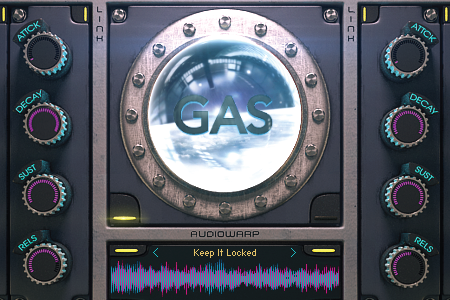
GAS is a hybrid Kontakt synthesiser fusing together six-string electric guitars and analogue modular effects. Every sound in the library has been recorded from real guitars ran through a complex sequence of tape machines, effects and pedals. The results are mesmerizing and unlike any sounds heard before.
GAS has been created by the team behind the legendary BOCS instruments using similar equipment and methods.
Lo-fi Analogue
Divergent Audio Group is proud to present something truly different and special, with lofi analogue and organic pads, synths and leads which you won't believe came from an electric guitar. The Kontakt interface has a wealth of controls allowing virtually any aspect of the original sound to be controlled and blended together using the incredible waveform blend system.
It also contains a custom 32 step sequencer for powerful pattern creation and an inbuilt pattern browser and a save facility.
Some of the sounds pay homage to artists such as Mogwai, Grails, Explosions in the Sky, Tame Impala, Deftones and of course Boards of Canada but it also has it's own very different character with a vast selection of pads, leads, keys and arps at your fingertips.
Recorded Through Tape
Recorded through an extremely complex signal chain to tape and then back again to create that ethereal and vintage analogue sound. Each patch has been lovingly crafted and then multisample for ease of use and playability.
Features
- Stunning GUI.
- Pattern Memoriser / Load and Save.
- 2.1GB Raw Sample Data.
- 65 Raw Analog Patches.
- Komplete and Maschine Integration.
- 104 Snapshot Presets.
- 24 Sequencer Presets.
- Compressed .ncw format samples.
- Advanced Step Sequencer.
- Deep and Creative Waveform Blend Function.
System Requirements

Important Notes:
- The FULL Version of Kontakt 5.5.1+ is required in order to use this instrument.
- You will be stuck in DEMO MODE if trying to use this instrument in the FREE Kontakt Player.










