


 Log In

Free gifts available with your purchase

Authentic and Extraordinary
The Suitcase for Your Musical Journey
The retro sound of the 1973 suitcase electric piano with more modern magic than you could imagine. At almost 20 GB in size, Electric S is probably the most detailed sampled stage piano around. As a Session Keys family, it offers the pro features e-instruments users have come to expect; including two distinct sample sets, the Animator, Smart Chord and Pentamorph.
The Suitcase
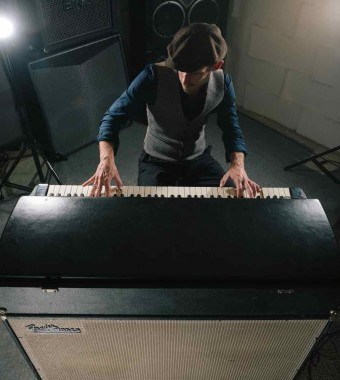
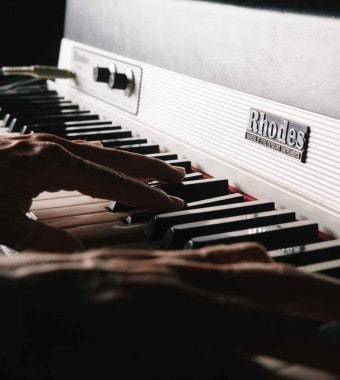
Nothing embodies the evolution of the electric piano better than the 1973 Suitcase: a killer package of keyboard, amp and speakers. To recreate this much-loved electric piano classic e-instruments hunted high and low for a top-quality original.
e-instruments unearthed a magnificent 1973 suitcase which spent weeks undergoing painstaking specialist restoration. Once back to peak condition they began detailed recording to capture every nuance of its original sound.
Sound Design
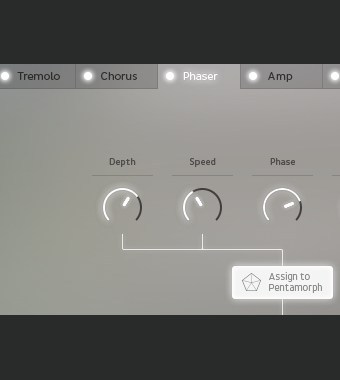
Electric S offers almost limitless customisation options. Instantly manipulate sustain resonance, key noises, release, and reverse samples, and virtually adjust the distance between tines and pick-ups at the tweak of a button.
Experiment with classic electric piano effects such as Tremolo, Chorus, Amp Simulation, Delay and Reverb in the FX section or blend your electric with acoustic. In addition to recording electrical output signals of the 1973 Suitcase, an extensive microphone set-up was used to capture the pure, unaltered acoustic sound of the instrument.
Studio and Live
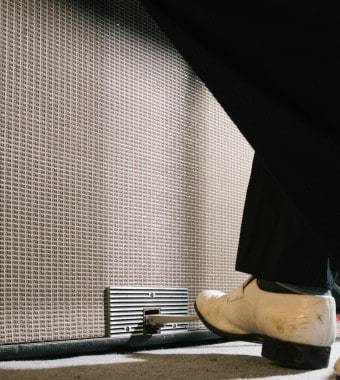
With the Electric S, e-instruments wanted you to experience not only a clean, flexible and expressive sound but also the best possible feel. The Suitcase was recorded with and without the original speaker to create two separate sound sets: Studio and Live. Studio gives direct unaltered line-out sound, while Live captures the sound of cabinet and speakers through a comprehensive microphone set-up covering all four speakers for an incredibly realistic feel.
Pentamorph
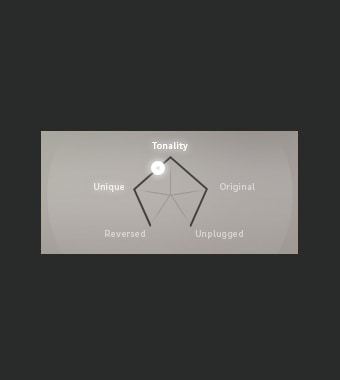
The stylish Pentamorph gives you unparalleled direct control over the sound of the Electric S. Morph instantly from the classic Suitcase sound to a new complex voice using a single control. Choose from one of the five main characteristics or any position between.
Animator
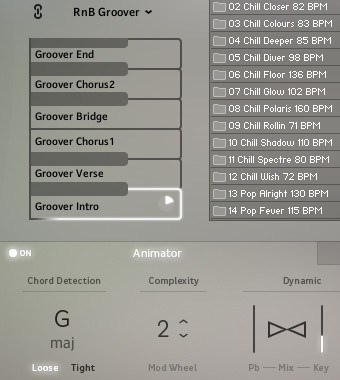
Make it sound like a top session player is riffing in your studio. At the heart of the Animator, you'll find more than 400 ready-to-play licks and phrases in different genres and styles. Use it to start or finish your tracks with a professional flourish in no time, following keys and harmonies with complete control over dynamics and complexity.
Smart Chord
Stuck for ideas and need some inspired chord changes? This clever feature is your new best friend. Harnessing the power of modern instruments and controllers, full chords or Animator riffs can be played either via a pad controller or single keys. Just set the key of your song and let Smart Chord create the harmonies.
Features
- 1974 Electronic Piano.
- Two separate sound banks: Studio and Live.
- Pentamorph control to transform the entire sound with a single knob.
- Animator with more than 400 flexible piano phrases.
- Smart Chord function to create instant piano chords from single keys or pads.
- Effects chain with tremolo / AutoPan, chorus, phaser, amp simulator, compressor and convolution reverb.
- Native Instruments NKS compatible.
- 18.8 GB / 9.9 GB download (lossless sample compression).
- 24-bit/44.1 kHz samples.
System Requirements
PC
- Windows 7/8.1/10 (Latest Service Pack, 32/64-bit).
- VST 2, VST 3 or AAX compatible host application to use as a plugin.
- Intel Core 2 Duo or AMD Athlon 64.
- 4 GB RAM.
-
Requires FREE Kontakt 5 Player or Kontakt 5 Version 5.5.1 or higher.
Mac
- OS X 10.9 or later (Latest Update).
- VST, AAX or AU compatible host application to use as a plugin.
- Intel Core 2 Duo.
- 4 GB RAM.
- Requires FREE Kontakt 5 Player or Kontakt 5 Version 5.5.1 or higher.

.jpg?t=1787098064)
Stephen Gallagher
World-famous composer - The Hobbit, District 9, King Kong.
“This is the best emulation hands-down that I’ve ever used and I can’t imagine ever being without it. It’s something I will use every day, no exaggeration. I love it.”






















