Log In

Free gifts available with your purchase
Massive Beats at your Fingertips
Rytmik Beats offers a wide arsenal of audio beats with which you can build awesome beat combinations in seconds. Rytmik Beats gives you the possibility to find the right beat for your music in a very fast and varied way, no matter if your are writing film music or pop music.
Rytmik Beats works exclusively on the basis of audio loops, which all originate from his big brother Rytmik. All beats run via TimeMachine tempo-synchronized to your host and have the same inspiring as well as unique sound characteristics of his big brother Rytmik.
Rytmik Beats has almost 300 audio loops, which are divided into 6 Kontakt instruments with 48 beats each. These 6 instruments cover a wide range of styles and since they all fit well together they make sure that you will find something suitable.
This is What You Get
288 Beats
You get 288 instant beats as audio loops divided in 6 Kontakt instances. Each Kontakt instance stands for a specific theme area such as Big Main Themes, Chasing Beats or Production Beats. This means that you can play 6 x 48 beats which all fit well together, all at once and in sync!
6 Kontakt Patches
Each of the 6 instances provides 48 individual audio loops spread over 4 octaves. All beats are running in tempo sync to your host by working with the Kontkt real-time, high quality time‑ stretching algorithm that gives you independent control over sample playback. Each Kontakt patch has a small amount of shaping tools such a copmlex highpass/ lowpass filter, a disortion switch as well as 8 well selected reverb types.
What is Rytmik Beats?
Rytmik Beats is the little brother of Rytmik. All of the nearly 300 beats are from Rytmik and were resampled there as wav and are now available as drumloops. Cinematique Instruments have bundled these 300 beats into 6 Kontakt instances, which are:
- Big Main Theme Beats
- Chasing Beats
- Production Beats
- Scoring Busy Beats
- Scoring Light Beats
- Textures Ambiences
Each of these instruments consists of 48 individual drum loops, distributed over 4 octaves, which all fit together well. So you have 48 drum loops per instrument right in front of you and you can try out or combine these drum loops in no time. This gives you instant rhythmic inspiration and is a great tool to find the right beats for your music in no time. Rytmik Beats offers drum loops for massive cinematic percussion, cue scoring, electro, hip-hop or industrial textures.
The beats have been carefully and appropriately selected from the even larger pool of beats which are available in Rytmik. Cinematique Instruments paid special attention to the massive roaring sounds and beats that result from the multiple layering of many individual drum sounds - these sounds are actually quite often ensemble beats. But we have also focused on creating urban and unique loops that can be used for chase cues or as ghost beats for music productions. And finally, Cinematique Instruments have taken care of long FX loops that offer the possibility to create wide and deep textures.
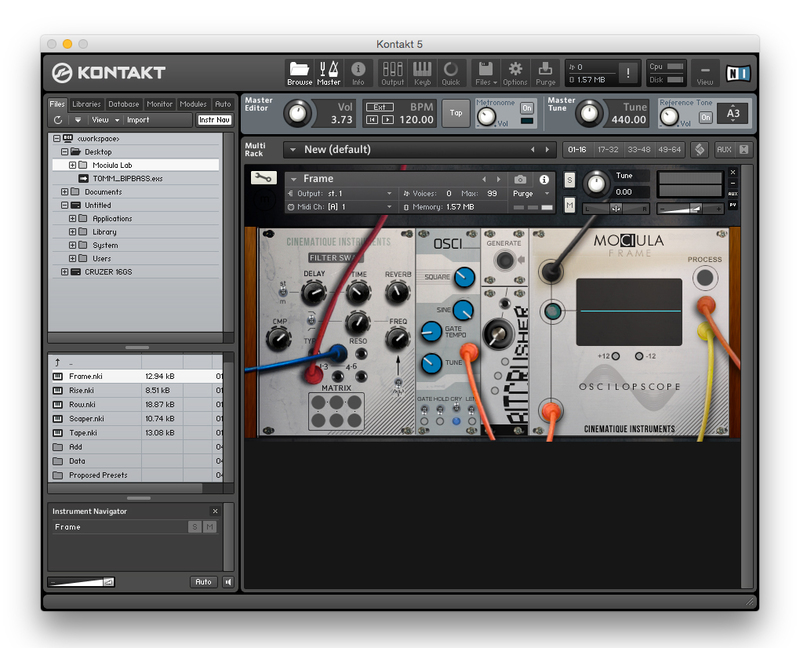
In order to keep the inspiration flowing and allow for a fast workflow, Cinematique Instruments created a minimalist interface by limiting the functions to three simple effects: Filter, Distortion and Reverb.
Features
- Approximately 288 samples
- Cinematic, urban and FX
- 288 beats spread over 6 genre instances
System Requirements
- The FULL Version of Kontakt 5.6.8 or higher is required.
- Approx. 450 MB of Disk Space.
Important Notes:
- The FULL Version of Kontakt 5.6.8+ is required in order to use this instrument.
- You will be stuck in DEMO MODE if trying to use this instrument in the FREE Kontakt Player.