/ Kontakt Instrument / Nordisk Kontrabass
Have Audio

Nordisk Kontrabass

4.7 (32 Reviews)
$50.70 $169.00

70% off until Dec 07

Nordisk Kontrabass - User Interface
Nordisk Kontrabass - What's New Video gallery thumbnail
Nordisk Kontrabass gallery thumbnail
Nordisk Kontrabass - Epic Demo gallery thumbnail
Nordisk Kontrabass - Trailer Cue DAW Session gallery thumbnail
Nordisk Kontrabass - Walkthrough gallery thumbnail
Nordisk Kontrabass - Whales and Hendrix Legato gallery thumbnail
Nordisk Kontrabass - WARP Real Time Controllable Time Stretch gallery thumbnail
Nordisk Kontrabass - PIZZICATO Tenth Double Stops gallery thumbnail
Nordisk Kontrabass - What's New 1
Nordisk Kontrabass - What's New 2
Nordisk Kontrabass - What's New 3
Buy Now
Product information

NORDISK KONTRABASS is a unique upright bass instrument designed for film composers and music producers looking for fresh and original sounds.

Superbly performed by a top creative player, Nordisk Kontrabass is great both as a fat, real-sounding upright bass and as a stand-alone compositional tool, capable of delivering beautiful and engaging string harmonies and textures, powerful rhythms and emotive melodies that will make your music stand out. 

It is influenced by the styles of composers and musicians who redefined film-scoring and contemporary music. References were Jóhann Jóhannson, Hildur Guðnadóttir, Max Richter, Arvo Pärt, most minimalistic music and contemporary European ECM-like improvised music.

The library features 100% playable, full range legato and pizzicato, lots of techniques and textures never sampled before and gives you tons of colour variations and articulations to set cinematic vibes in seconds. You can model new and surprising grooves by using the built-in arpeggiator or manipulate all the phrases and textures recorded for you to personalize them, changing the tempo, performing ritardando and accelerando in real-time, reversing, adding top-class effects and enter a new sound design realm by engaging the ICE knob.

Perfect for epic cues as well as intimate and fragile soundscapes to bring some of the most inspiring Scandinavian and European atmospheres into your compositions.
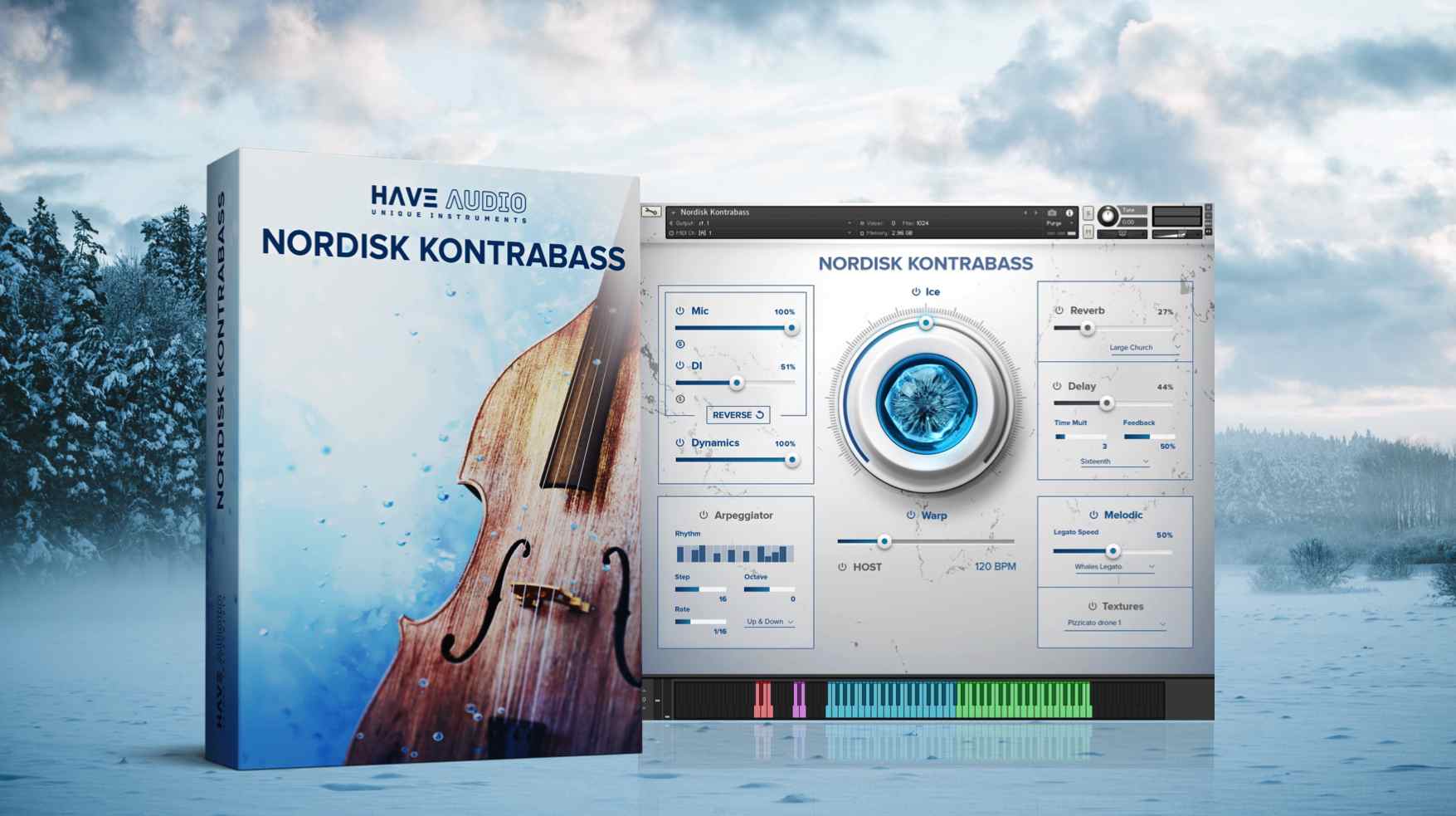
Features

  • 14000+ samples

Mic Options:

  • Stereo MIC
  • DI

Built-in Effects and Controllers:

  • Arpeggiator
  • Selection of 9 top-class reverbs
  • Ice effect
  • Delay
  • Reverse
  • Warp (real-time controllable time-stretch)
  • Legato speed

Articulation and Preset List:

Melodic

  • Full range Whales Legato and Phrases 
  • Glissando Whales 
  • Harmony of Whales 
  • Harmony of Whales 2 
  • Full range Pizzicato with 5 articulations/key switches (normal pizzicato, slides, harmonics, fret FX, Street Slap) 
  • Double stops pizzicato 
  • Thumb choked pizzicato 
  • Weird pizzicato 
  • Harmonics 
  • Natural harmonics 
  • Anjor 
  • Dirty tremolo 

Textural

  • Twisted pizzicato textures 
  • Wood body percussions 
  • Bow textures 
  • Low Engines 
  • Unusual Textures 
  • Rises 
  • Falls 
  • Pizzicato drone 1 
  • Pizzicato drone 2 
  • Pizzicato drone 3 

System Requirements

  • Requires full version of KONTAKT 5.6.8+
  • Approx. 16 GB free hard drive space
  • 8 GB of RAM or more is recommended

Important note: This instrument will not work in Kontakt Player.

Testimonials

Emmett Cooke

"I’m always on the lookout for unique and unusual string libraries and Nordisk Kontrabass fits the bill perfectly."

Rayshaun Thompson

"It’s much more than a Bass Library. The GUI is easy to navigate and it sounds absolutely gorgeous."

Brett Detar

"Nordisk Kontrabass has sounds I've found nowhere else - it is awesome. I've been using it on everything since I got it and I love it. It is expressive, emotive and honestly just really fun to play with."
Installation Instructions

Mac

Installation

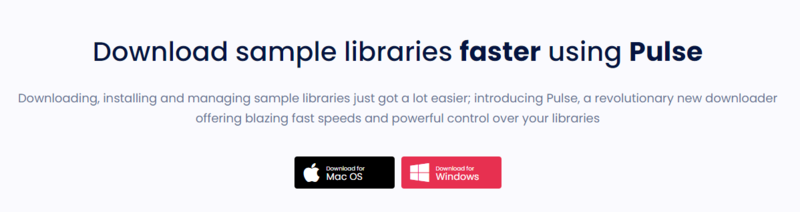
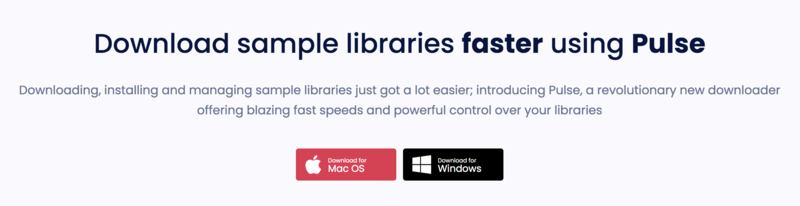
1. Go to https://pulsedownloader.com/ > Click 'Download for Mac OS' to download the Pulse application installer.

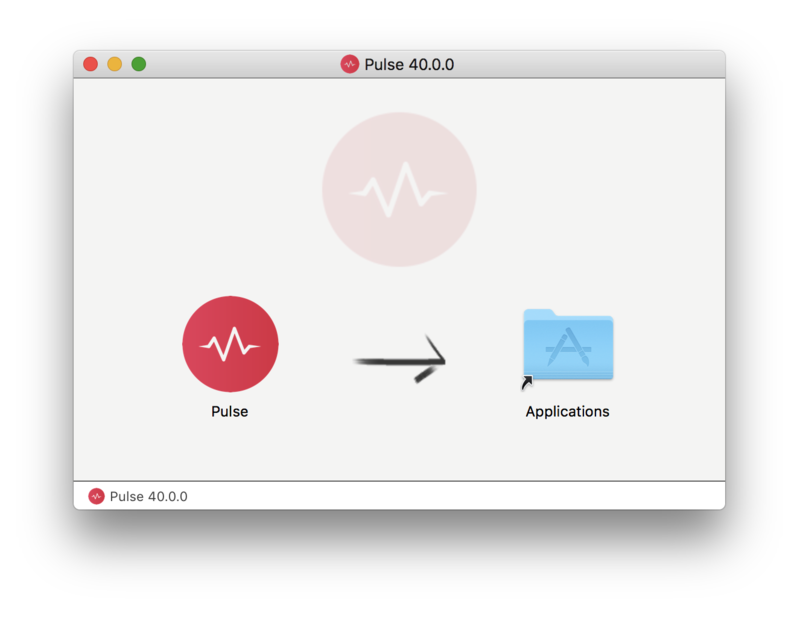
2. Open the .dmg file > Click and drag the application icon into the applications folder.

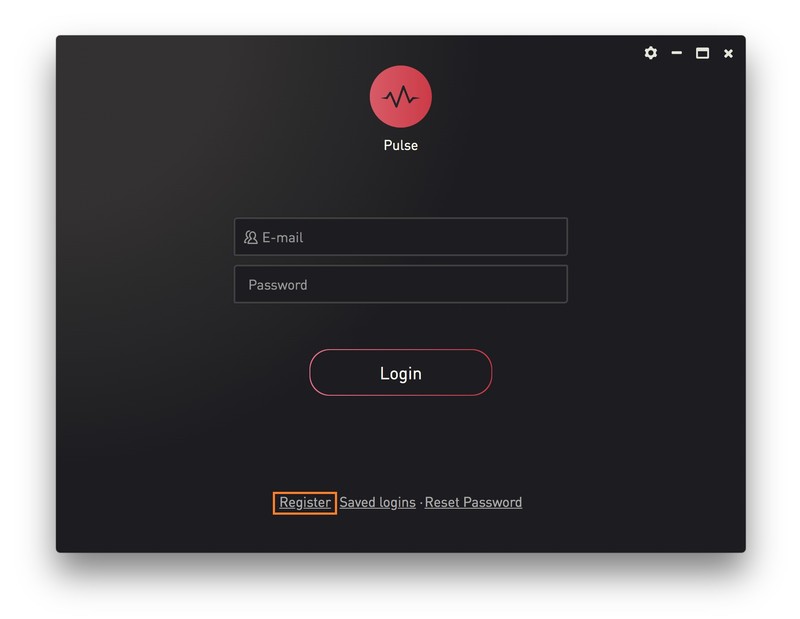
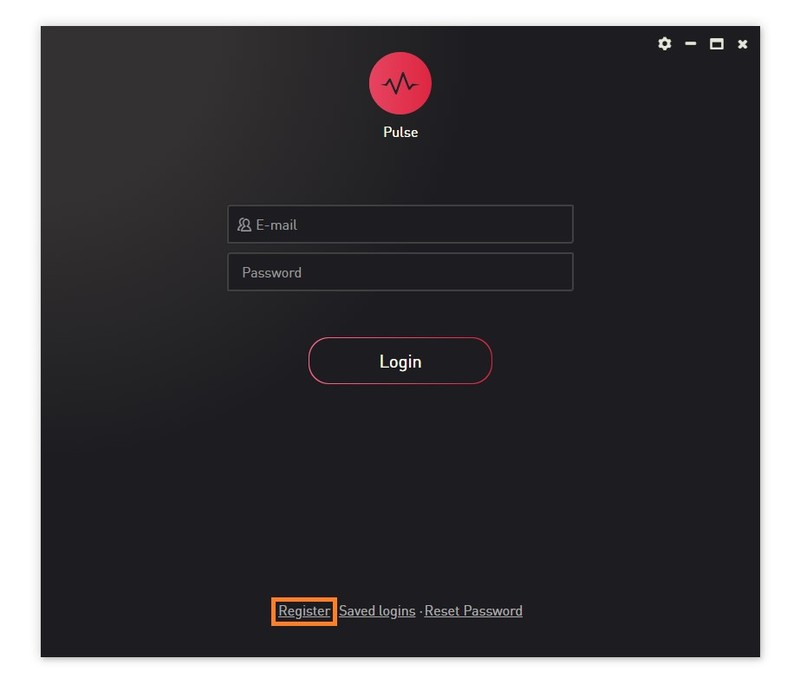
3. Open the Pulse application > Click 'Register'

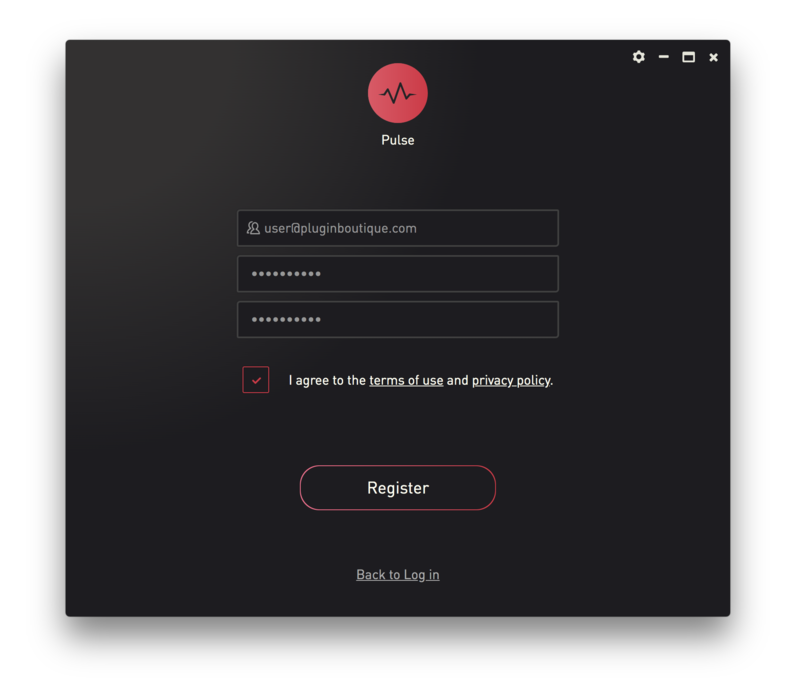
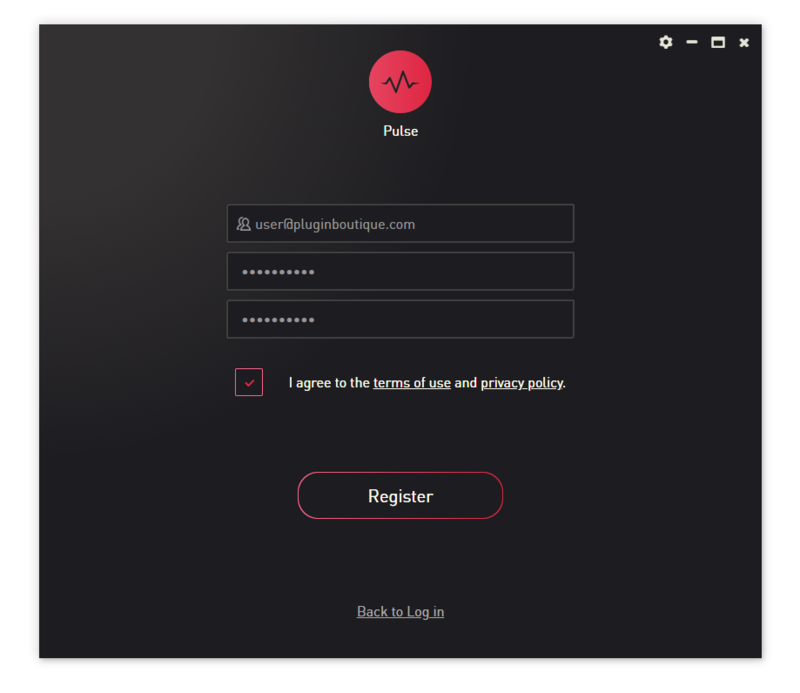
4. Enter your Email Address and Password > Check the box that states 'I agree to the terms of use and privacy policy' > Click 'Register'.

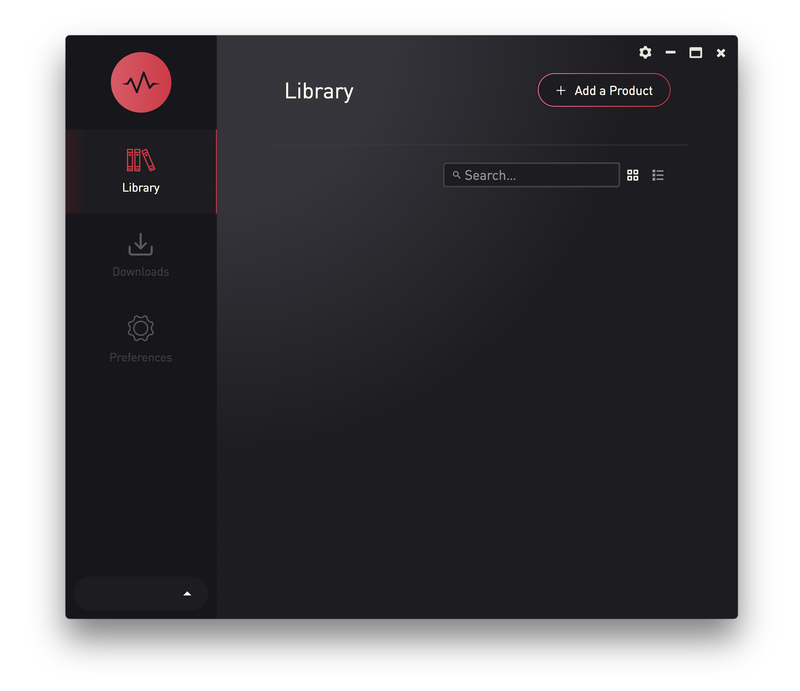
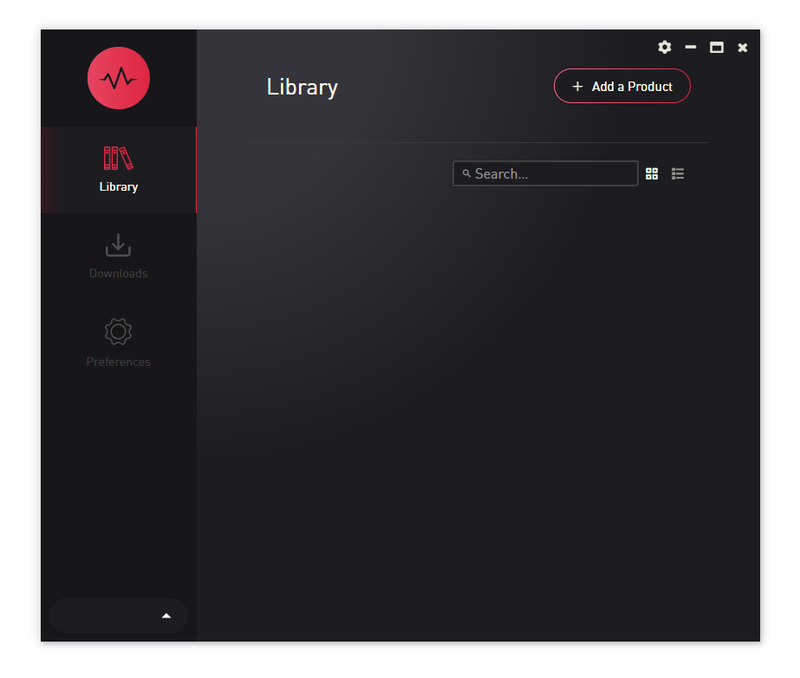
5. Click 'Add a Product'.

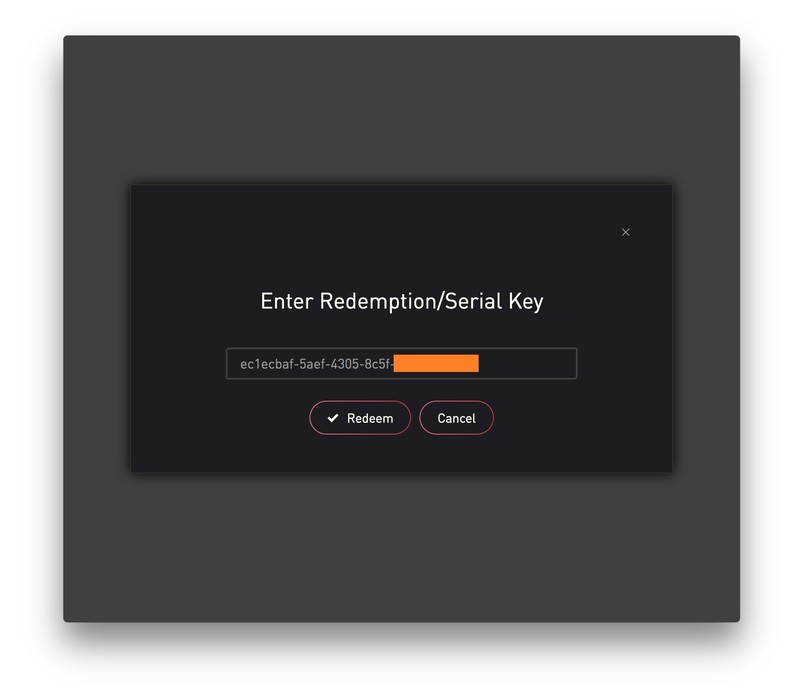
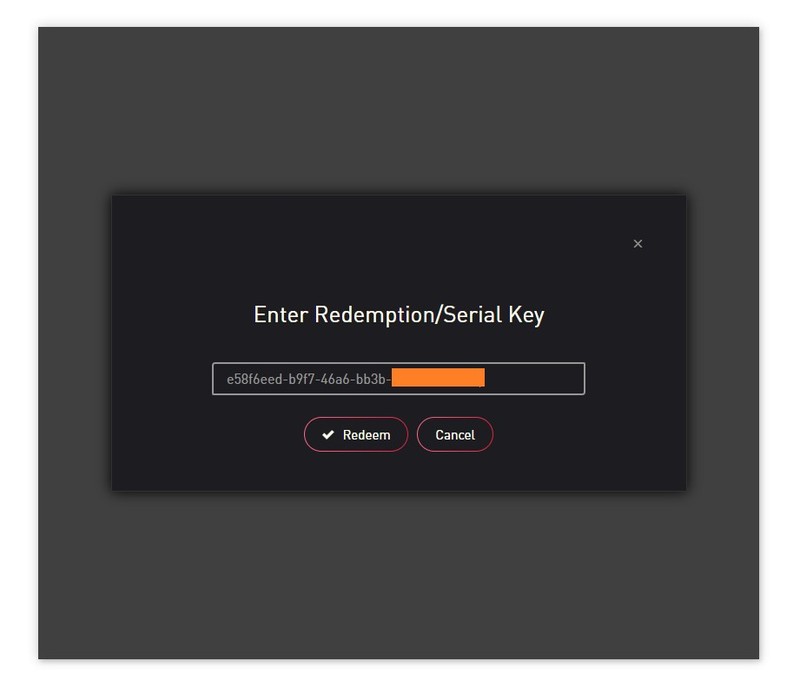
6. Enter your 32-digit serial key, found within the serial number section of your Plugin Boutique User Account > Click 'Redeem'.

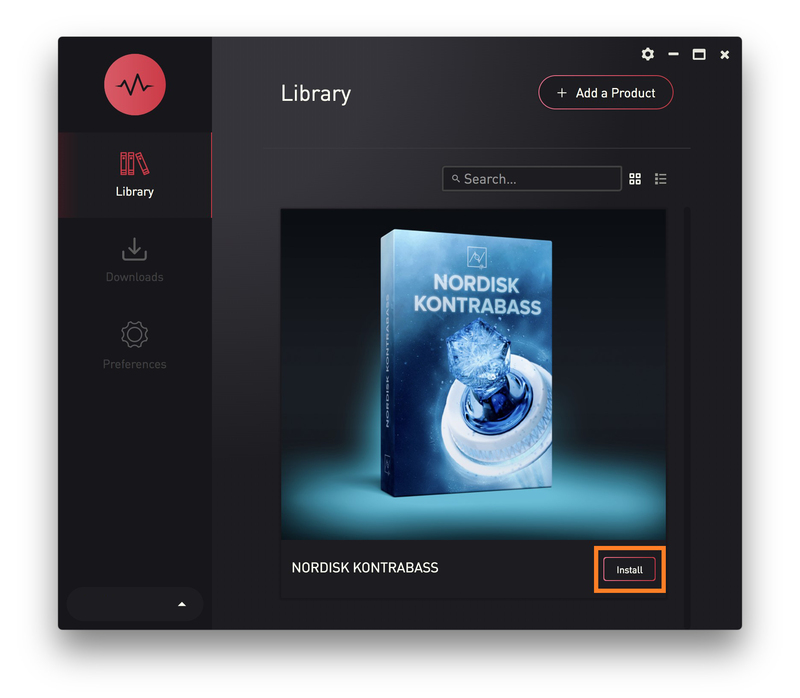
7. Click 'Install'.

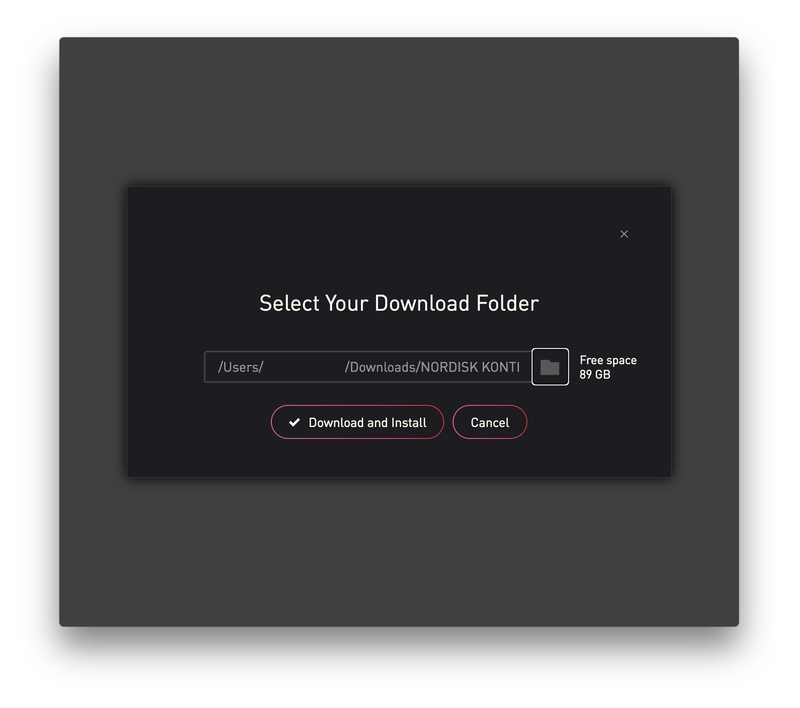
8. Click the folder icon to select the installation location for your library.

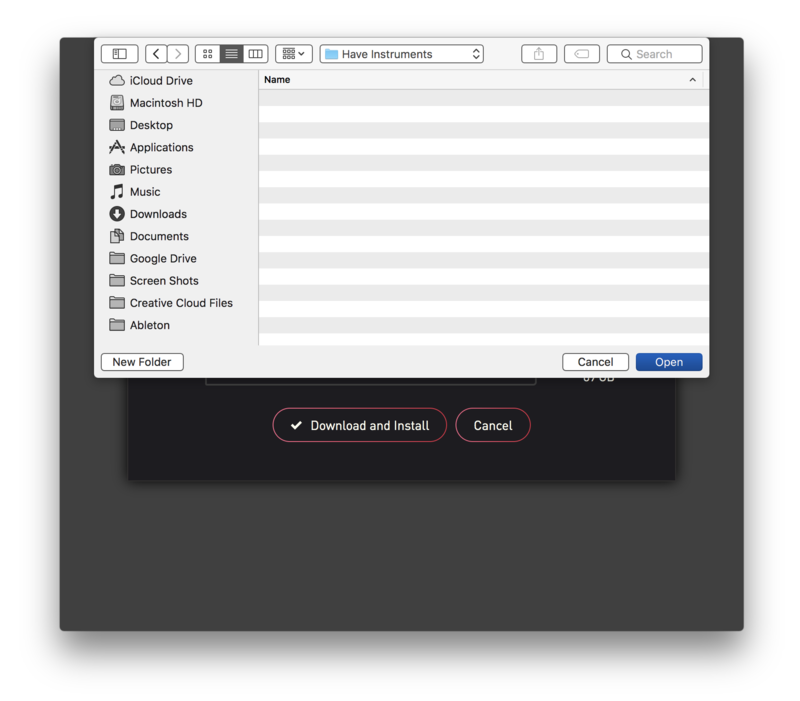
9. Choose your installation location > Click 'Open'.

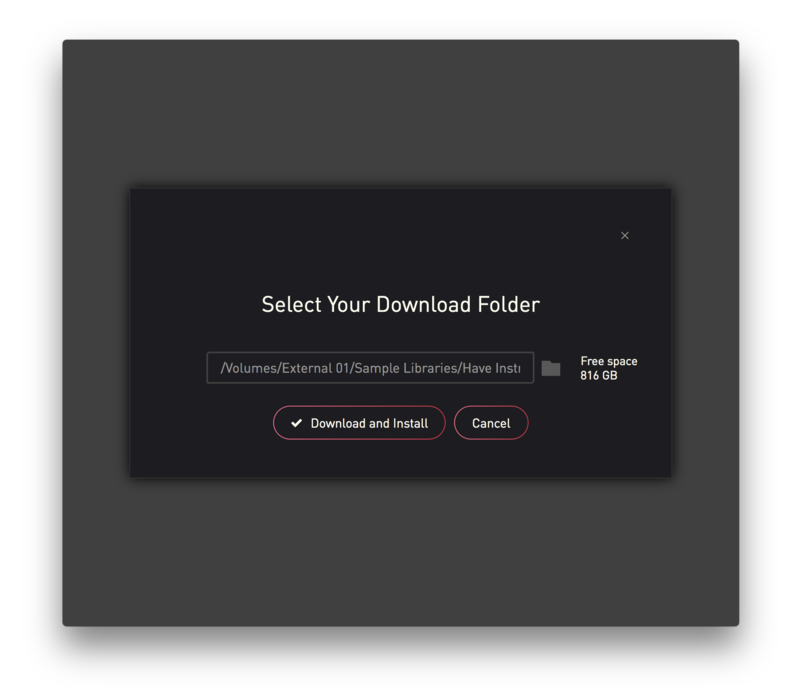
10. Click 'Download and Install'.

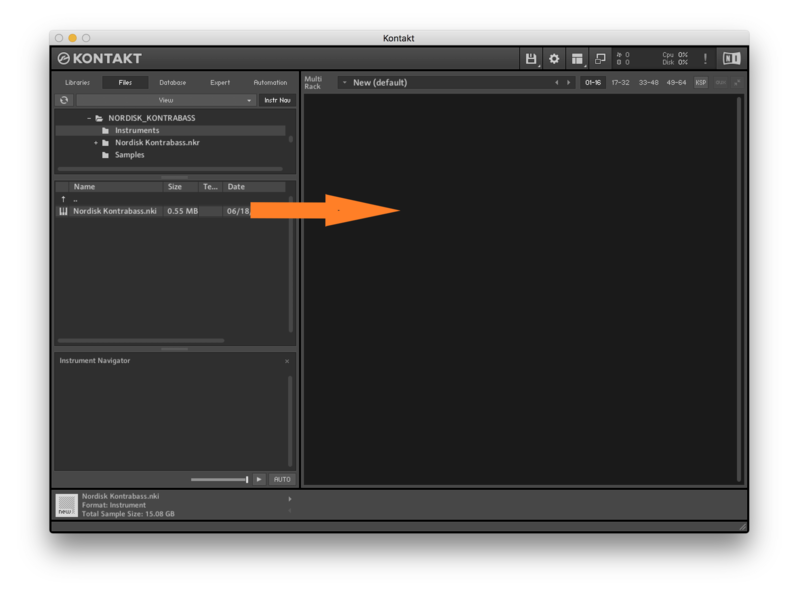
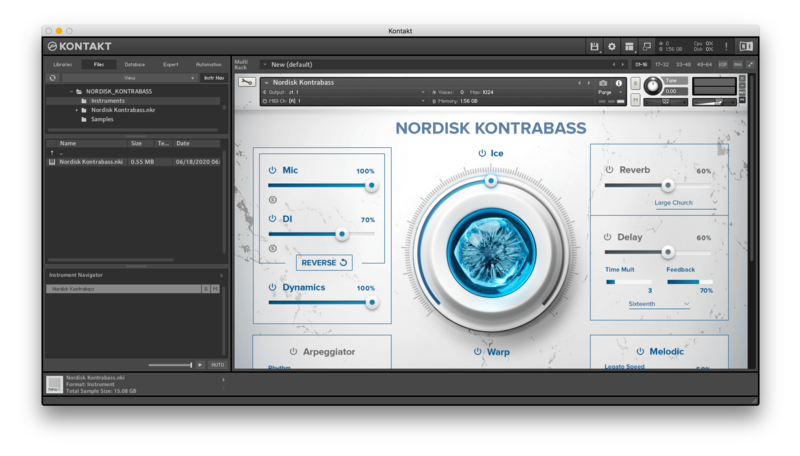
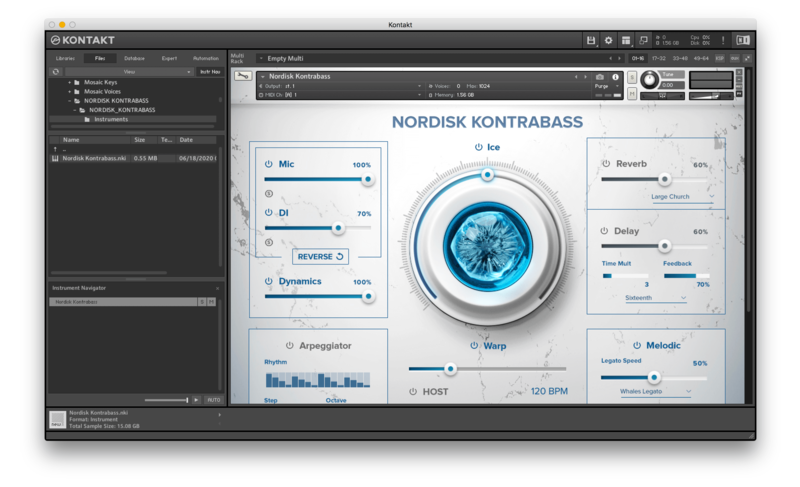
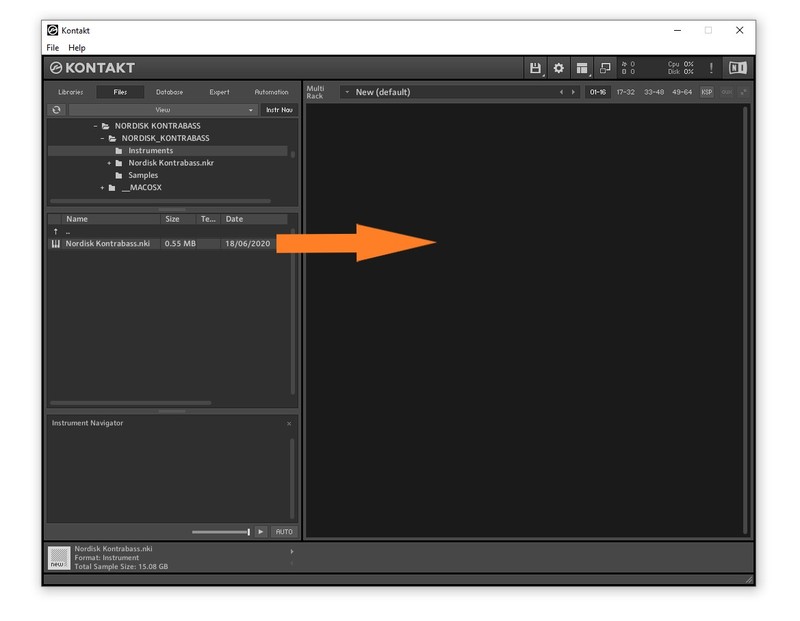
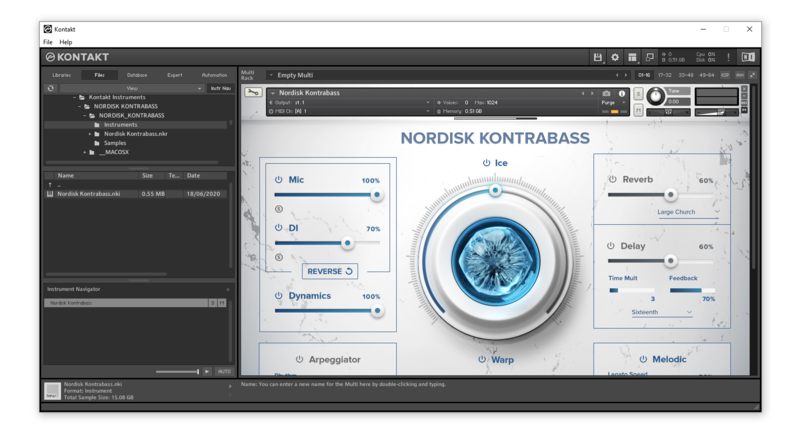
11. Open Kontakt > Select the 'Files' tab and navigate to your installed Kontakt library > Click and drag the .nki file into the empty window.

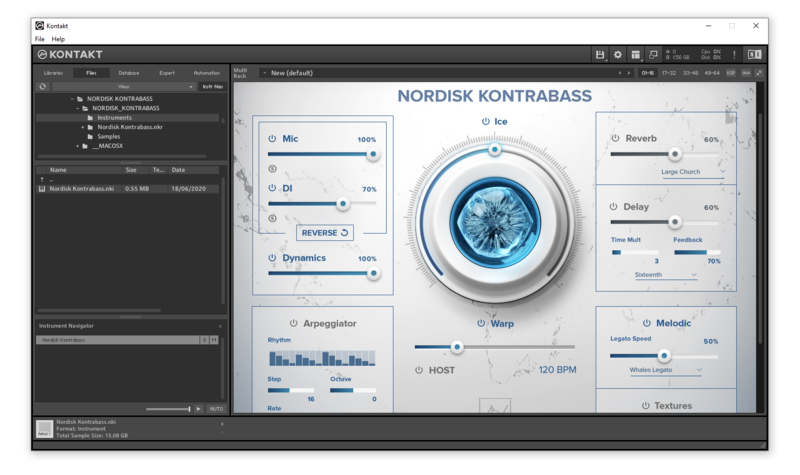
Your Kontakt Instrument is now installed and ready to use.

Batch Re-save Instructions

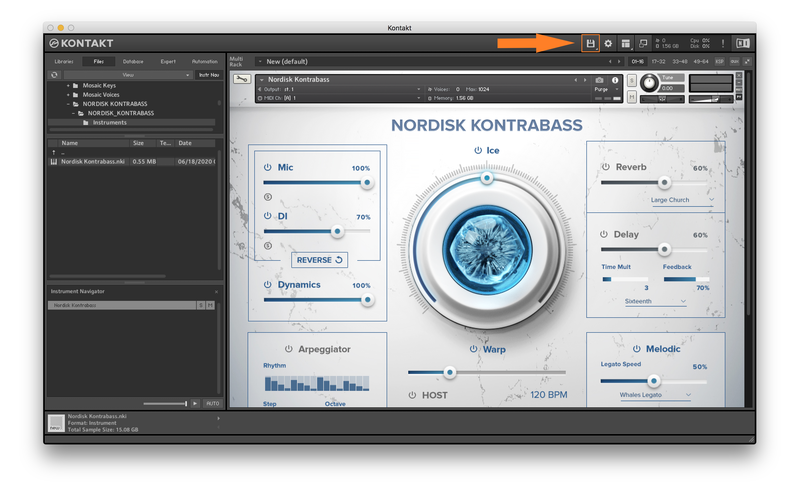
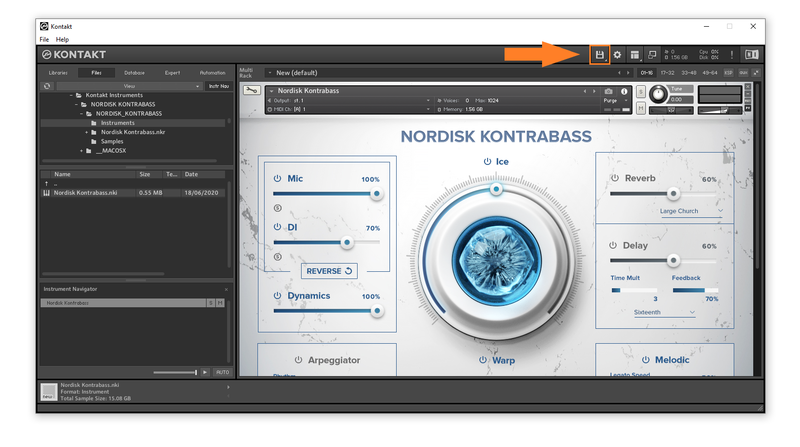
1. Within Kontakt, click the floppy disk icon.

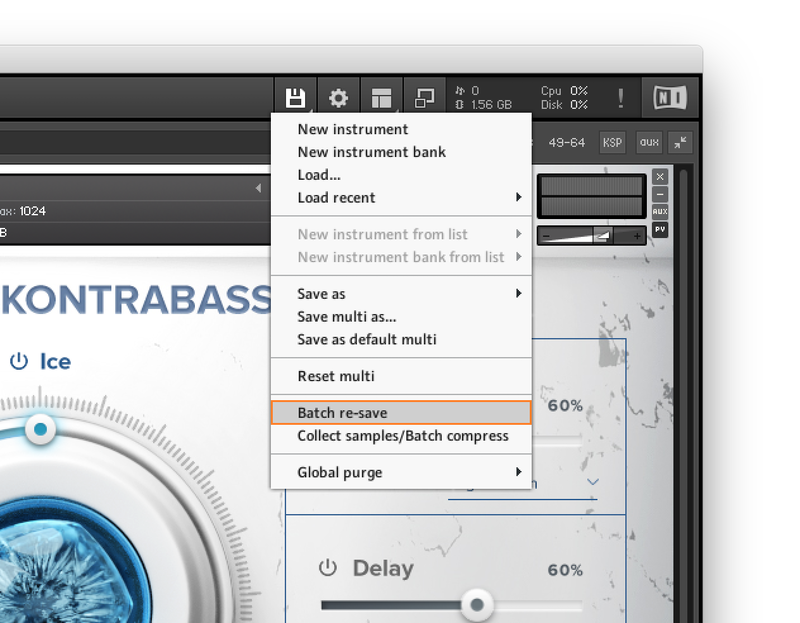
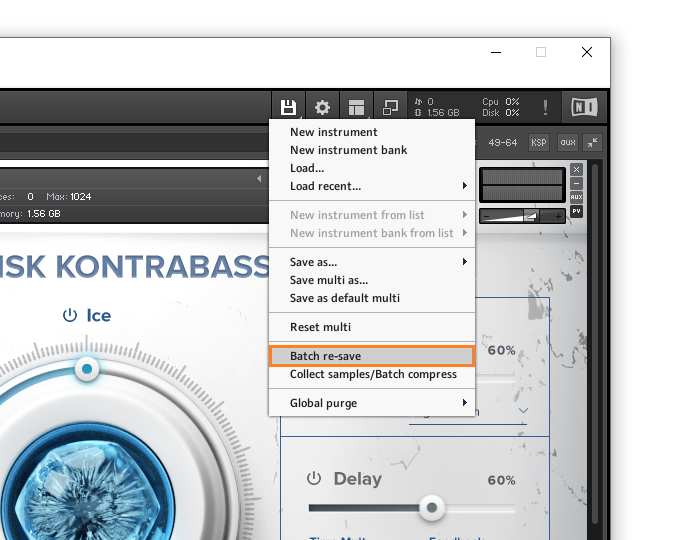
2. From the drop-down menu, click 'Batch re-save'.

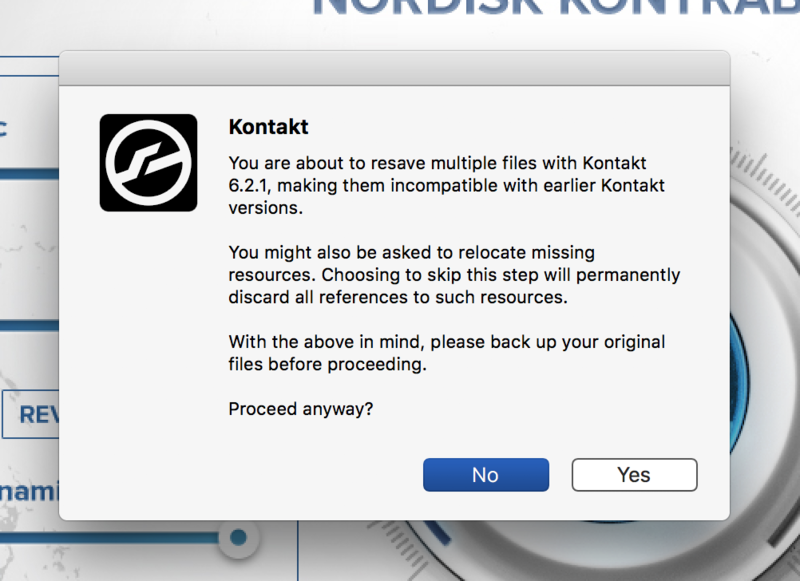
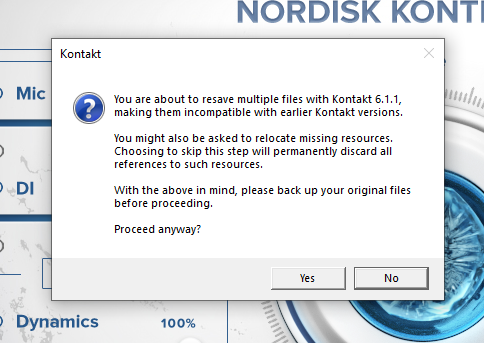
3. Click 'Yes'.

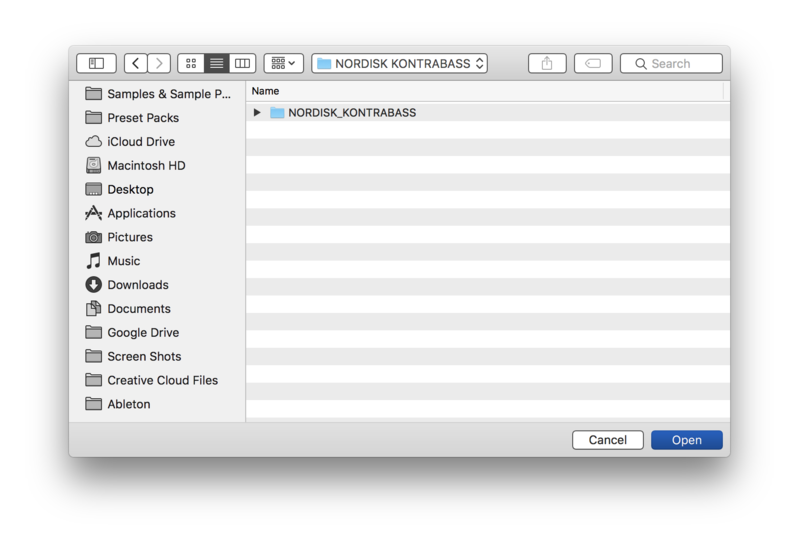
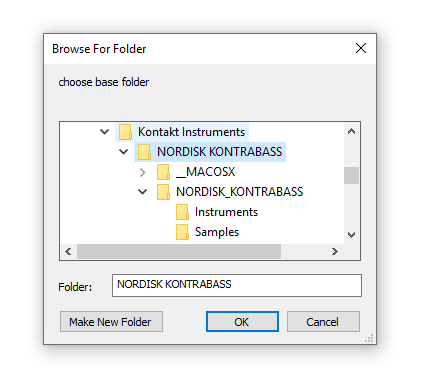
4. Navigate to the installation location for your Kontakt library > Click 'Open'.

Batch re-save is now complete and you can expect to see quicker loading times for your Kontakt Instrument.

Windows

Installation

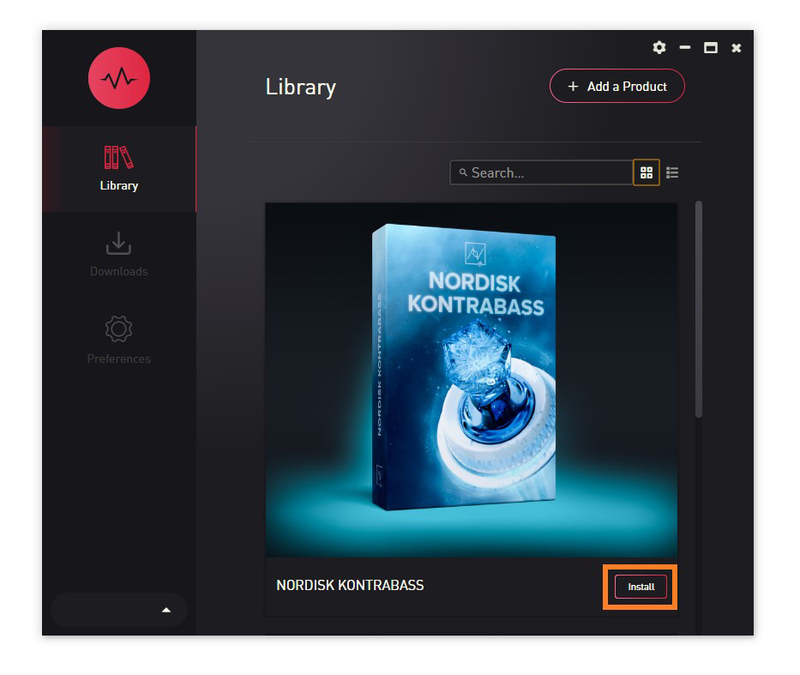
1. Go to https://pulsedownloader.com/ > Click 'Download for Windows' to download the Pulse application installer.

2. Open the .exe file to install the Pulse application > Open Pulse and click 'Register'.

3. Enter your Email Address and Password > Check the box that states 'I agree to the terms of use and privacy policy' > Click 'Register'.

4. Click 'Add a Product'.

5. Enter your 32-digit serial key, found within the serial number section of your Plugin Boutique User Account > Click 'Redeem'.

6. Click 'Install'.

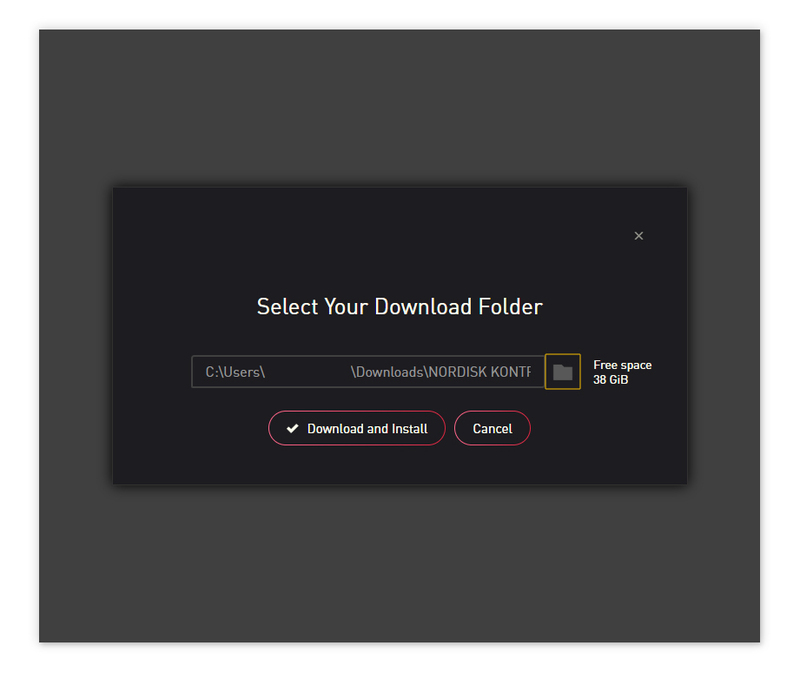
7. Click the folder icon to select the installation location for your library.

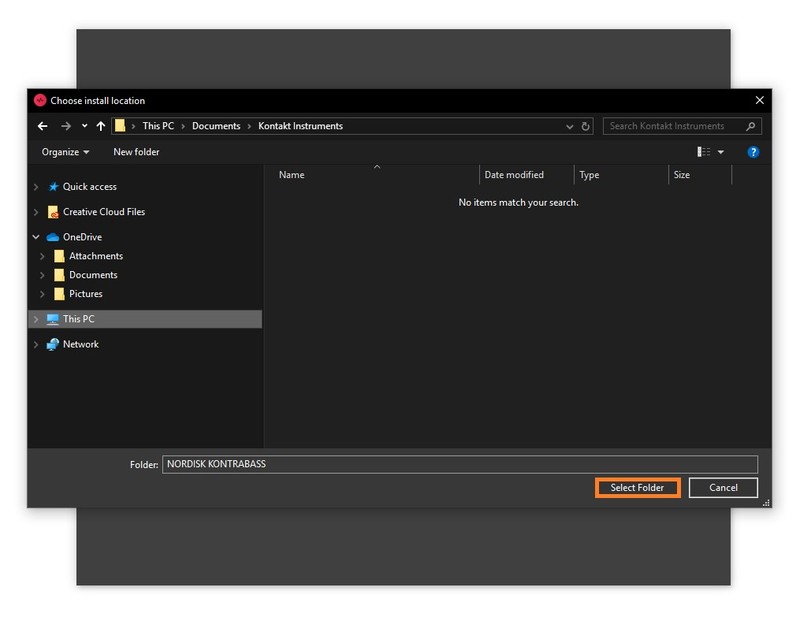
8. Choose your installation location > Click 'Select Folder'.

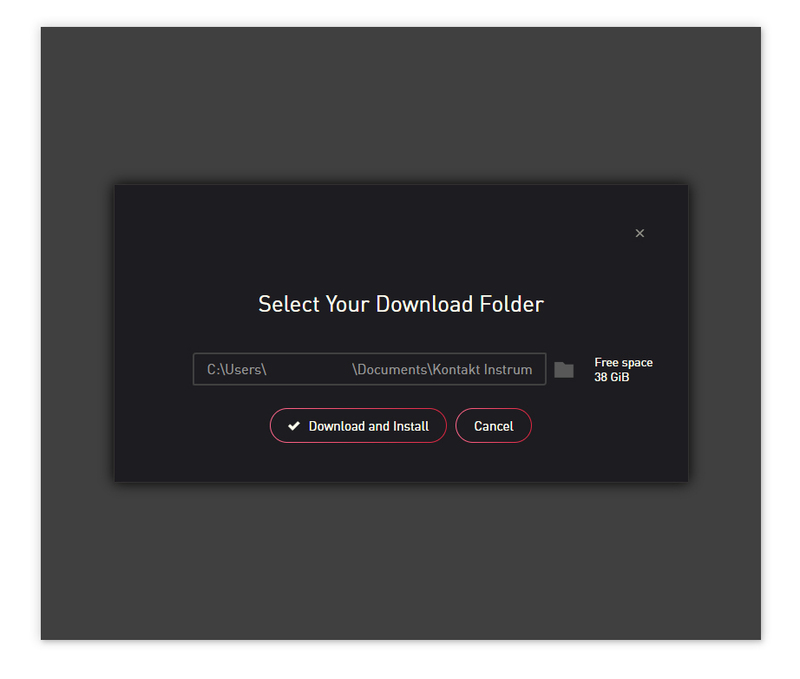
9. Click 'Download and Install'.

10. Open Kontakt > Select the 'Files' tab and navigate to your installed Kontakt library > Click and drag the .nki file into the empty window.

Your Kontakt Instrument is now installed and ready to use.

Batch Re-save Instructions

1. Within Kontakt, click the floppy disk icon.

2. From the drop-down menu, click 'Batch re-save'.

3. Click 'Yes'.

4. Navigate to the installation location for your Kontakt library > Click 'Ok'.

Batch re-save is now complete and you can expect to see quicker loading times for your Kontakt Instrument.

Plugin Boutique Rewards

Discover the most rewarding loyalty programme among all plugin retailers.

  • Free Loopmasters Samplepacks
  • Discounts on products and courses
  • Extra Virtual Cash claimed immediately at checkout
Find out more

Follow us:

X (Twitter) Facebook YouTube Instagram
Logo Logo

Plugin Boutique Limited, Part of the Beatport Group LLC.

Copyright © 2011-2025 Plugin Boutique. All rights reserved