Buy Cello Textures, get a free gift with purchase:
Cello Textures is the perfect sample library for film composers looking for dark, cinematic textures to trigger their creativity and enrich their scores.
Superbly delivered by Parisian cellist Jean-Philippe Feiss, these textures and playable patches will give you a unique taste of some of the best modern film scores. Like Nordisk Kontrabass it was inspired by legendary European composers and performers but Have Audio have taken it to the next level.
Starting from the original recorded material, Have Audio heavily processed all sounds through some of the best modular synthesizers and analog effects pedals.
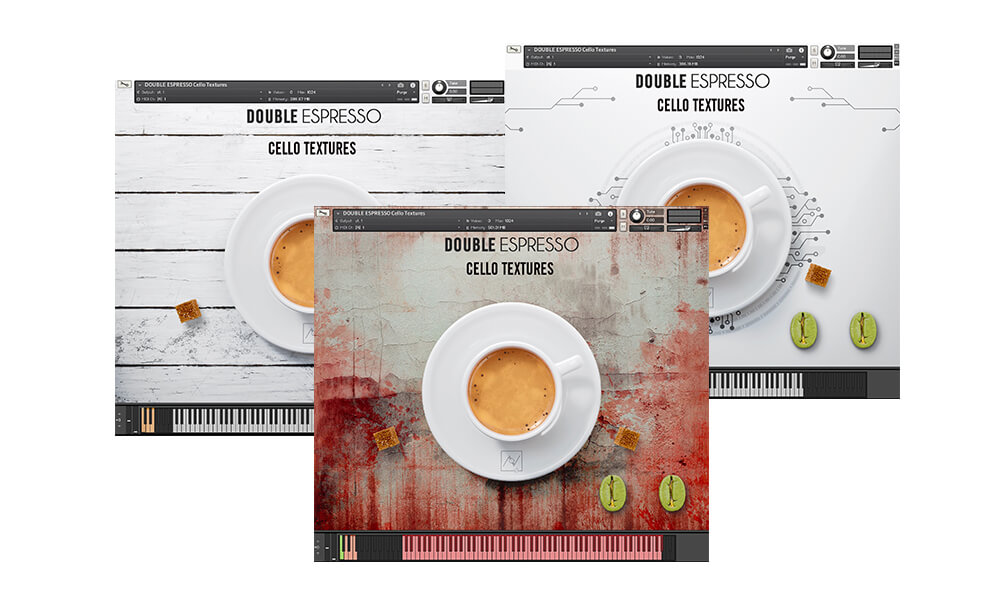
This bundle includes three separate Kontakt instruments: Cello Textures Acoustic, Cello Textures Electronic and Cello Textures Dystopian and requires the full version of Kontakt to work. Please note this will not work in the free Kontakt Player.
Features
- 1174 samples in .ncw format
- Over 3 GB uncompressed file size across 3 instruments
- 6 separate .nki files
Keyswitches/Sound Banks:
- Textures & fx
- One-shots & granular textures
- Vintage drunken cellosynth (playable)
- Movement textures
- Distorted textures
- Distorted horror textures
- Dystopian pad (playable)
- PowerCello (playable)
Built-in FX:
- Filter
- Convolution reverb
- Infinite delay
- Delay feedback & distortion
- Ghostly convolution reverb
- Special freeze reverb
System Requirements
- Requires full version of KONTAKT 5.6.8+
- Approx. 4 GB free hard drive space
- 8 GB of RAM or more is recommended
Please note: this bundle will not work in Kontakt Player

![]()
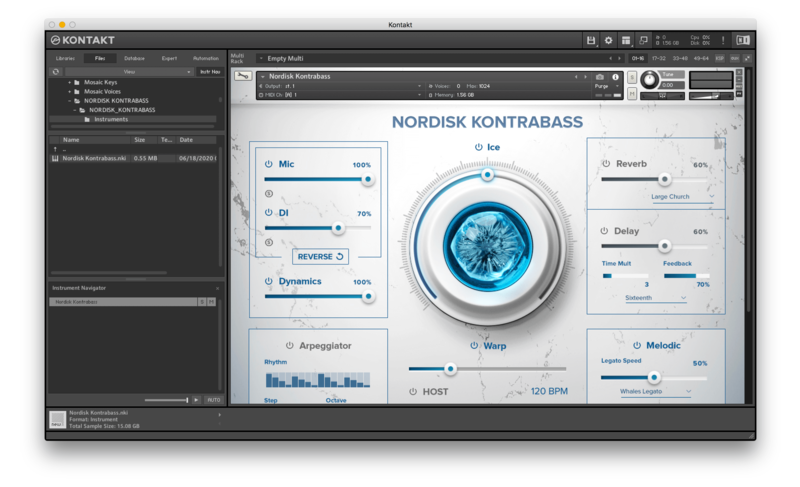
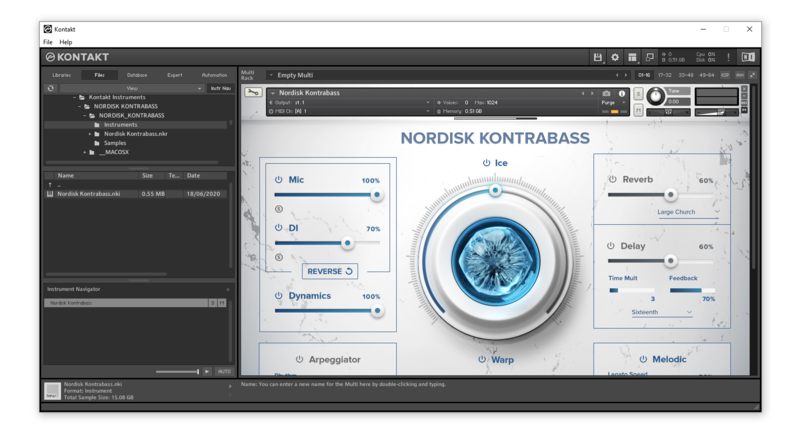
Please note: Nordisk Kontrabass is used as an example as the installation process is the same for all Have products.
Mac
Installation
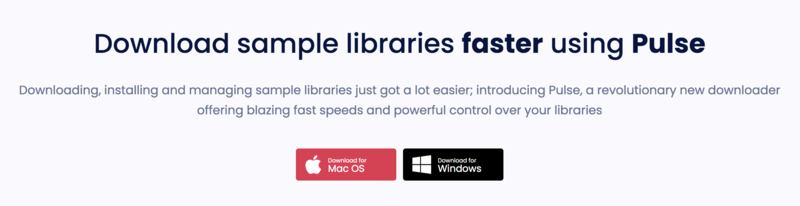
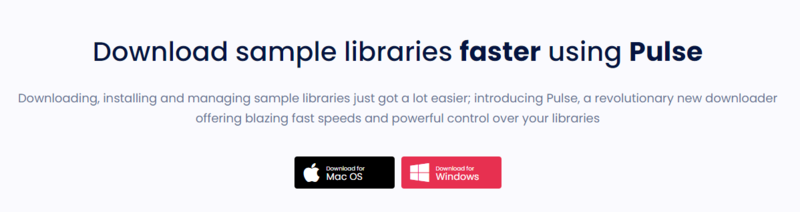
1. Go to https://pulsedownloader.com/ > Click 'Download for Mac OS' to download the Pulse application installer.

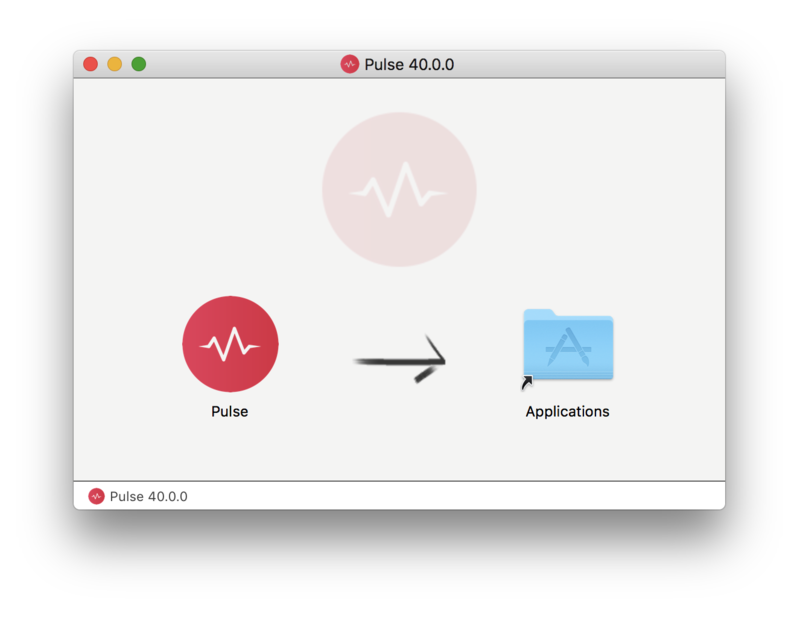
2. Open the .dmg file > Click and drag the application icon into the applications folder.

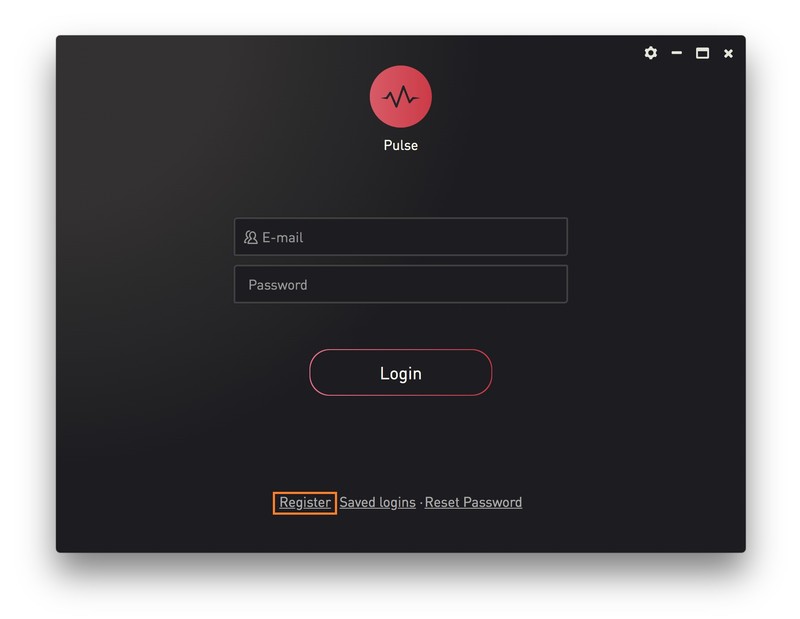
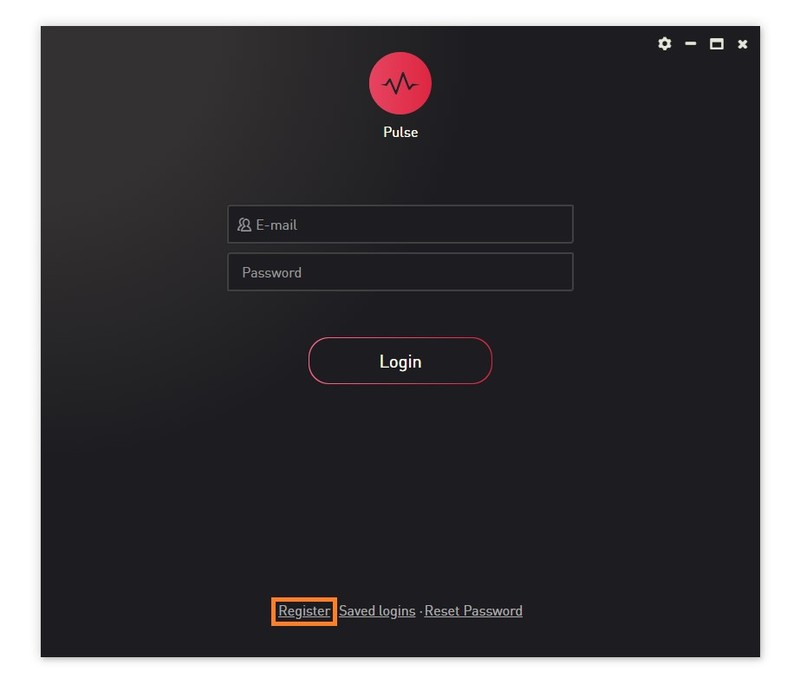
3. Open the Pulse application > Click 'Register'

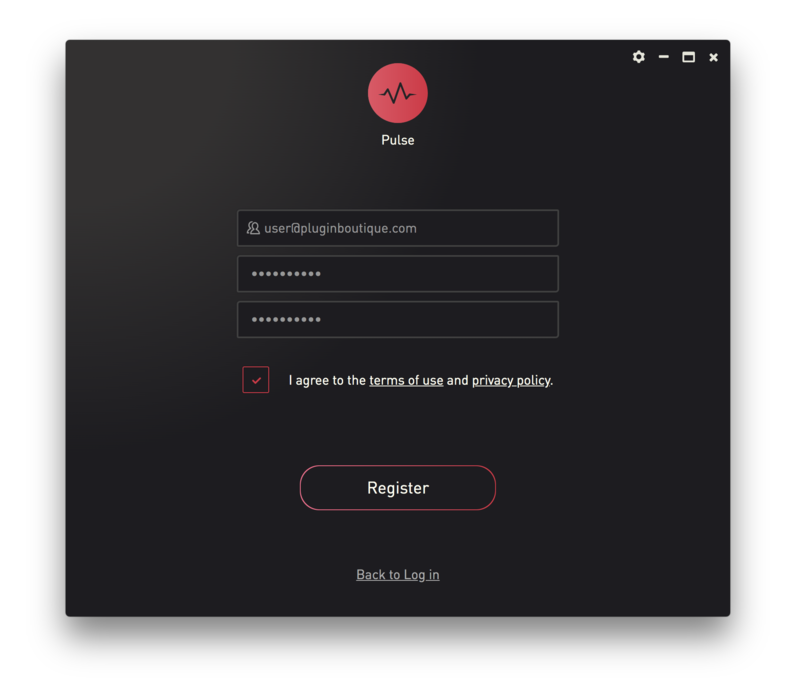
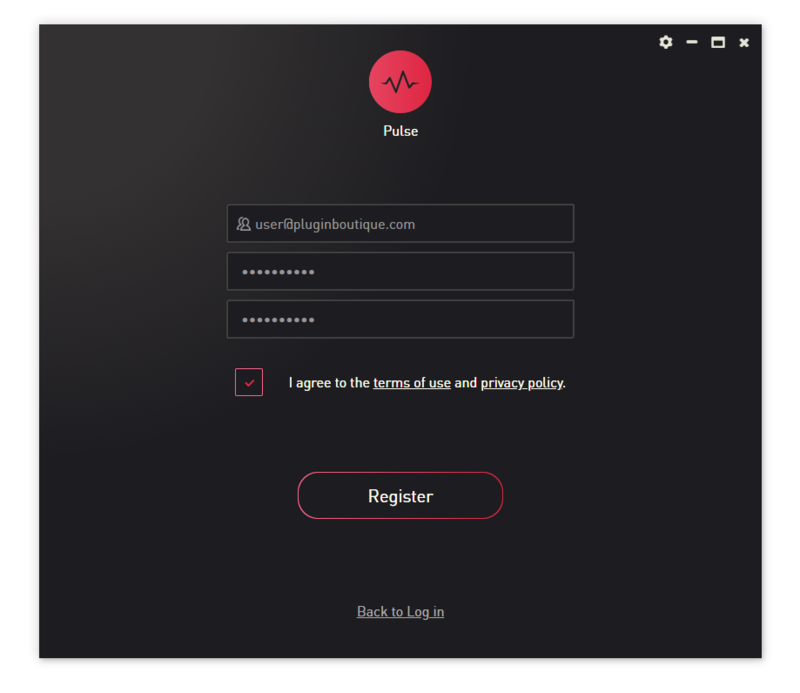
4. Enter your Email Address and Password > Check the box that states 'I agree to the terms of use and privacy policy' > Click 'Register'.

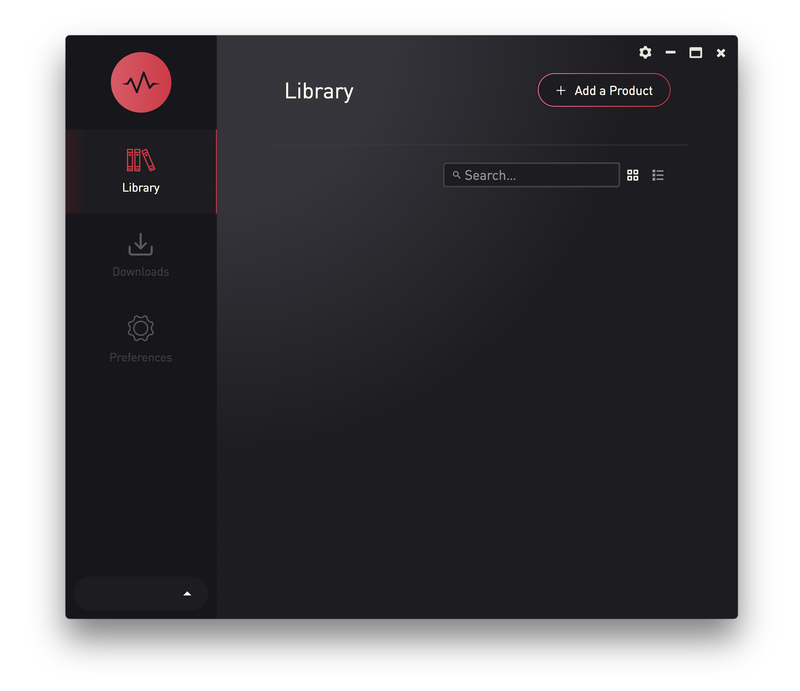
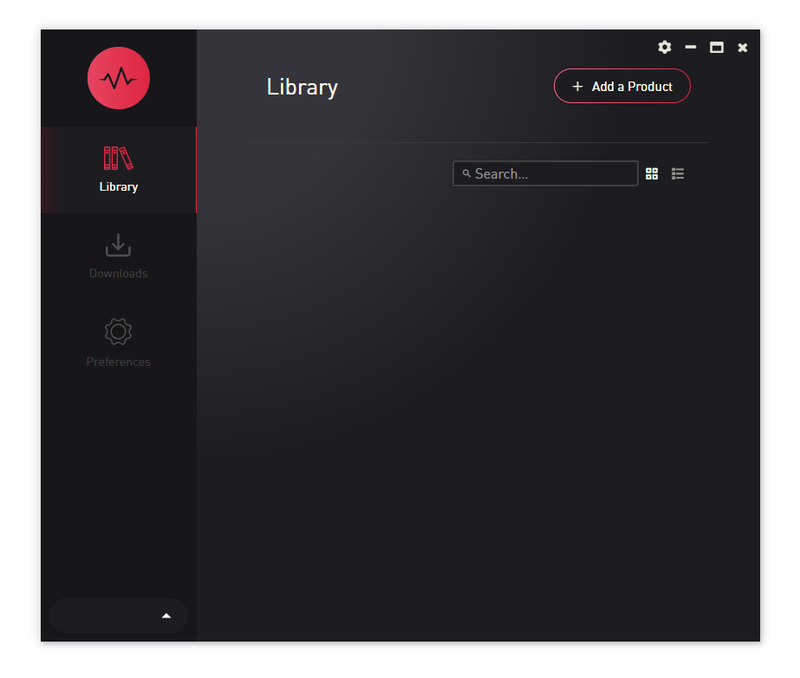
5. Click 'Add a Product'.

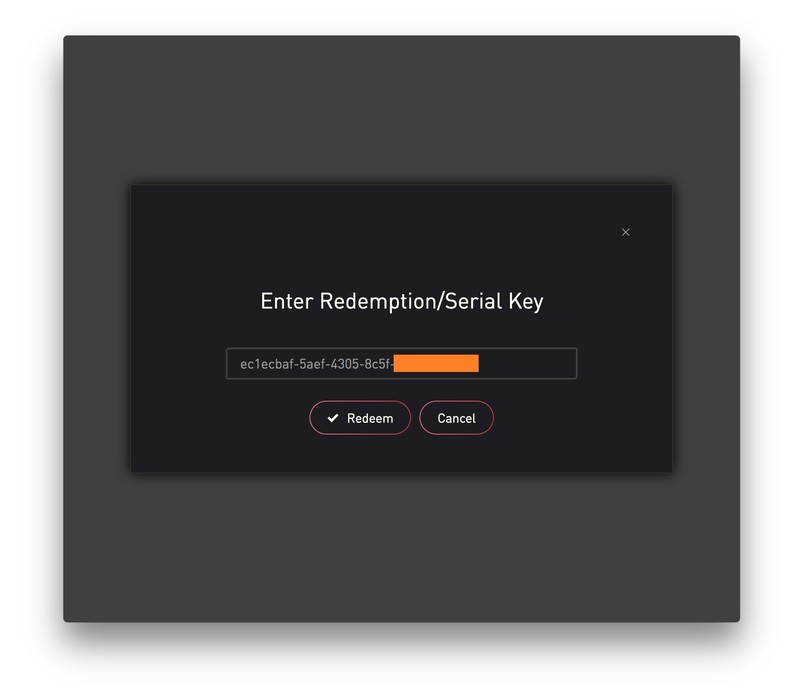
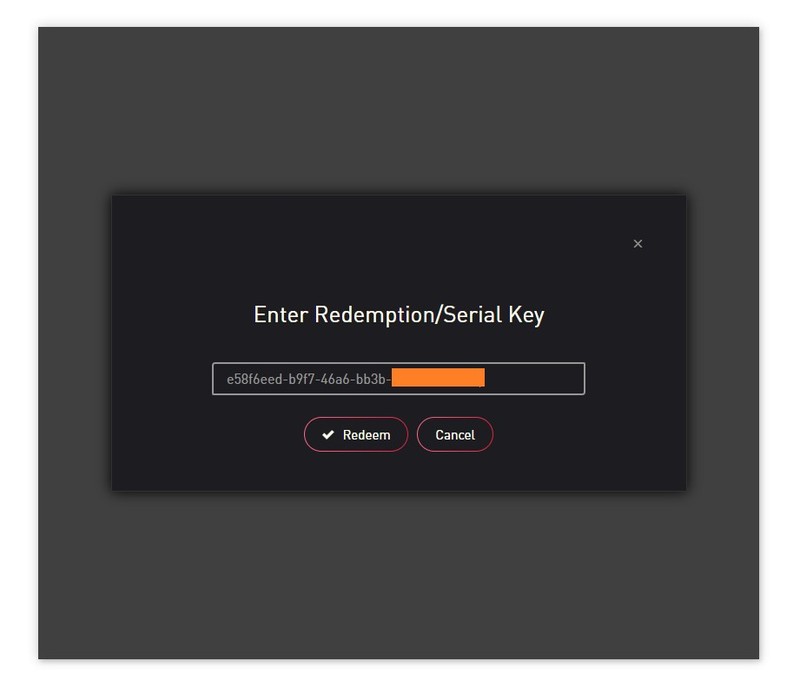
6. Enter your 32-digit serial key, found within the serial number section of your Plugin Boutique User Account > Click 'Redeem'.

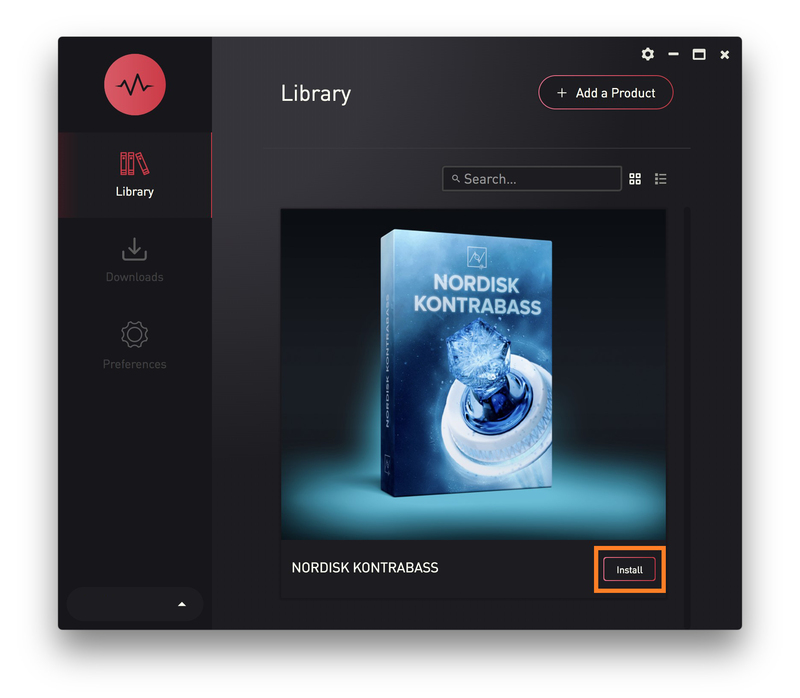
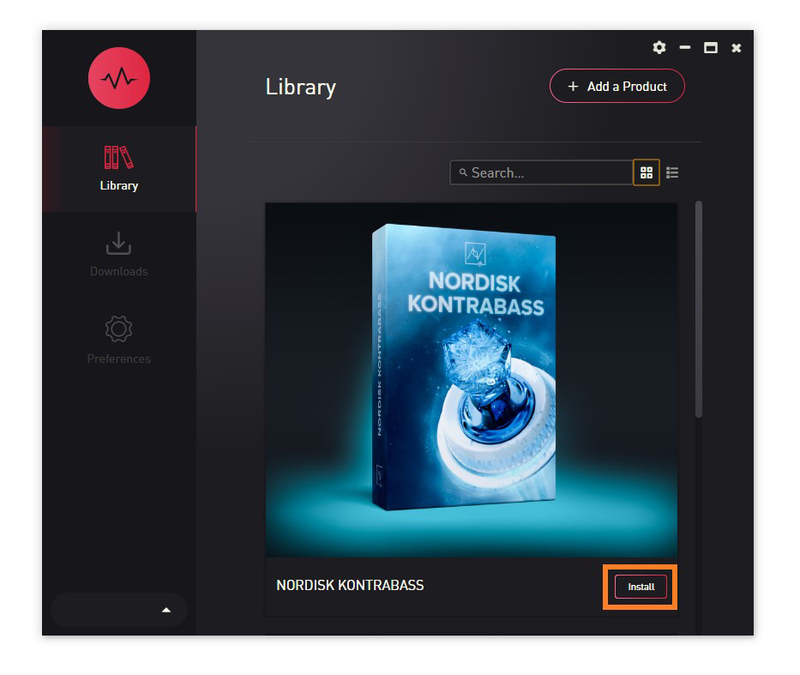
7. Click 'Install'.

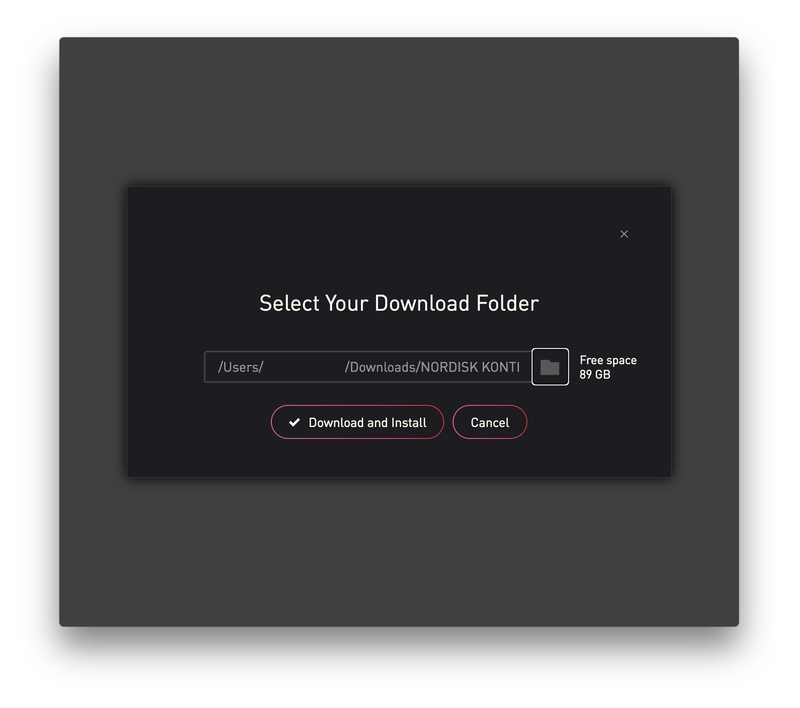
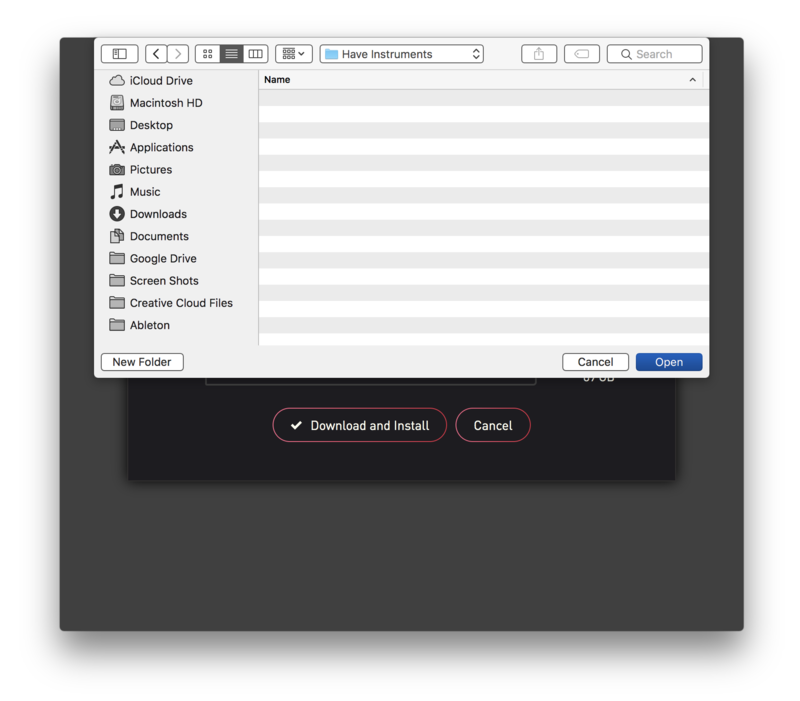
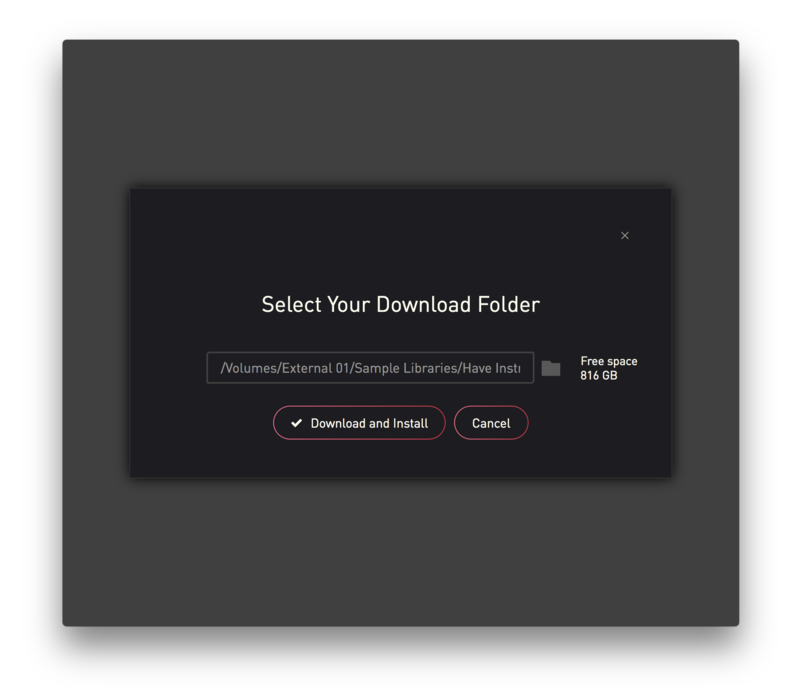
8. Click the folder icon to select the installation location for your library.

9. Choose your installation location > Click 'Open'.

10. Click 'Download and Install'.

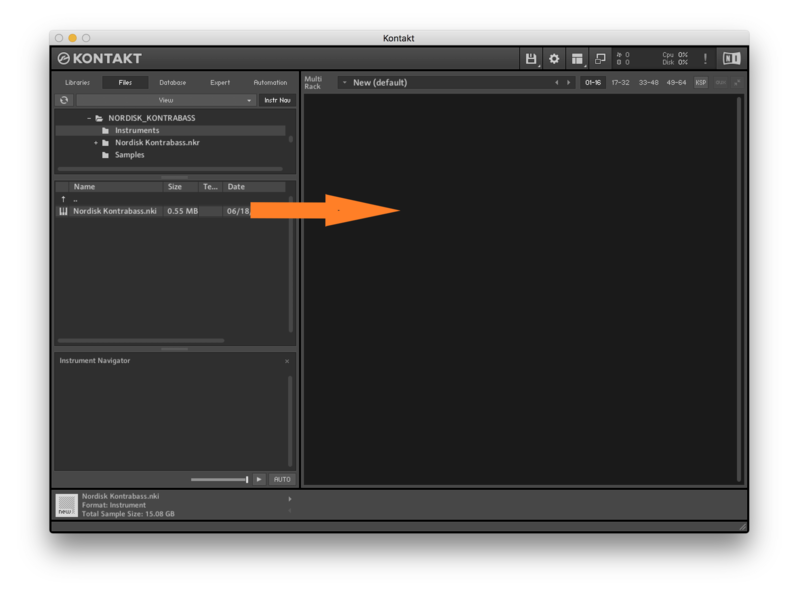
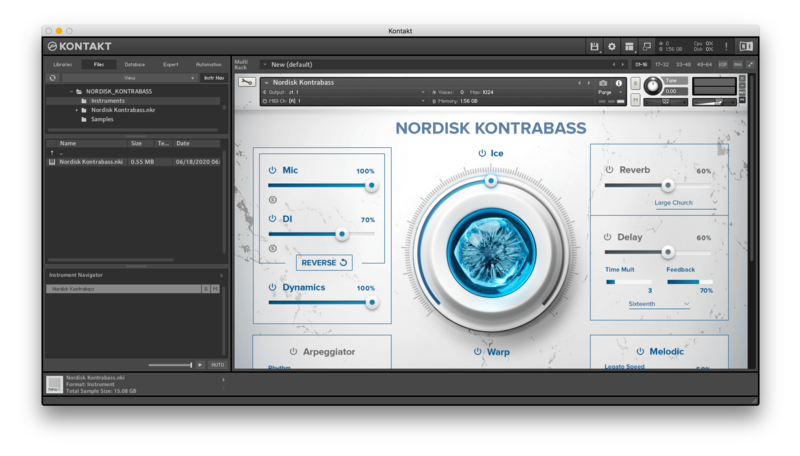
11. Open Kontakt > Select the 'Files' tab and navigate to your installed Kontakt library > Click and drag the .nki file into the empty window.

Your Kontakt Instrument is now installed and ready to use.

Batch Re-save Instructions
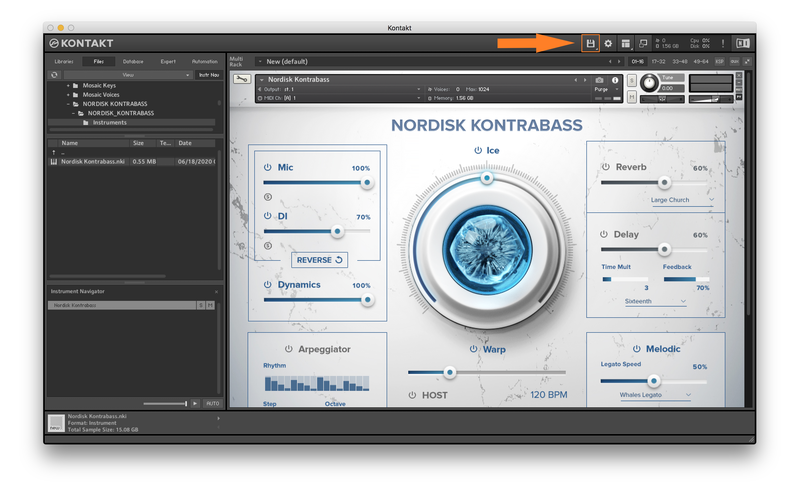
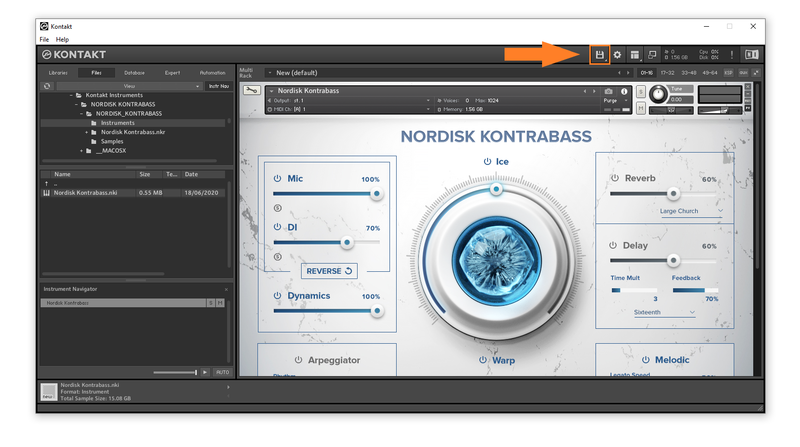
1. Within Kontakt, click the floppy disk icon.

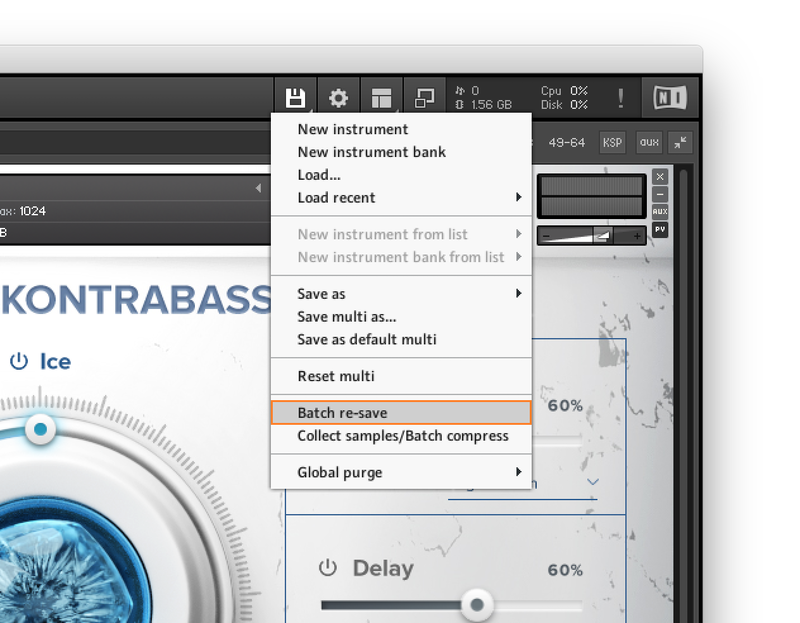
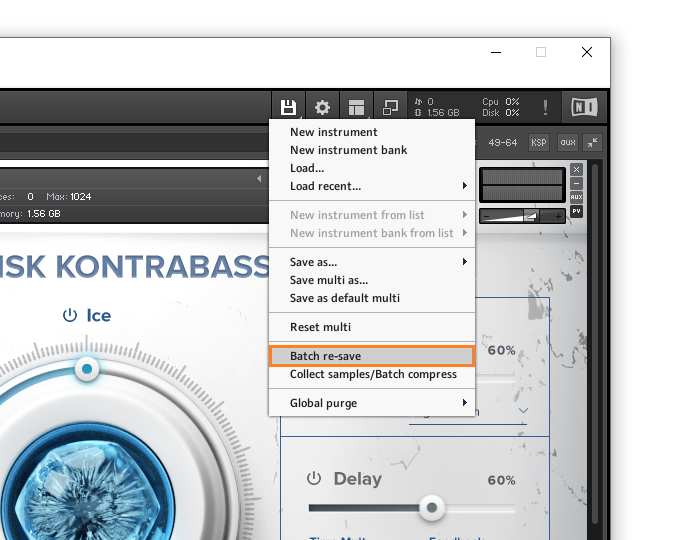
2. From the drop-down menu, click 'Batch re-save'.

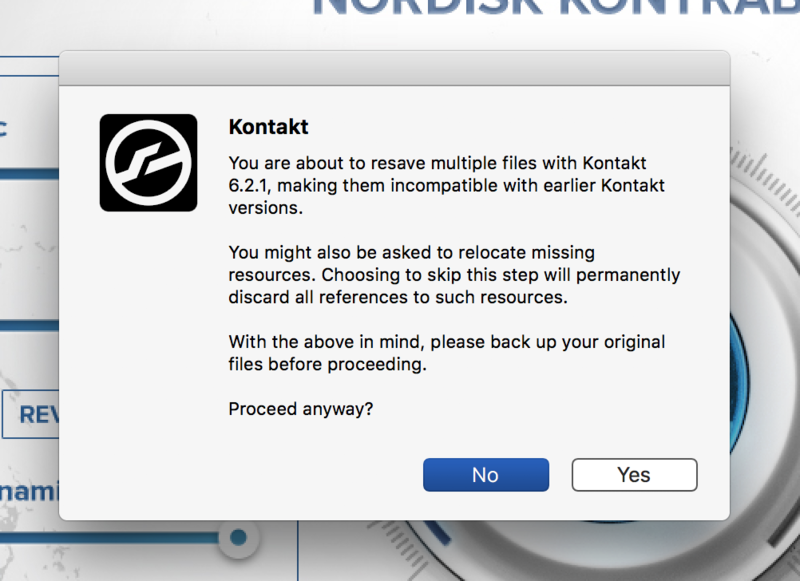
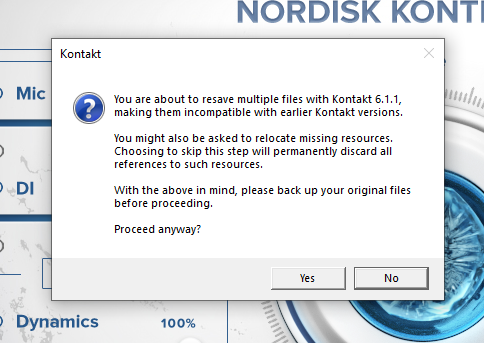
3. Click 'Yes'.

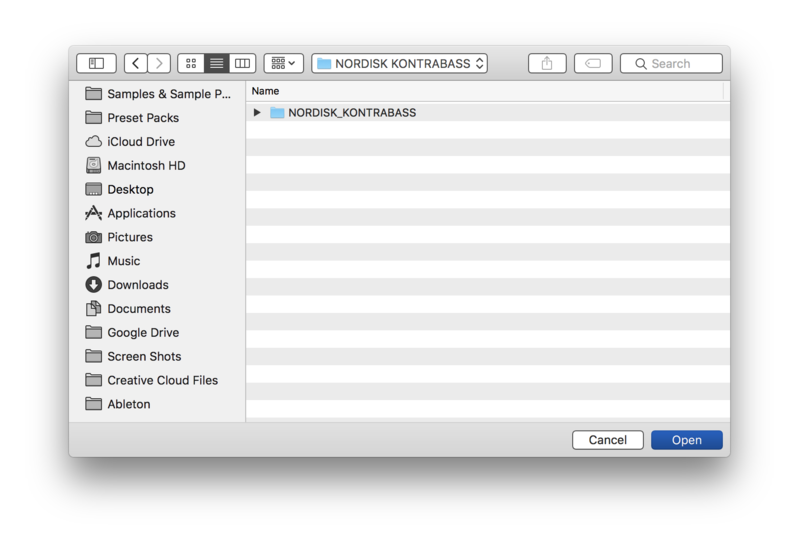
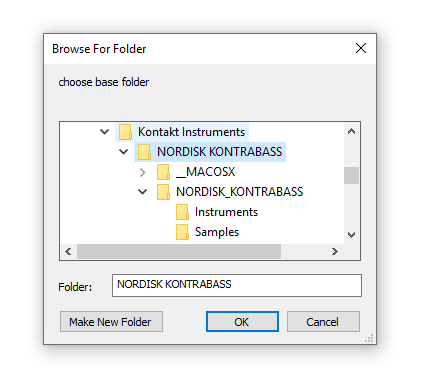
4. Navigate to the installation location for your Kontakt library > Click 'Open'.

Batch re-save is now complete and you can expect to see quicker loading times for your Kontakt Instrument.

Windows
Installation
1. Go to https://pulsedownloader.com/ > Click 'Download for Windows' to download the Pulse application installer.

2. Open the .exe file to install the Pulse application > Open Pulse and click 'Register'.

3. Enter your Email Address and Password > Check the box that states 'I agree to the terms of use and privacy policy' > Click 'Register'.

4. Click 'Add a Product'.

5. Enter your 32-digit serial key, found within the serial number section of your Plugin Boutique User Account > Click 'Redeem'.

6. Click 'Install'.

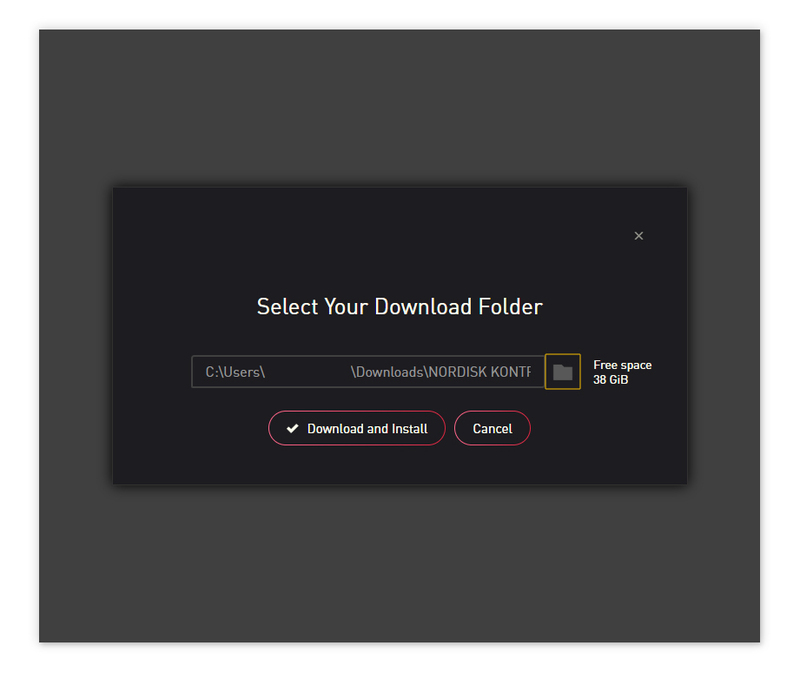
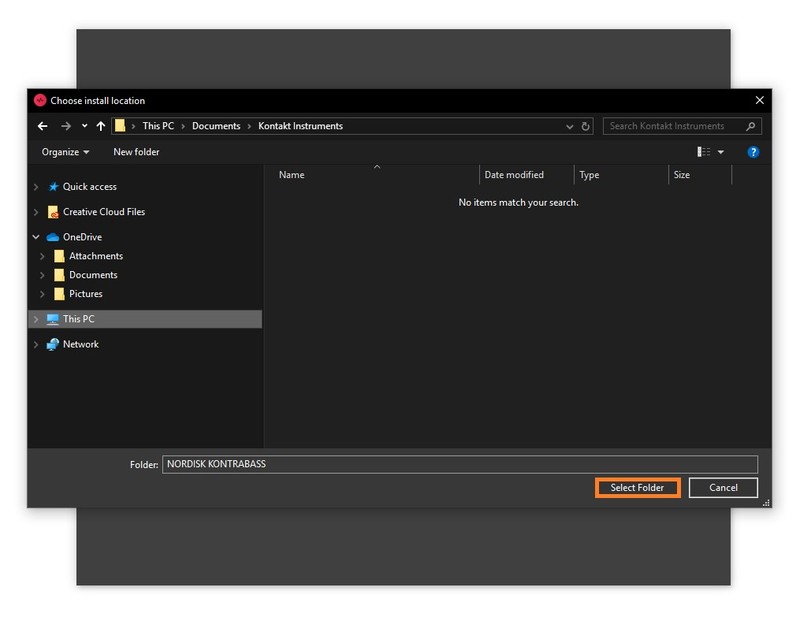
7. Click the folder icon to select the installation location for your library.

8. Choose your installation location > Click 'Select Folder'.

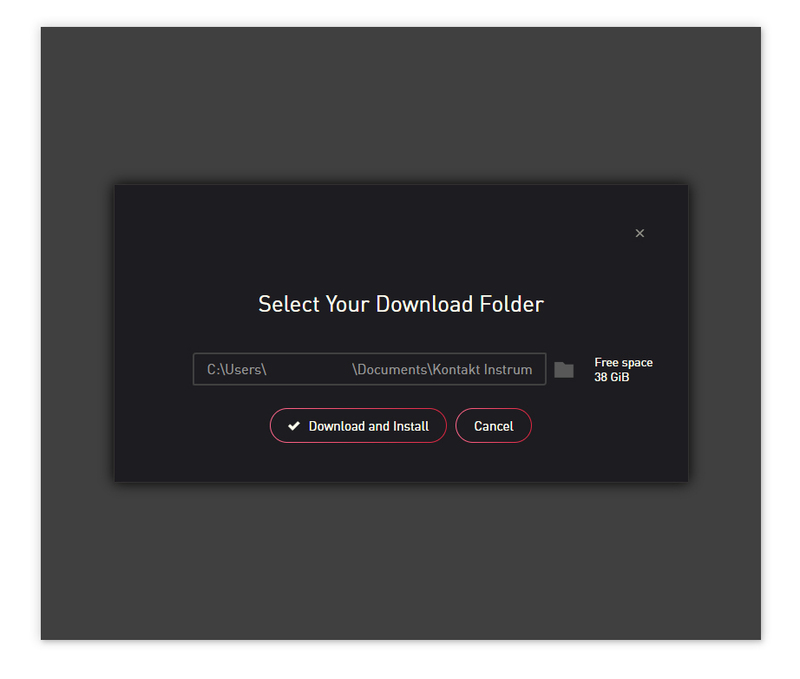
9. Click 'Download and Install'.

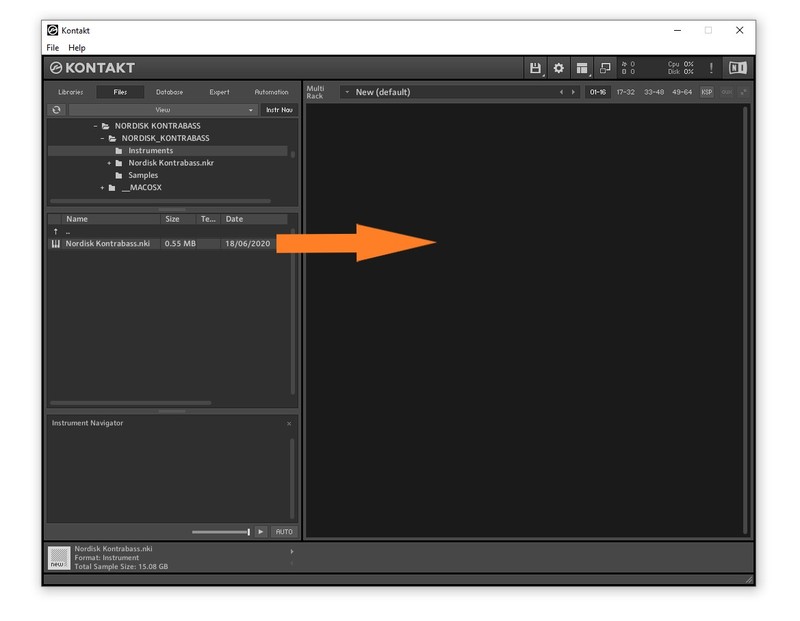
10. Open Kontakt > Select the 'Files' tab and navigate to your installed Kontakt library > Click and drag the .nki file into the empty window.

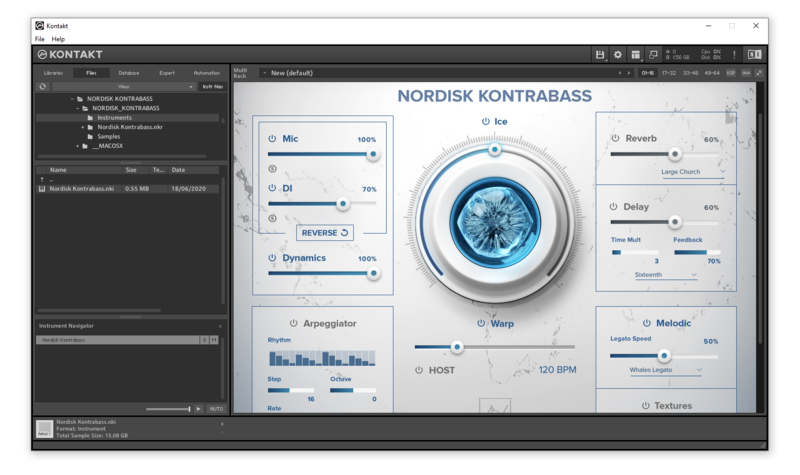
Your Kontakt Instrument is now installed and ready to use.

Batch Re-save Instructions
1. Within Kontakt, click the floppy disk icon.

2. From the drop-down menu, click 'Batch re-save'.

3. Click 'Yes'.

4. Navigate to the installation location for your Kontakt library > Click 'Ok'.

Batch re-save is now complete and you can expect to see quicker loading times for your Kontakt Instrument.