Log In

Free gifts available with your purchase
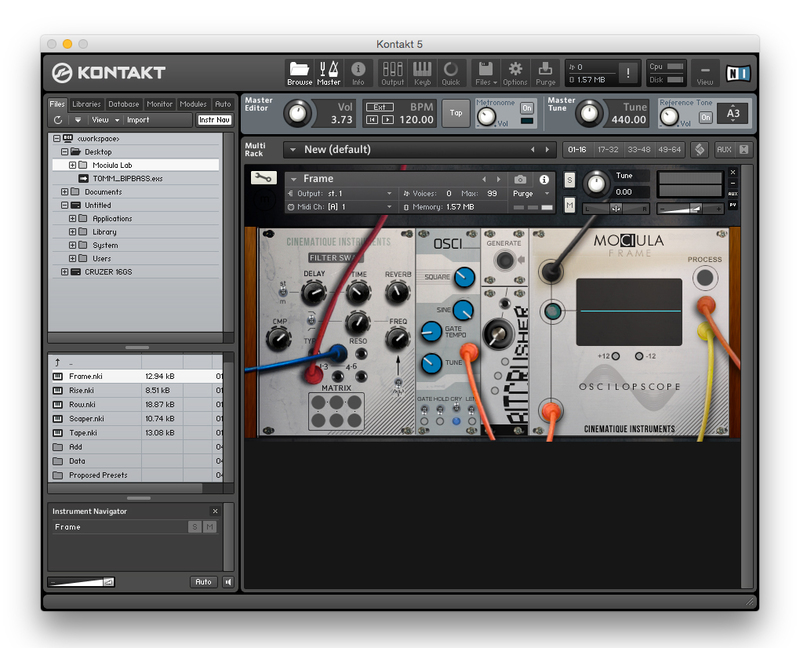
Modular Style Synthesizer for Native Instruments Kontakt. This complex intuitive Kontakt instrument allows you to mutate sounds endlessly with every tweak!
Modular Style Synthesizer for Native Instruments Kontakt 5.1.0 (FULL VERSION REQUIRED)
Features
- Over 525 presets
- A choice of 10 waveforms plus white and pink noise
- From raucous laboratory experiments, acid house and techno to serene radiophonic bliss-scapes
- Now on Version 2 with a bank of 5 new waveforms from the original System100M modular
- Bank 1 sampled with vintage valve equipment to quarter inch tape for maximum analogue texture
System Requirements
- Powered by Kontakt (VST / AU / RTAS / Pro Tools 8 & Higher)
Windows
- Windows 7 (latest Service Pack, 32/64-bit)
- Intel Core Duo or AMD Athlon 64
- 2 GB RAM
Mac
- Mac OS X 10.6 (latest update) or 10.7
- Intel Core Duo
- 2 GB RAM
Note: The FULL version of Kontakt is required (Kontakt Player not supported).

Awards

Rob Abernethy
BAFTA winning music producer and composer
'Its obvious that you guys spent a lot of time creating it. the sounds and interface are fantastic!'
Will White [Propellaheads]
Propellerheads were a British big beat musical ensemble, formed in 1995 and made up of electronic producers Will White and Alex Gifford.
'A truly monster synth'
I have a new Kontakt synth I had to let you know about if you don’t already. It’s a collaboration from two awesome developers Tronsonic and Synthmagic and this thing sounds really cool.The concept behind it is to capture the character and feel of a true analog modular synthesizer and then recrea...
Read More