Have Audio

Toys

4.5 (102 Reviews)
$13.50 $45.00

70% off until Dec 07

Toys: Double Espresso Bundle - Main Image
Toys: Double Espresso Bundle
Toys Acoustic: Double Espresso
TOYS - DOUBLE ESPRESSO - Acoustic gallery thumbnail
Toys Electronic: Double Espresso
TOYS - DOUBLE ESPRESSO - ELECTRONIC gallery thumbnail
Toys Dystopian: Double Espresso
TOYS - DOUBLE ESPRESSO - Dystopian gallery thumbnail
Buy Now
Product information

The Toys bundle is Have Audio's Halloween creature. Funny, spooky and creepy. The perfect sample library for film composers looking for dark, cinematic textures to trigger their creativity and enrich their scores.

They sampled music boxes, wind-up toys, vintage robots, martian attackers, springs, balls, cat and water toys and much more to create unique sounds both sinister and funny. The result is a library that is a must for all horror film composers and producers interested in edgy sounds.

Starting from the original recorded material Have heavily processed all sounds through some of the best modular synthesizers and authentic, highly noisy and vicious vintage tape machines, walkmans etc. perfect for ghostly and scary scores.

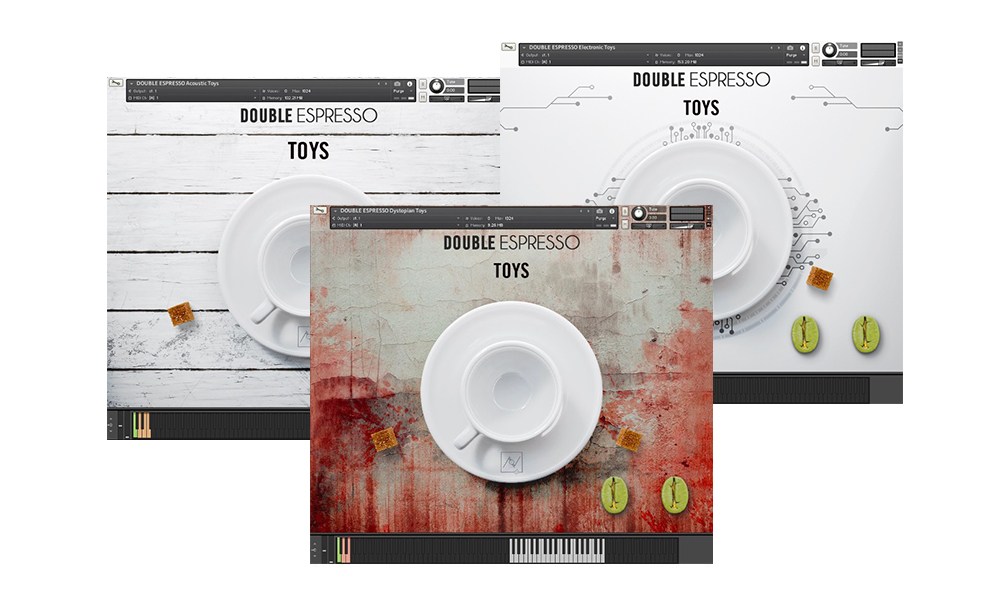
This bundle includes three separate Kontakt instruments: Toys Acoustic, Toys Electronic and Toys Dystopian and requires the full version of Kontakt to work. Please note this will not work in the free Kontakt Player.
Features

  • Over 650MB uncompressed file size across 3 instruments
  • 3 separate .nki files
  • 385 samples

Keyswitches/Soundbanks:

  • Toys one-shots and textures (processed through modular synths and vintage tapes)
  • Music boxes (processed through vintage tapes)

Built-in FX

  • Infinite delay
  • Low-end drone impulse response fx
  • Unique granular and reverse convolution reverbs
  • Filter
  • Vintage tape noise

System Requirements

  • Requires full version of KONTAKT 5.6.8+
  • Approx. 1 GB free hard drive space
  • 8 GB of RAM or more is recommended

Please note: this bundle will not work in Kontakt Player

Installation Instructions

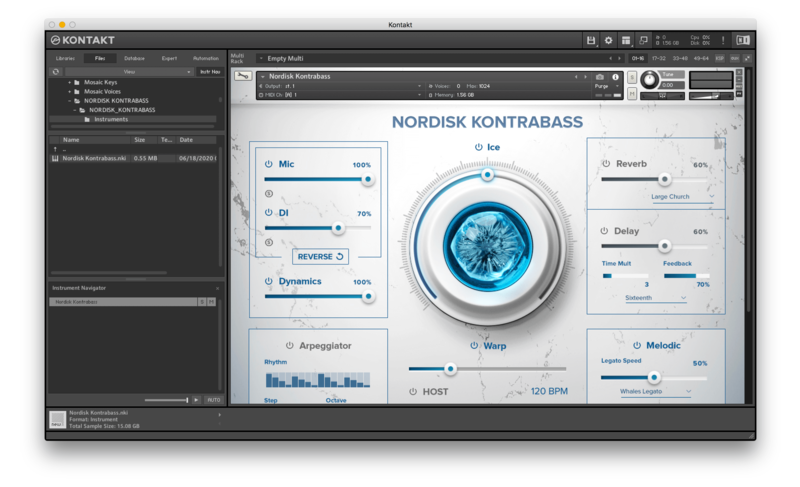
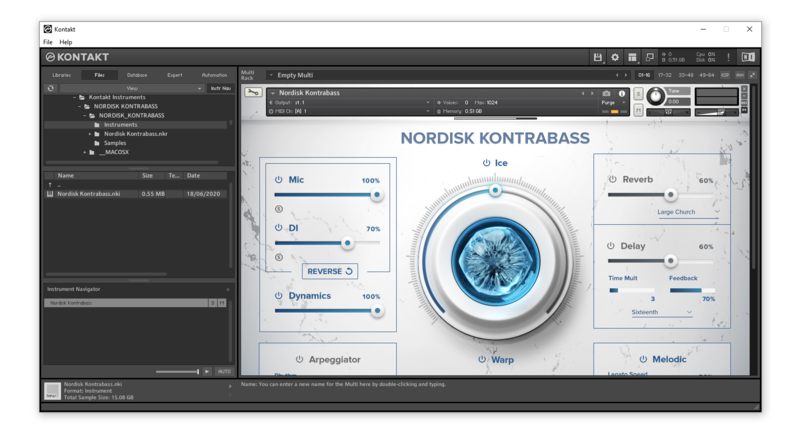
Please note: Nordisk Kontrabass is used as an example as the installation process is the same for all Have products.

Mac

Installation

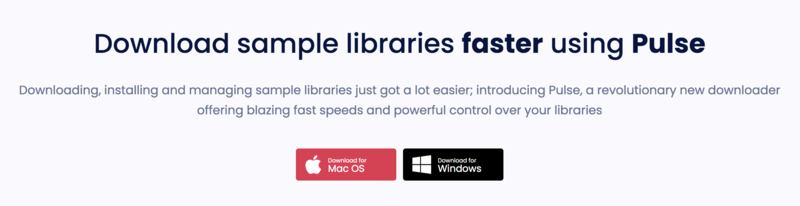
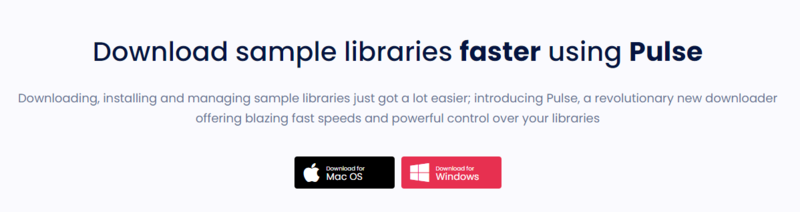
1. Go to https://pulsedownloader.com/ > Click 'Download for Mac OS' to download the Pulse application installer.

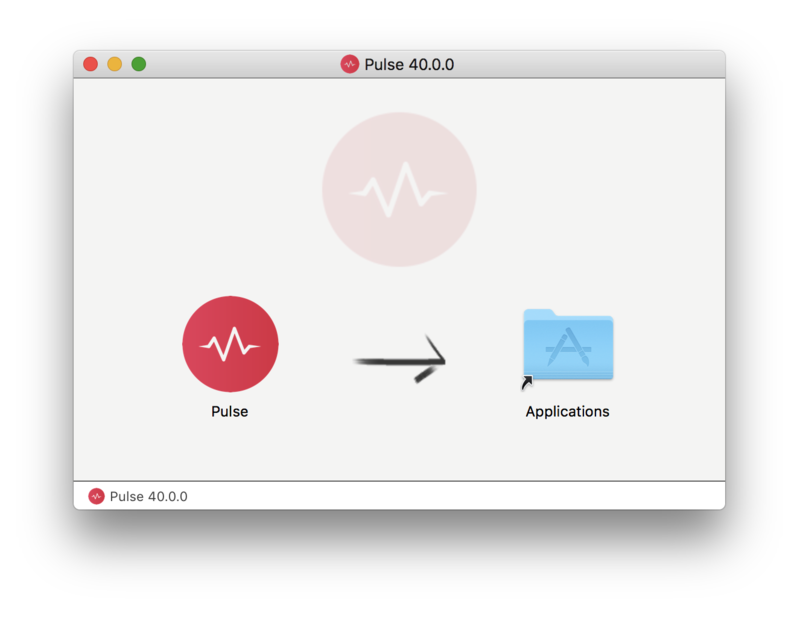
2. Open the .dmg file > Click and drag the application icon into the applications folder.

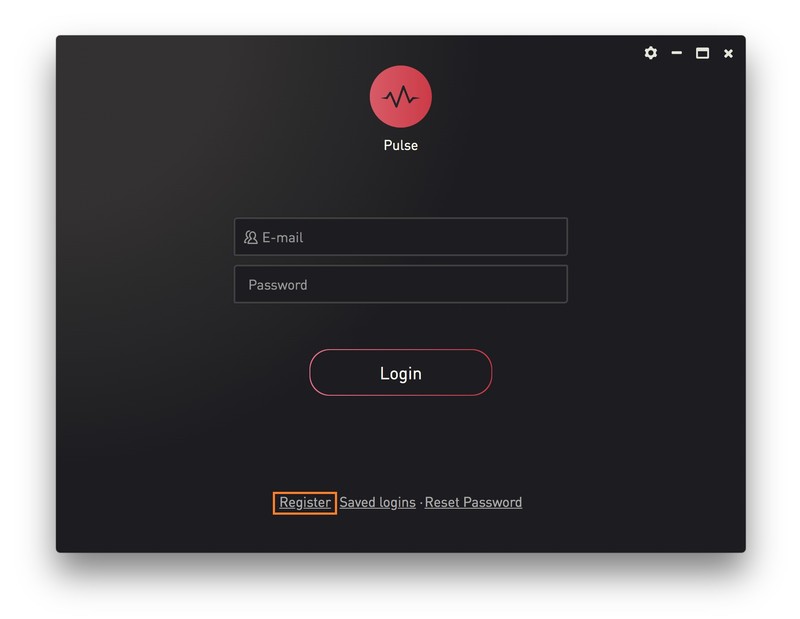
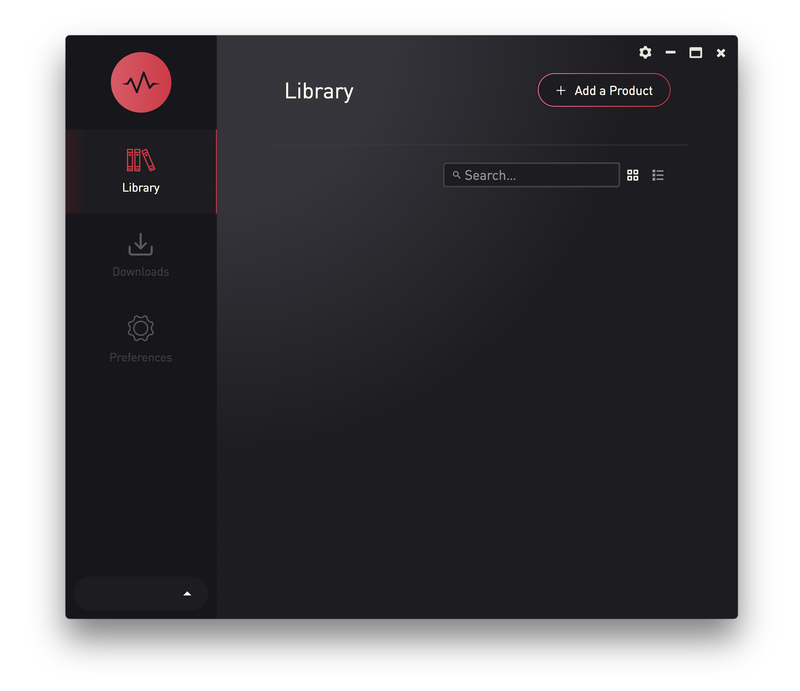
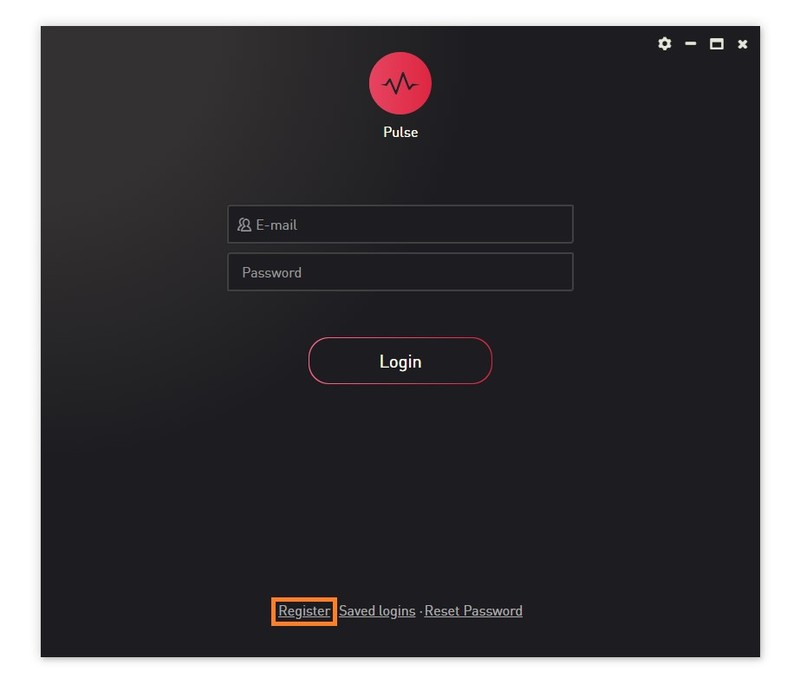
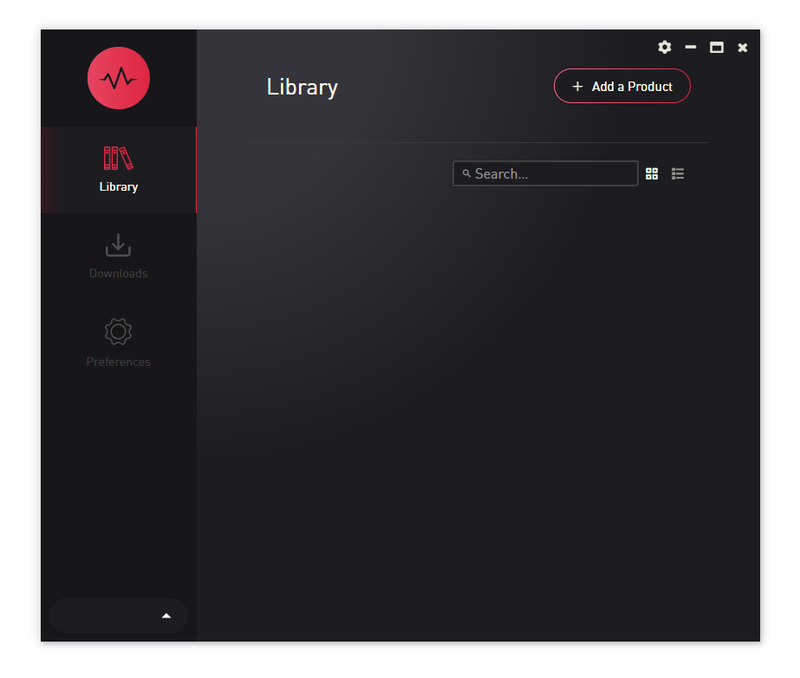
3. Open the Pulse application > Click 'Register'

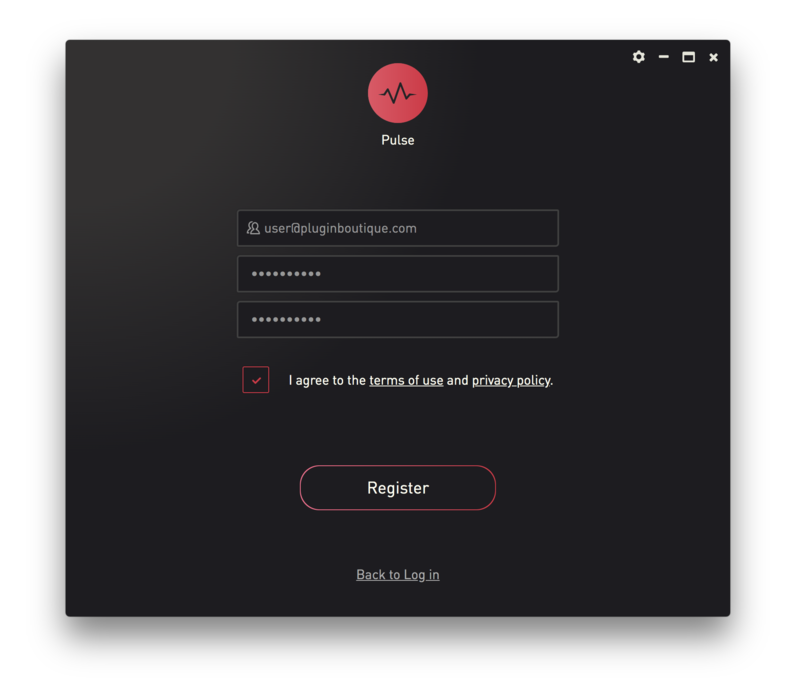
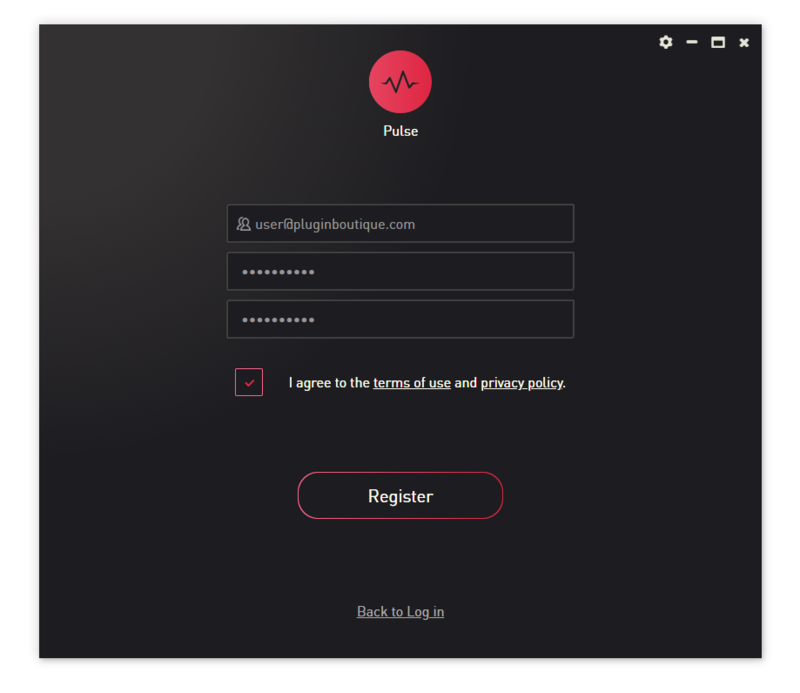
4. Enter your Email Address and Password > Check the box that states 'I agree to the terms of use and privacy policy' > Click 'Register'.

5. Click 'Add a Product'.

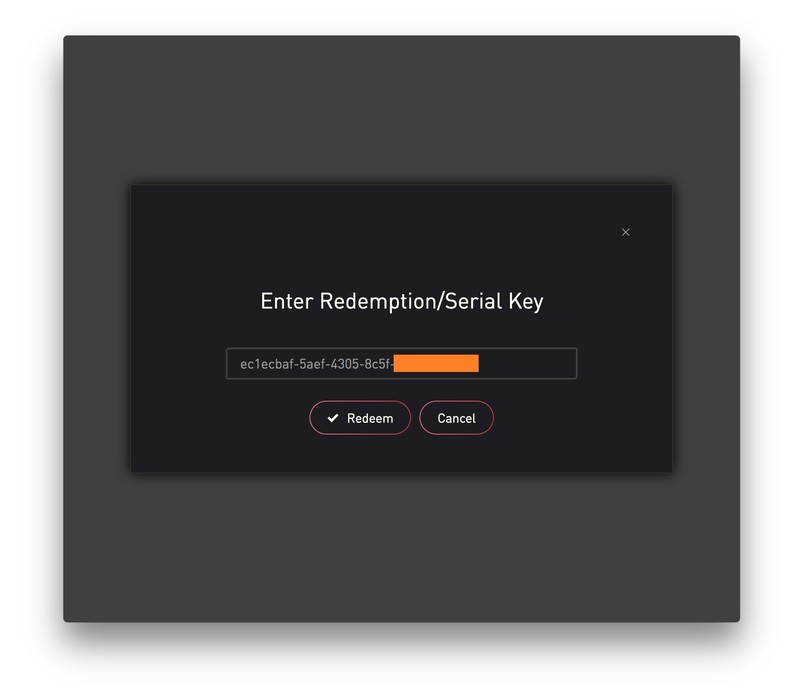
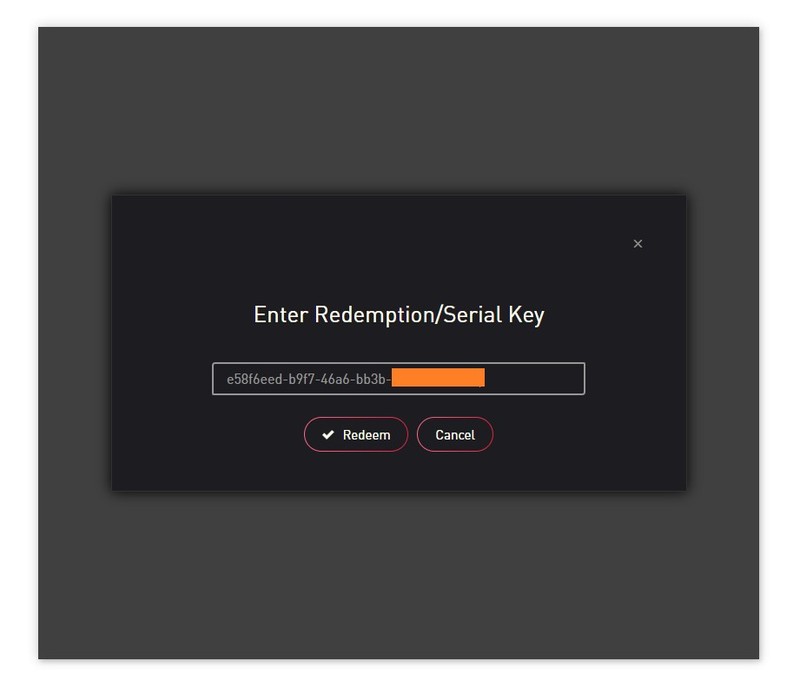
6. Enter your 32-digit serial key, found within the serial number section of your Plugin Boutique User Account > Click 'Redeem'.

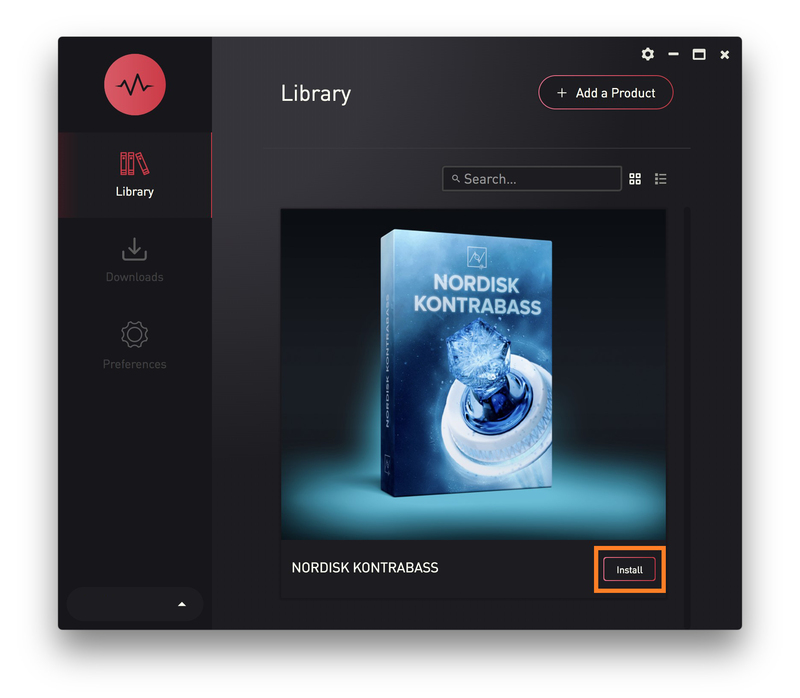
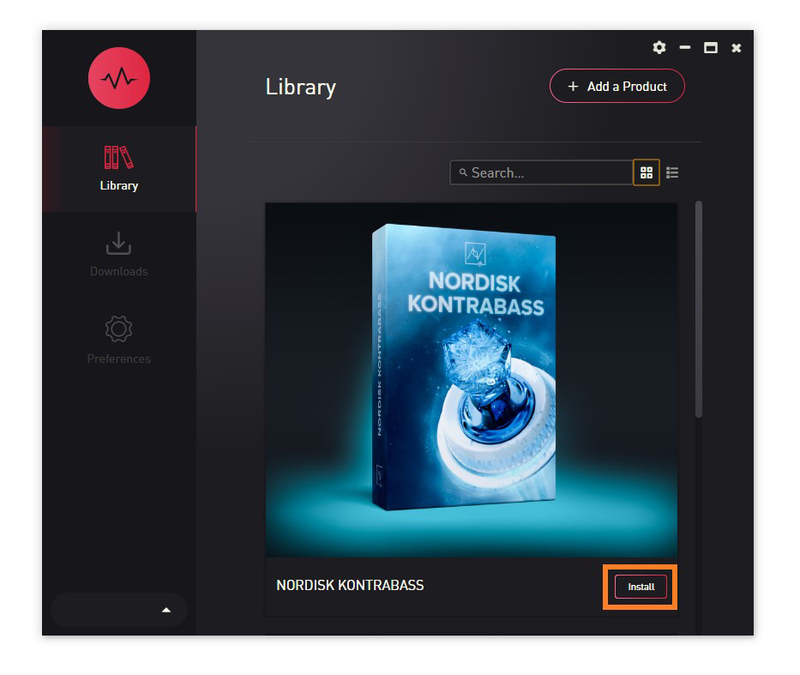
7. Click 'Install'.

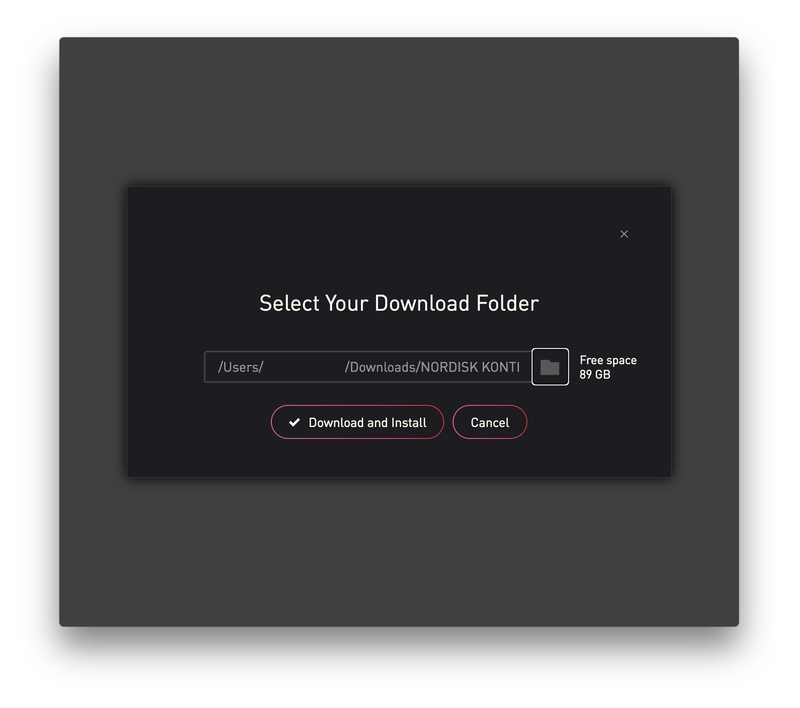
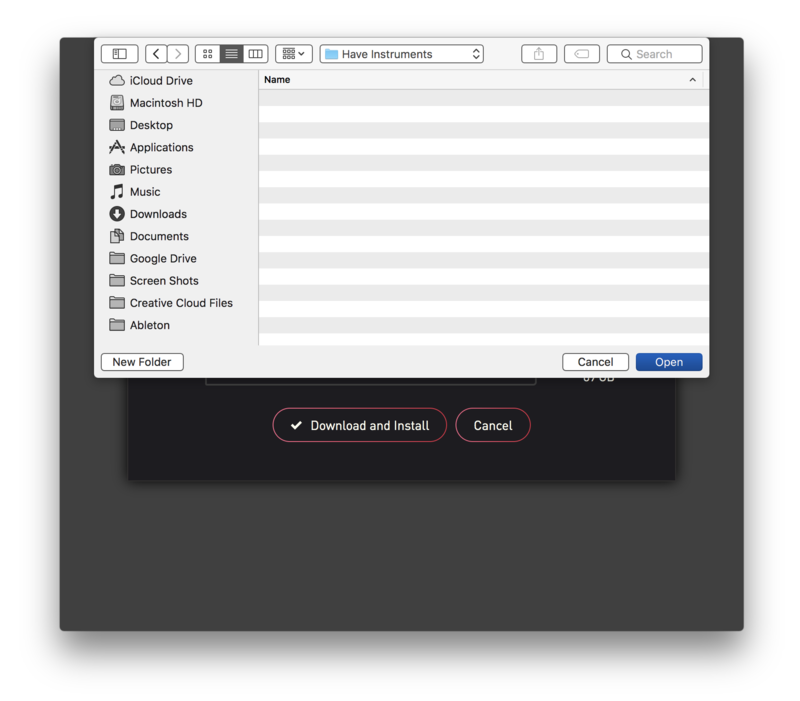
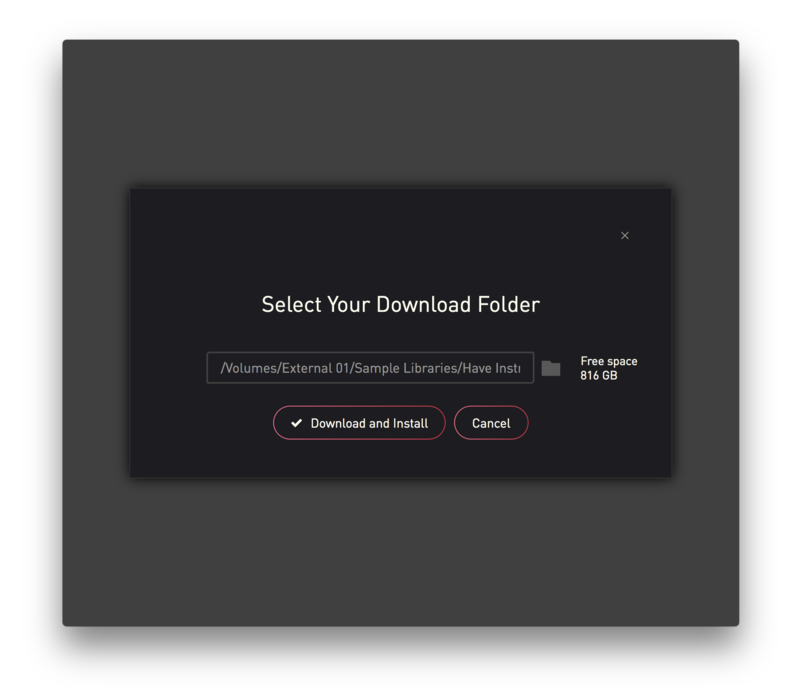
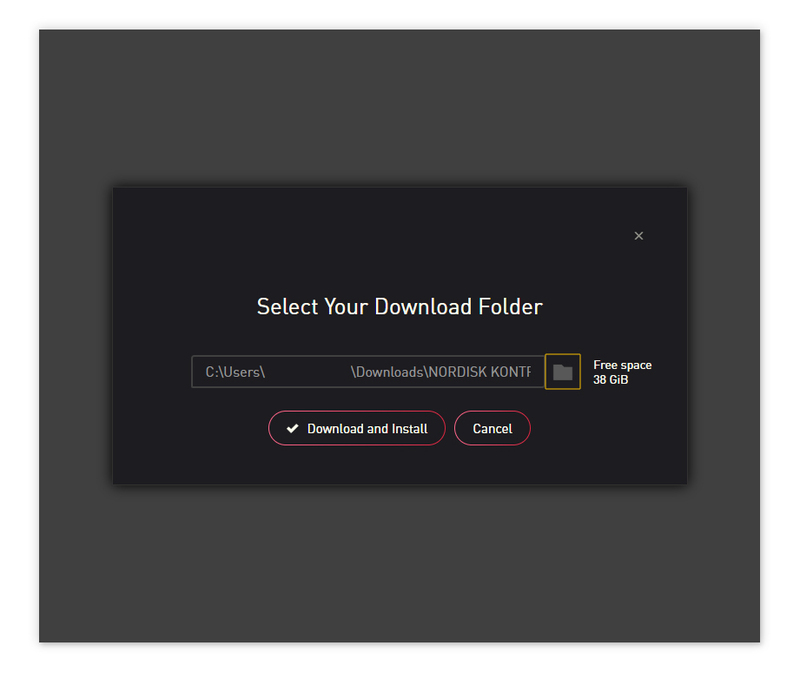
8. Click the folder icon to select the installation location for your library.

9. Choose your installation location > Click 'Open'.

10. Click 'Download and Install'.

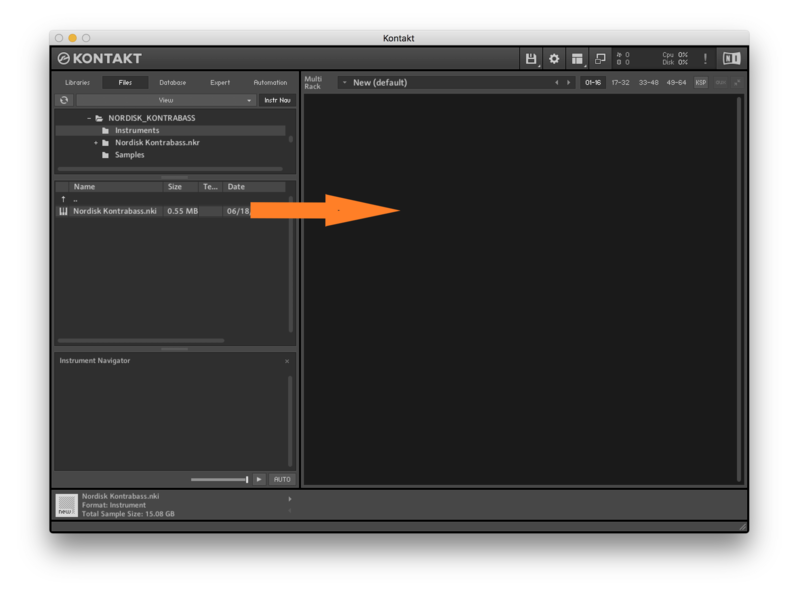
11. Open Kontakt > Select the 'Files' tab and navigate to your installed Kontakt library > Click and drag the .nki file into the empty window.

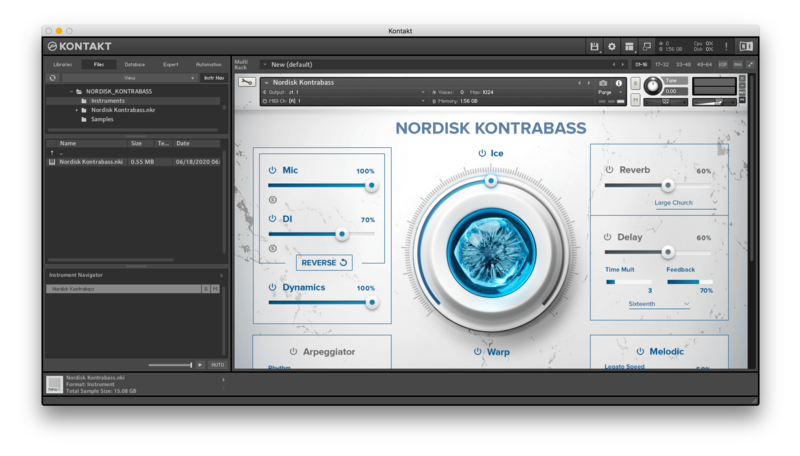
Your Kontakt Instrument is now installed and ready to use.

Batch Re-save Instructions

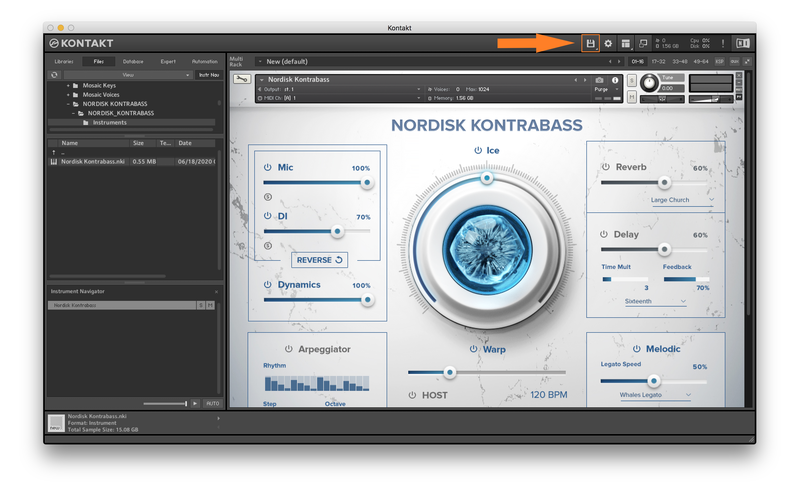
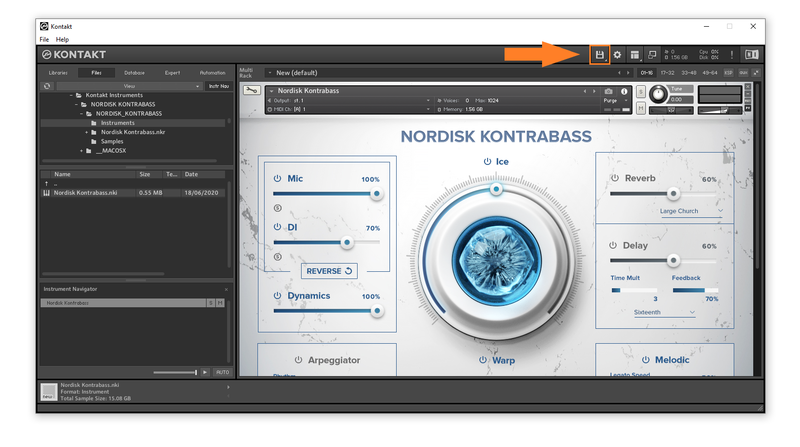
1. Within Kontakt, click the floppy disk icon.

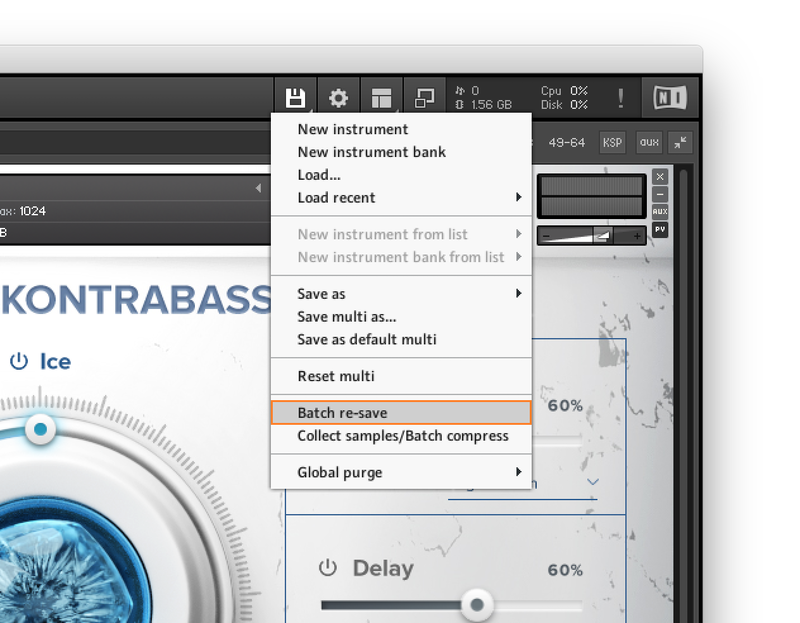
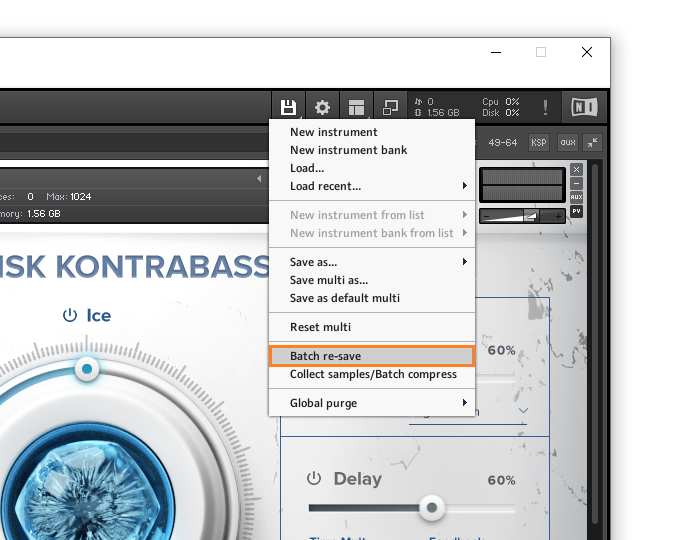
2. From the drop-down menu, click 'Batch re-save'.

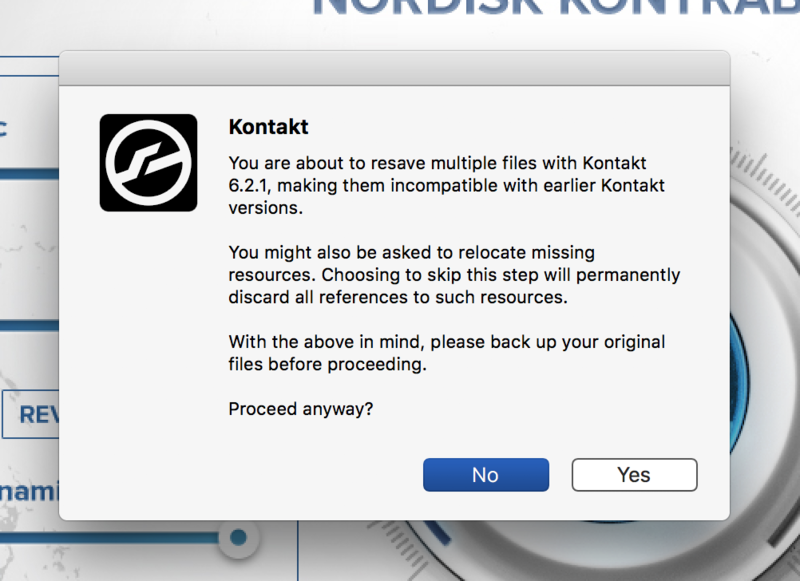
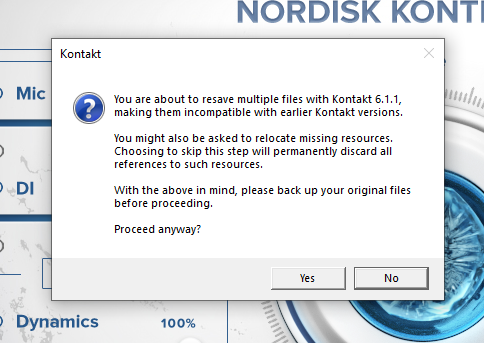
3. Click 'Yes'.

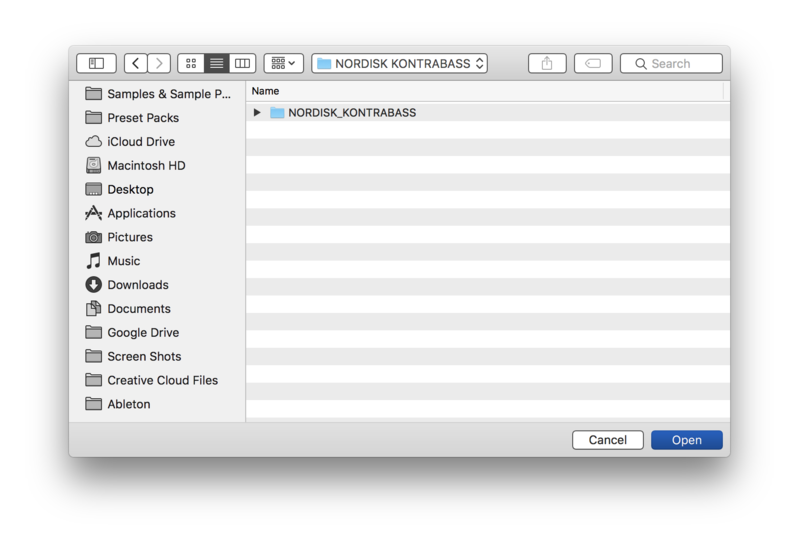
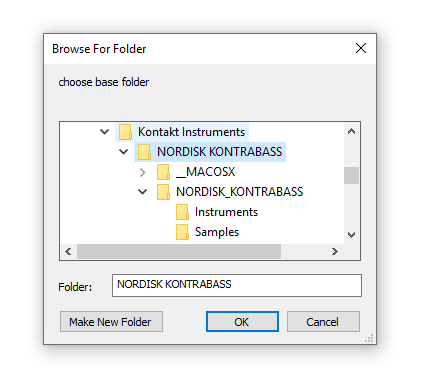
4. Navigate to the installation location for your Kontakt library > Click 'Open'.

Batch re-save is now complete and you can expect to see quicker loading times for your Kontakt Instrument.

Windows

Installation

1. Go to https://pulsedownloader.com/ > Click 'Download for Windows' to download the Pulse application installer.

2. Open the .exe file to install the Pulse application > Open Pulse and click 'Register'.

3. Enter your Email Address and Password > Check the box that states 'I agree to the terms of use and privacy policy' > Click 'Register'.

4. Click 'Add a Product'.

5. Enter your 32-digit serial key, found within the serial number section of your Plugin Boutique User Account > Click 'Redeem'.

6. Click 'Install'.

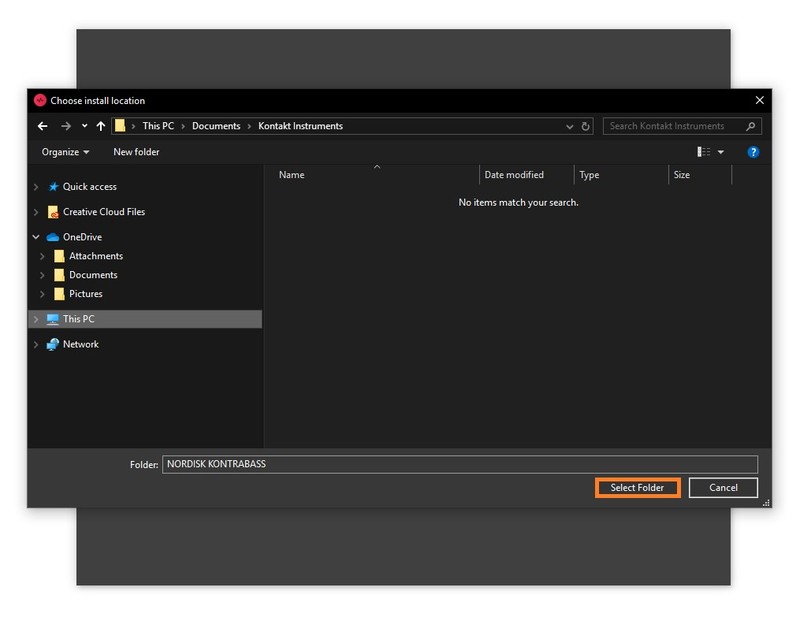
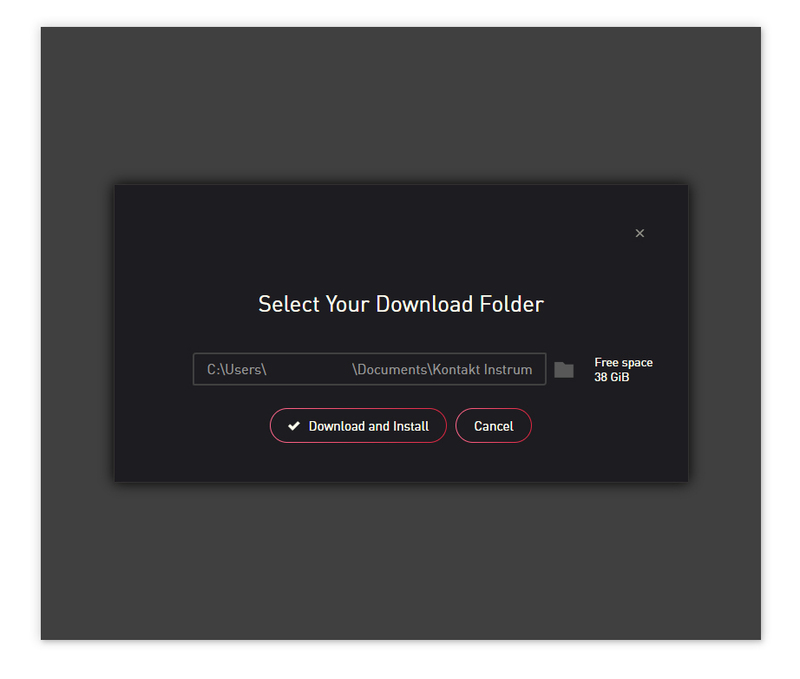
7. Click the folder icon to select the installation location for your library.

8. Choose your installation location > Click 'Select Folder'.

9. Click 'Download and Install'.

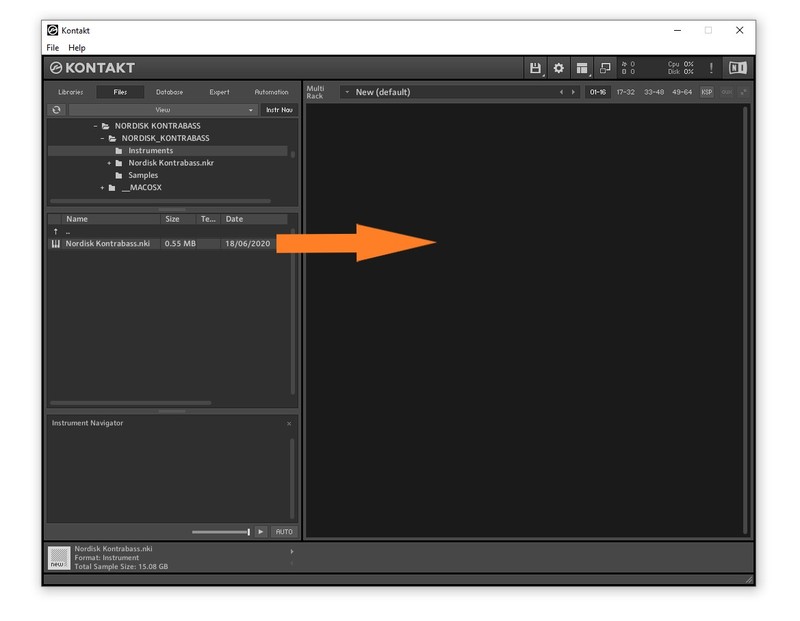
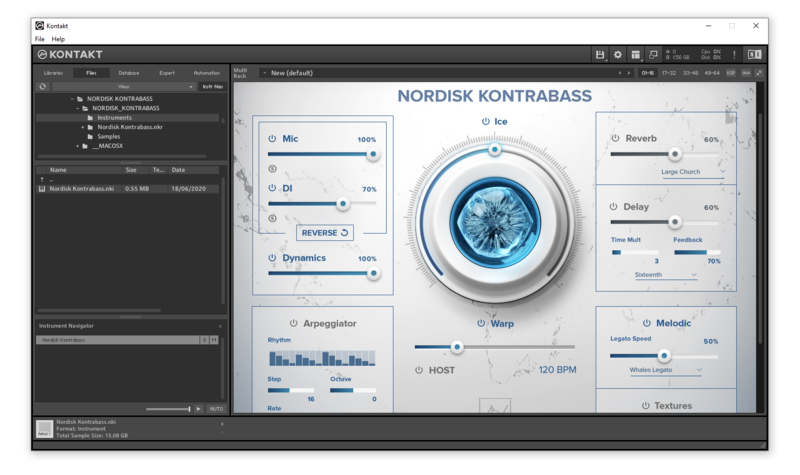
10. Open Kontakt > Select the 'Files' tab and navigate to your installed Kontakt library > Click and drag the .nki file into the empty window.

Your Kontakt Instrument is now installed and ready to use.

Batch Re-save Instructions

1. Within Kontakt, click the floppy disk icon.

2. From the drop-down menu, click 'Batch re-save'.

3. Click 'Yes'.

4. Navigate to the installation location for your Kontakt library > Click 'Ok'.

Batch re-save is now complete and you can expect to see quicker loading times for your Kontakt Instrument.

Plugin Boutique Rewards

Discover the most rewarding loyalty programme among all plugin retailers.

  • Free Loopmasters Samplepacks
  • Discounts on products and courses
  • Extra Virtual Cash claimed immediately at checkout
Find out more

Follow us:

X (Twitter) Facebook YouTube Instagram
Logo Logo

Plugin Boutique Limited, Part of the Beatport Group LLC.

Copyright © 2011-2025 Plugin Boutique. All rights reserved