/ Kontakt Instrument / Kantele
Have Audio

Kantele

4.5 (13 Reviews)
$14.70 $49.00

70% off until Dec 07

KANTELE Double Espresso Artwork
KANTELE Double Espresso - Quick Overview gallery thumbnail
KANTELE Double Espresso Acoustic - RUNTHROUGH #1 gallery thumbnail
KANTELE Double Espresso Acoustic - RUNTHROUGH #2 gallery thumbnail
KANTELE Double Espresso Dystopian - RUNTHROUGH #1 gallery thumbnail
KANTELE Double Espresso Electronic - RUNTHROUGH #1 gallery thumbnail
KANTELE Double Espresso Electronic - RUNTHROUGH #2 gallery thumbnail
KANTELE Double Espresso - Acoustic
KANTELE Double Espresso - Dystopian
KANTELE Double Espresso - Electronic
KANTELE Double Espresso - Bonus Synth
Buy Now
Product information

The Kantele is a traditional plucked string instrument from Finland, belonging to the family of the zithers or lap harps. In Finland's national epic, Kalevala, the shaman Väinämöinen built the first kantele from the jawbone of a giant pike, using long hair that young Finnish women willingly gave him as strings. The sound of that Kantele was so beautiful that all living things started to cry at its very first notes. Their tears rolled into the ocean and turned into beautiful blue pearls as soon as they touched the water. Maybe that’s just an ancient story but this unique sounding instrument is truly enchanting and keeps moving souls. 

Have Audio have deep-sampled a beautiful sounding 11-string kantele, playing it both with fingers and with pick and packaged it in their usual 3 Double Espresso blends: lots of playable articulations, textures and Sound Design FXs.

This bundle comes with 3 distinct flavours of Kantele (and a bonus synth):

KANTELE Double Espresso Acoustic
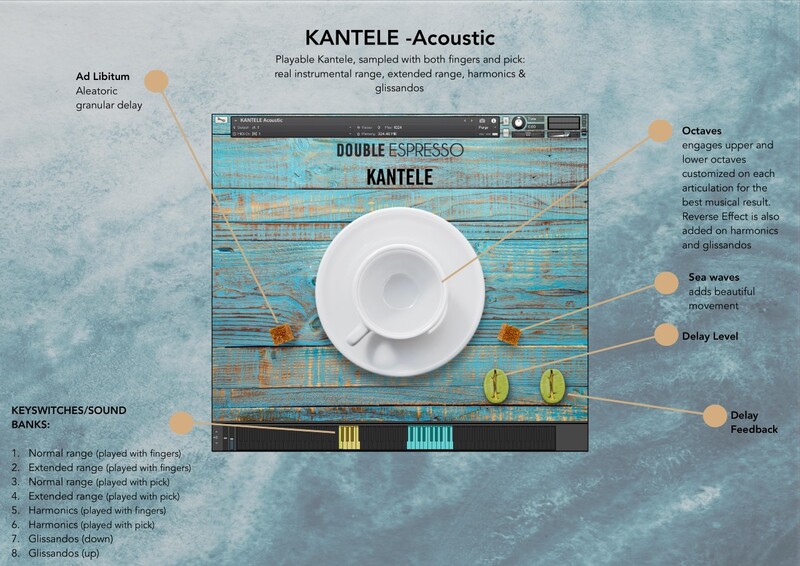
Playable Kantele, sampled with both fingers and a pick: real instrumental range (chromatic from A3 to D5), extended range, harmonics and glissandos. The original tuning of the physical instrument is A, B, C#, D, E, F#, G, A, B, C#, D.

Features

  • 8 key switches/sound banks:
    • Normal range (played with fingers)
    • Extended range (played with fingers)
    • Normal range (played with a pick)
    • Extended range (played with a pick)
    • Harmonics (played with fingers)
    • Harmonics (played with a pick)
    • Glissandos (down)
    • Glissandos (up)
  • Unique, Custom Built-in FX List: 
    • Octaves to blend upper or lower octaves to the original sound
    • Ad Libitum aleatoric granular delay
    • Delay 
    • Sea Waves Impulse Response FX to add beautiful movement 
  • Up to 2 dynamic layers and 5 round robins
  • 822.3 MB Uncompressed file size
  • 1 .nki file
  • 470 samples

KANTELE Double Espresso Dystopian
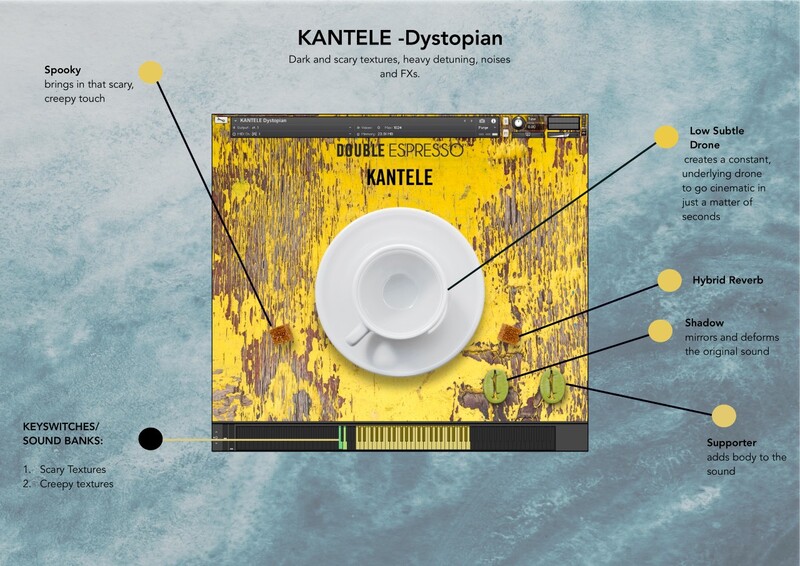
Dark and scary textures, heavy detuning, noises & FXs.

Features

  • 2 key switches/sound banks:
    • Scary Textures
    • Creepy textures
  • Unique, Custom Built-in FX List: 
    • Low Subtle Drone to create a constant, underlying drone
    • Spooky FX, to add creepiness to the sound
    • Hybrid Reverb
    • Shadow to mirror and deform the original sound
    • Supporter Impulse Response FX to add body to the sound. 
  • 280.8 MB Uncompressed file size
  • 1 .nki file
  • 80 samples

KANTELE Double Espresso Electronic
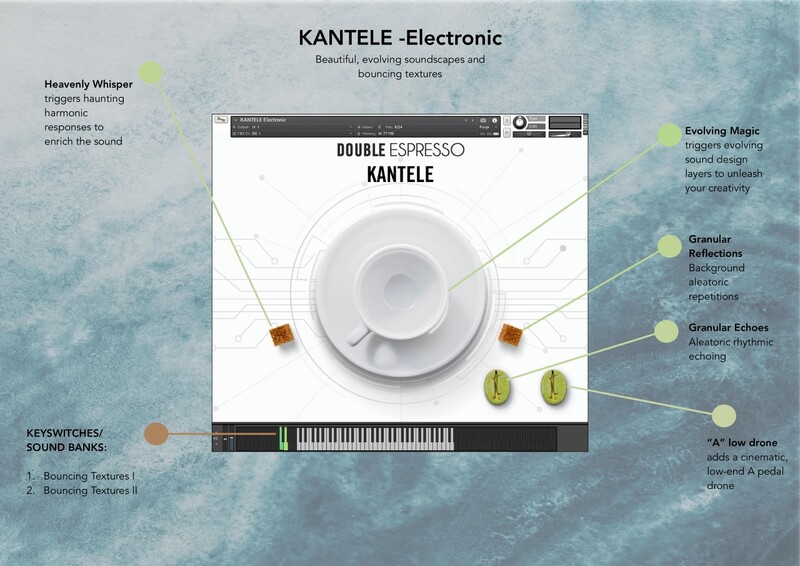
Beautiful, evolving soundscapes and bouncing textures

Features

  • 2 key switches/sound banks:
    • Bouncing Textures I
    • Bouncing Textures II
  • Unique, Custom Built-in FX List:
    • Evolving Magic to blend evolving sound design
    • Heavenly Whisper to trigger haunting harmonic responses
    • Granular Reflections to trigger background aleatoric repetitions
    • Granular Echoes to add aleatoric rhythmic echoing
    • “A” Low Drone to add a cinematic, low-end A pedal drone
  • 882.9 MB Uncompressed file size
  • 1 .nki file
  • 126 samples

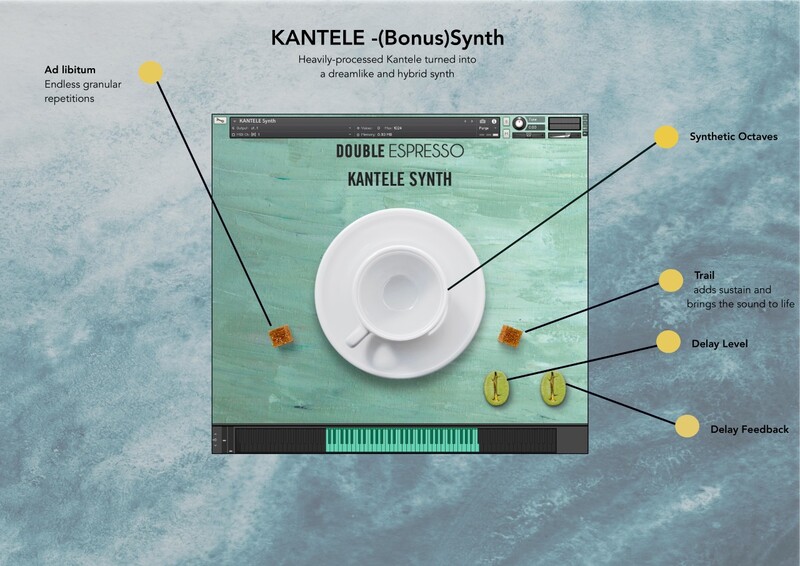
KANTELE Bonus Synth

Heavily-processed Kantele turned into a dreamlike, hybrid synth.

Features

  • Unique, Custom Built-in FX List: 
    • Ad Libitum, aleatoric granular delay
    • Synthetic Octaves to blend higher octaves into the sound to make it richer and wider. 
    • Trails to add sustain and bring sound to life
    • Delay
  • 1 .nki file

System Requirements

  • Requires full version of KONTAKT 6.5.2+ 
  • 8 GB of RAM or more is recommended

Please note: this bundle will not work with the free Kontakt Player.

Installation Instructions

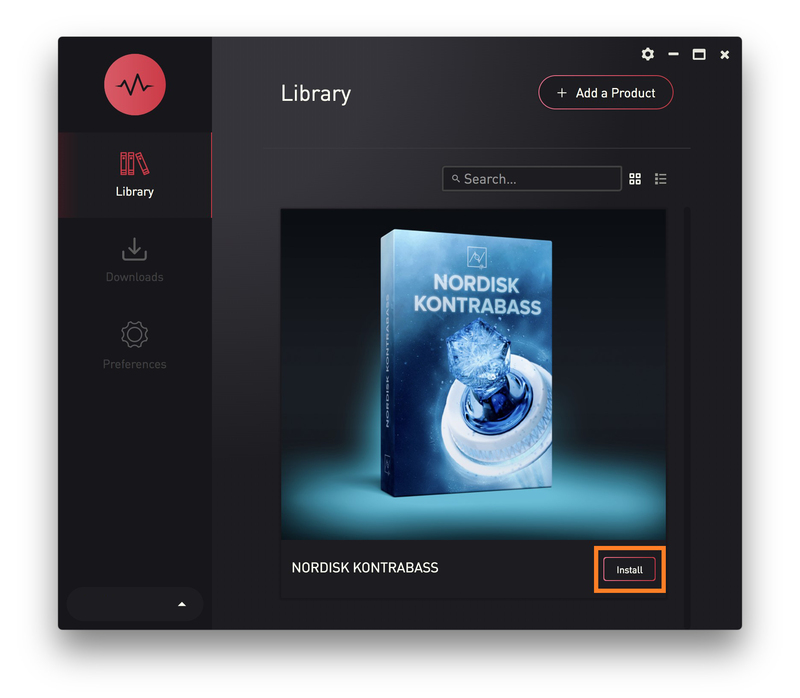
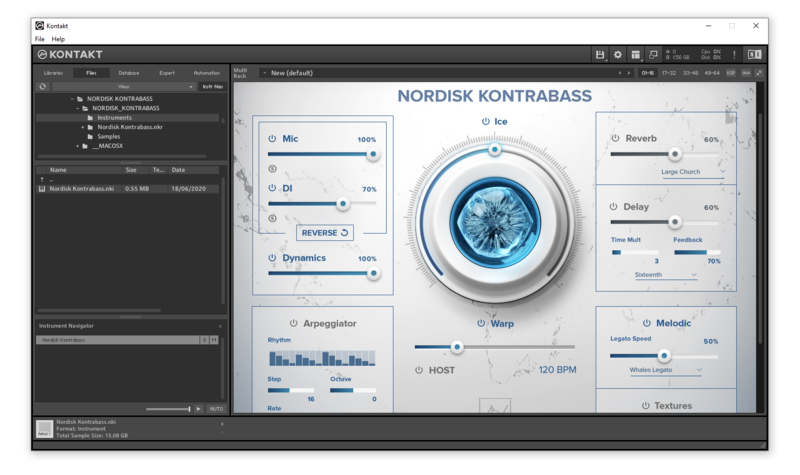
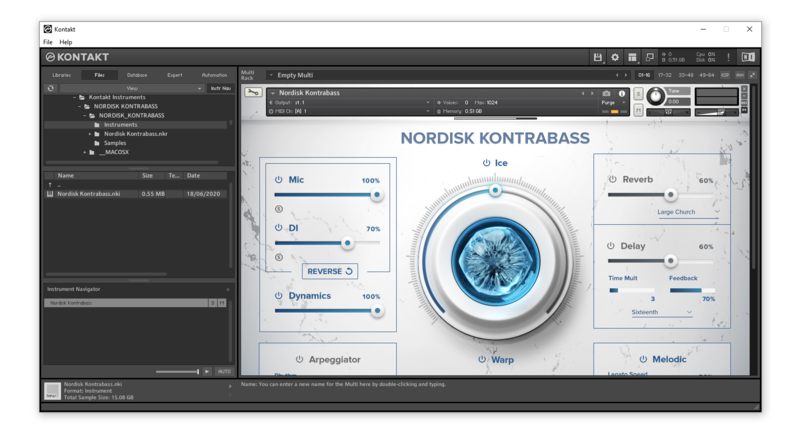
Please note: Nordisk Kontrabass is used as an example as the installation process is the same for all Have products.

Mac

Installation

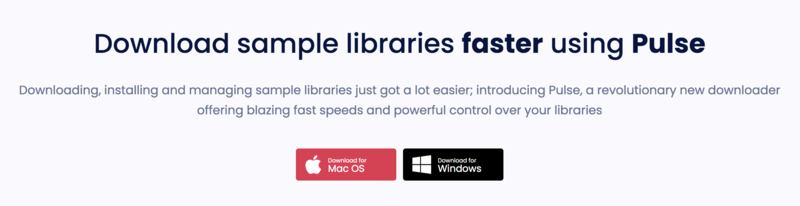
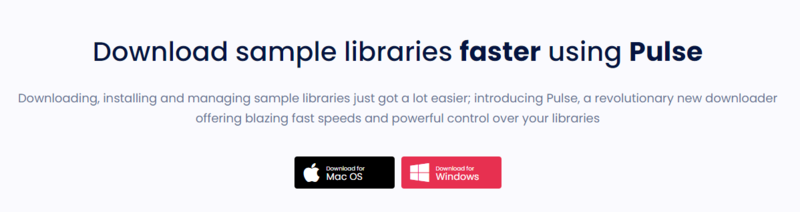
1. Go to https://pulsedownloader.com/ > Click 'Download for Mac OS' to download the Pulse application installer.

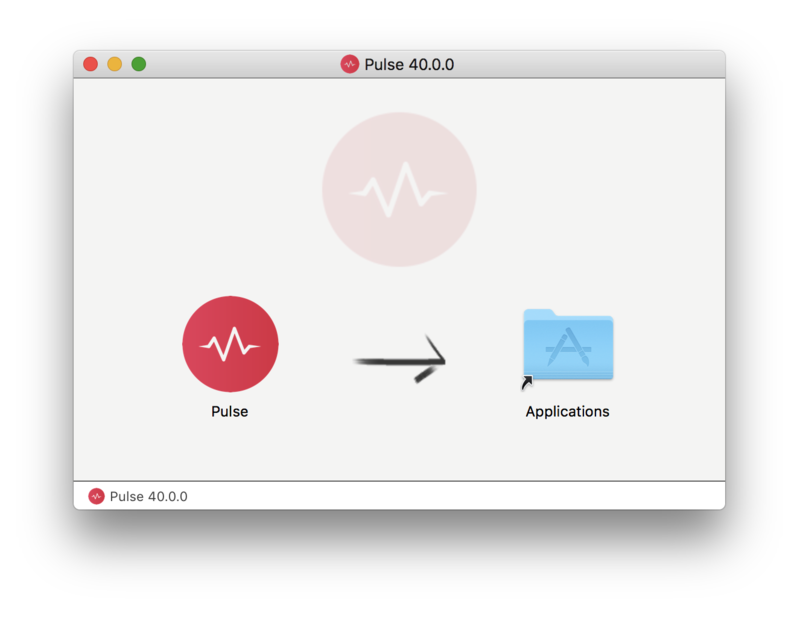
2. Open the .dmg file > Click and drag the application icon into the applications folder.

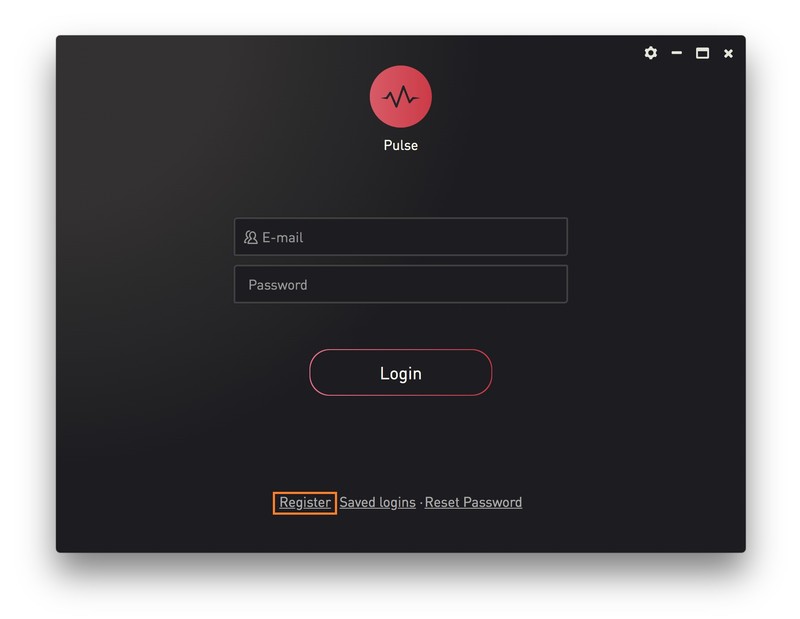
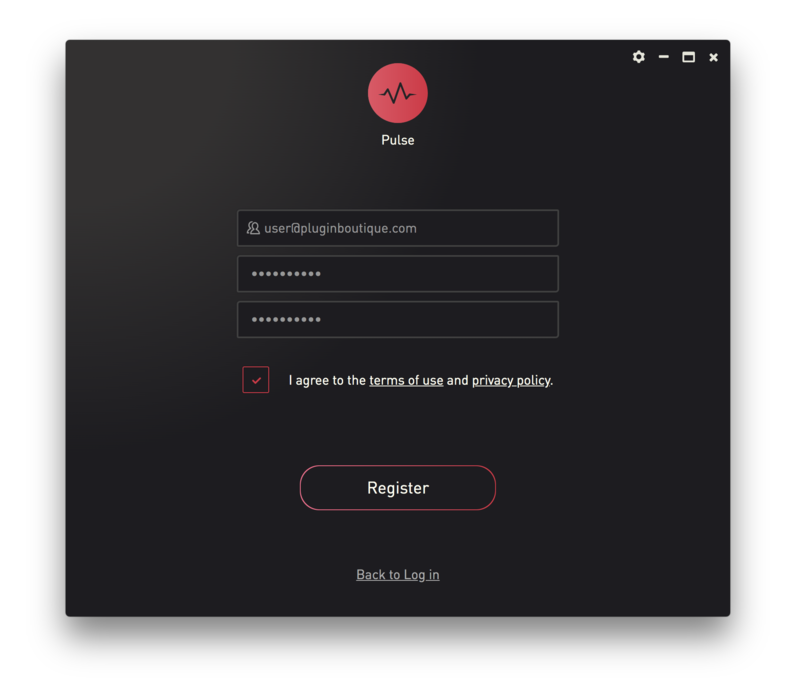
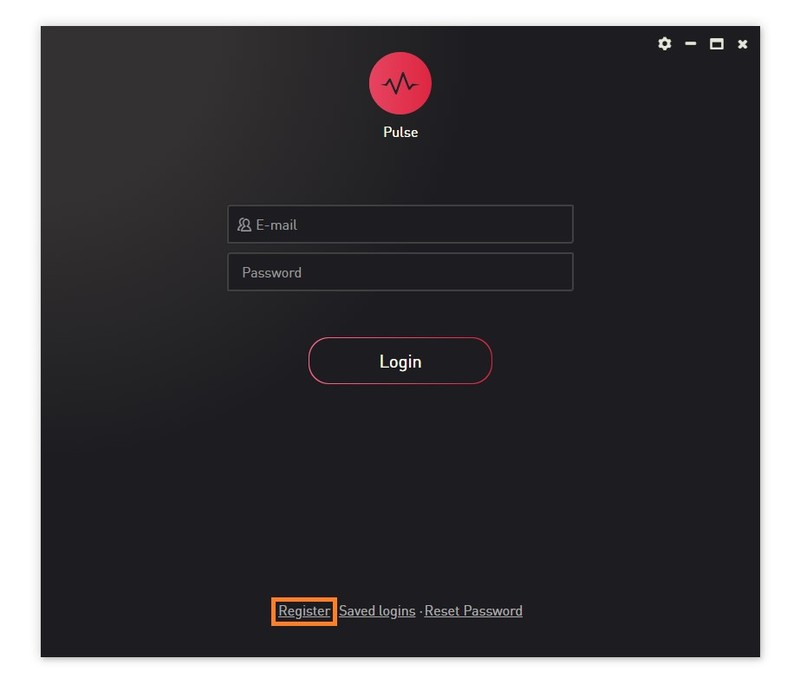
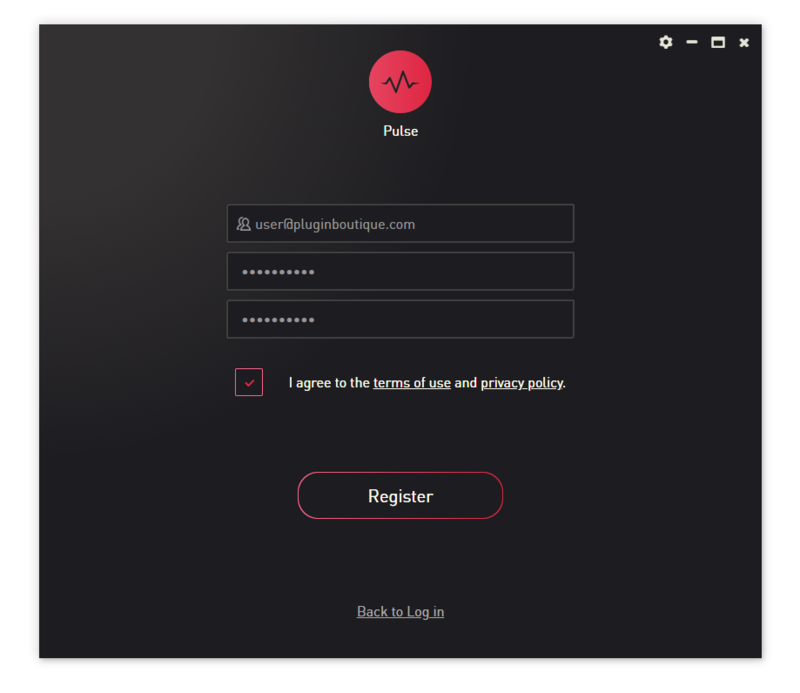
3. Open the Pulse application > Click 'Register'

4. Enter your Email Address and Password > Check the box that states 'I agree to the terms of use and privacy policy' > Click 'Register'.

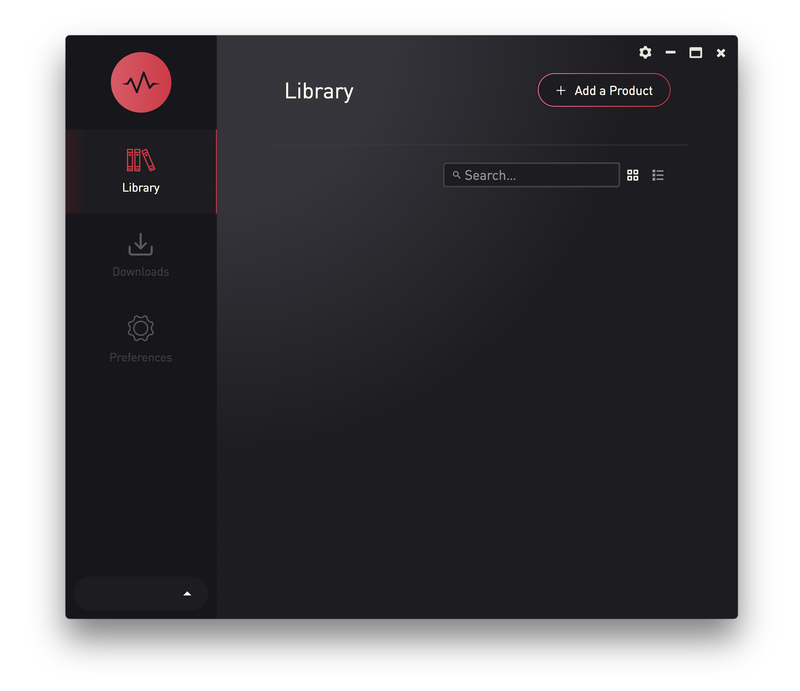
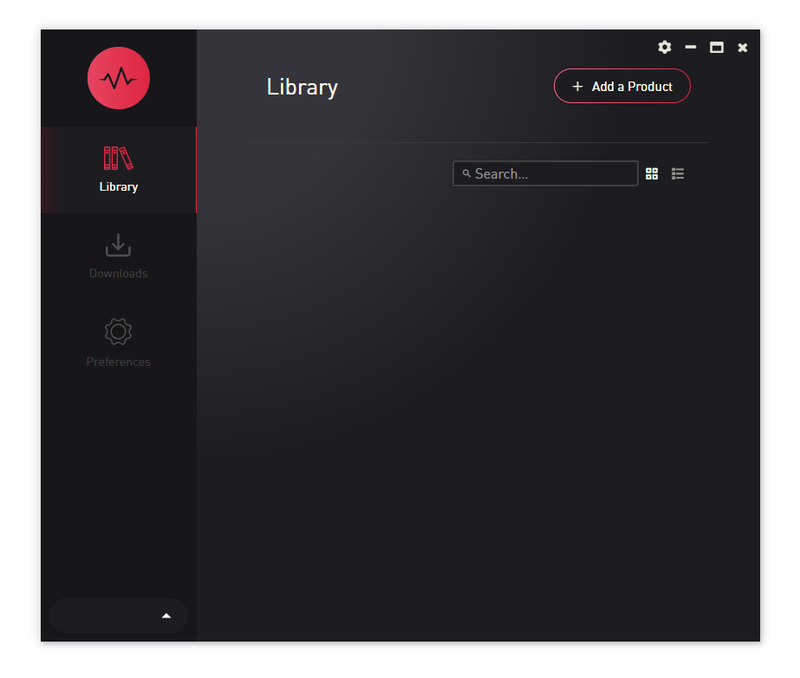
5. Click 'Add a Product'.

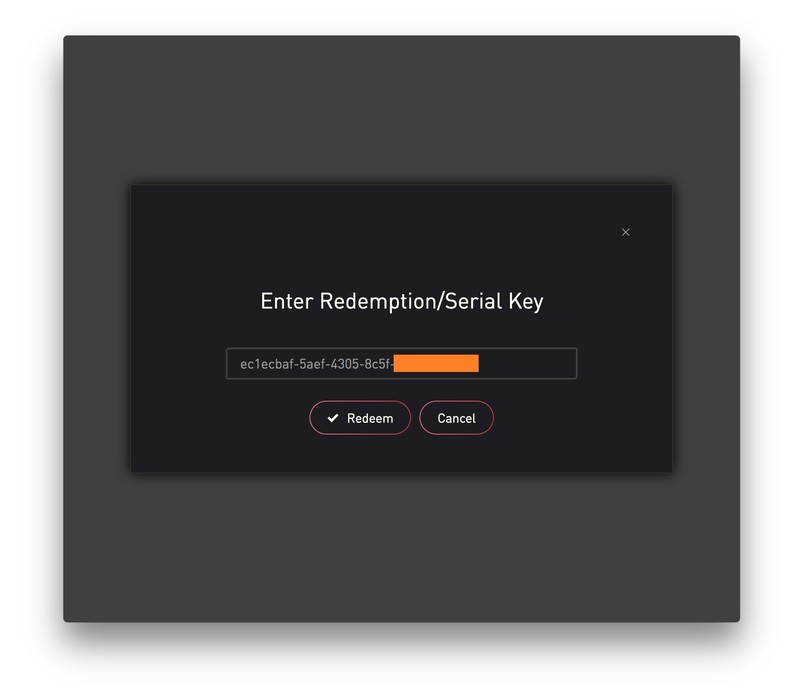
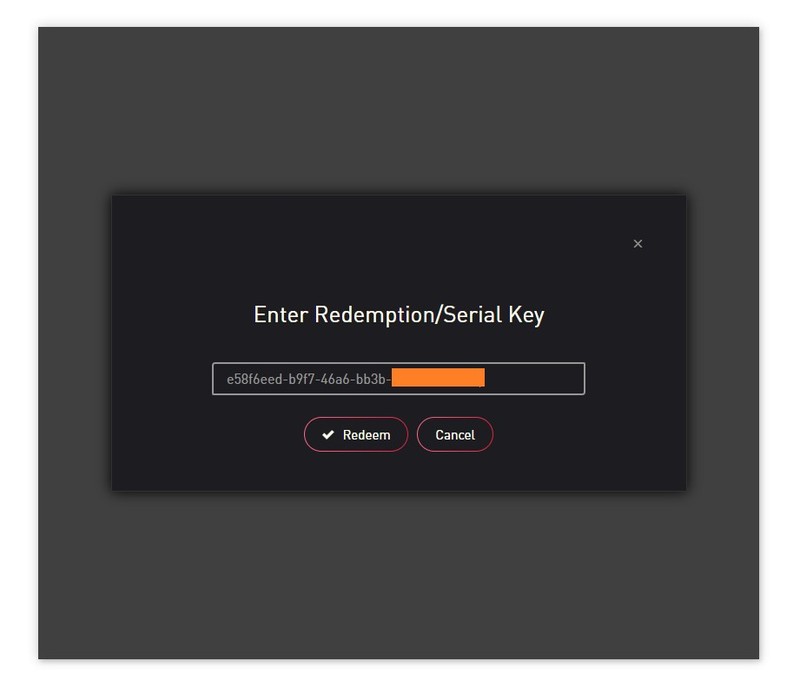
6. Enter your 32-digit serial key, found within the serial number section of your Plugin Boutique User Account > Click 'Redeem'.

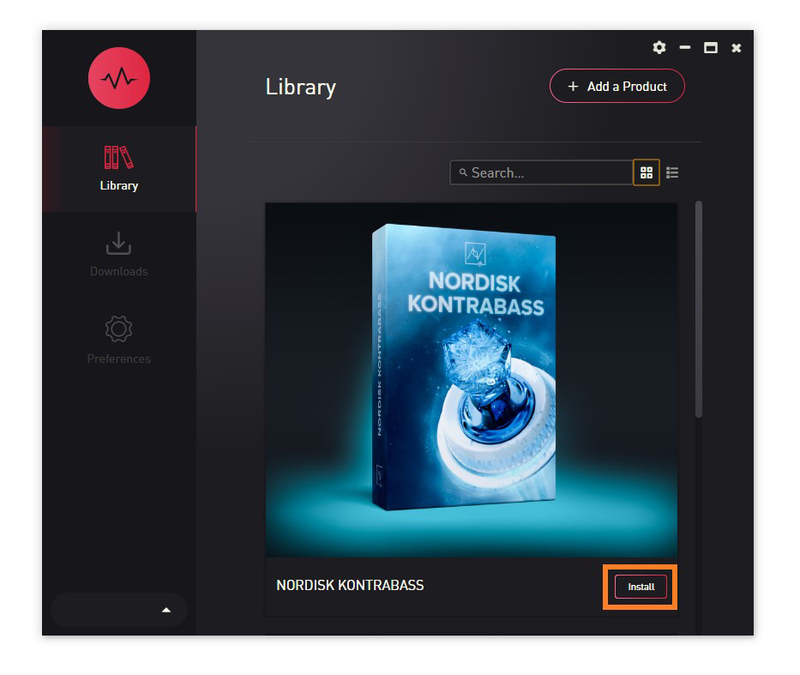
7. Click 'Install'.

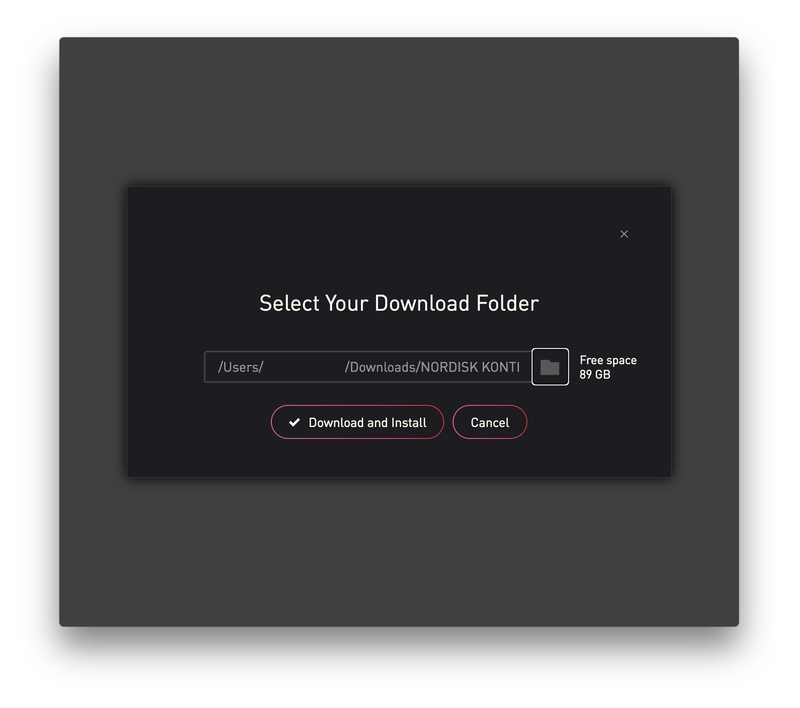
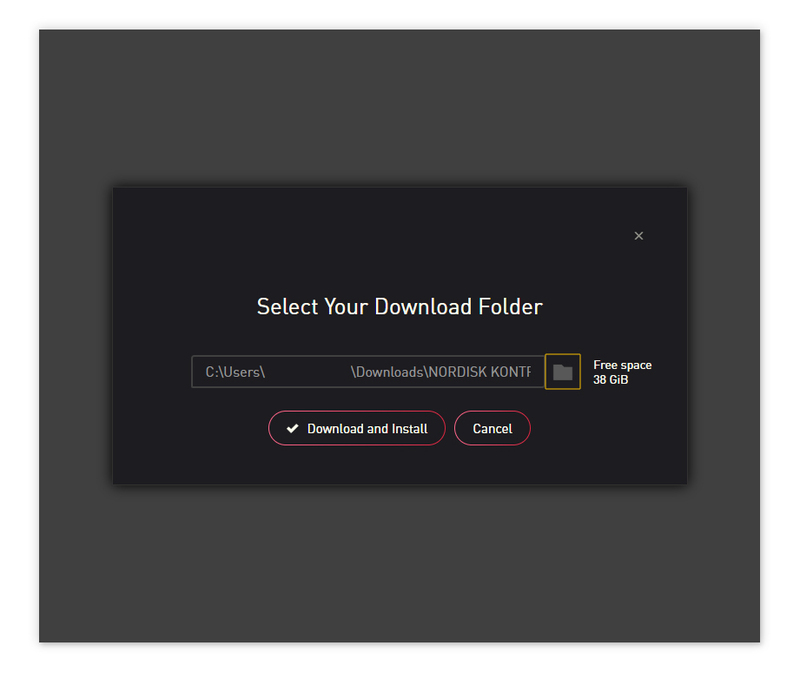
8. Click the folder icon to select the installation location for your library.

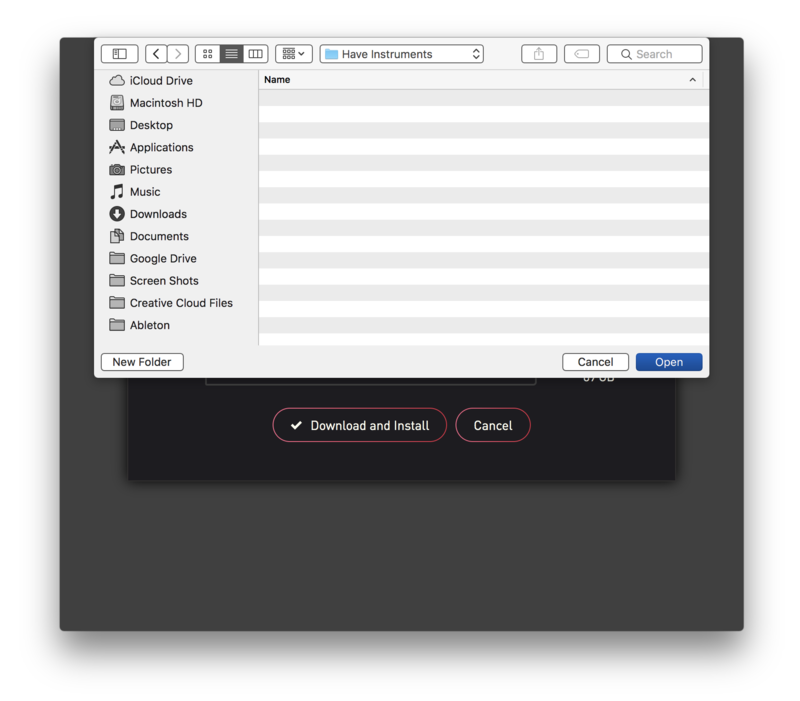
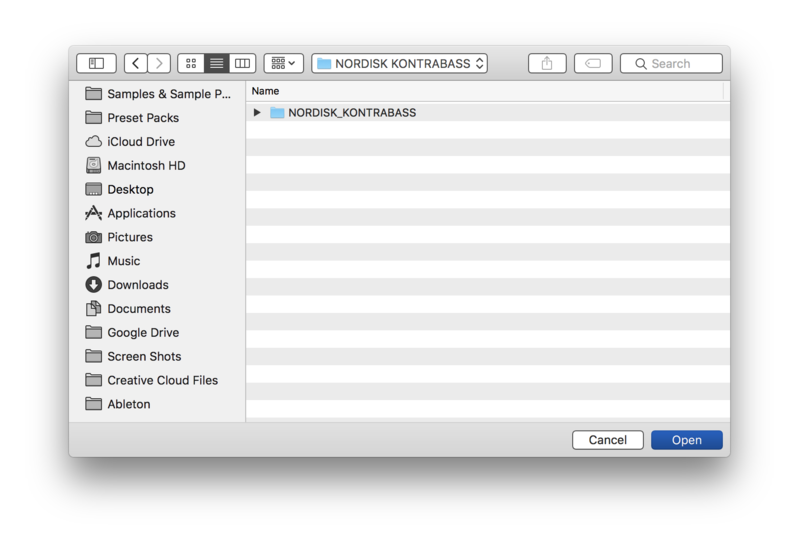
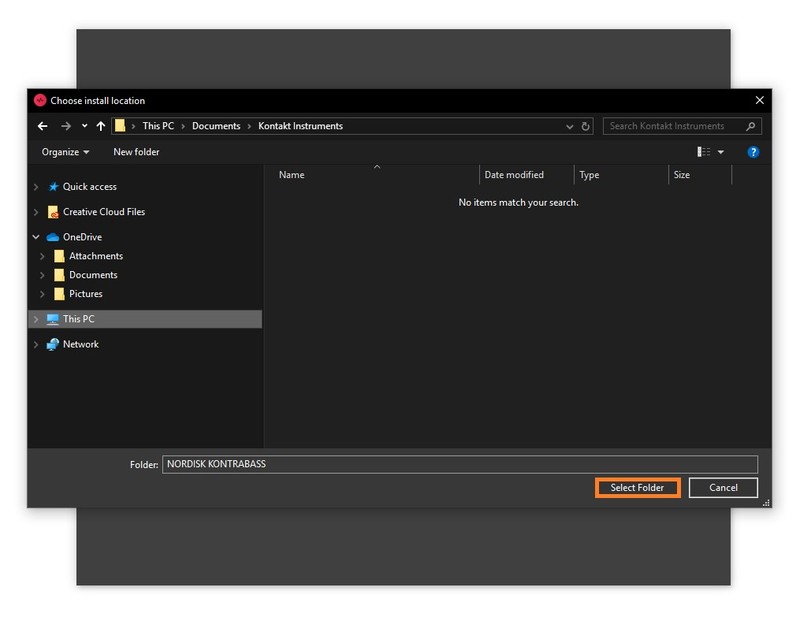
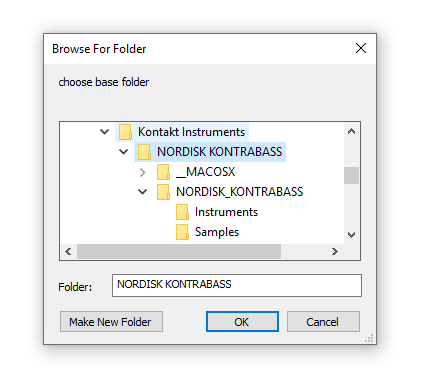
9. Choose your installation location > Click 'Open'.

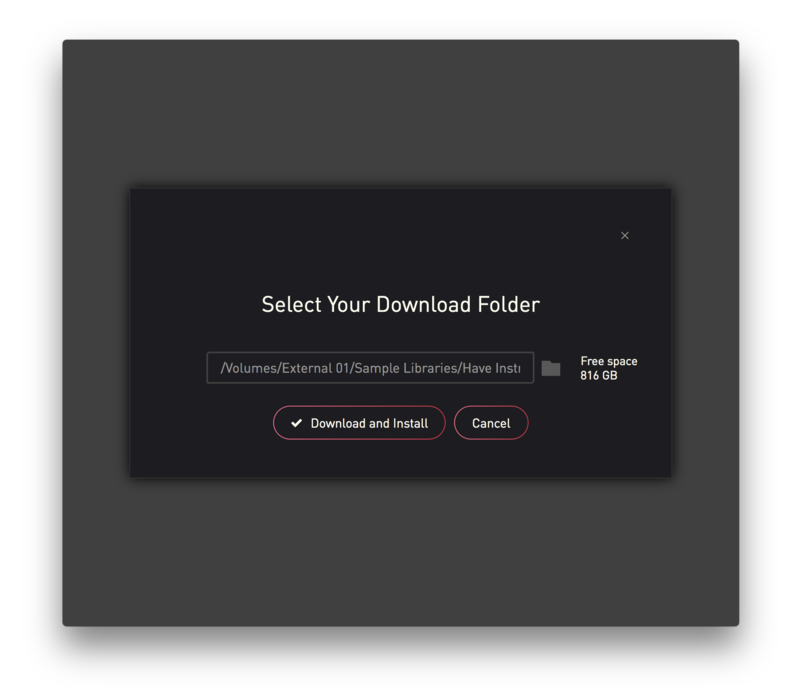
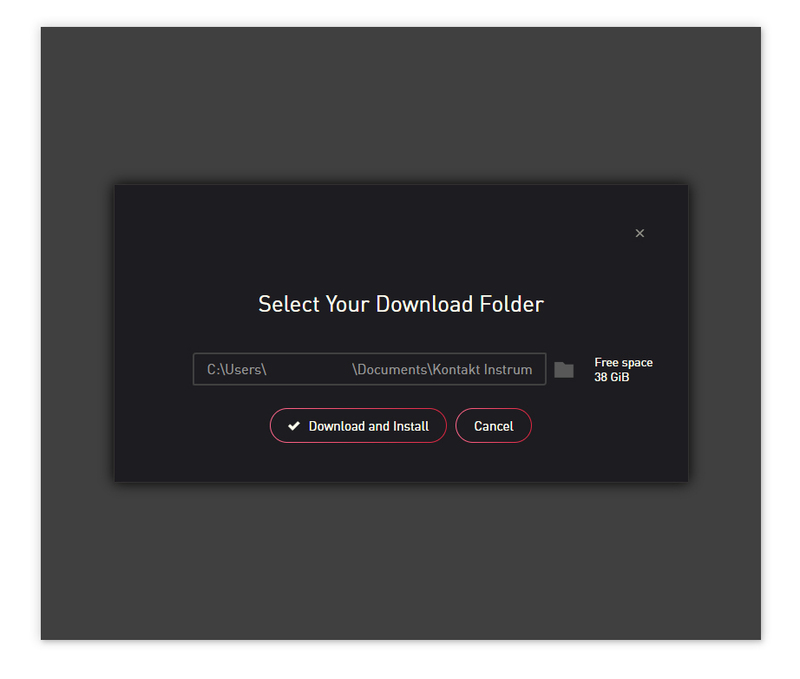
10. Click 'Download and Install'.

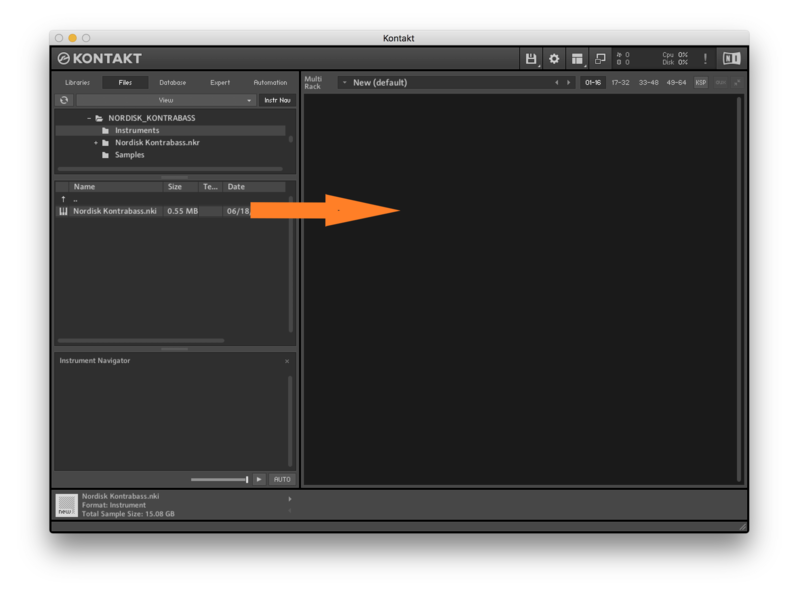
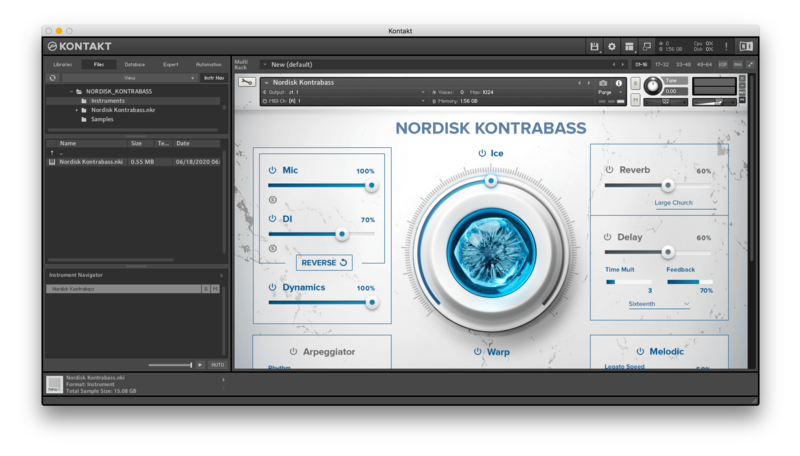
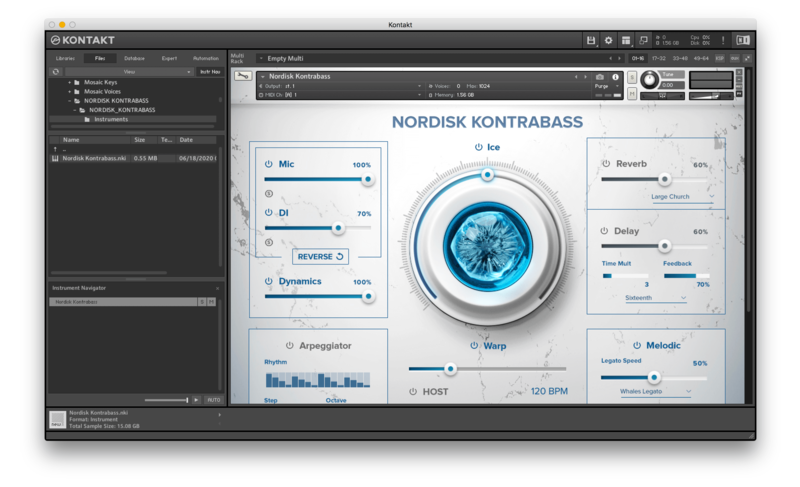
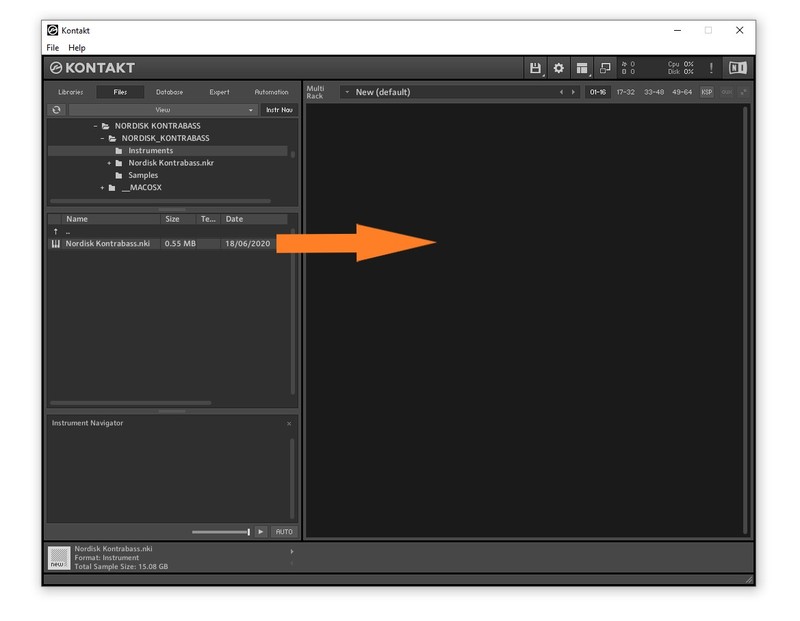
11. Open Kontakt > Select the 'Files' tab and navigate to your installed Kontakt library > Click and drag the .nki file into the empty window.

Your Kontakt Instrument is now installed and ready to use.

Batch Re-save Instructions

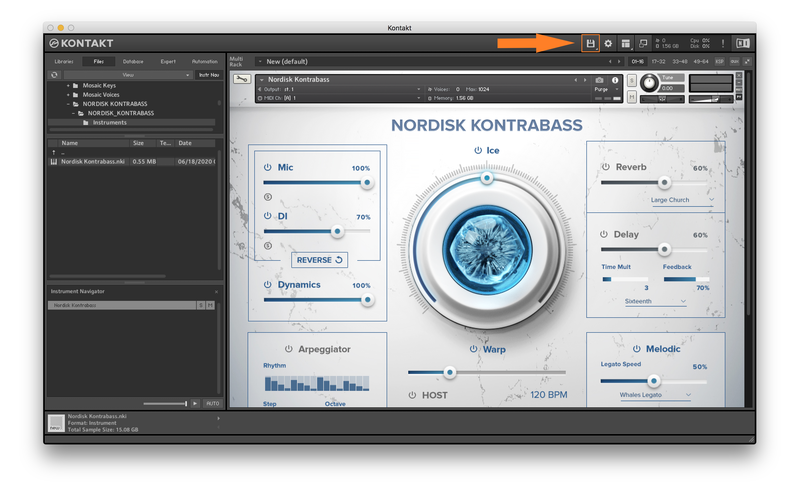
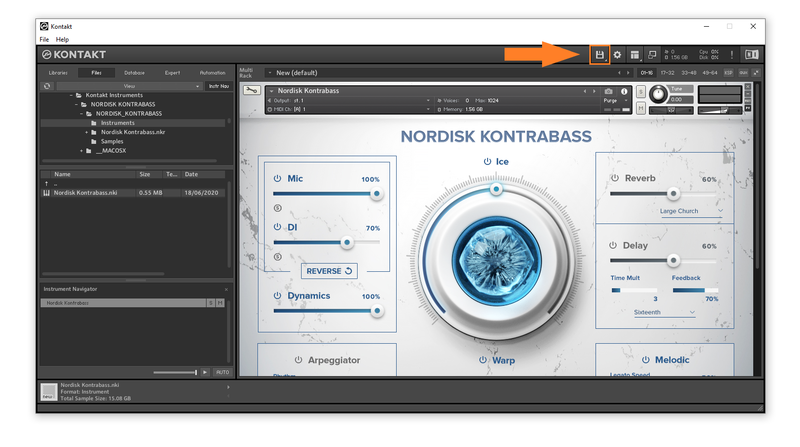
1. Within Kontakt, click the floppy disk icon.

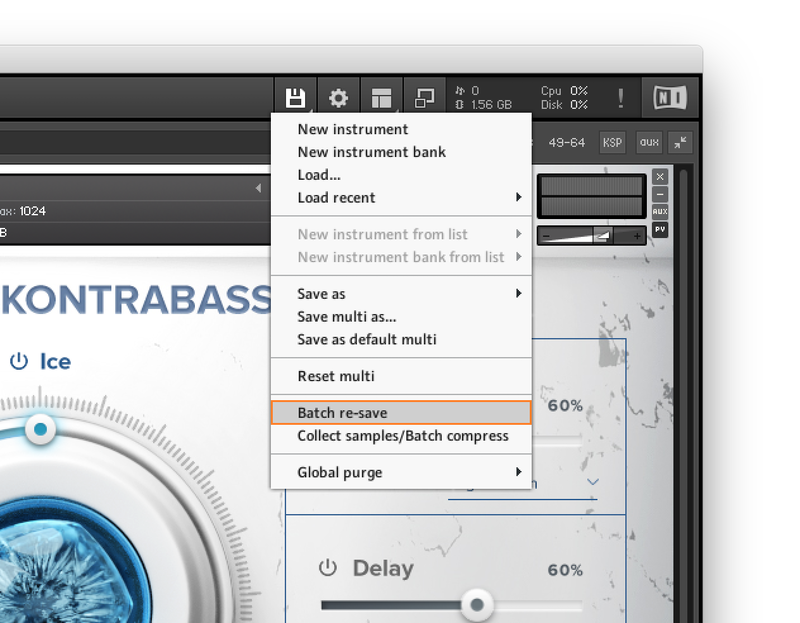
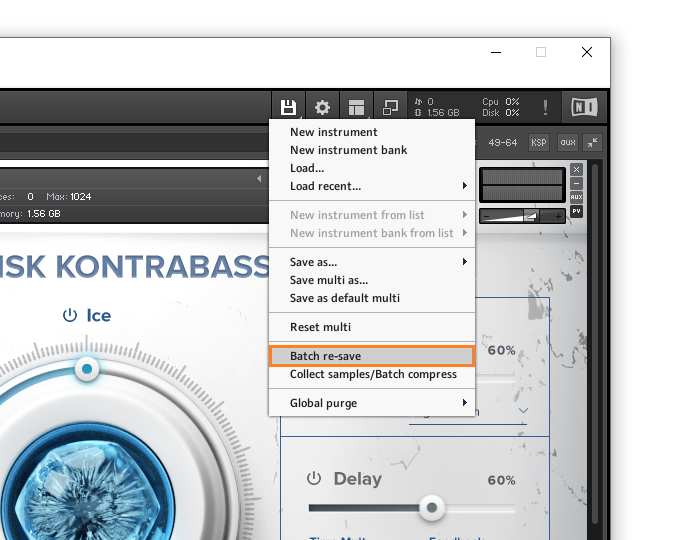
2. From the drop-down menu, click 'Batch re-save'.

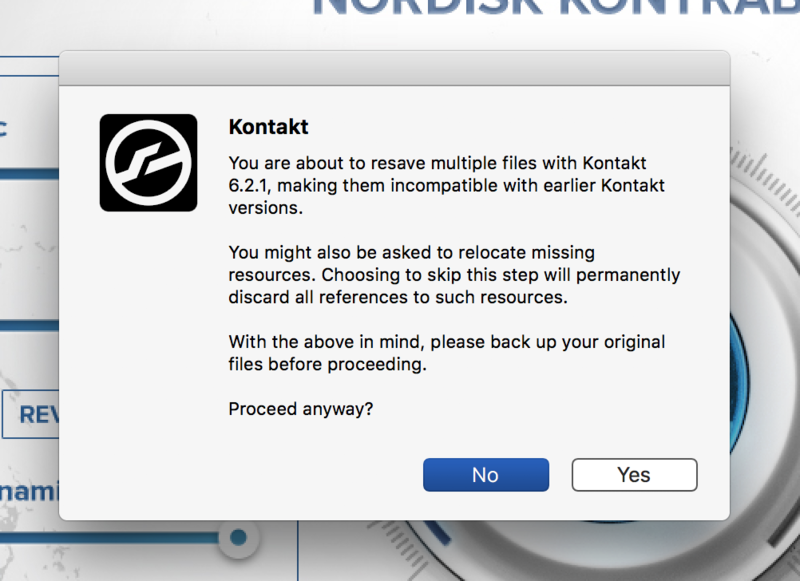
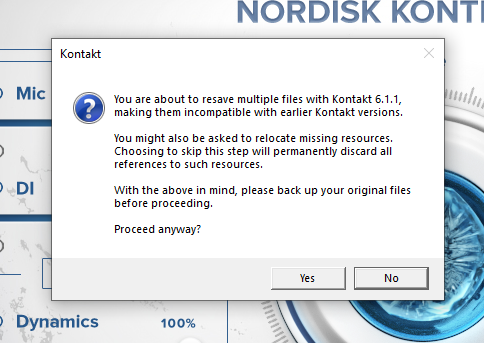
3. Click 'Yes'.

4. Navigate to the installation location for your Kontakt library > Click 'Open'.

Batch re-save is now complete and you can expect to see quicker loading times for your Kontakt Instrument.

Windows

Installation

1. Go to https://pulsedownloader.com/ > Click 'Download for Windows' to download the Pulse application installer.

2. Open the .exe file to install the Pulse application > Open Pulse and click 'Register'.

3. Enter your Email Address and Password > Check the box that states 'I agree to the terms of use and privacy policy' > Click 'Register'.

4. Click 'Add a Product'.

5. Enter your 32-digit serial key, found within the serial number section of your Plugin Boutique User Account > Click 'Redeem'.

6. Click 'Install'.

7. Click the folder icon to select the installation location for your library.

8. Choose your installation location > Click 'Select Folder'.

9. Click 'Download and Install'.

10. Open Kontakt > Select the 'Files' tab and navigate to your installed Kontakt library > Click and drag the .nki file into the empty window.

Your Kontakt Instrument is now installed and ready to use.

Batch Re-save Instructions

1. Within Kontakt, click the floppy disk icon.

2. From the drop-down menu, click 'Batch re-save'.

3. Click 'Yes'.

4. Navigate to the installation location for your Kontakt library > Click 'Ok'.

Batch re-save is now complete and you can expect to see quicker loading times for your Kontakt Instrument.

Plugin Boutique Rewards

Discover the most rewarding loyalty programme among all plugin retailers.

  • Free Loopmasters Samplepacks
  • Discounts on products and courses
  • Extra Virtual Cash claimed immediately at checkout
Find out more

Follow us:

X (Twitter) Facebook YouTube Instagram
Logo Logo

Plugin Boutique Limited, Part of the Beatport Group LLC.

Copyright © 2011-2025 Plugin Boutique. All rights reserved