Buy Balkan Sax, get a free gift with purchase:

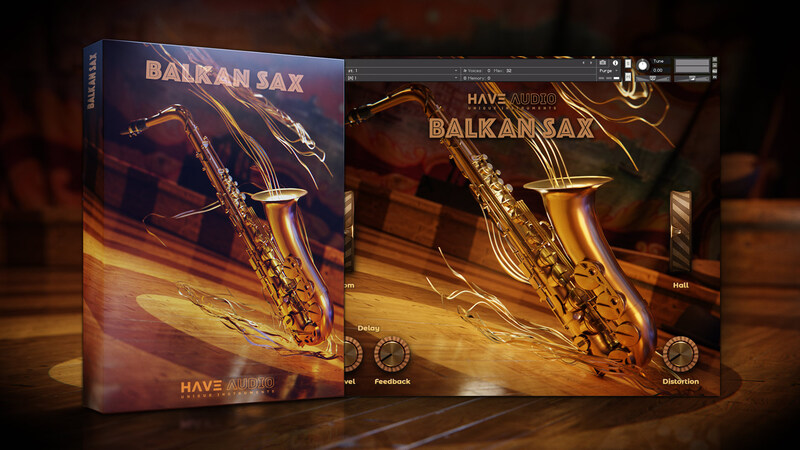
BALKAN SAX is a new playable alto sax that captures the style and nuances of balkan music and beyond. Superbly delivered by virtuoso reed player Achille Succi, it comes with 18 exciting articulations including sustained notes with strong vibratos, powerful normal-double and -triple staccatos, short glissandos up and down (scoops) and lots of stylistic embellishments and tempo-synced approach notes to give your melody a vibrant life!
A must HAVE for composers and producers looking for high realism and instant gratification!
Balkan Sax comes with a highly intuitive, easy-to-use, ready-to-play interface with 2 top-class reverb algorithms, delay, and a gritty pedal-like distortion. ideal for lots of styles and musical genres, from jazz, pop, traditional music, Bregović-like scores and world music.
Features
- 1074 Samples in .ncw format
- Total Uncompressed Size: 530.2 MB
- Full Instrumental Range
18 Articulations (Keyswitches):
- Sustain Notes
- Half Tone Long Mordent
- Whole Tone Long Mordent
- Short Gliss Up
- Short Gliss Down
- Half Tone Short Mordent
- Whole Tone Short Mordent
- Minor Third Short Mordent
- Staccato
- Double Staccato (Double Tonguing)
- Triple Staccato (Double Tonguing)
- Strong Vibrato Sustained Notes
- Special Balkan articulation
- Half Tone Double Mordent
- Whole Tone Double Mordent
- Balkan Phrase (tempo-synced)
- Approach note group #1 (tempo synced)
- Approach note group #2 (tempo synced)
Built-in FX:
- Room Reverb
- Hall Reverb
- Delay
- Gritty Pedal-like Distortion
System Requirements
- Requires full version of KONTAKT 5.6.8+
- Approx. 1 GB free hard drive space
- 8 GB of RAM or more is recommended
Please note: this bundle will not work in Kontakt Player

![]()
Please note: Nordisk Kontrabass is used as an example as the installation process is the same for all Have products.
Mac
Installation
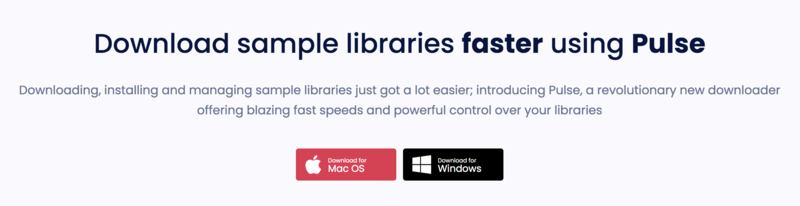
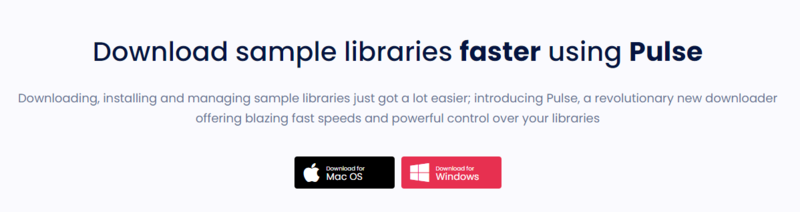
1. Go to https://pulsedownloader.com/ > Click 'Download for Mac OS' to download the Pulse application installer.

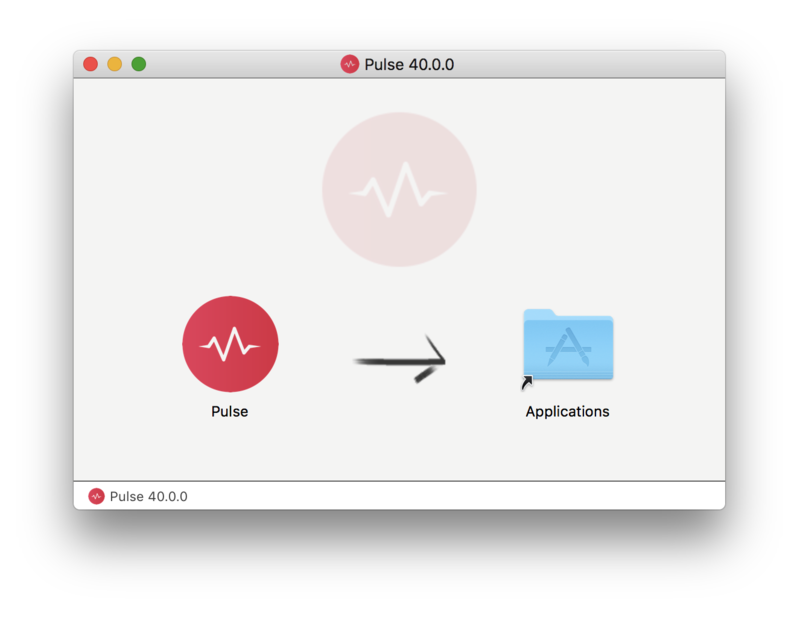
2. Open the .dmg file > Click and drag the application icon into the applications folder.

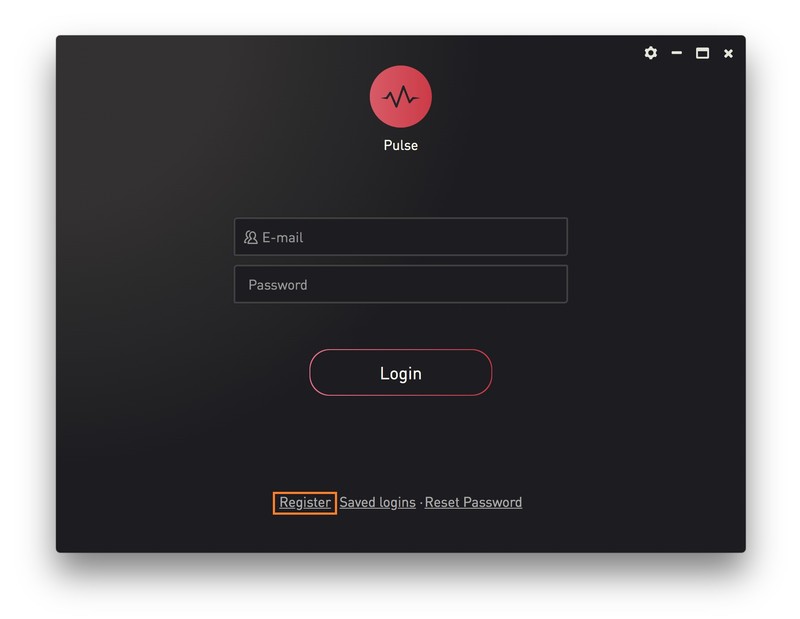
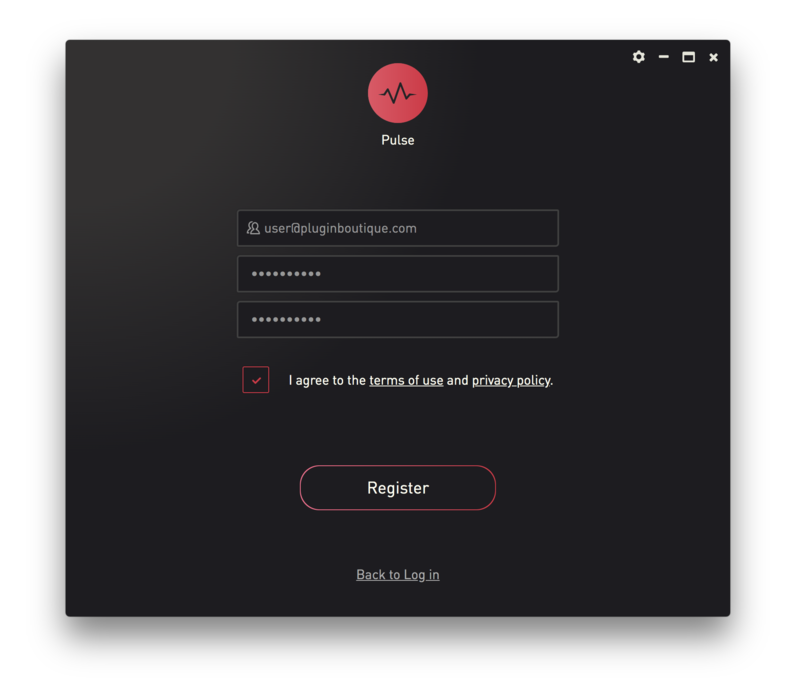
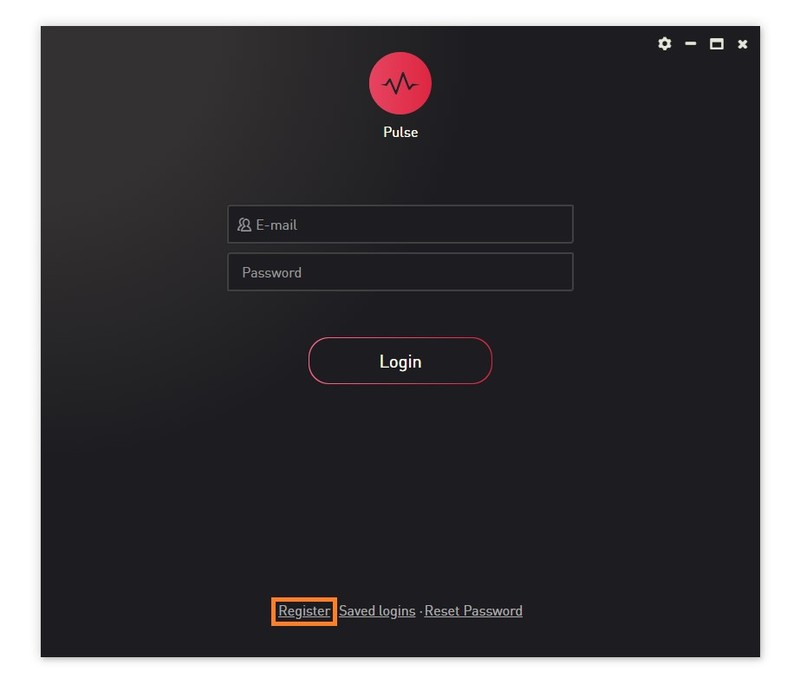
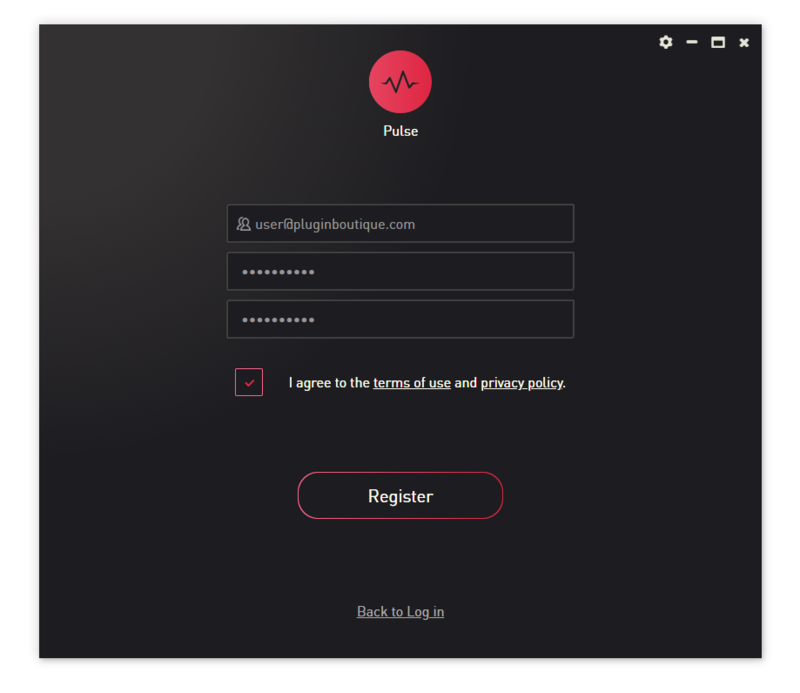
3. Open the Pulse application > Click 'Register'

4. Enter your Email Address and Password > Check the box that states 'I agree to the terms of use and privacy policy' > Click 'Register'.

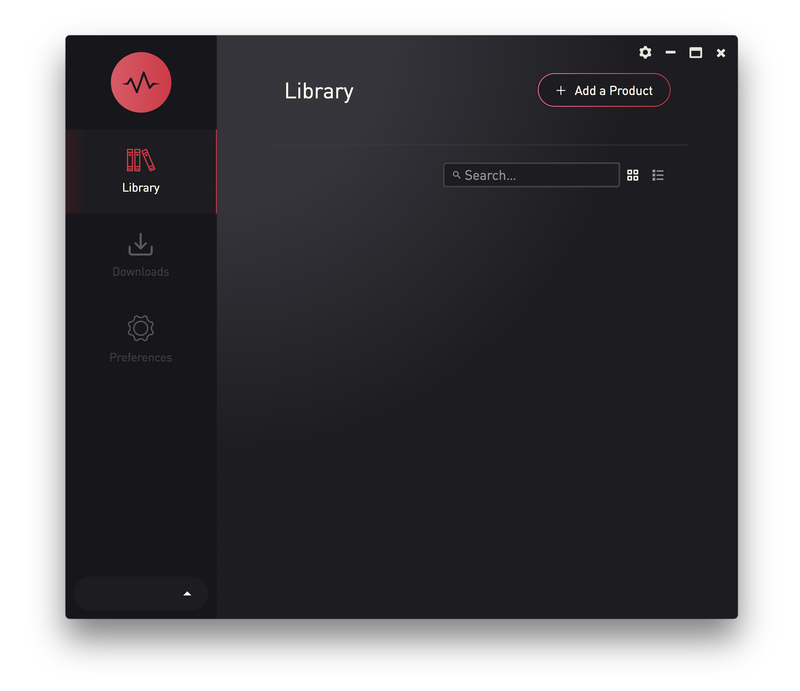
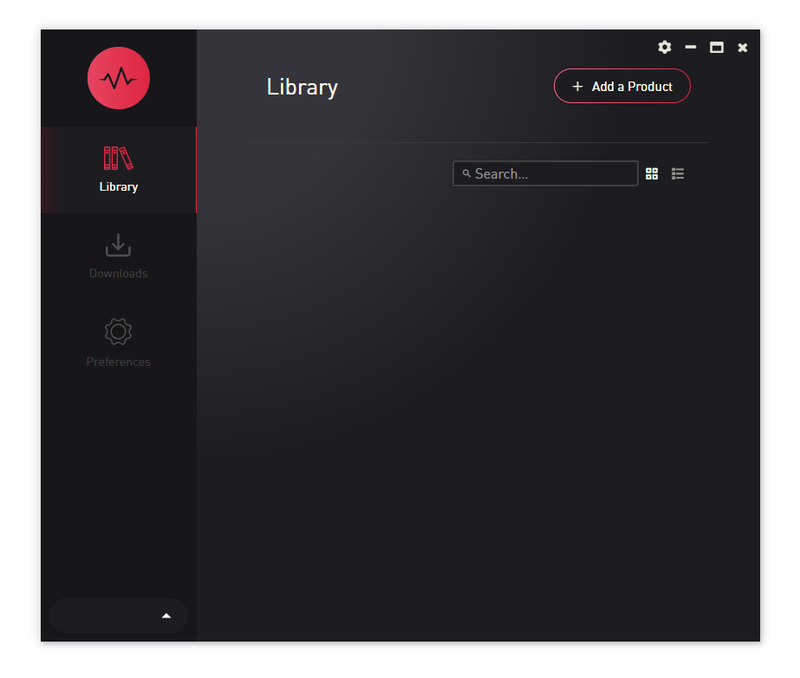
5. Click 'Add a Product'.

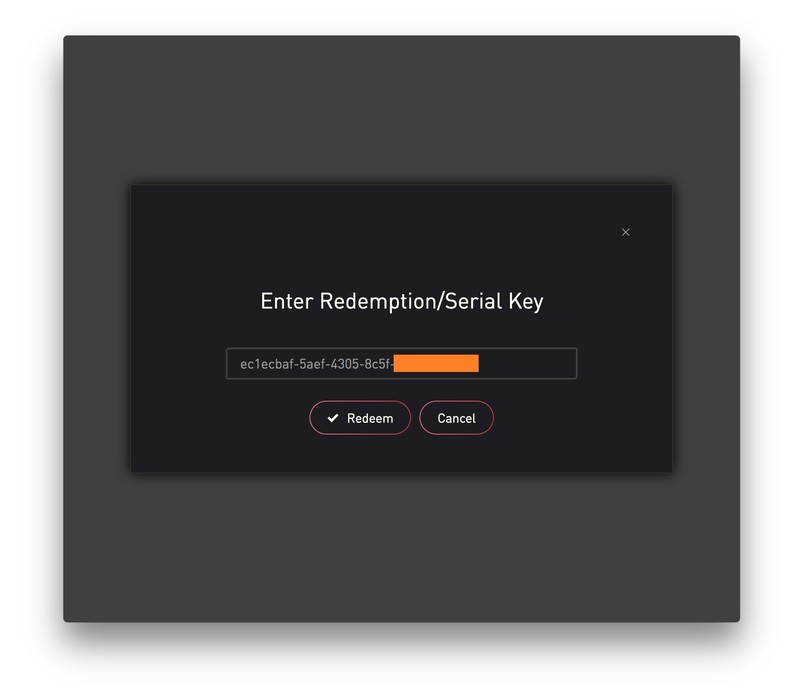
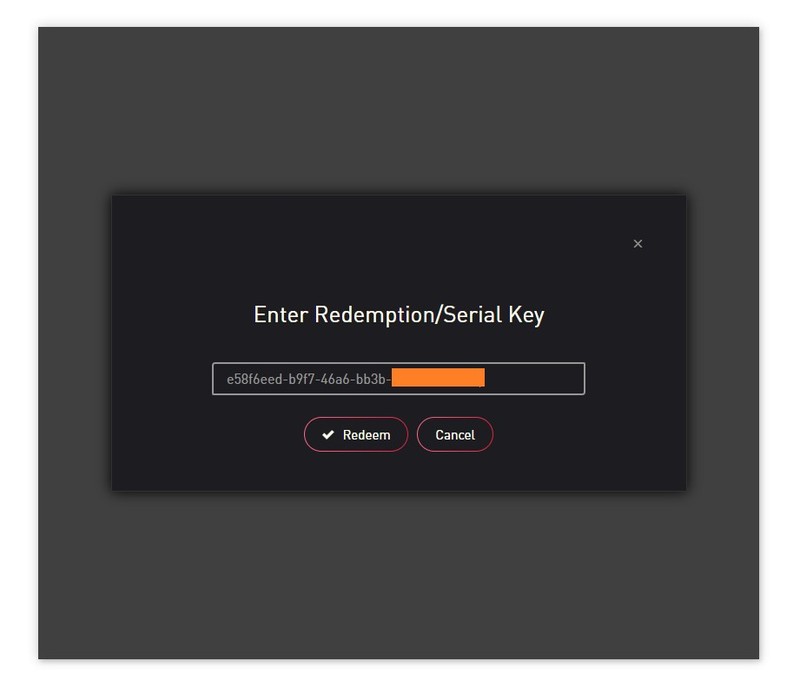
6. Enter your 32-digit serial key, found within the serial number section of your Plugin Boutique User Account > Click 'Redeem'.

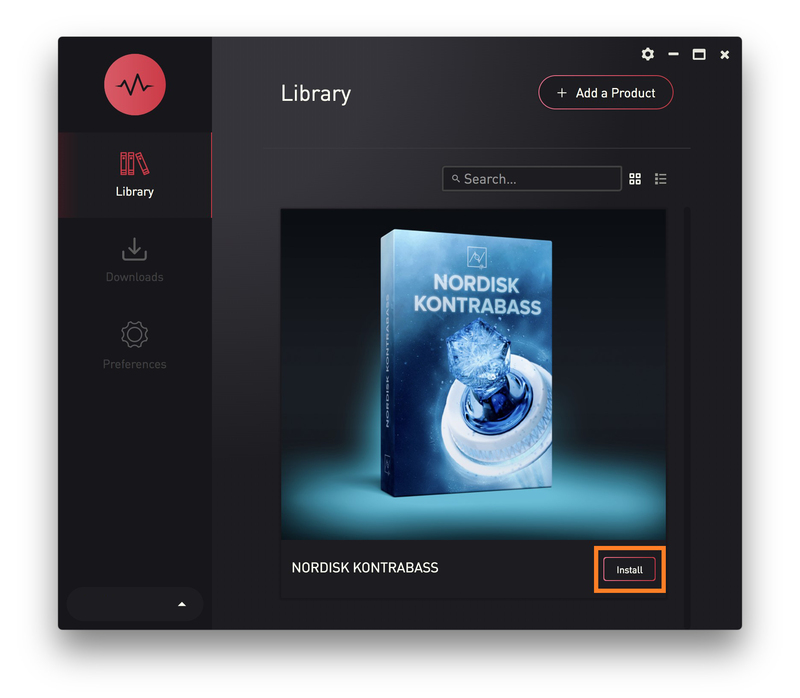
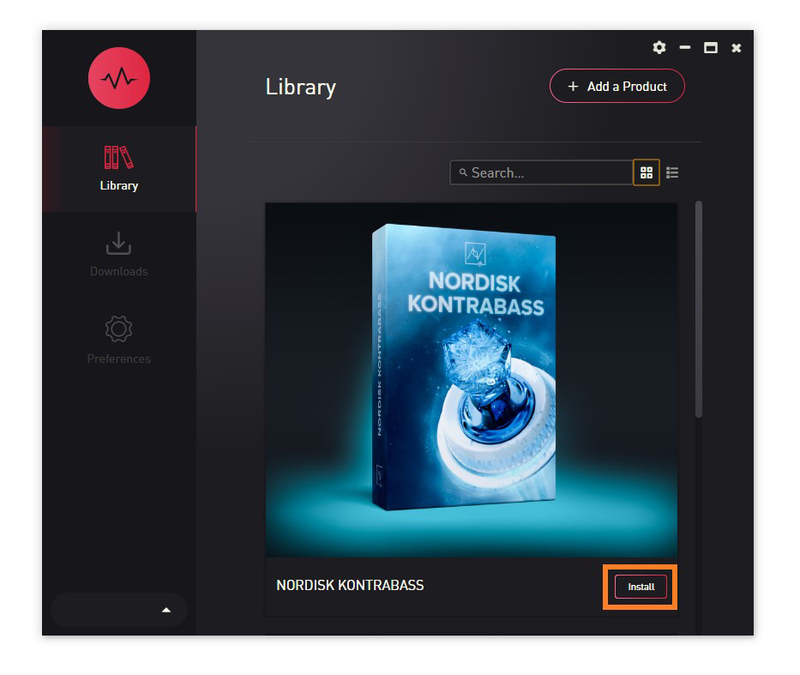
7. Click 'Install'.

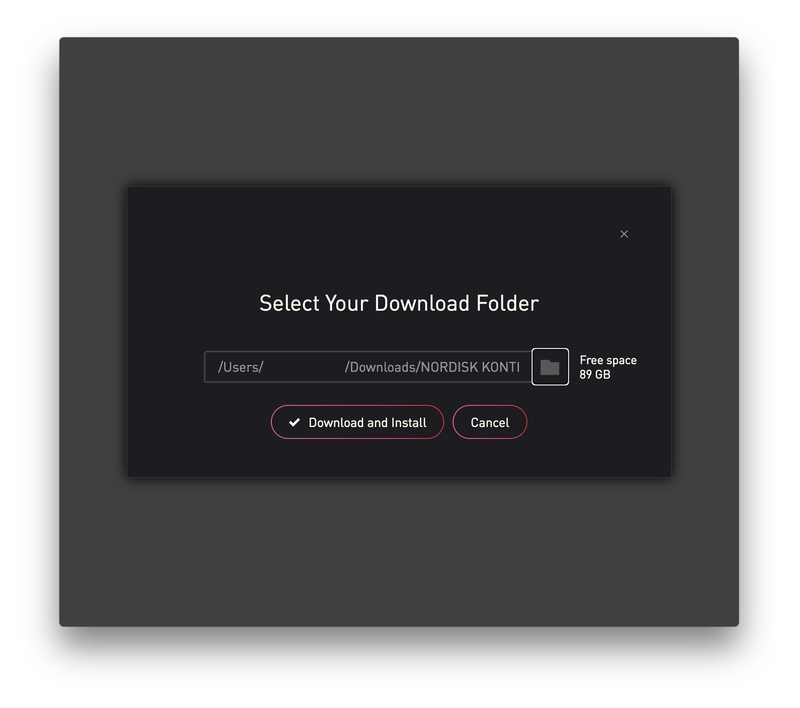
8. Click the folder icon to select the installation location for your library.

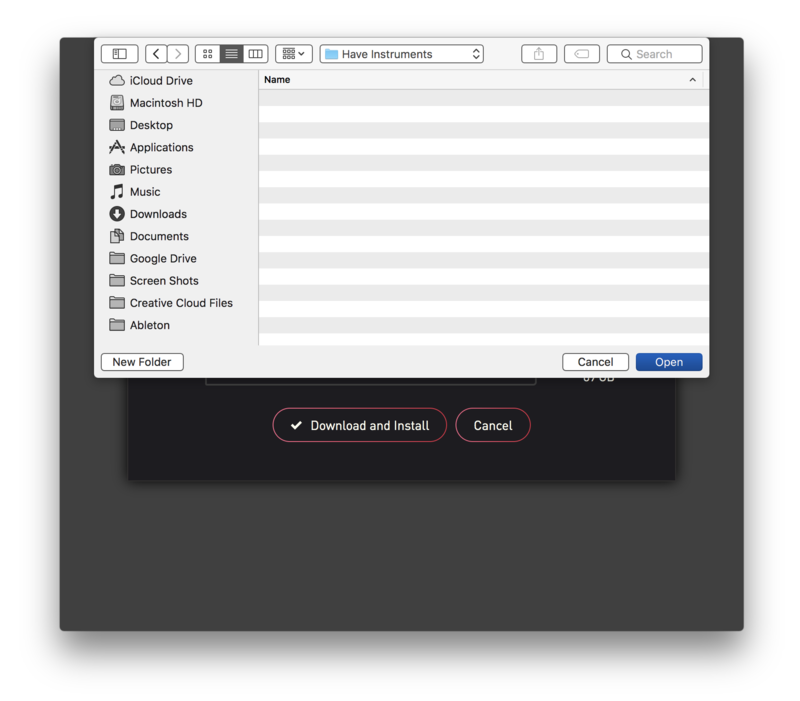
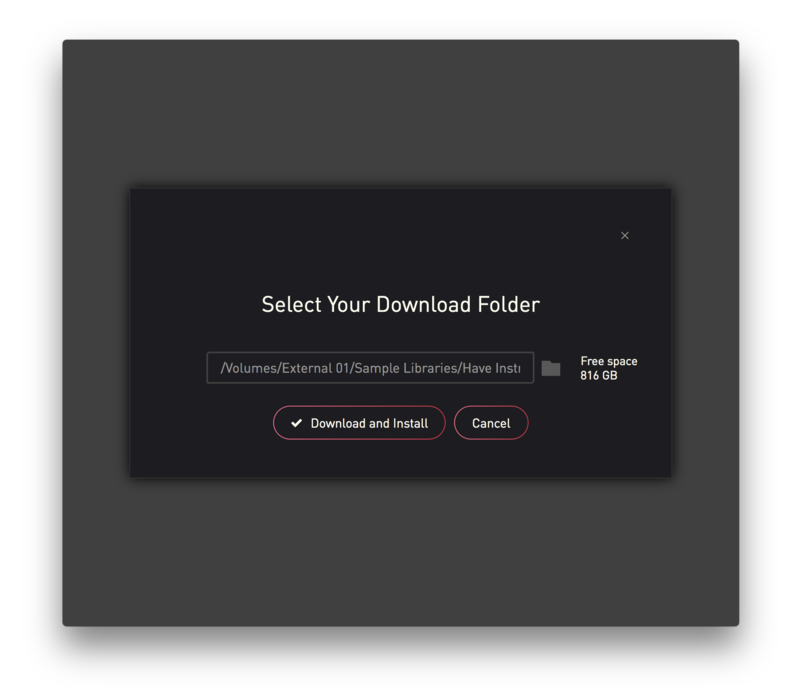
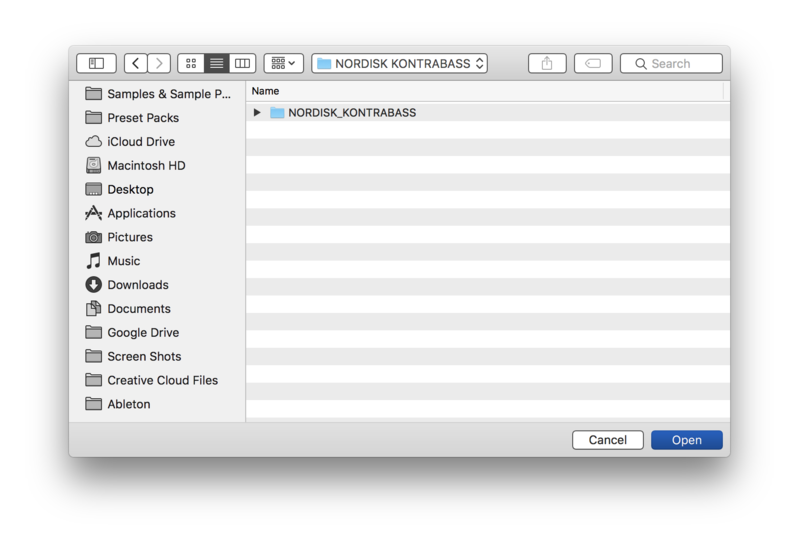
9. Choose your installation location > Click 'Open'.

10. Click 'Download and Install'.

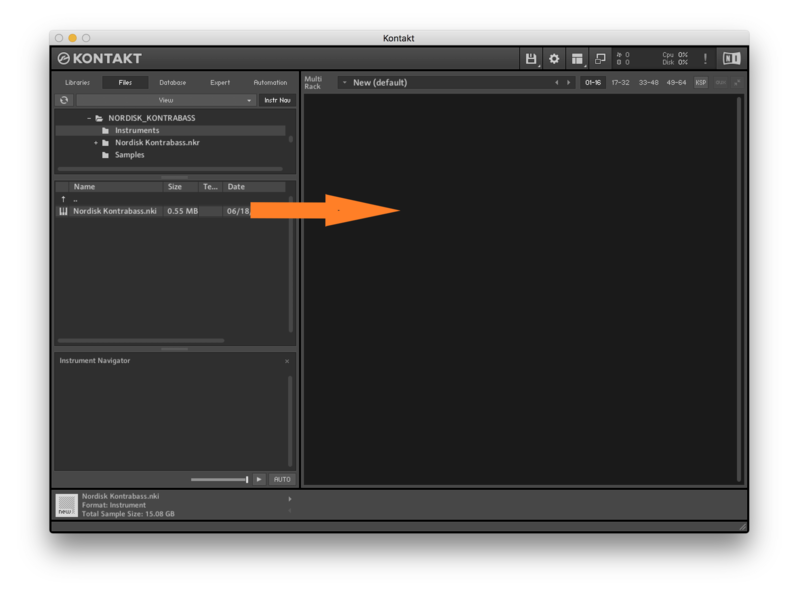
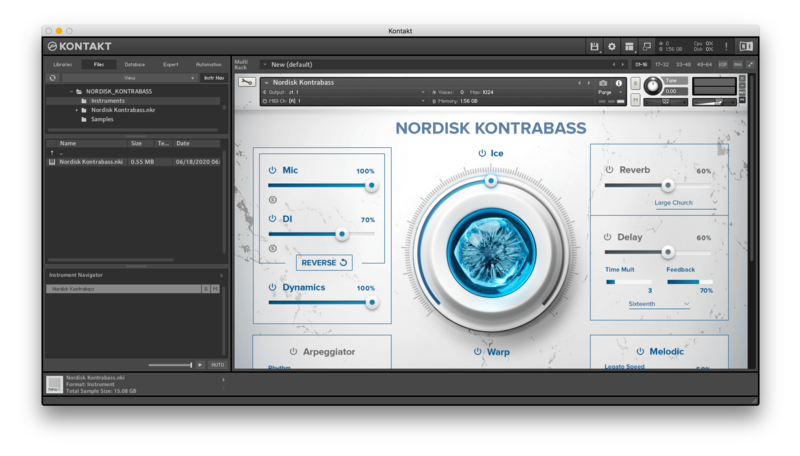
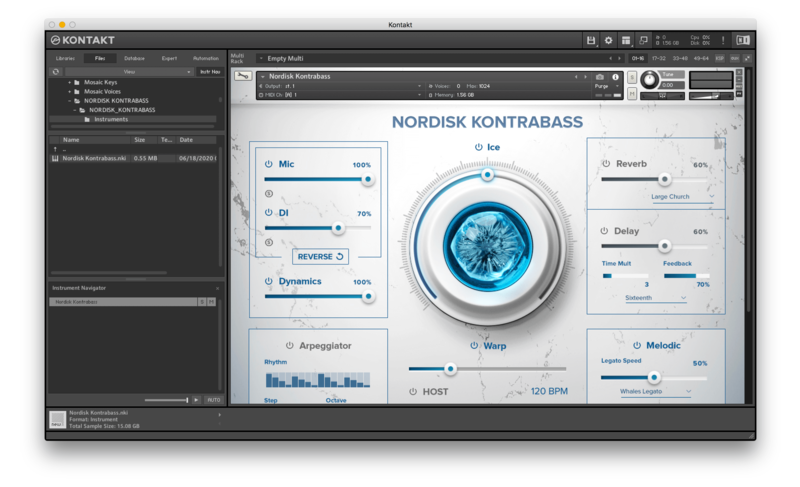
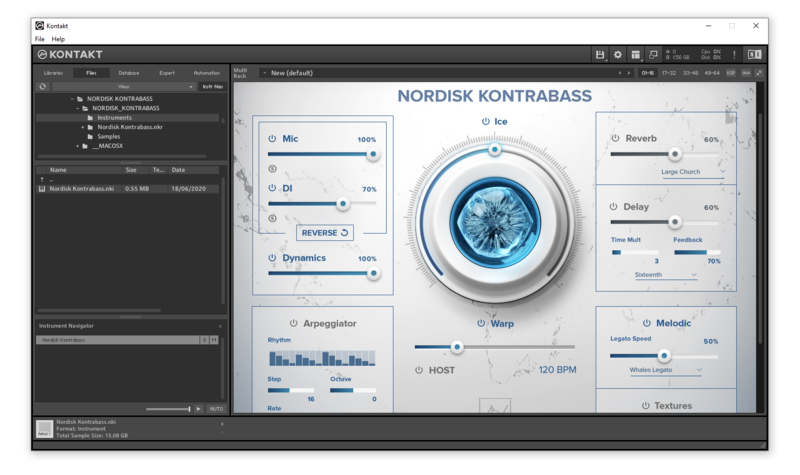
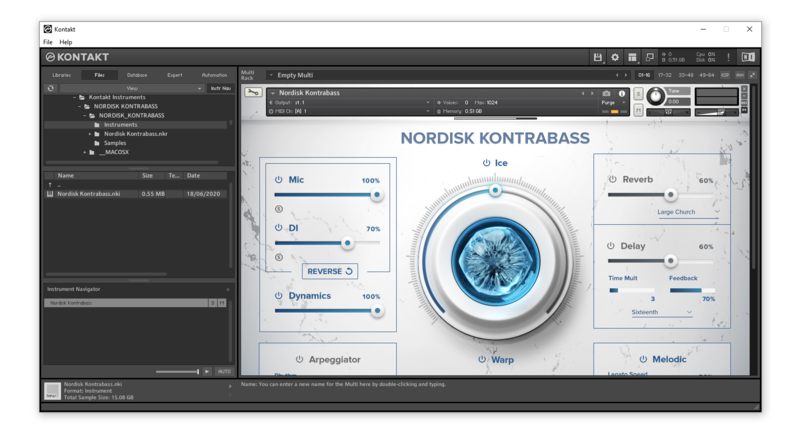
11. Open Kontakt > Select the 'Files' tab and navigate to your installed Kontakt library > Click and drag the .nki file into the empty window.

Your Kontakt Instrument is now installed and ready to use.

Batch Re-save Instructions
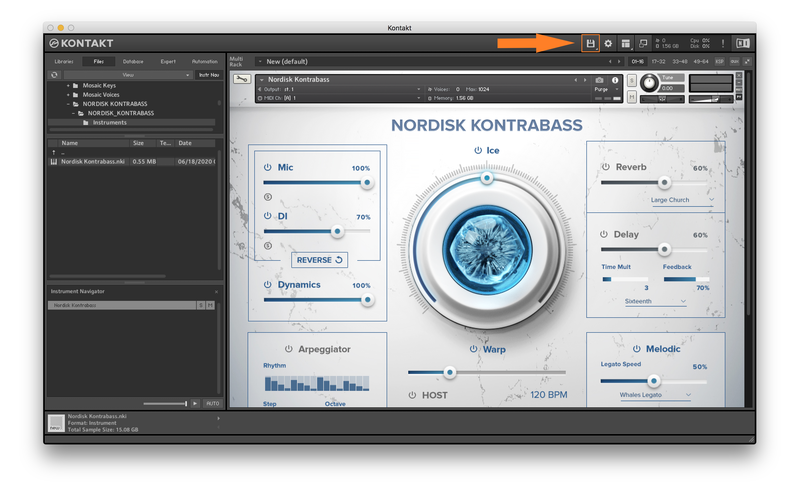
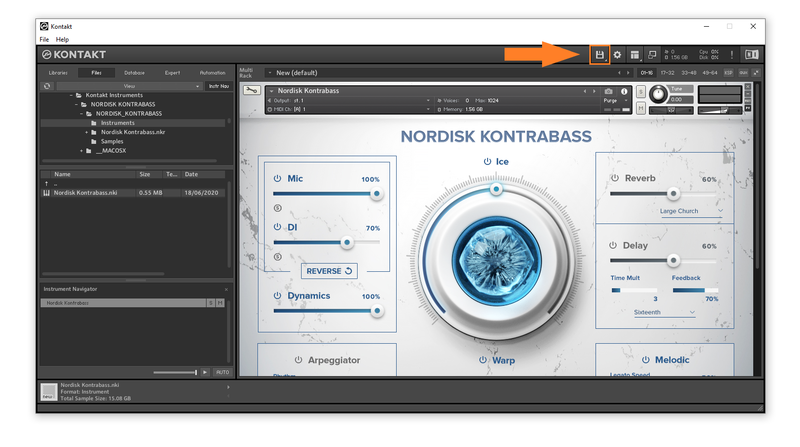
1. Within Kontakt, click the floppy disk icon.

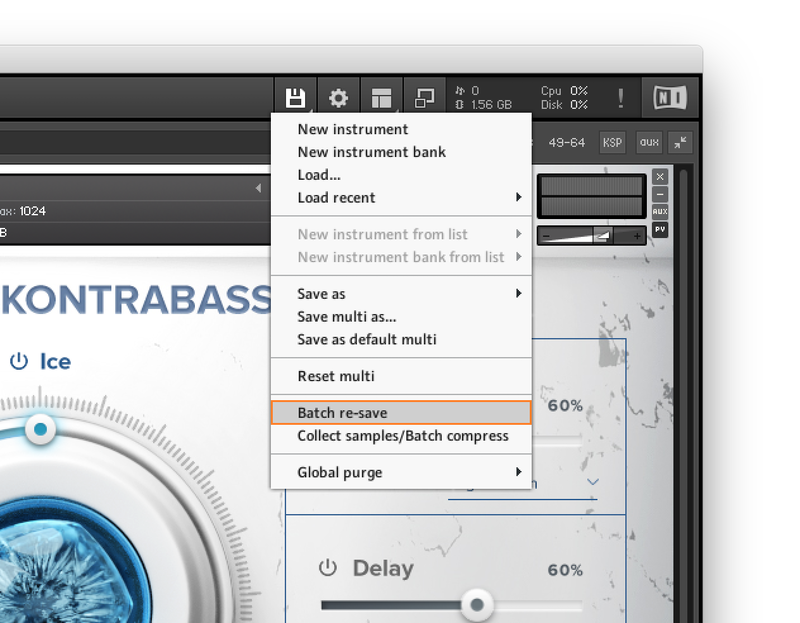
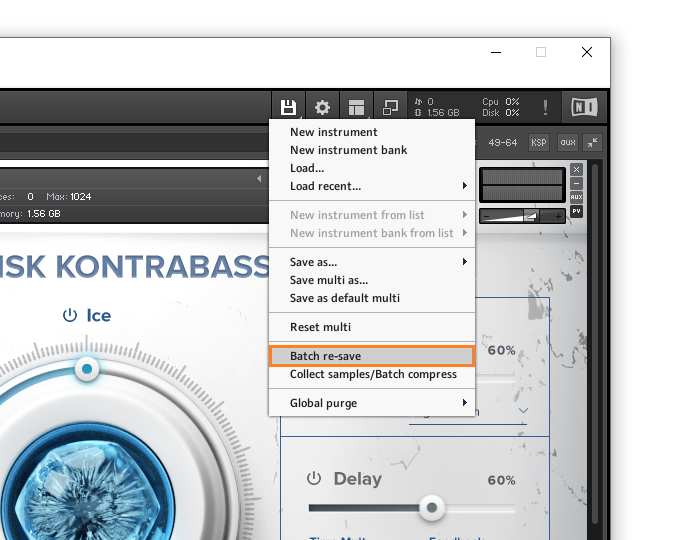
2. From the drop-down menu, click 'Batch re-save'.

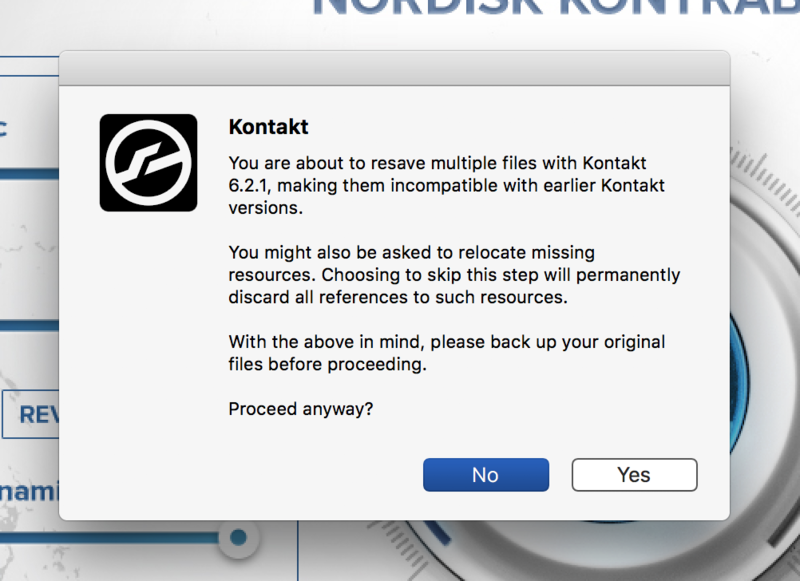
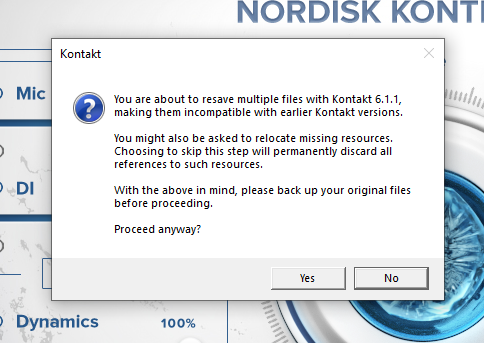
3. Click 'Yes'.

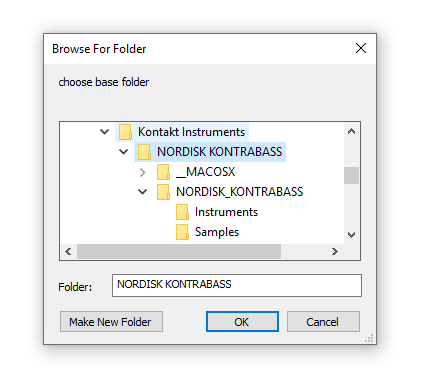
4. Navigate to the installation location for your Kontakt library > Click 'Open'.

Batch re-save is now complete and you can expect to see quicker loading times for your Kontakt Instrument.

Windows
Installation
1. Go to https://pulsedownloader.com/ > Click 'Download for Windows' to download the Pulse application installer.

2. Open the .exe file to install the Pulse application > Open Pulse and click 'Register'.

3. Enter your Email Address and Password > Check the box that states 'I agree to the terms of use and privacy policy' > Click 'Register'.

4. Click 'Add a Product'.

5. Enter your 32-digit serial key, found within the serial number section of your Plugin Boutique User Account > Click 'Redeem'.

6. Click 'Install'.

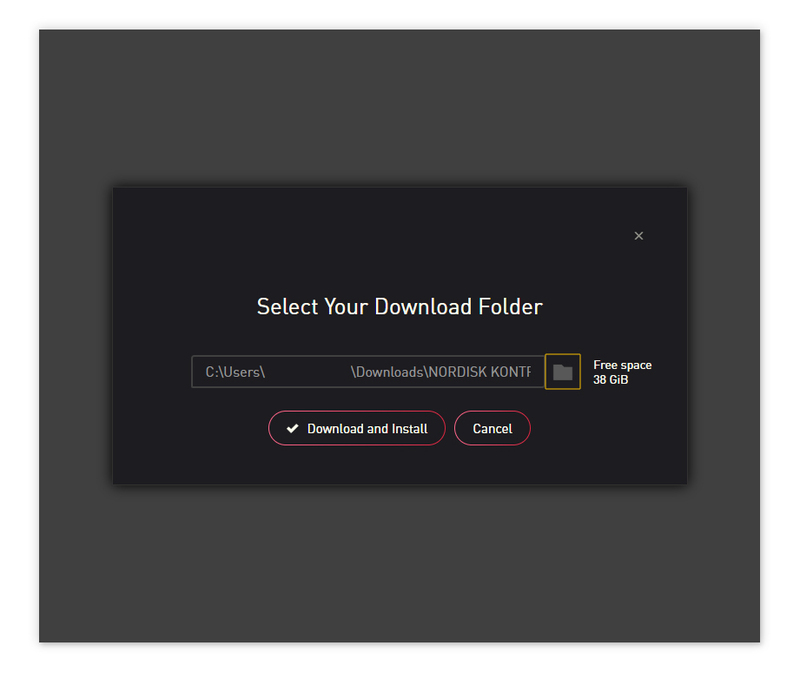
7. Click the folder icon to select the installation location for your library.

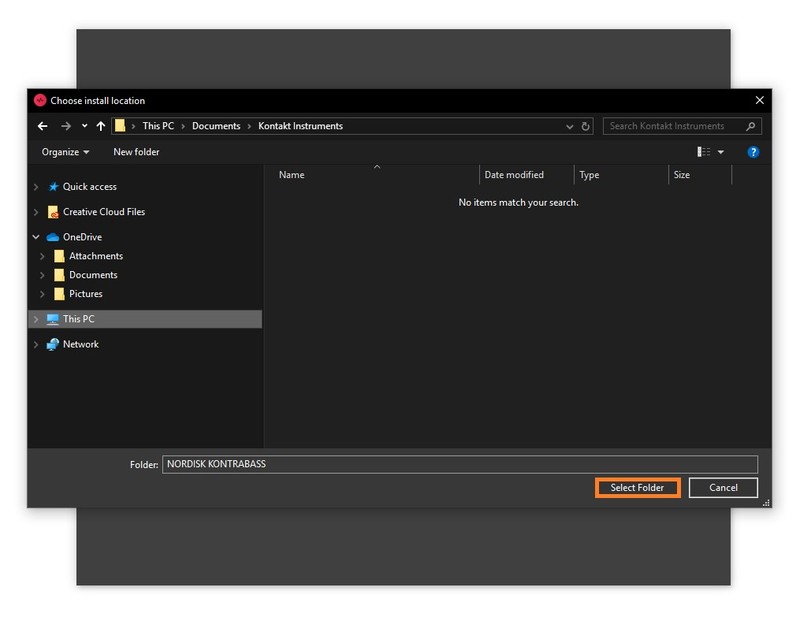
8. Choose your installation location > Click 'Select Folder'.

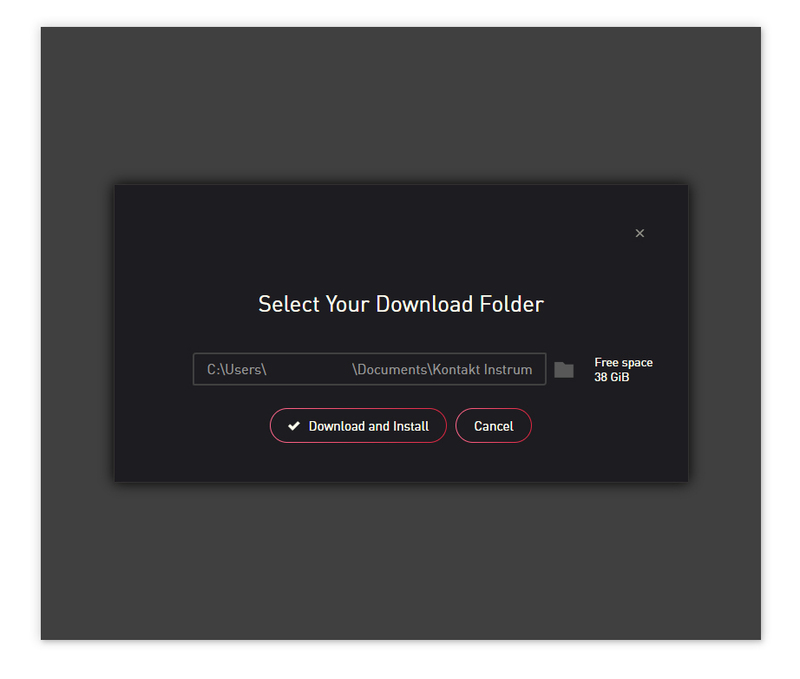
9. Click 'Download and Install'.

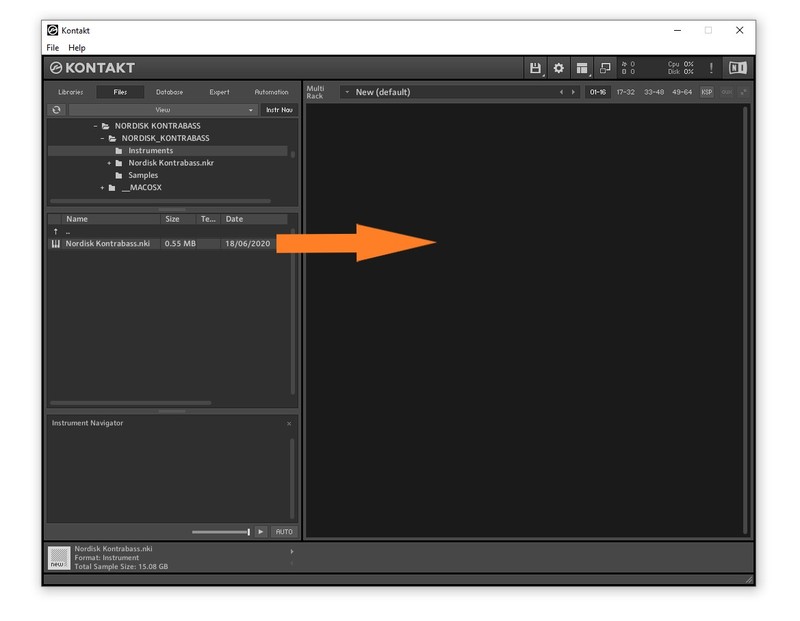
10. Open Kontakt > Select the 'Files' tab and navigate to your installed Kontakt library > Click and drag the .nki file into the empty window.

Your Kontakt Instrument is now installed and ready to use.

Batch Re-save Instructions
1. Within Kontakt, click the floppy disk icon.

2. From the drop-down menu, click 'Batch re-save'.

3. Click 'Yes'.

4. Navigate to the installation location for your Kontakt library > Click 'Ok'.

Batch re-save is now complete and you can expect to see quicker loading times for your Kontakt Instrument.