


 Log In

Free gifts available with your purchase
Custom XL Collection
Your choice of content, XL size.
Includes your choice of:
- 6 ADpaks (Kits)
- 6 MIDIpaks (Beats)
- 6 Kitpiece Paks (Single Drums)
(Also includes the Addictive Drums 2 Engine)
Buy now, choose your content later.
Follow the step-by-step instructions shown directly after you've made your purchase to choose your content.
You're the creative genius
With Custom Collections you're free to choose a combination of content that's as unique as the sound you're going to create with it.
Pick and choose among drum kits, kit pieces and MIDI beats based on your own individual preferences.
Stadium rock fills played on a Brazilian pandeiro? It could just become the sound of summer! Funk breaks on a Heavy Metal kit...why the hell not?
This offer is for power users that love exploring all options and picking content that interests them. You get the full Addictive Drums 2 engine and can select any 6 ADpaks, any 6 MIDIpaks, and any 6 Kitpiece paks of your choice. You can choose your content all at once or over time as you expand your musical horizons.
With the powerful Addictive Drums 2 plugin and the ability to pick the sound and rhythm content of your choice, you will be armed with the exact sounds and rhythms you need to take your music to the next level.
Addictive Drums 2

It's All About the Sound
Tweak any of the professionally designed presets or build up a custom kit from scratch, it's your choice. Addictive Drums 2 is packed with mixing and sound-shaping features that let you transform the raw sounds in amazing ways. Whether you need your drums to sound open and crystal-clear or produced and radio-ready, or grungy and heavily distorted, AD2 has studio-grade tools to get the job done.
Lightning Fast Workflow
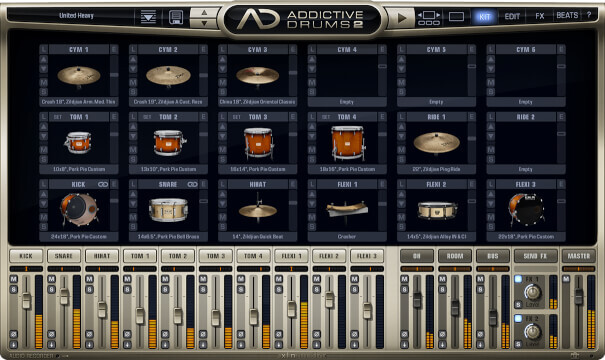
The best sounds and features are useless if you can't find and use them quickly when inspiration strikes. Addictive Drums 2 really excels in this area. Every detail – from drag-and-drop audio and MIDI to rapid linking and layering, to near-instant kit piece swapping–is designed to keep you in the creative zone. The clean layout and lighting-fast workflow include hundreds of individual features that make AD2 fast and familiar – even for first-time users.
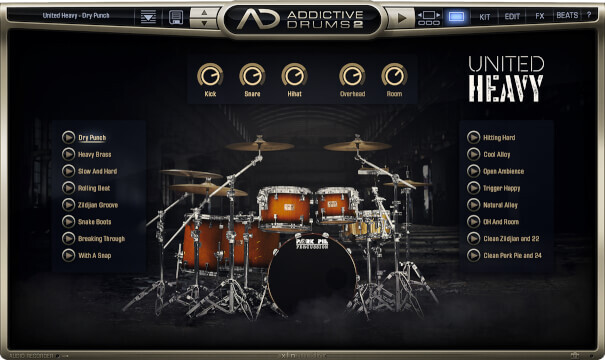
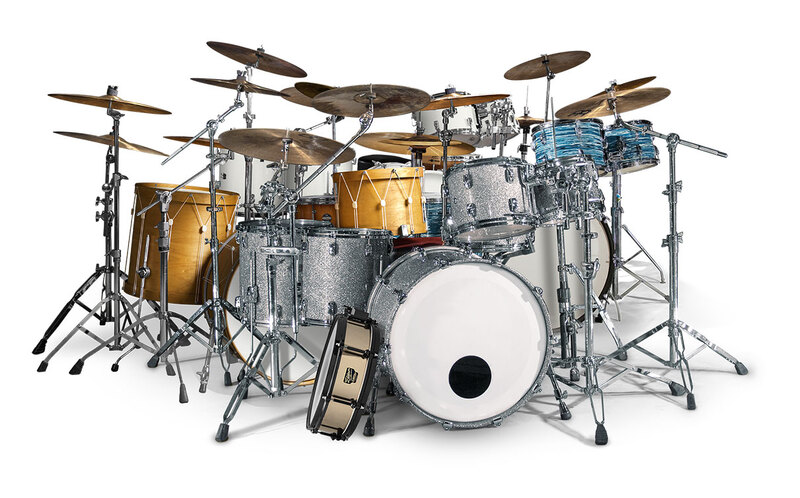
Every drum kit is recorded in world-class studios by industry professionals and amazing drummers to give you professional sonic options and creative control.
Where Do You Start?
To get the most out of Addictive Drums 2 you always start with XPN Audio's Collections.
A Collection is a bundle of ADpaks (drum kits), MIDIpaks (beats) and Kitpiece Paks (single drums) put together to give you the best possible drum production experience.
Features
- Full Addictive Drums 2 Engine.
- Your choice of sounds and rhythms.
- Make selections now or over time.
- MIDI Library (5000 beats).
- Speciality “Trig” Sounds included.
- 130 Production-ready Presets.
System Requirements
Mac
- macOS 10.13 or later (M1 Native & macOS 12 Monterey supported) (64-bit only)
- 2 GB RAM (4 GB recommended)
- Internet connection (during installation only)
Formats:
- VST, AU, AAX (64-bit only)
- Standalone Application (64-bit only)
Windows
- Windows 7 - 11 (64-bit only)
- 2 GB RAM (4 GB recommended)
- Internet connection (during installation only)
Formats:
- VST, AAX (64-bit only)
- Standalone Application (64-bit only)
Hosts:
This product should run on any host supporting 64-bit VST, AU, or AAX plugins. XLN Audio actively tests on the host applications listed below:
- Ableton Live 9 or later
- Apple Logic Pro 9 & 10
- Avid Pro Tools 11 or later (Pro Tools First is not supported)
- Cakewalk by Bandlab
- Propellerhead Reason 10.3 or later
- Reaper 4 & 5
- Steinberg Cubase 8 or later
Please Note: This software is 64-bit only and will not function on 32-bit systems.


