Log In

Free gifts available with your purchase

Groove in a Box
Use samples or full songs as a sound source. Instant Groove. The onboard bassline, a drum machine and the multi-effect sequencer make Egoist the perfect track sketching tool in the studio and on the road. You’ll soon fall in love with its distinct features and concept.
It's All Simple But Effective Stuff
The Slice Arranger Couldn't Be More Straight forward
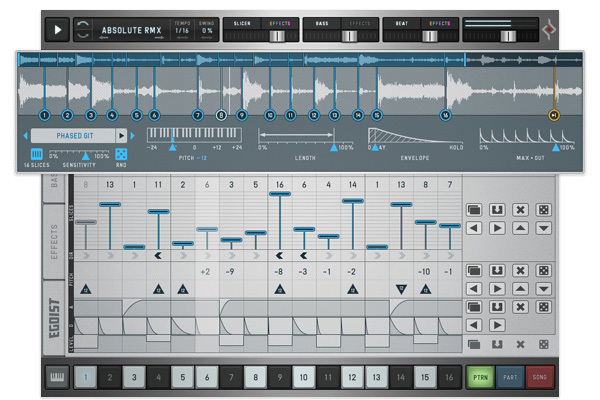
Egoist easily does what would take considerable effort in a traditional sampler: In record time, it can rearrange even the most predictable of samples to some great-sounding chops.
Each slice has separate controls of pitch, direction, attack, decay and volume. So, let’s assume you play the same snippet over and over again – each step would sound completely different than the one before.
The factory library packs 760MB sonic material, from acoustic beats, piano- & percussion loops, synths, vocals to FX, so you can go for hours before using external audio. Via „Load Sample“, you can import the formats .wav, .aiff and mp3.
Drum 'n' Bass
What All Good Music Is About
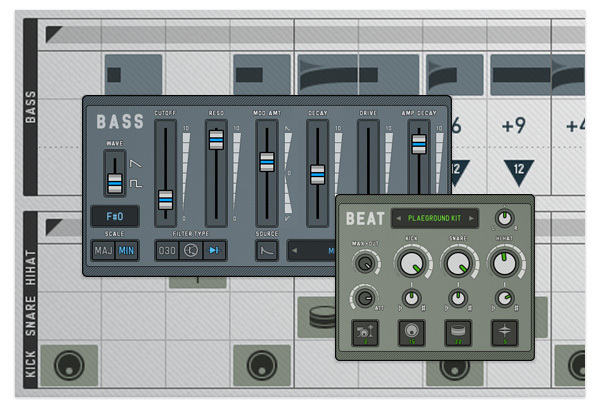
Having made a slice sequence, you might wanna grab inspiration by its tail and move on with the structure of your idea. Therefore, we added the Bassline and the Beat. And this trinity of Sample, Beat and Bass really provides the most minimal setup to craft an idea in one go.
The Bass Tab lets you create classic bass lines (á la 303 or SH101). Run the oscillator in saw or pulse and tune essential parameters like resonance, decay & cutoff modulation.
The drum module is straight and to the point, just like its neighbour. More than 1,000 sampled kick, snare and hi-hats (open and closed) neatly organised in 15 kits. You can control pitch, loudness and velocity options. 96 samples per drum kit and a "Mix and Match" option leave you with endless combinations.
Cheerful Rebel
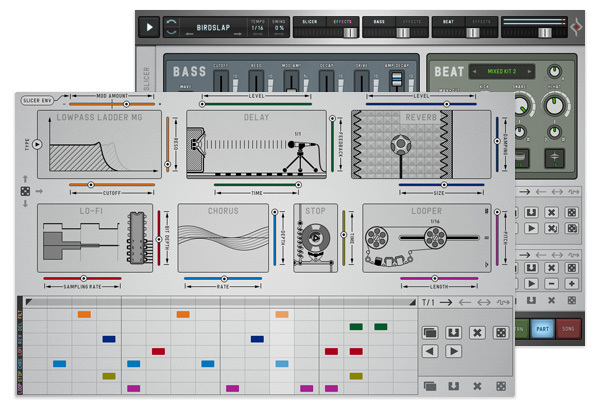
Arpiculation Is Arpeggiator and Intonation
Rather than being a static add-on, the effects can be varied on a per-step basis. Of course, being able to treat effects as one-shot moments is much more dynamic than using overall global effects. A familiar concept to anyone who knows Effectrix.
There are 7 processors in total, a small but well-formed array: Reverb, Chorus, Delay, Filter, Lo-Fi, Tape Stop and Looper – to be applied to Slicer, Beat and Bass.
These con artists of sound are all quite beautifully depicted in their respective icons. Each offers a couple of parameters that can be edited via sliders, while the Filter section begins by offering 7 types and an equal amount of cutoff modulation sources from across the instrument.
Neat Integration with your DAW
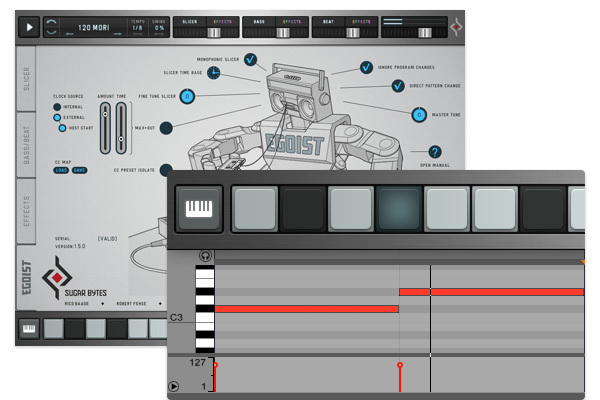
Slice Key Mode: Triggers Patterns or Slices per MIDI
Much like a traditional hardware sequencer, Egoist uses a pattern-based method for chaining patterns into a song. Each pattern can contain a different sample, slicing setup, individual bass, beat and effects setups…
If you’d rather use your DAW’s sequencer instead, the small piano keys button at the bottom left lets you trigger the patterns or the individual slices. On the setup page, you can select whether the sequencer’s clock source is internal or via your host, and choose if DAW/host will start the sequencer on playback.
The patterns themselves are triggered by pressing C1 through D#2, and the individual sequencer slices by pressing C3 through D#4.
Sounds & Presets
Some catchy tunes coming out of this thing:
- The sample library contains over 400 sounds in 16 folders filed according to their origin (drums, guitar, modular, SFX, etc.). The drum machine comes with more than 1,000 sampled drum sounds
- There are more than 200 excellent pre-produced presets, including a number from Detroit legend Mike Huckaby
Features
- Slicer, Bass, Beat and an Effect Sequencer
- Easy Arranging of Sample Slices
- Perfect Track Sketching Tool
- Arrange up to 16 slices with detailed control
- Round and fat basses or blatant 303 lines
- Beatbox with HiHat, Kick and Snare
- Effect Engine for bright colours in the right spots
- Song Arranger
New Features and Content:
- The new version adds features to all four engines: all sequencers are polyrhythmic now with independent clock dividers, the slicer got a monophonic mode, we added scales to the bass, powerful mod sources to the filter and Pan control for the Hi-Hats!
- There’s also new content: more presets, new slicing samples and a fresh drumkit: "Cwejman S1".
Sounds & Presets
- Some catchy tunes coming out of this thing.
- The sample library contains over 400 sounds in 16 folders filed according to their origin (drums, guitar, modular, SFX, etc.). The drummachine comes with more than 1,000 sampled drum sounds.
There are more than 200 excellent pre-produced presets, including a number from Detroit legend Mike Huckaby.
System Requirements
Mac
- macOS 10.12 or higher (Apple Silicon M1 supported) (64-bit only)
- Minimum Monitor Height - 800 pixel
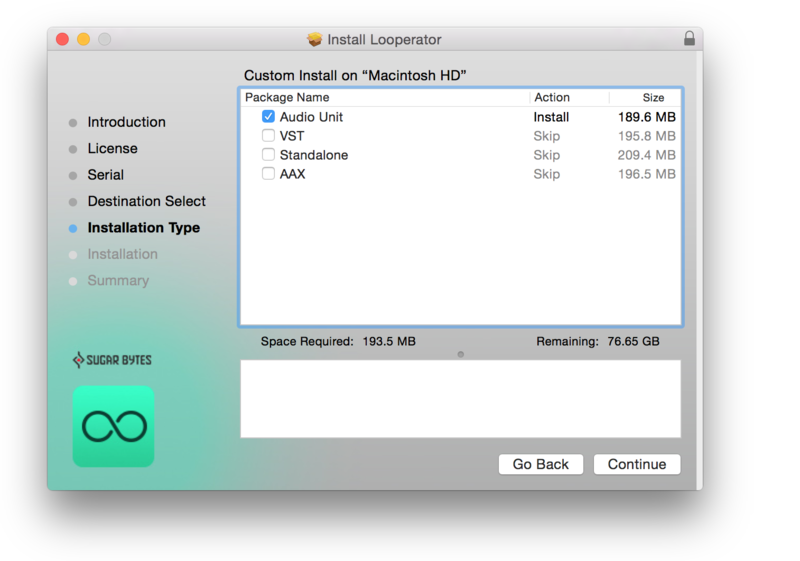
- VST2, VST3, AU, AAX & Standalone Application
Windows
- Windows 7 or higher (64-bit only)
- Minimum Monitor Height - 800 pixel
- VST2, VST3, AAX & Standalone Application
Important note: This software is only available in 64-bit format for both Windows and macOS and will not function on 32-bit systems.
Awards


MusicRadar
MusicRadar is a music website that offers information pertaining to artists and their music, with interviews, product news and reviews, and online music lessons.
"The headline creative feature of Egoist is the Slicer, which comes with a collection of samples and lets you import your own".
Computer Music Magazine
The world’s best selling magazine dedicated to making great music with your Mac or PC.
"Egoist is one of the most intuitive pieces of software we've ever used".
Bedroom Producers
Bedroom Producers Blog is a daily updated blog for music producers, featuring news about free music making software, VST plugins, audio samples and loops.
”Egoist is an inspirational and useful tool for any electronic musician and sound designer. It can easily take your creative Ego to the next level!”
A while back I had the opportunity to review the second edition of Sugar Byte’s renowned WOW Filter (named WOW2 Filterbox). I was highly impressed by the attention to detail given in to all aspects of the plugin, from its design to user experience, and functionality. The Berlin based...
Read MoreA sample slicer, TB-303 emulation, drum module, and effects sequencer... all in one plug-in! Egoist packs a lot of functionality and does it in true Sugar Bytes style as Darren Burgos discovers. Sugar Bytes’ latest virtual instrument Egoist is a sample slicer, TB-303 bass emulation, a simp...
Read MoreEgoist is a user-friendly groove instrument with a slick GUI that's divided into three sections: the slicer, for arranging and manipulating a sample into 16 slices; a Bass & Beat page for sequencing basic ideas using the built -in beat box and synth; and lastly there's an effects page wher...
Read MoreSugar Bytes has built a solid reputation for designing plug-ins aimed at sonic manipulation on the fly, whether you favour instruments like its bass-oriented Cyclop or the modular effects suite Turnado. Its latest instrument plug-in is Egoist, which combines a versatile sample slicer alongside...
Read More