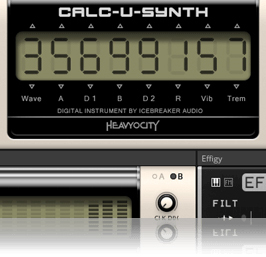
/ Reaktor Ensemble / Calc-U-Synth
Heavyocity

Calc-U-Synth

4.5 (85 Reviews)
$14.50 $29.00

50% off until Dec 12

Calc-U-Synth User Interface 1
Calc-U-Synth User Interface 2
Calc-U-Synth User Interface 3
Heavyocity - Calc-U-Synth - Overview gallery thumbnail
Buy Now
Product information

The original "band in your hand"

Calc-U-Synth is an emulation of the Casio VL-Tone, the classic digital calculator/synthesizer hybrid released in the summer of 1979 and manufactured until 1984. The VL-Tone can be run in one of two main modes: calculator or synthesizer. The synthesizer is a monophonic instrument that has 5 preset sounds as well as a user programmable 6th slot called ADSR. Calc-U-Synth was created using the Reaktor Blocks framework, which means that if you own the full version of Reaktor, you can incorporate the blocks into your own creations.

Spot-on emulation

Calc-U-Synth was designed to present the full capabilities of the VL-Tone’s programmable features in a more convenient interface, while retaining the character of the instrument. Great care was taken to measure and reproduce every aspect of the original accurately. The VL-Tone had its own built-in speaker, which was analyzed and modeled for an authentic tone. For added lo-fi realism, the key-click sounds of playing the instrument were also sampled and included. You can dial in as much, or as little as you like. The sound was then expanded using a number of effects and performance options including an arpeggiator, circuit-bending glitch controls, and a filter & delay effect module.
Icebreaker Audio

Icebreaker Audio, the brainchild of Adam Hanley, was created in 2011 as an outlet for boutique product concepts and personal obsessions. Adam's name appears in the credits of many high-profile Kontakt and Reaktor products, working on anything from African drums to additive synthesis. He is also responsible for the Kontakt scripting at Heavyocity, pushing the platform to the limit in order to bring even the craziest of ideas to life. Calc-U-Synth was born out of years of R&D into lo-fi synthesis and vintage digital electronics, combined with Adam's deep appreciation for the digital retro charm of the VL-Tone.

Features

  • Requires Reaktor or Reaktor Player (version 6.2 or later)
  • Size: 19.5 MB (on disk)
  • Available as direct download only
  • 74 Snapshots
  • 9 Reaktor Blocks for Reaktor Full users

System Requirements

  • Powered by the Reaktor Engine
  • Reaktor or Reaktor Player (version 6.2 or later) required.

Minimum System Requirements

  • Mac: OS X 10.10, 10.11 or macOS 10.12 (latest update), Intel Core 2 Duo
  • PC: Windows 7, Windows 8, or Windows 10 (latest Service Pack, 32/64-bit) Intel Core 2 Duo or AMD Athlon 64 X2
Installation Instructions

Notes: 

  • This product requires a Native Instruments Account and a free copy of Native Instruments Kontakt Player, which you can download here.
  • NOVO Essentials is used as the example.

Mac

Registration

1. Visit https://heavyocity.com/my-account/  and fill out the account registration form > Click 'Register'.

Installation

1. Download the Heavyocity Product Portal Installer from within your Plugin Boutique User Account

2. Double-click the .pkg file to begin the installation > Click 'Continue'.

3. Click 'Continue'.

4. Click 'Agree'.

5. Click 'Install'.

6. Enter your computer Username and Password > Click 'Install Software'.

7. Click 'Close'.

8. Open the Heavyocity Portal and enter your Heavyocity-registered Username (Email Address) and Password > Click 'Login'.

9. Click 'Register Now', located at the bottom of the Product Portal.

10. Complete the form and enter the serial number found in your Plugin Boutique User Account > Click 'Register'.

11. Click 'Install' on the far right of the portal.

12. Select an installation location for your Heavyocity product > Click 'Install'.

Activation

1. Log in to Native Access.

2. Click 'Add a serial' in the top left corner of Native Access.

3. Enter the serial number found in your Plugin Boutique User Account > Click 'Add Serial'.

4. Click 'Close'.

5. Click the 'Not Installed' tab on the left-hand side of Native Access.

6. Locate NOVO Essentials > Click 'Add Library'.

7. Click 'browse' and locate the recently installed product > Click 'Install'.

Your product is now activated and ready to use.

Windows

Registration

1. Visit https://heavyocity.com/my-account/  and fill out the account registration form > Click 'Register'.

Installation

1. Download the Heavyocity Product Portal Installer from within your Plugin Boutique User Account > Double-click the .zip file to extract the contents.

2. Double-click the .exe file to begin the installation > Click 'Next'.

3. Select 'I accept the terms in the license agreement' > Click 'Next'.

4. Click 'Next'.

5. Click 'Install'.

6. Click 'Finish'.

7. Enter your Heavyocity-registered Username (Email Address) and Password > Click 'Login'.

8. Click 'Register Now', located at the bottom of the Product Portal.

9. Complete the form and enter the serial number found in your Plugin Boutique User Account > Click 'Register'.

10. Click 'Install' on the far right of the portal.

11. Select the installation location for your Heavyocity product > Click 'Ok'.

12. Click 'Install'.

Activation

1. Log in to Native Access.

2. Click 'Add a serial' in the top left corner of Native Access.

3. Enter the serial number found in your Plugin Boutique User Account > Click 'Add Serial'.

4. Click 'Close'.

5. Click the 'Not Installed' tab on the left-hand side of Native Access.

6. Locate NOVO Essentials > Click 'Add Library'.

7. Click 'browse' and locate the recently installed product > Click 'Install'.

Your product is now activated and ready to use.

Plugin Boutique Rewards

Discover the most rewarding loyalty programme among all plugin retailers.

  • Free Loopmasters Samplepacks
  • Discounts on products and courses
  • Extra Virtual Cash claimed immediately at checkout
Find out more

Follow us:

X (Twitter) Facebook YouTube Instagram
Logo Logo

Plugin Boutique Limited, Part of the Beatport Group LLC.

Copyright © 2011-2025 Plugin Boutique. All rights reserved