


 Log In

Free gifts available with your purchase
Legendary Tape Keyboard
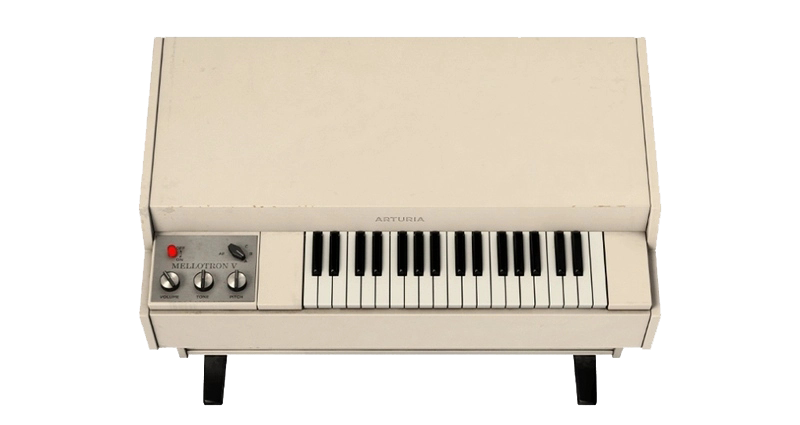
The Mellotron put an orchestra at the fingertips and redefined what it was to be a keyboard player. Now with modifications never dreamed of in the 1960s, our faithfully modeled reproduction will infuse your sound with updated vintage goodness.
From psychedelic rock to rocking your world
In the mid ‘60s, the Mellotron thrilled keyboardists with the ability to play tape-based recordings of actual orchestral instruments—adding its own quirky sonic character. Whether you’re conjuring the classics or creating new ones, adding this vintage sound to your music with Mellotron V is sure to make people sit up and listen.

Mellotron V puts the orchestral sounds of classic art rock right in your hands—cape optional.
Imagine a pre-digital world where sampling didn’t exist and the only way to incorporate orchestral realism in your music was, well, to hire an actual orchestra. Enter the Mellotron circa 1963. We’ve lovingly re-engineered it in Mellotron V for your music circa today.
What if you placed a tape playback mechanism under each key and fed each one a recording of a single orchestral instrument note? Crazy? Brilliant? Who cares! That ingenuity resulted in the Mellotron and empowered artists like The Beatles, The Moody Blues, Genesis and Yes to perform strings, brass, woodwinds and more without hiring a room full of session players. The imperfections of tape flutter and other 1960s electronics yielded a sort of alt-universe version of these traditional instruments. In today’s world of pristine sampling, that contrast has brought the “Tron” sound back into vogue at the hands of artists like Caro Emerald, Vampire Weekend and Kasabian.
Something old, very new
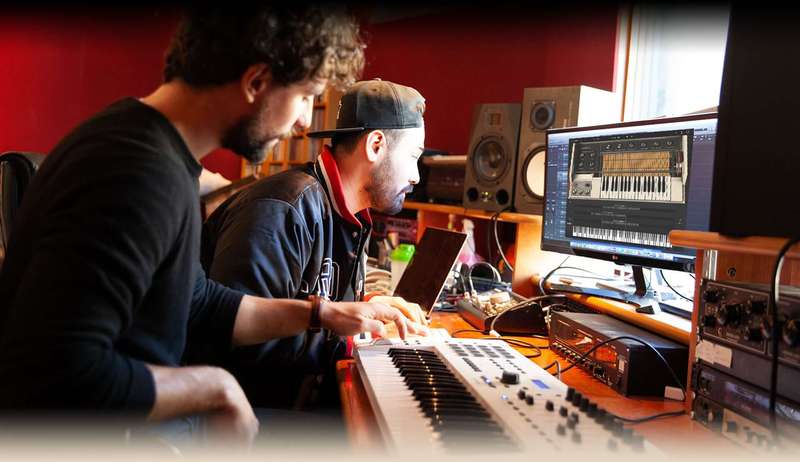
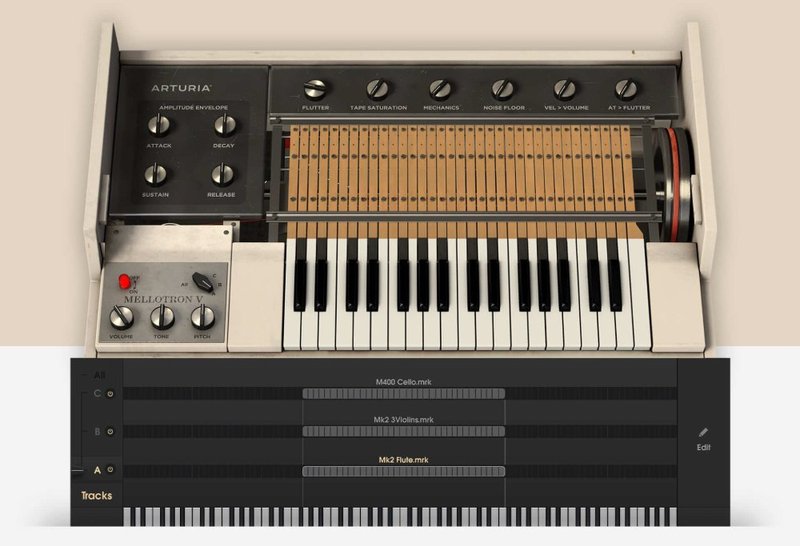
Here’s the thing. There are plenty of Mellotron samples out in the world—but why stop there when you can interact with a full-on model of the real thing? Thanks to our award-winning modeling tech found throughout V Collection 7, we’ve given you full control to tweak every aspect of your sound, including variable instrument mix combos, tape flutter, saturation and inherent noise.
In addition to bringing vintage essence, Mellotron V allows you to play your own samples through this iconic tape-replay engine.
There are many sounds that made the Mellotron famous. Now you have them all.
Back in the day, a Mellotron could only play whatever three instruments were burnt into its installed tape bank. Today’s Mellotron V comes complete with samples of all the best tape banks from the original instruments and let’s you mix-and-match them at the click of a mouse. You get a full library of presets with designer combos of instruments and onboard effects processing, all categorized and tagged for easy searching in the Mellotron V, Analog Lab and plugin hosts.
Get ready. A lot of people are going to be asking you, "What is that sound?!”
Arturia Software Center
ASC is the central software that elegantly manages all your Arturia software licenses. It activates your licenses and synchronizes them across multiple devices (you get five instances with each instrument license). ASC also notifies you of updates and downloads them. You can even easily learn about new products, download demos versions and purchase the full products. Simple.
Features
- 65 original tape racks from MKI/MKII/M300/M400 Mellotrons
- User sample import: benefit from the Mellotron sound on any sample
- 3 tracks to select or blend samples
- Modeling parameters and modulations: flutter, tape saturation, mechanics noise, noise floor, velocity on volume and aftertouch on flutter
- Amplitude envelope and loop controls for each sample
- Time stretching on user samples
- 61 presets
Dedicated effects pedal board
- 4 slots with a selection of 10 different effects
- 1 amplifier simulator (Fender Twin or Leslie)
- 1 room ambiance
System Requirements
- Works in Standalone, VST, AAX, Audio Unit, NKS (64-bit DAWs only).
Mac
- Mac OS 10.13+
- 4 GB RAM
- 4 cores CPU, 3.4 GHz (4.0 GHz Turbo-boost) or Apple Silicon CPU
- 3GB free hard disk space
- OpenGL 2.0 compatible GPU
Windows
- Win 10+ (64bit)
- 4 GB RAM
- 4 cores CPU, 3.4 GHz (4.0 GHz Turbo-boost)
- 3GB free hard disk space
- OpenGL 2.0 compatible GPU
- ARM processors not supported on Windows
Protection
All Arturia software is protected by the Arturia Software Center.


