/ Virtual Instruments / Electrix
Sampleson

Electrix

4.3 (265 Reviews)
$20.00
Sampleson Electrix EP
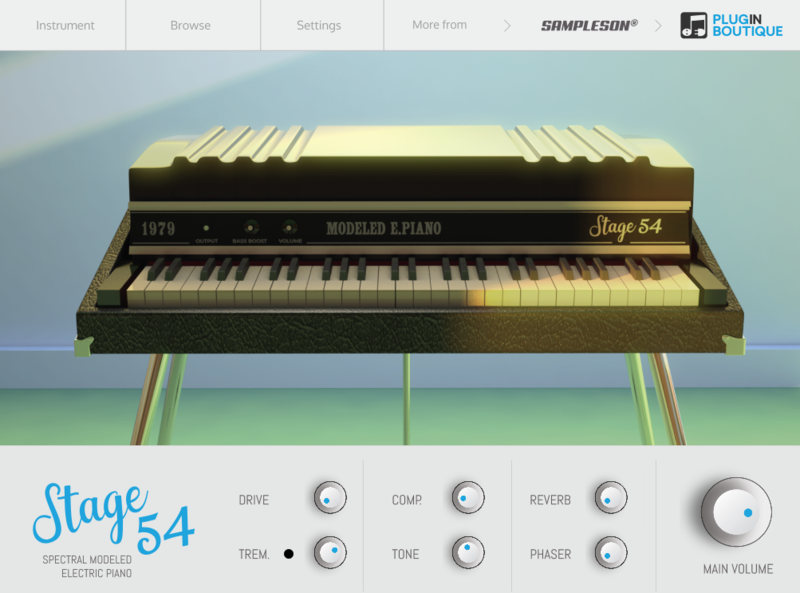
Sampleson Electrix EP - UI
Buy Now
Product information

Rare Electric Piano

Electrix is the recreation of a rare suitcase model electric piano used by many famous rock bands in the early 70's.

Between Tines and Reed

A superb electric piano from the '70s. It uses reeds strucked by hammers and electronically converts vibrations transmitted to a transistorised amplifier.

Sound can be described as a half-way between tines and reed, but with a vintage dirty touch.

The '70s at Your Fingertips

Electrix Piano's is a sound modelled instrument and was made recreating every single detail from a legendary EP. Main sound, noises, releases, tines, resonance and effects has been carefully integrated into a serious dynamic range instrument.

Studio-Grade Instrument

Electrix is the result of more than 1200 hours of develop and testing. Native 64bit and perfectly balanced to fit into any professional mix. Available for Mac and PC, VSTi, AU and Standalone versions are included.

System Requirements

macOS

  • OSX 10.7 or later (Monterey compatible)
  • Host must support VSTi or AU plugins.
  • 70 MB HDD
  • 4GB RAM

Windows

  • Windows 7 or later
  • Host must support VSTi plugins.
  • 70 MB HDD
  • 4GB RAM

Important Note: Pro Tools is not supported.

Installation Instructions

Please Note: Stage54 is used as an example.

Mac

Download Installer

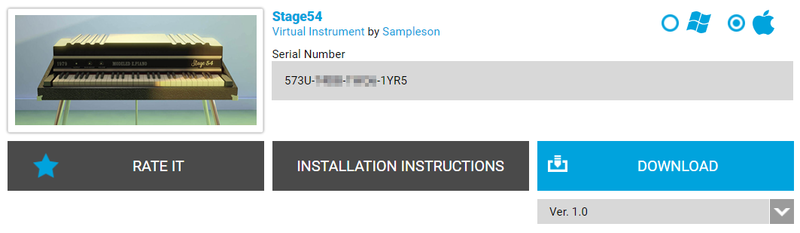
1. Navigate to your Plugin Boutique User Account and locate Stage54 > Click the blue 'DOWNLOAD' button.

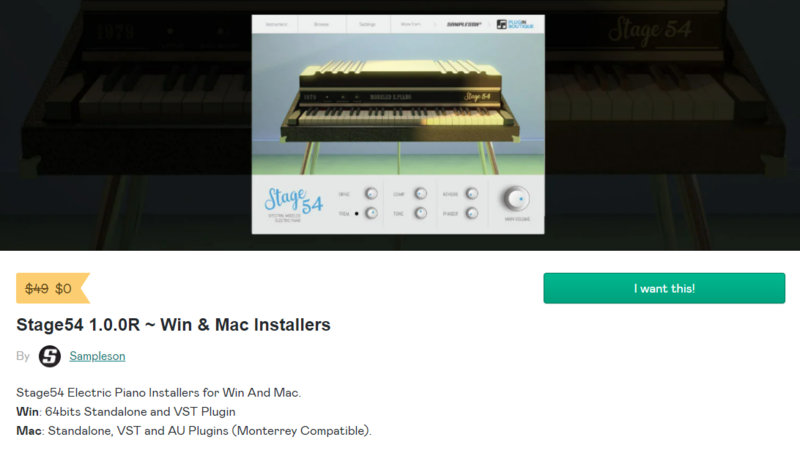
2. Click 'I want this!'.

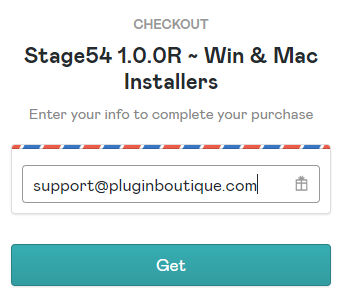
3. Enter your email address > Click 'Get'.

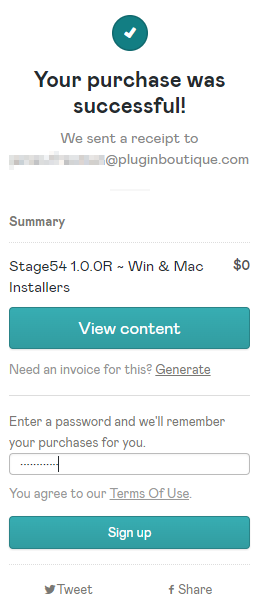
4. Click 'View content' to proceed straight to your downloads > Alternatively, enter a password to create an account for future access to your download > Click 'Sign Up'.

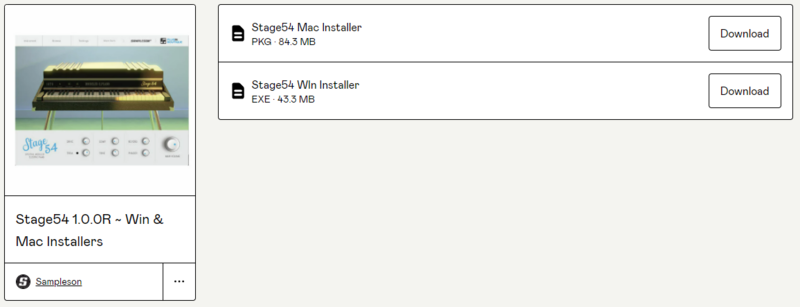
5. Locate the 'Stage54 Mac Installer' > Click 'Download'.

Installation

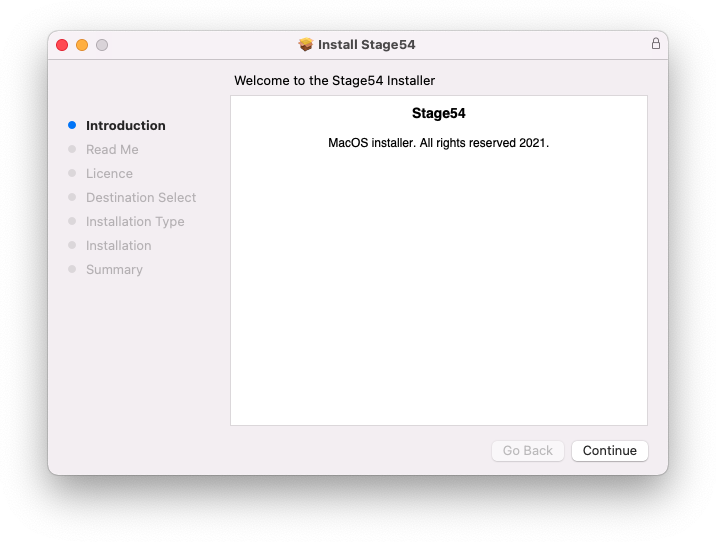
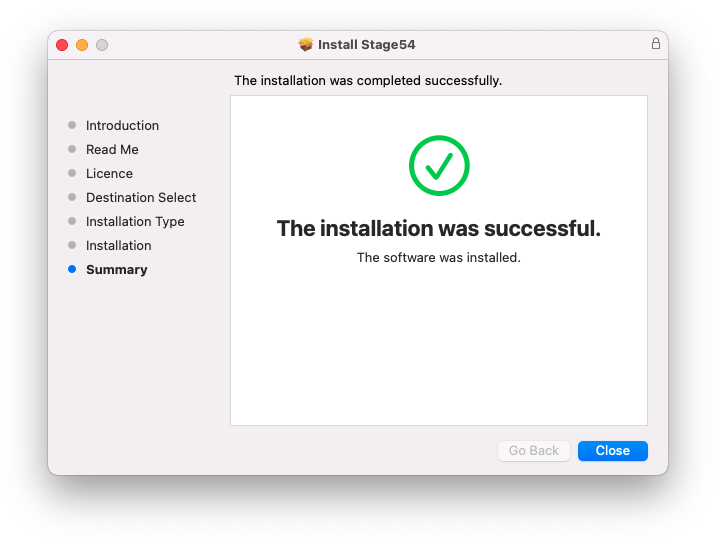
1. Navigate to your Downloads folder and locate the 'Stage54 Mac Installer.pkg' > Launch the installer.

2. Click 'Continue'.

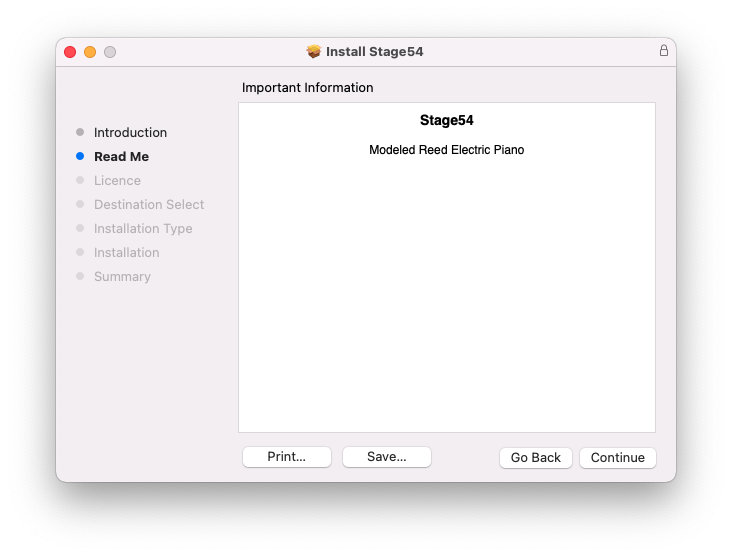
3. Click 'Continue'.

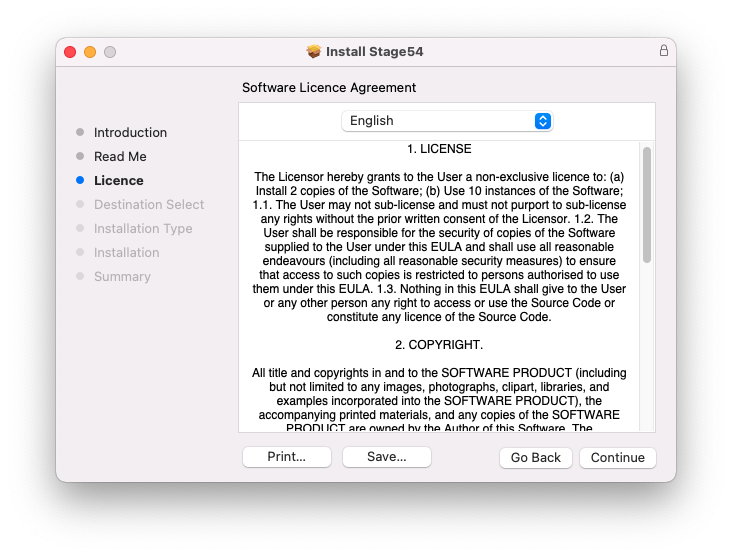
4. Click 'Continue'.

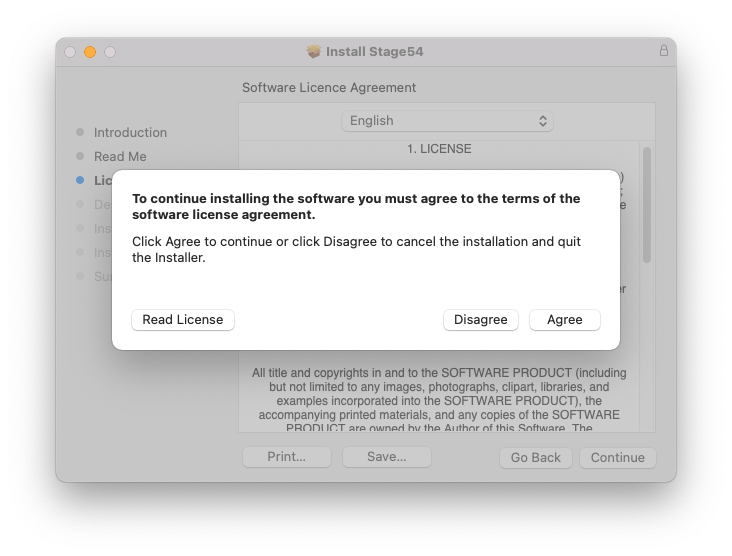
5. Click 'Agree'.

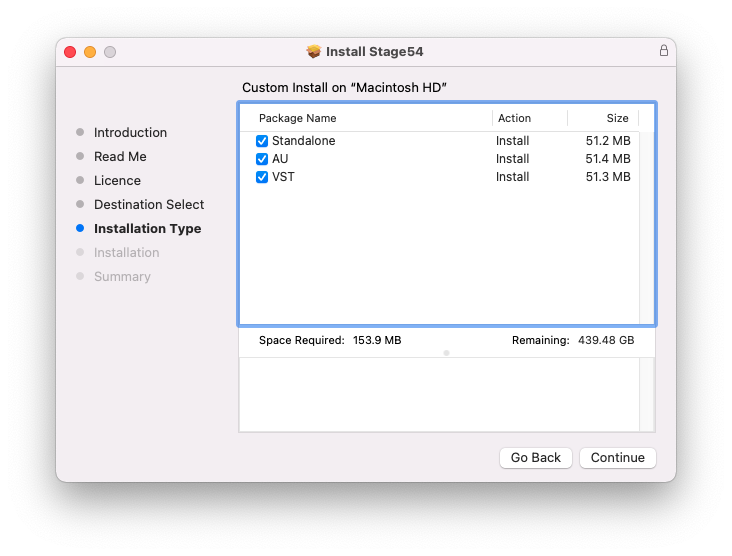
6. Click 'Continue'.

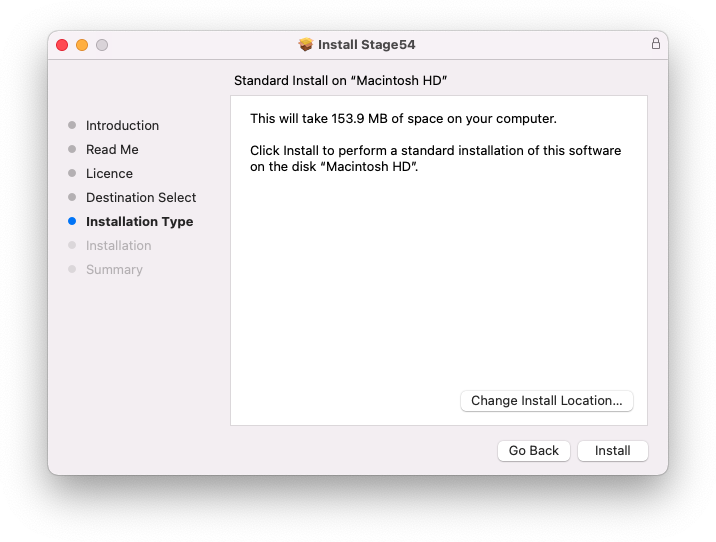
7. Click 'Install'.

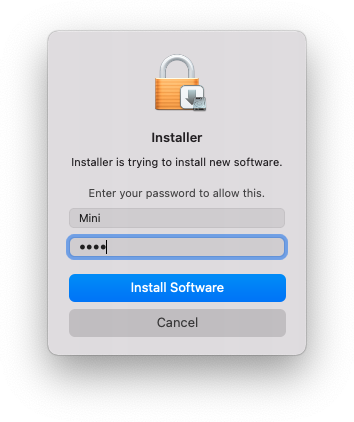
8. Enter your system password > Click 'Install Software'.

9. Click 'Close'.

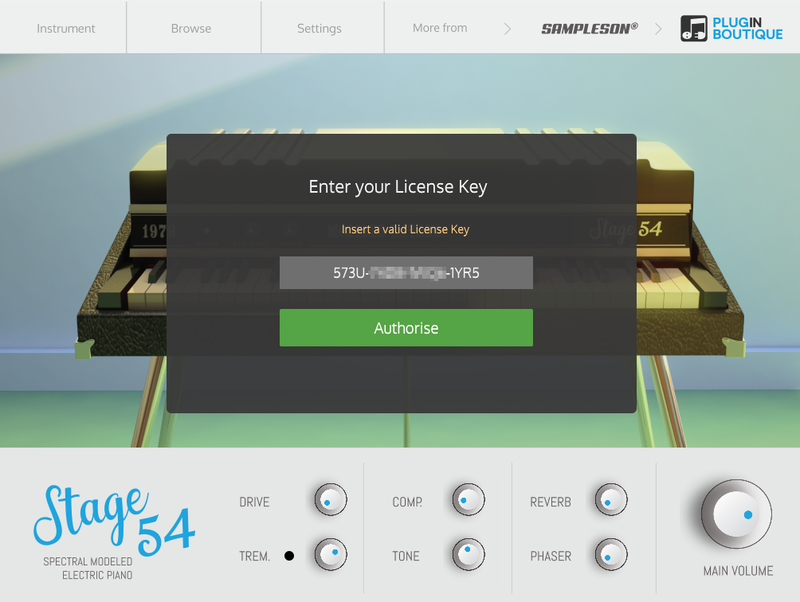
10. Launch your DAW > Create a new Virtual Instrument track > Insert Stage54 onto the channel > Paste your 16 digit serial number found within your Plugin Boutique User Account into the box > Click 'Authorise'.

Stage54 is now installed, activated, and ready to use within your DAW.

Windows

Download Installer

1. Navigate to your Plugin Boutique User Account and locate Stage54 > Click the blue 'DOWNLOAD' button.

2. Click 'I want this!'.

3. Enter your email address > Click 'Get'.

4. Click 'View content' to proceed straight to your downloads > Alternatively, enter a password to create an account for future access to your download > Click 'Sign Up'.

5. Locate the 'Stage54 Win Installer' > Click 'Download'.

Installation

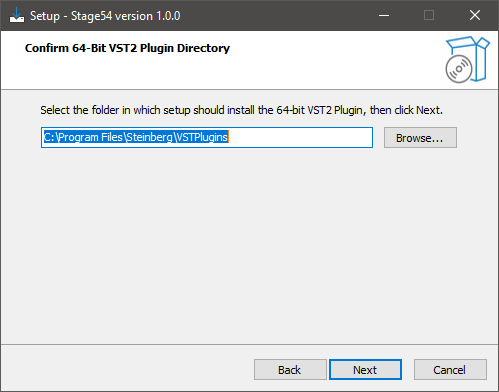
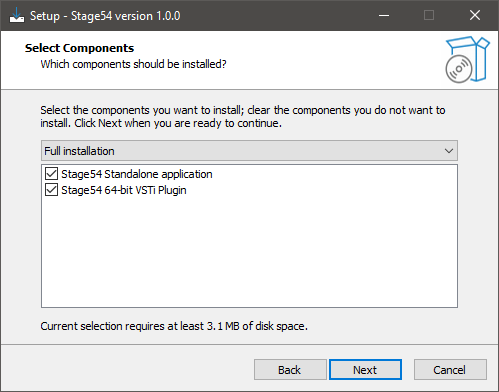
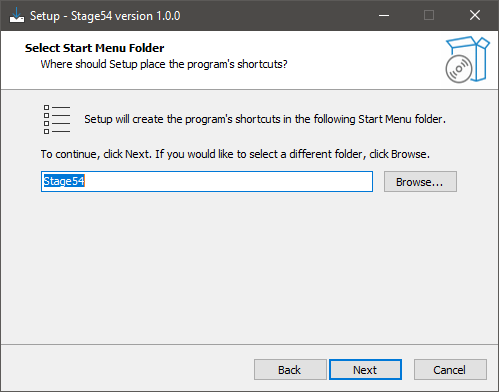
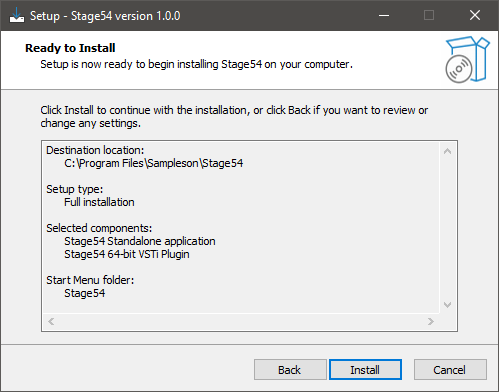
1. Navigate to your Downloads folder and locate the 'Stage54 Win Installer.exe' > Launch the installer.

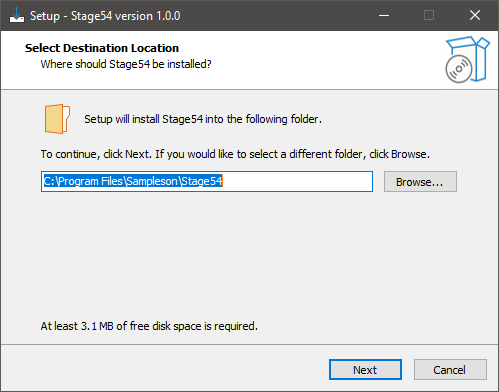
2. Click 'Next'.

3. Click 'Next'.

4. Click 'Next'.

5. Click 'Next'.

6. Click 'Install'.

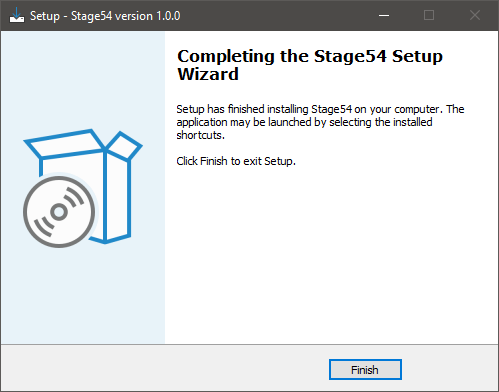
7. Click 'Finish'.

8. Launch your DAW > Create a new Virtual Instrument track > Insert Stage54 onto the channel > Paste your 16 digit serial number found within your Plugin Boutique User Account into the box > Click 'Authorise'.

Stage54 is now installed, activated, and ready to use within your DAW.

Bundle & Save

Sampleson Vintage Keys Bundle (Exclusive)
$159.00
Sampleson Collection Bundle
$1,200.00

Plugin Boutique Rewards

Discover the most rewarding loyalty programme among all plugin retailers.

  • Free Loopmasters Samplepacks
  • Discounts on products and courses
  • Extra Virtual Cash claimed immediately at checkout
Find out more

Follow us:

X (Twitter) Facebook YouTube Instagram
Logo Logo

Plugin Boutique Limited, Part of the Beatport Group LLC.

Copyright © 2011-2025 Plugin Boutique. All rights reserved