


 Log In

Free gifts available with your purchase

Add natural-sounding claps and snaps to your music with Hand Clap Studio. This instrument plugin is the ultimate tool for handclaps and finger snaps that fits your production perfectly.
Soft and dry finger snaps for your acoustic ballad, or hard-hitting claps soaked in reverb for your next club banger–Hand Clap Studio has you covered with just a few easy tweaks of the controls.
Try Hand Clap Studio today!
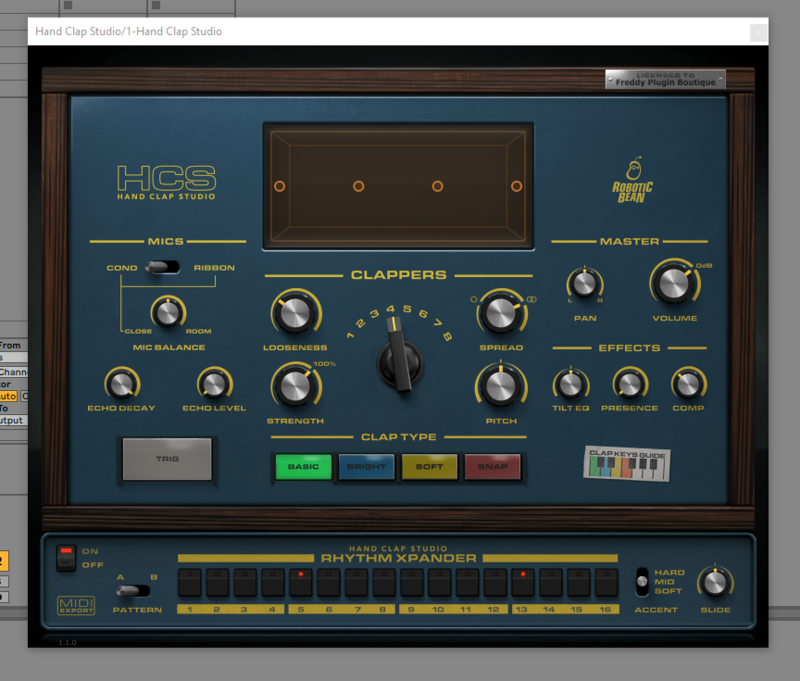
Full sound control
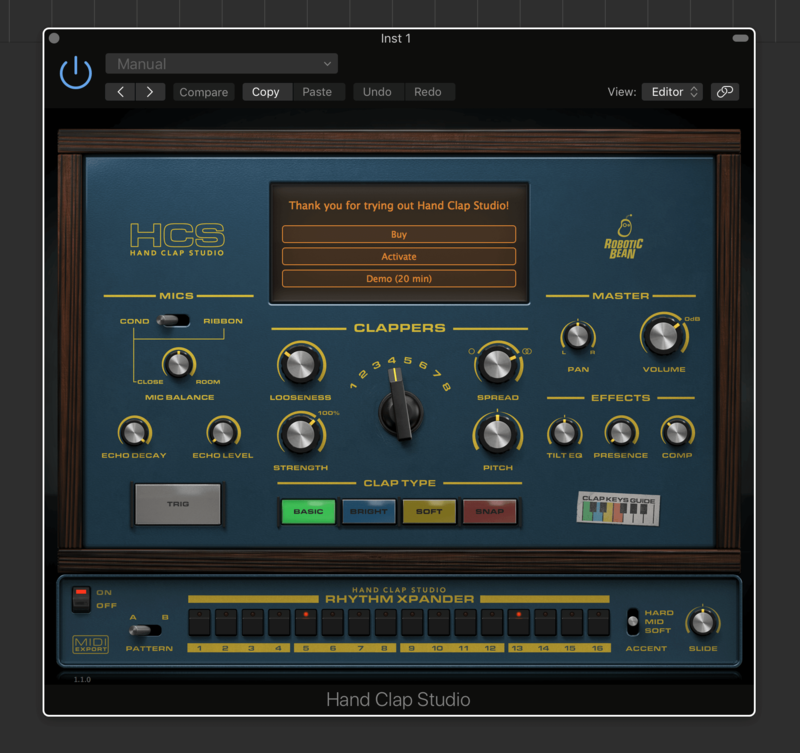
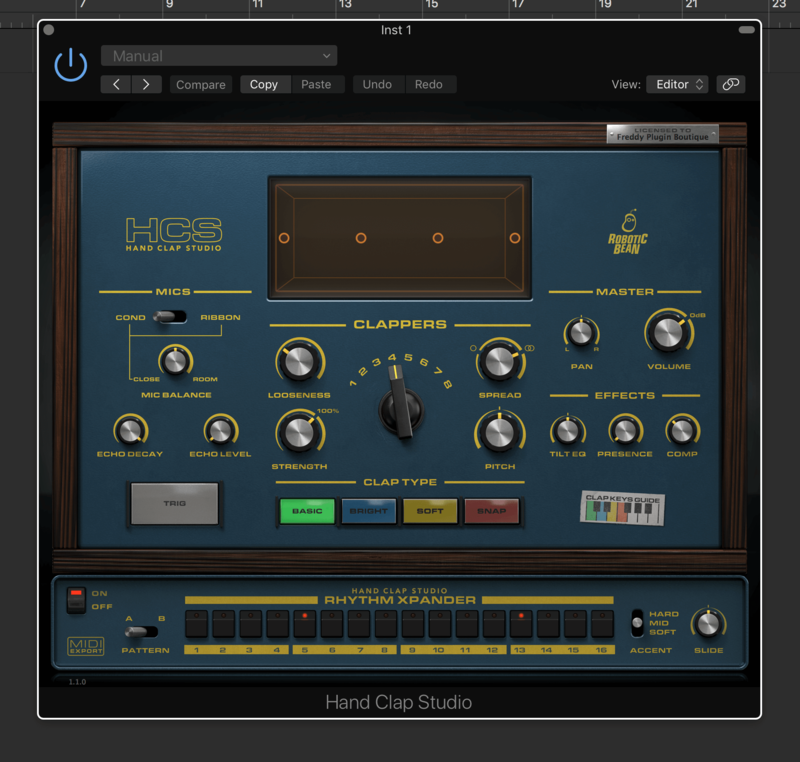
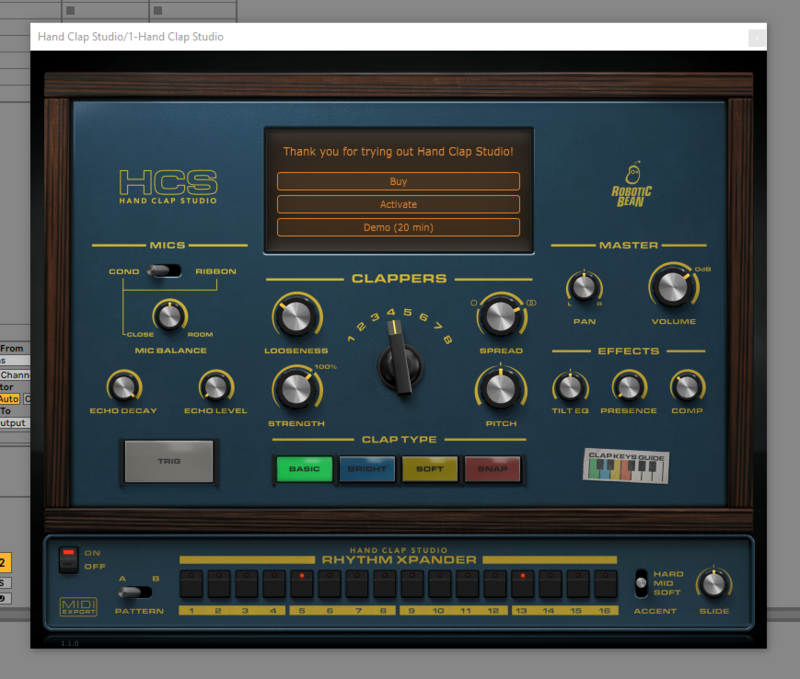
Select how many clappers you want, how they clap, how they are positioned in the stereo field and how tight their timing is. Find the sweet spot between Close and Room mics, and add sampled reverb from Atlantis’ Echo Chamber. Finish off with custom-designed EQ and compression to make the claps fit your mix. The Display gives instant visual feedback of the current settings.
High-quality samples
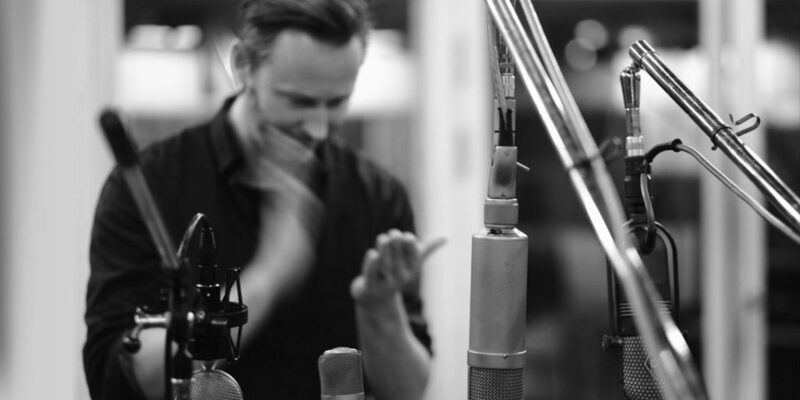
The samples were recorded with a professional percussionist in Stockholm’s Atlantis Studio – a classic studio with legendary acoustics. The samples were captured using an all-star collection of vintage mics and include both close and room mic recording and even sampled everything through Atlantis’ own echo chamber. Hand Clap Studio packs 4 separate clap types, 5 velocity levels and plenty of round robins to create a natural sound. In total, this instrument hold over 700 samples.
Play the way you want
Hand Clap Studio has a built-in 16 step sequencer, that starts clapping on beat 2 and 4 as soon as you create it. 3 accent levels and Slide lets you create varied patterns. But if this is not enough, you can, of course, record MIDI in your DAW’s sequencer.
Features
- Four Clap Types: Basic, Bright, Soft & Snap
- 5 Velocity Layers and 13 Round Robins
- Close, Room and Echo Chamber microphones
- Up to 8 Clappers
- Display with Clapper and room visualisation
- 16 step sequencer with 2 patterns
- 3 Accent Levels per sequencer step
- EQ and Compressor
- VST3, AU and AAX formats
System Requirements
- 64-bit Windows 10+ or macOS 10.13+
- Native Apple Silicon support on Mac
- VST3, AU or AAX host
- 300 MB disk space
- Pro Tools 11.3 or later required for the AAX version
Important note: When accessing this software via a Rent to Own plan or the Beatport Studio membership, it's installed and run through the Beatport Access portal. An internet connection is required every 30 days to validate your license.


Reviews Summary
While it aims to provide a helpful overview, it may not capture every perspective or detail. We encourage you to read individual reviews to make an informed decision.
Users highly recommend this hand clap plugin, praising its realistic, high-quality audio tones, ease of use, and extensive customization options that make it ideal for layering.


