Mac
Installation
1. Download the .zip file from within your Plugin Boutique User Account > Double-click it to extract the contents.
2. Navigate to the folder that contains the AU and VST3 components > copy the necessary files.

3. Navigate to the file path Macintosh HD:/Library/Audio/Plug-Ins/Components/ > Paste the component in this folder.
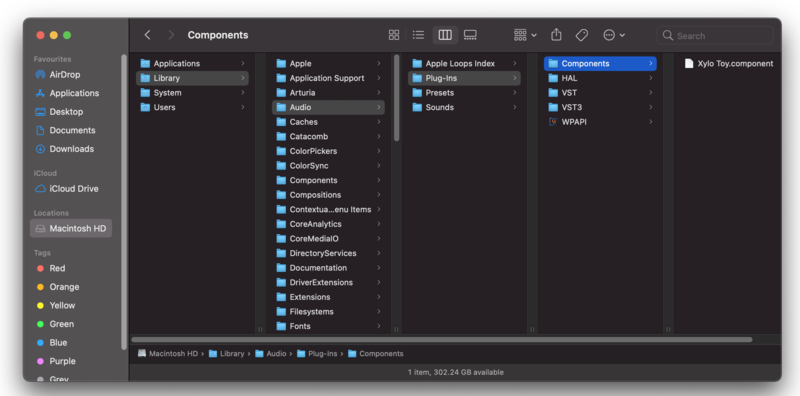
4. Navigate to the file path Macintosh HD:/Library/Audio/Plug-Ins/VST 3 > Paste the .vst3 file in this folder.
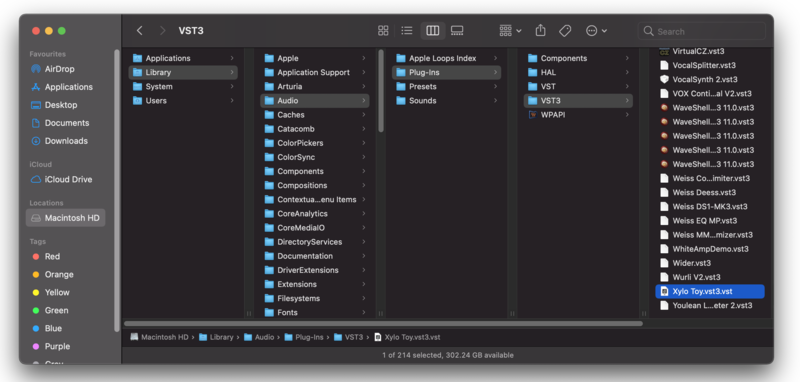
Your software is now installed and ready to use within your DAW.
Windows
32-bit Installation
1. Download the .zip file from within your Plugin Boutique User Account > Double-click it to extract the contents.
2. Open the x32 folder.
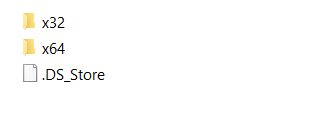
3. Select 'Xylo Toy.dll' > copy the necessary file.

4. Navigate to the file path C:\Program Files (x86)\Common Files\VST3 > Paste the 'Xylo Toy.dll' file in this folder.
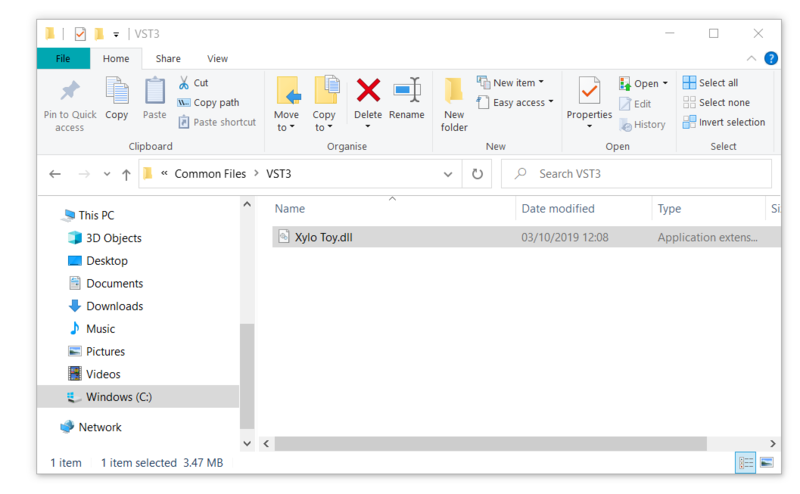
Your software is now installed and ready to use within your DAW.
Windows
64-bit Installation
1. Download the .zip file from within your Plugin Boutique User Account > Double-click it to extract the contents.
2. Open the x64 folder.
3. Select 'Xylo Toy.dll' > copy the necessary file.
4. Navigate to the file path C:\Program Files\VST Plugins > Paste the 'Xylo Toy.dll' file in this folder.
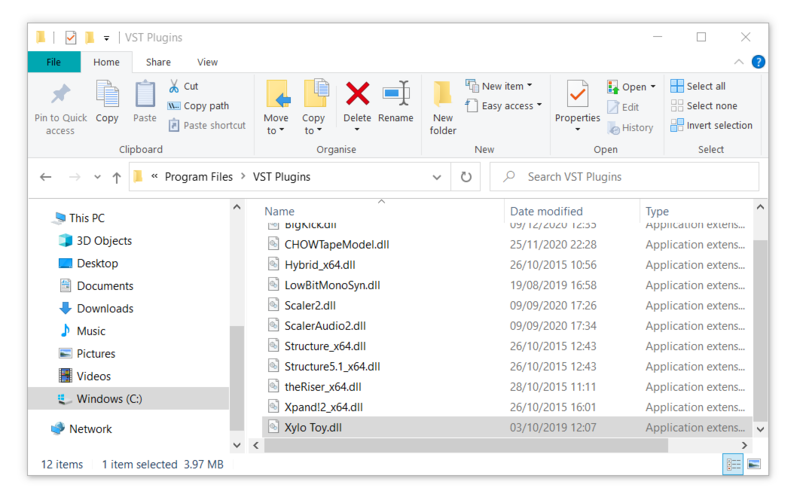
Your software is now installed and ready to use within your DAW.


 Log In


