MNTRA Instruments

Arca

4.6 (173 Reviews)
$39.00 $99.00

60% off until Dec 09

MNTRA Arca - Main Image
MNTRA Arca - Production Demo  gallery thumbnail
MNTRA Arca - Presets Demo Youtube Video gallery thumbnail
MNTRA Arca - Molar Demo Youtube Video gallery thumbnail
MNTRA Arca - Trailer Youtube Video gallery thumbnail
MNTRA Arca - Morin Khuur BTS Youtube Video gallery thumbnail
MNTRA Arca - Kemenche BTS Youtube Video gallery thumbnail
MNTRA Arca - Nyckelharpa BTS Youtube Video gallery thumbnail
MNTRA Arca - Matrix
MNTRA Arca - Samplers
MNTRA Arca - Sequencers
Buy Now
Product information

Interdimensional Strings Suite Inspired by Sci-fi and Ancient Cultures

Arca is an exploration into the dark side of string textures. Inspired by MNTRA Instrument's love for sci-fi, they set out to create a playground of multidimensional sound possibilities. Using a selection of ancient bowed world instruments as sources that were then deeply processed to extend their timbres to beyond the realms of imagination, they have created a curated collection of dark, cinematic soundscapes.Taking full advantage of the MNDALA 2 Sound Design Engine, these unusual sources have been artfully sculpted to offer a wide variety of uniquely expressive sounds.

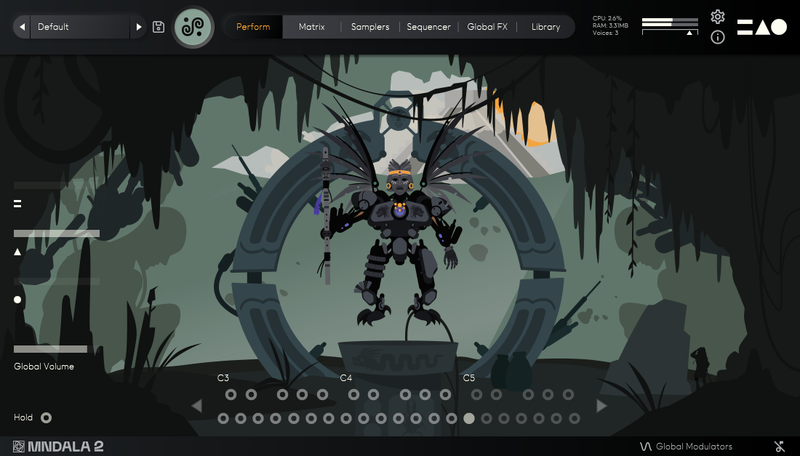
Arca is built around their powerful 3-axis control system represented by a custom Perform view animation created for seamless intuitive live expression. Each preset is a unique performable instrument unto itself to be learned and explored.

They simplified the manipulation of these sound-shaping parameters by creating global controls that are assignable to any MIDI sliders, knobs, or controllers. Map the controls once and you are ready to go without having to re-map them for each new MNDALA 2 instance.

In addition to the curated sound worlds they created within Arca's many presets, you can easily sculpt your own sonic landscapes using MNDALA 2's powerful non-linear Sound Design environment.
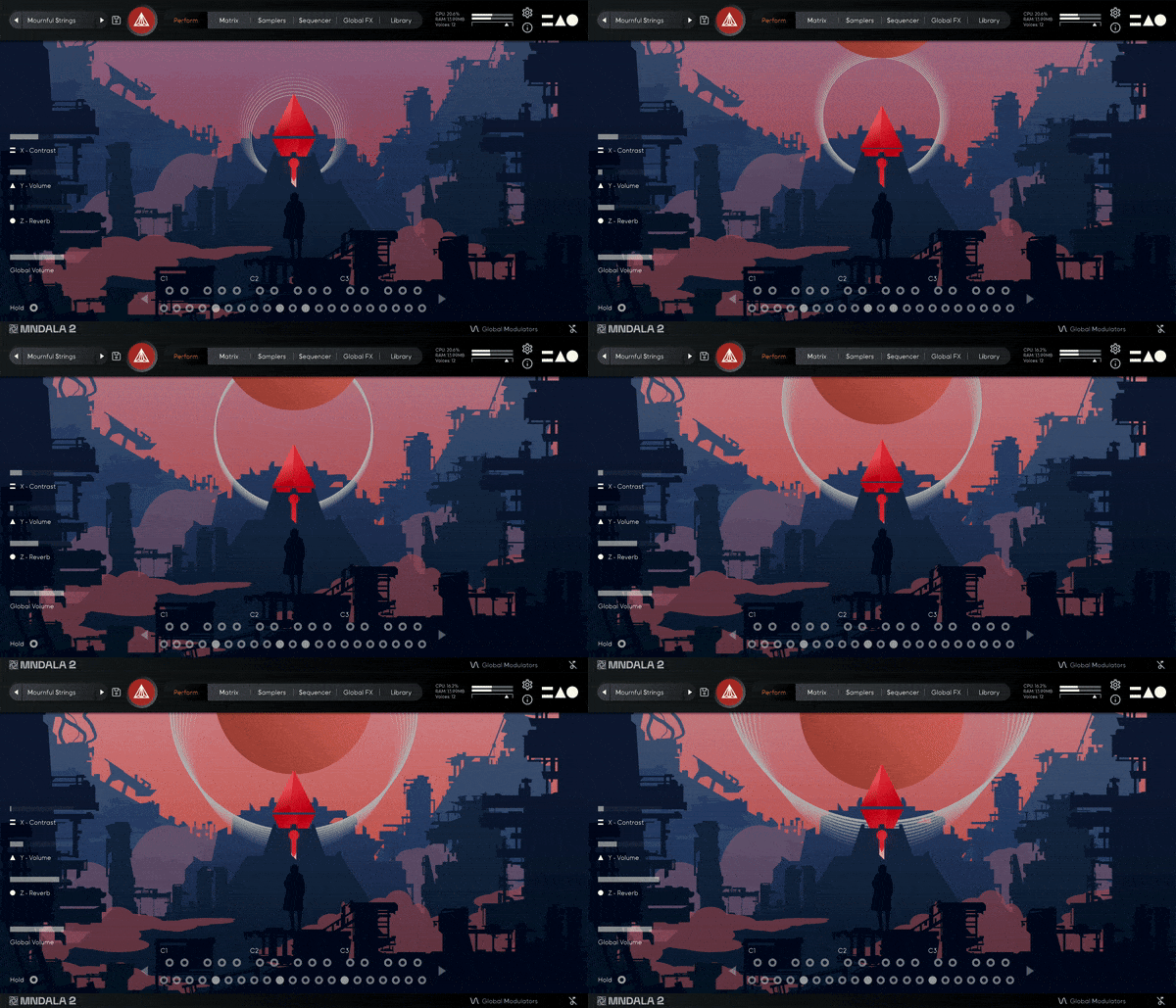
Instrument Sample Maps

  • String Trio Long MF
  • String Trio Long F
  • String Trio Short
  • String Trio Glissandi Trill
  • String Trio Up-Down Glissandi
  • String Trio Scratch
  • Cello Long Harmonics
  • Cello Short Harmonics
  • Kemenche Long Gut
  • Kemenche Long Metal
  • Kemenche Long Harmonics
  • Kemenche Short Harmonics
  • Morin Khuur Long Harmonics 1
  • Morin Khuur Long Harmonics 2
  • Morin Khuur Short Harmonics 1
  • Morin Khuur Short Harmonics 2
  • Nyckelharpa Long
  • Nyckelharpa Short

Creatively Processed Sample Maps 

  • Space Debris Long
  • Tesla Coil Long
  • Cosmic Critters Long
  • Cyber Synth Long
  • Hive Synth Long
  • String Warp Long
  • Solar Flare Long
  • String Zap Short
  • Cyber Crush Short
  • Cyber Stab Short
  • Wasp Strings Glissandi Trill
  • Astral Wail Glissandi Trill
  • Space Drive Up Down Glissandi
  • Android Harmonizer Up Down Glissandi
  • Grain Madness Up Down Glissandi
  • Sonic Flange Up Down Glissandi
  • Digital Scramble Scratch

Features

  • 85 Presets
  • Up to 29 Round Robins
  • Recorded at leading-edge 32-bit 384khz resolution
  • CPU-friendly in-DAW playback at industry-leading 24-bit 96khz resolution
  • Plugin app and samples watermarked to you

System Requirements

  • VST/AU/AAX plugin for Windows & Mac OS (10.11+) including M1 Chip support
  • 10.33 GB GB installed, 15 GB recommended for setup
  • Minimum 8GB of RAM and an i5 or better CPU required, SSD drive recommended
  • Supported by all popular VST/AU/AAX compatible DAWs
Testimonials

Takeshi Furukawa

“Brian and the MNTRA team have created truly unique instruments. The recording quality, the musicality of the samples, ease of use of the plug-in, everything is top-notch.”

Chris Dudley

“I own every MNTRA instrument and I can honestly say they’re all pushing a limit and filling a niche I didn’t even know was there.”

Ryan Elder

“In a sea of virtual instruments and sound libraries MNTRA's Instruments really stand out as creative and inspirational tools.”

Installation Instructions

Note: Huracan is used as an example.

Mac

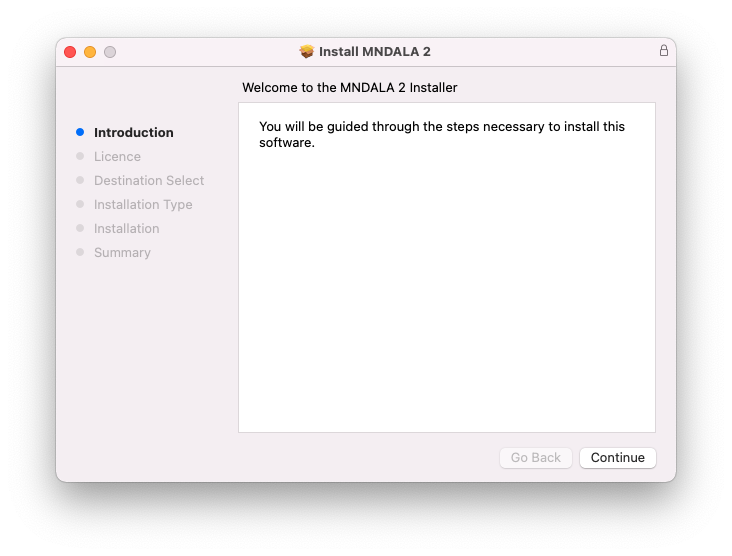
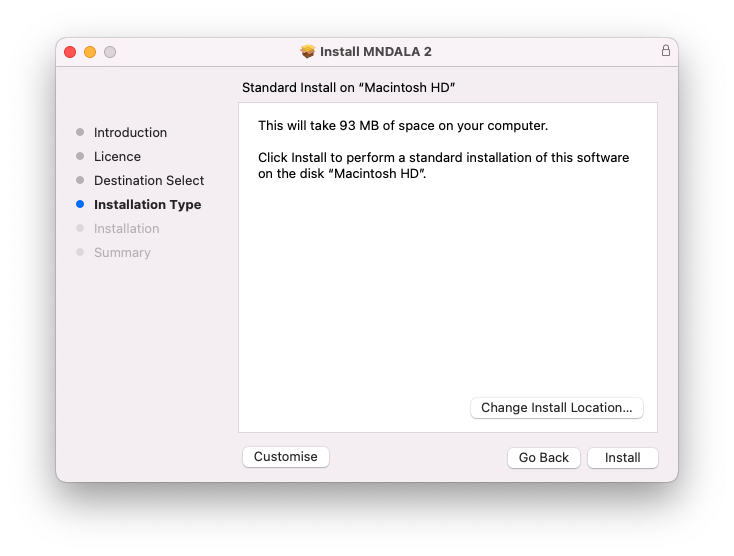
1. Download the MNDALA 2 Engine installer from your Plugin Boutique User Account > Extract the .zip archive > Launch the .pkg installer.

2. Click 'Continue'.

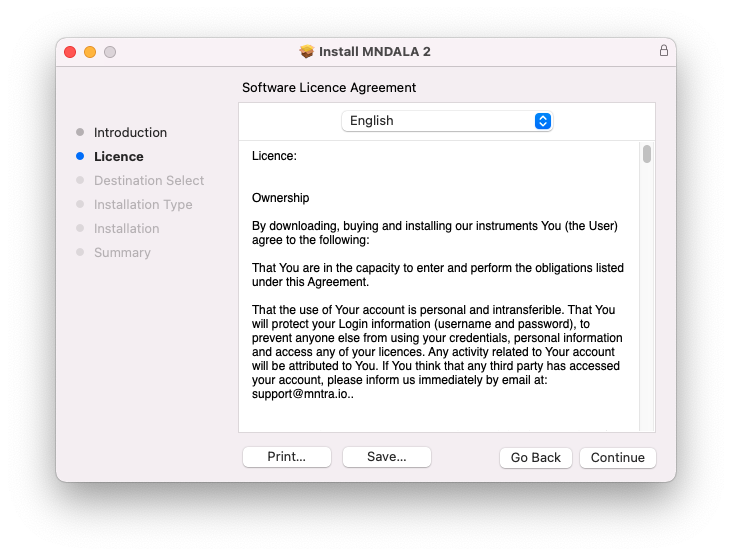
3. Click 'Continue'.

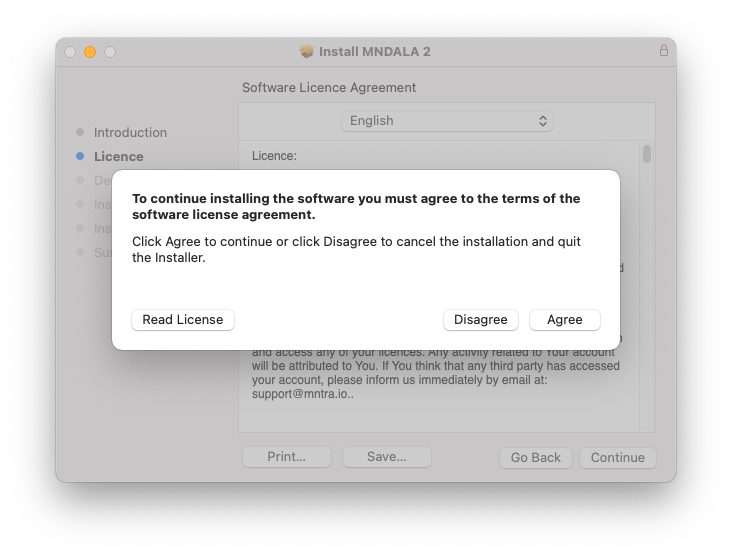
4. Click 'Agree'.

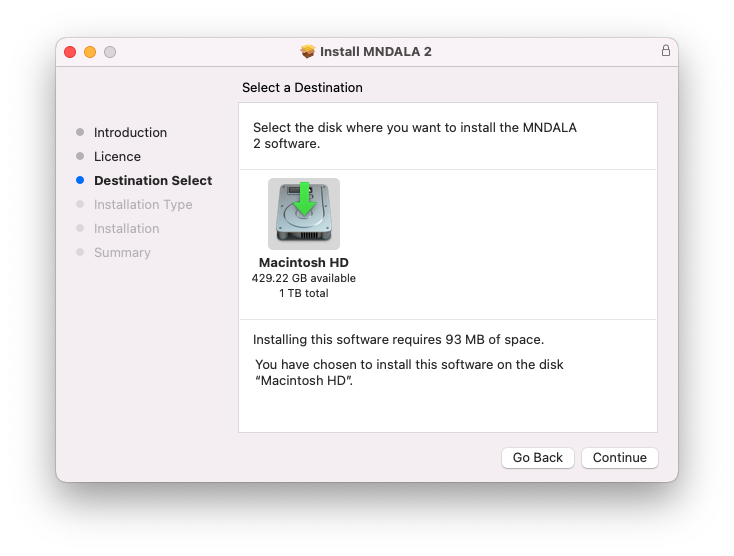
5. Click 'Continue'.

6. Click 'Install'.

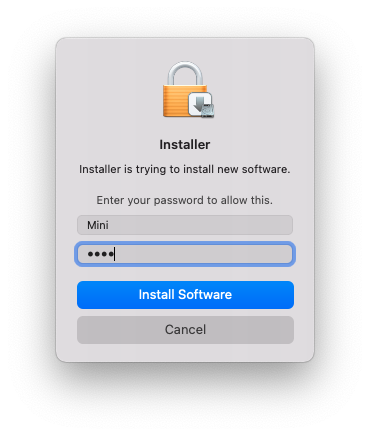
7. Click 'Install Software'.

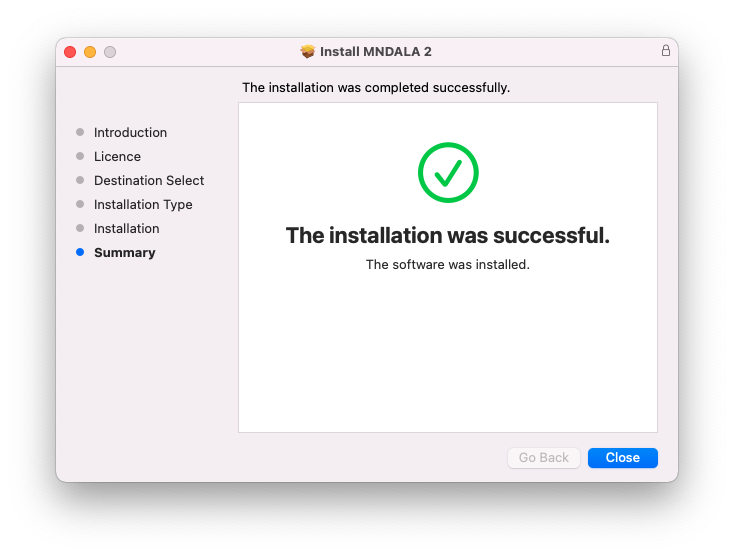
8. Click 'Close'.

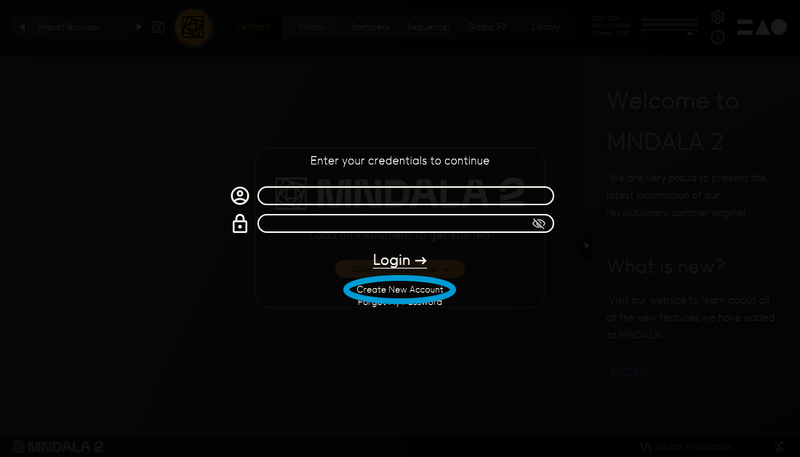
9. Launch your DAW > Insert MNDALA 2 on a new instrument track > Click 'Create New Account' (If you have an existing MNTRA Instruments log in and skip to step 15).

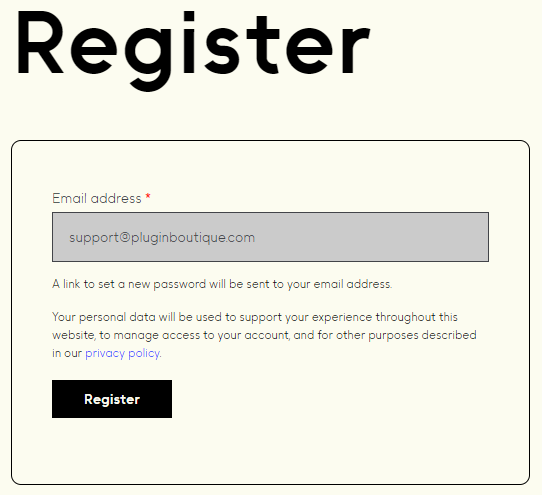
10. Enter your email address and click 'Register'.

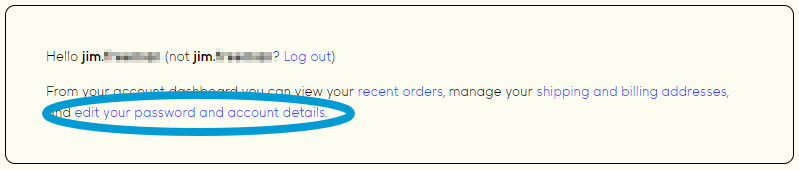
11. A MNTRA account has now been created > Click 'edit your password and account details' to create a password for your MNTRA account.

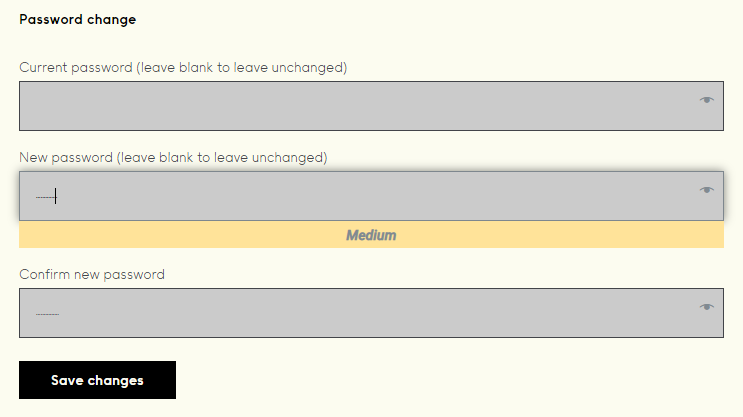
12. Enter your chosen password into the 'New password' box > Enter your password again into the 'Confirm new password' box > Click 'Save changes'.

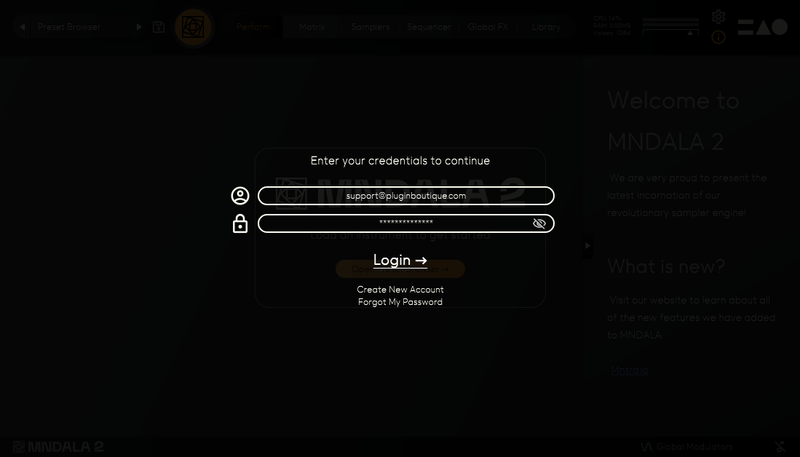
13. Enter your MNTRA account details > Click 'Login'.

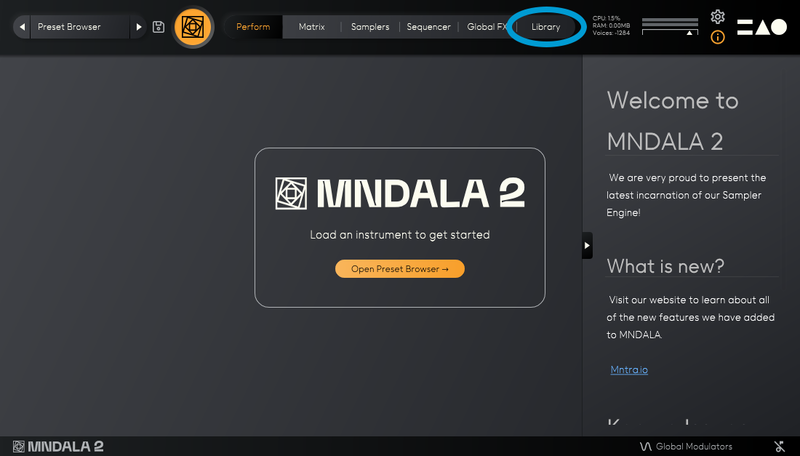
14. You are now logged into the MNDALA 2 Engine > Click 'Library' to continue to activate Huracan.

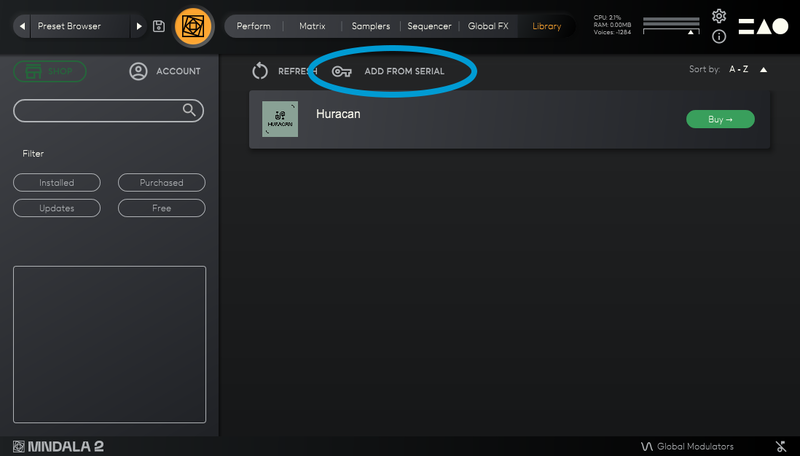
15. Click 'Add From Serial'.

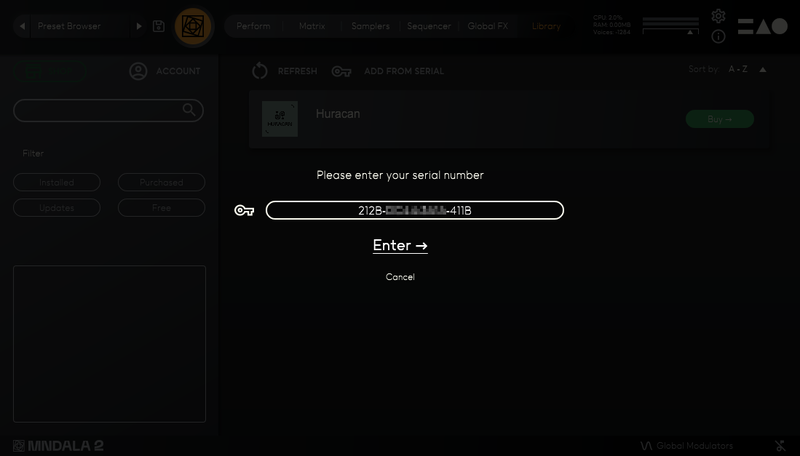
16. Enter your serial number found within your Plugin Boutique User Account > Click 'Enter'.

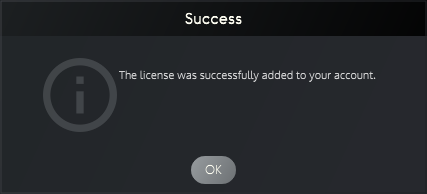
17. Click 'OK'.

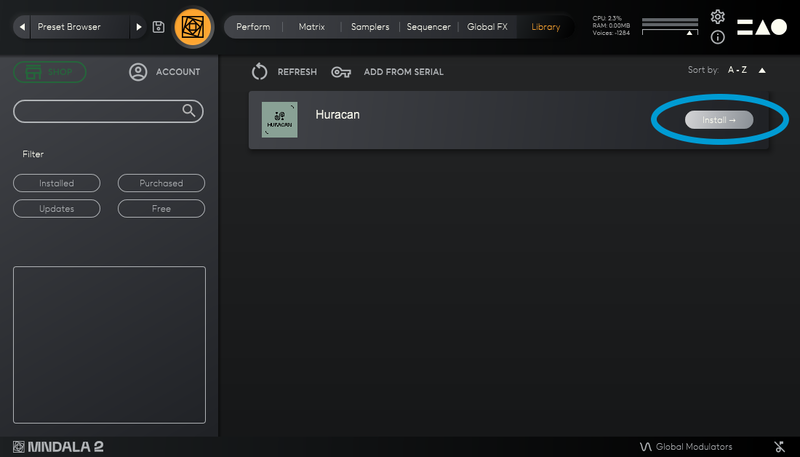
18. Click 'Install'.

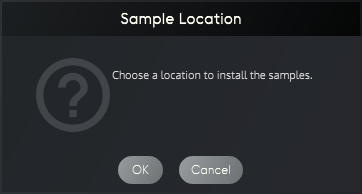
19. Click 'OK' > Choose a location to store the instruments samples.

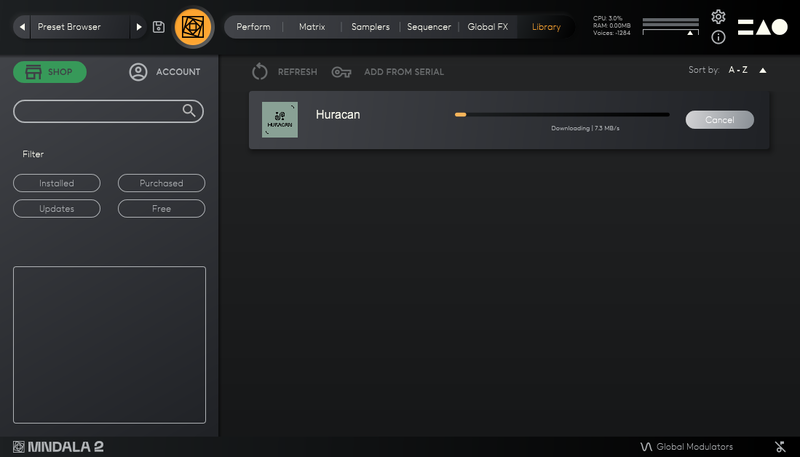
20. Huracan is now downloading (this may take a few minutes).

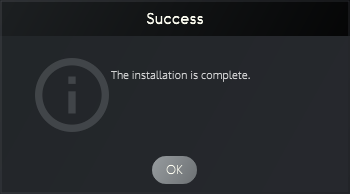
21. Click 'OK'.

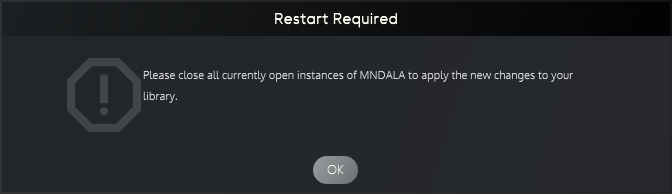
22. Click 'OK' > Close and relaunch your DAW.

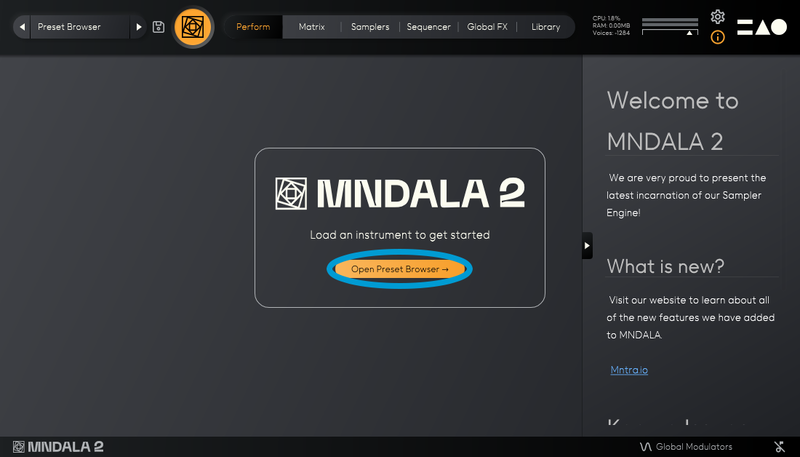
23. Insert MNDALA 2 on a new instrument track > Click 'Open Preset Browser'.

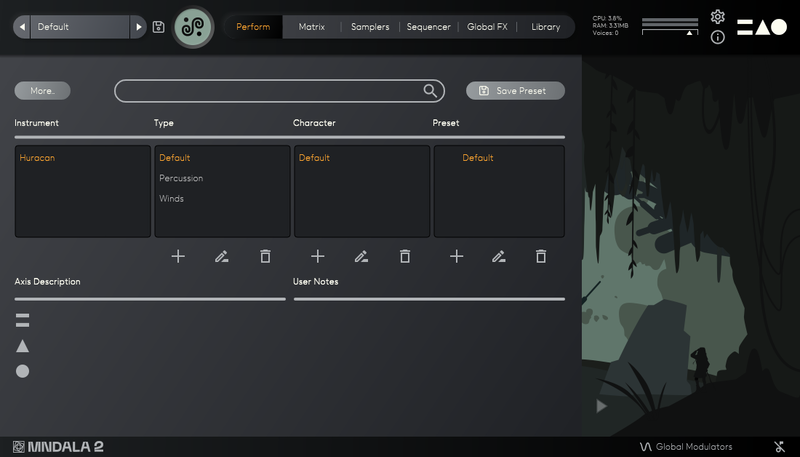
24. Select 'Huracan' then choose a preset.

Huracan is now installed, activated, and ready to use.

Windows

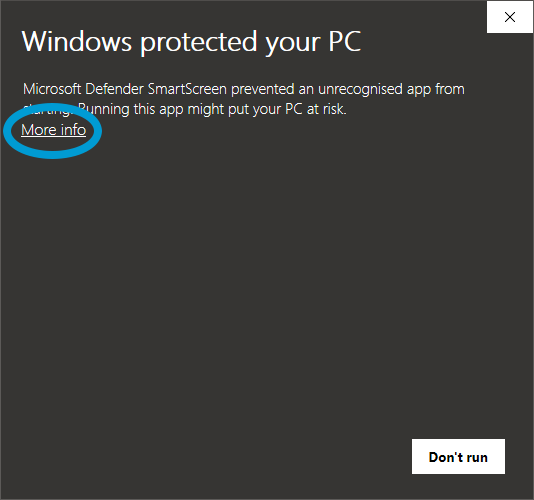
1. Download the MNDALA 2 Engine installer from your Plugin Boutique User Account > Extract the .zip archive > Launch the .exe installer.

2. Click 'More info'.

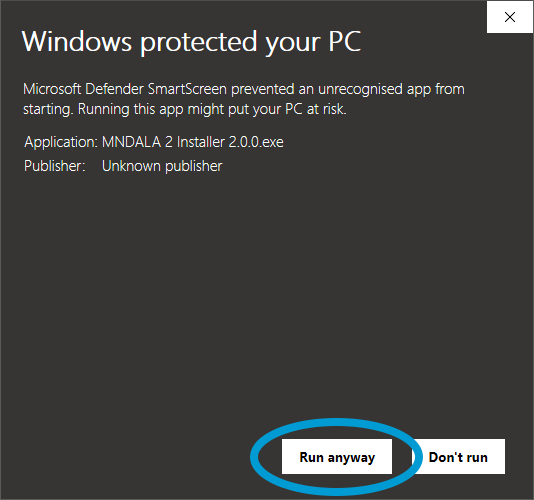
3. Click 'Run anyway'.

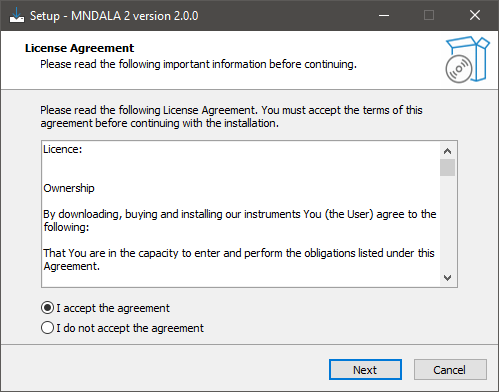
4. Accept the license agreement > Click 'Next'.

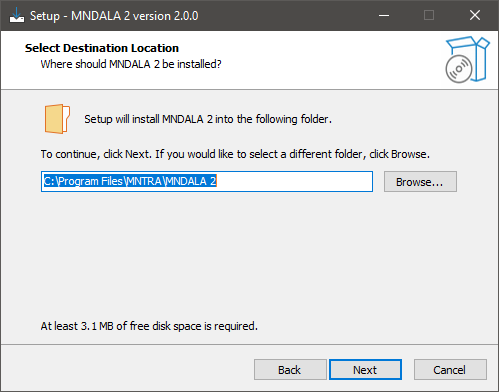
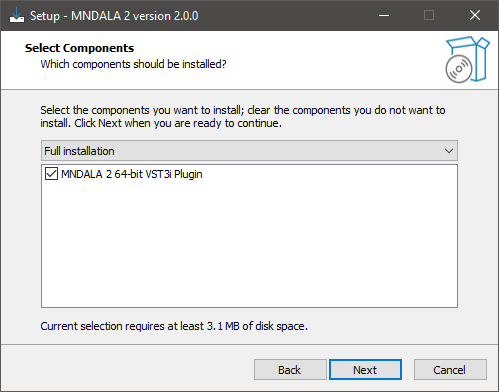
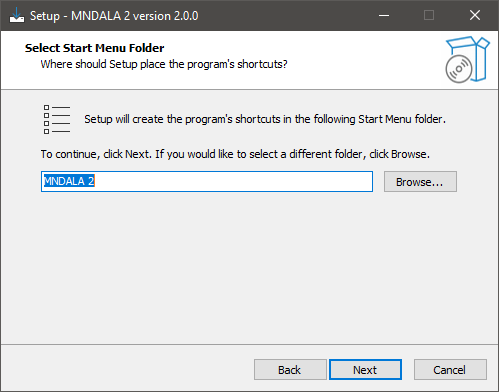
5. Click 'Next'.

6. Click 'Next'.

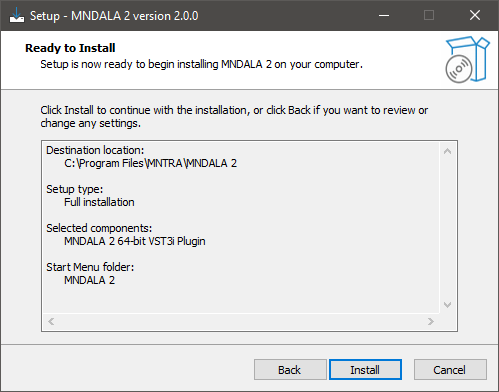
7. Click 'Next'.

8. Click 'Install'.

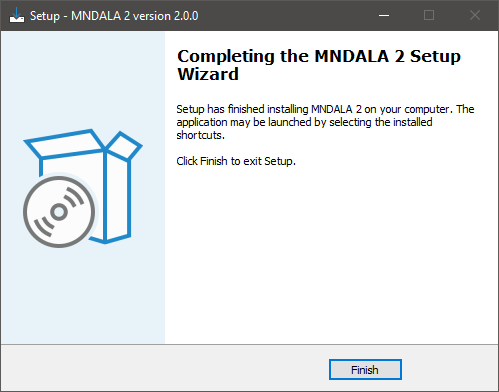
9. Click 'Finish'.

10. Launch your DAW > Insert MNDALA 2 on a new instrument track > Click 'Create New Account' (If you have an existing MNTRA Instruments log in and skip to step 15).

11. Enter your email address and click 'Register'.

12. A MNTRA account has now been created > Click 'edit your password and account details' to create a password for your MNTRA account.

13. Enter your chosen password into the 'New password' box > Enter your password again into the 'Confirm new password' box > Click 'Save changes'.

14. Enter your MNTRA account details > Click 'Login'.

15. You are now logged into the MNDALA 2 Engine > Click 'Library' to continue to activate Huracan.

16. Click 'Add From Serial'.

17. Enter your serial number found within your Plugin Boutique User Account > Click 'Enter'.

18. Click 'OK'.

19. Click 'Install'.

20. Click 'OK' > Choose a location to store the instruments samples.

21. Huracan is now downloading (this may take a few minutes).

22. Click 'OK'.

23. Click 'OK' > Close and relaunch your DAW.

24. Insert MNDALA 2 on a new instrument track > Click 'Open Preset Browser'.

25. Select 'Huracan' then choose a preset.

Huracan is now installed, activated, and ready to use.

Bundle & Save

Plugin Boutique Rewards

Discover the most rewarding loyalty programme among all plugin retailers.

  • Free Loopmasters Samplepacks
  • Discounts on products and courses
  • Extra Virtual Cash claimed immediately at checkout
Find out more

Follow us:

X (Twitter) Facebook YouTube Instagram
Logo Logo

Plugin Boutique Limited, Part of the Beatport Group LLC.

Copyright © 2011-2025 Plugin Boutique. All rights reserved