Buy TURBINE, get a free gift with purchase:
Create Authentic Flight Paths and Jet Engine Sounds
Over the last 4 years of intense research and development, Boom shaped a breakthrough software tool that revolutionizes the way they do sound design. TURBINE is here to blow your mind and to simplify your work in so many ways.
What is TURBINE?
TURBINE is a revolutionary sound design plug-in that gives you access to a wide range of authentic virtual engines based on their real-world counterparts. You can change and automate all parameters in real-time, giving you full control over the final result.
Intentionally Misuse Turbine for Truly Exceptional and Visionary Sound Design
Over 50 highly versatile presets give you the power to manufacture entirely new sounds, such as WHOOSHES, PRESSURE RELEASES, ROBOTICS, SIRENS, MUSICAL FX, SCI-FI ELEMENTS, FUTURISTIC ENGINES, HOME APPLIANCES, ELECTRIC TOOLS, FLAME BURSTS and a lot more! As Boom keep discovering new applications for the TURBINE, they look forward to what you will come up with.
Features
- Control Engines in Real-Time
- Create realistic Flight Paths and Fly-bys in seconds
- More than 50 versatile Presets
- Go Far Beyond Engine Sounds and Use TURBINE for: WHOOSHES, PRESSURE RELEASES, ROBOTICS, SIRENS, MUSICAL FX, SCI-FI ELEMENTS, FUTURISTIC ENGINES, HOME APPLIANCES, ELECTRIC TOOLS, FLAME BURSTS and more
System Requirements
- VST, AU, AAX
- Requires 359 MB of hard-disk space
- Windows 8 (64-bit), 8 GB Ram, Intel® Core™ i5 or similar
- macOS 10.13 (64-bit), 8 GB RAM, Apple Silicon or Intel® Core™ i5
- TURBINE requires a free iLok account

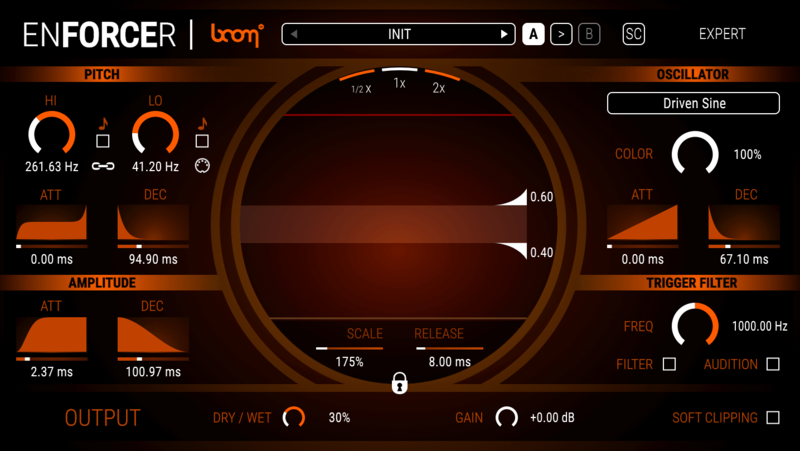
Important Note: ENFORCER is used as an example.
Mac
iLok Registration
1. Go to the iLok website and create a new account if you are not currently registered and do not have the iLok Licence Manager installed on your computer.
Note: Skip to the 'Activation' procedure if you are already an iLok registered user.

2. Download and install the iLok License Manager.
Mac Software Installation
1. Download the installer file from your Plugin Boutique User Account, double click it to extract the contents, and open the .pkg file to begin the installation.
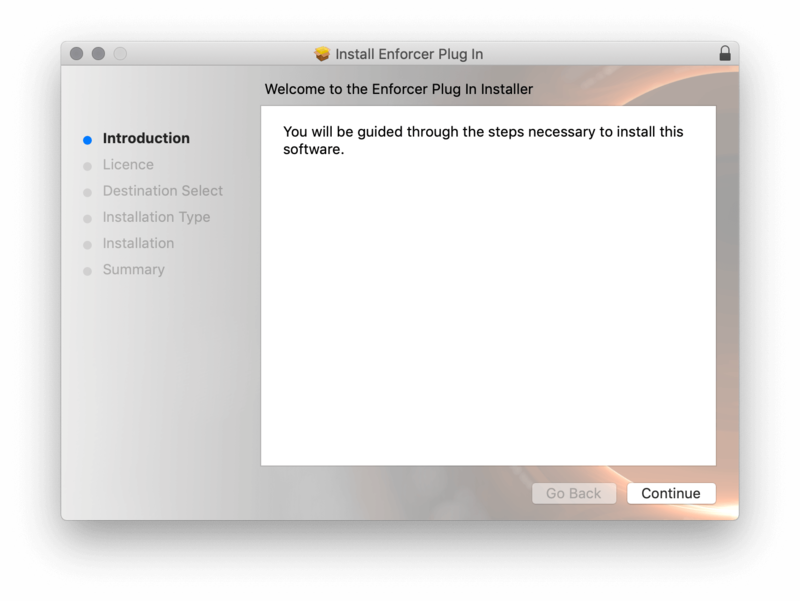
2.Click 'Continue'.

2. Click 'Continue'.

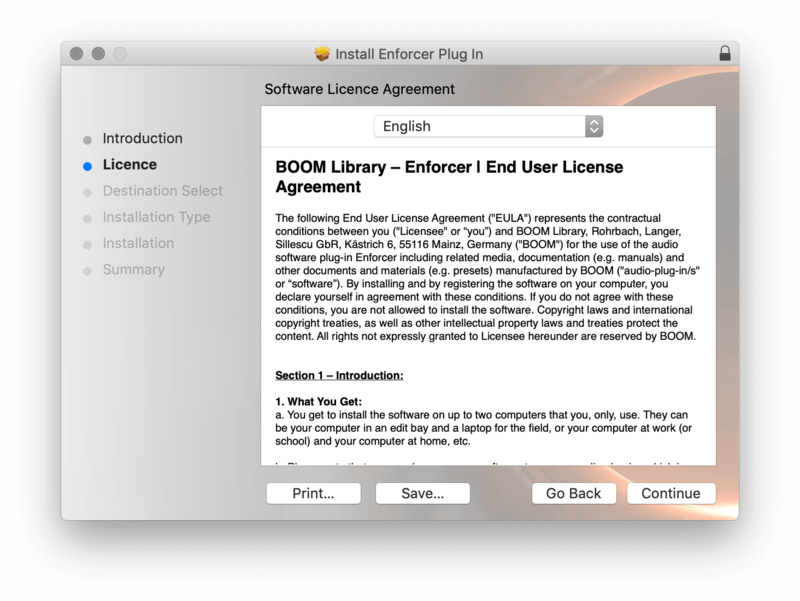
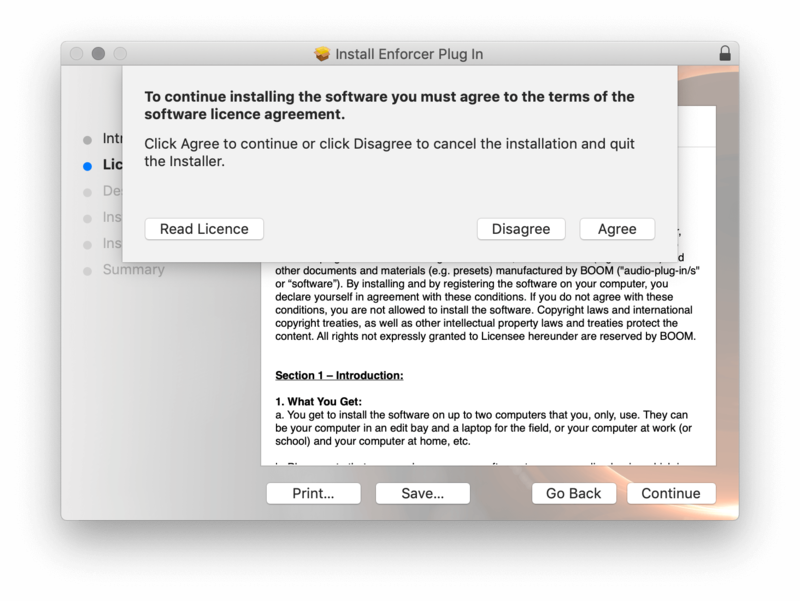
3. Click 'Agree'.

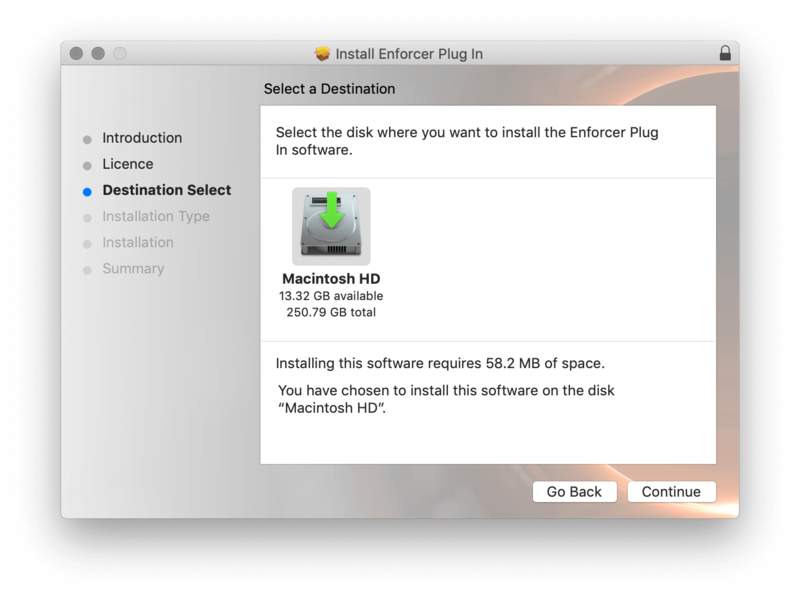
4. Select the disk you wish to install the plugin to and then click 'Continue'.

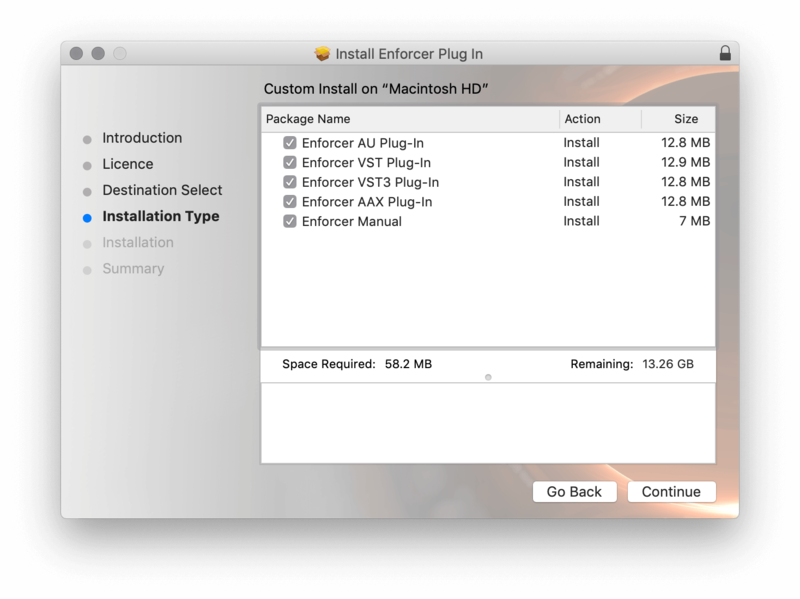
5. Select the plugin formats you wish to install and then click 'Continue'.

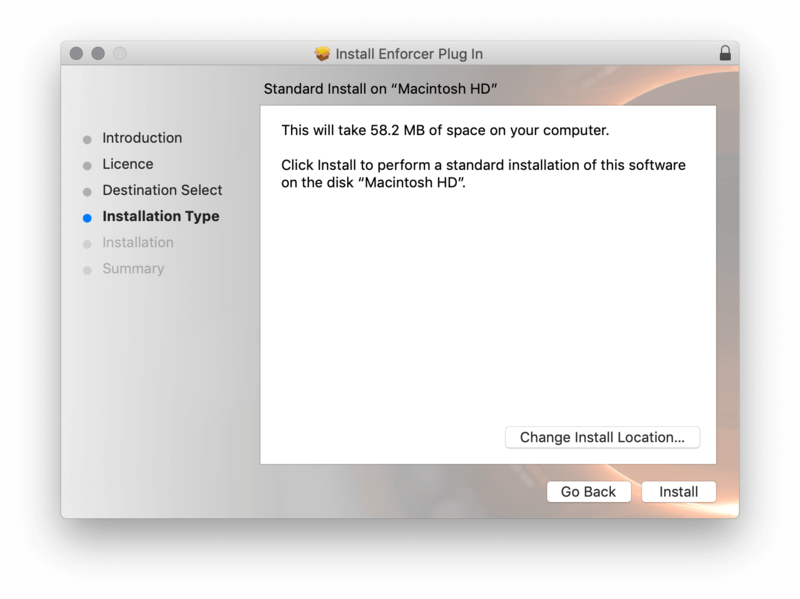
6. Select the destination you wish to install the plugin to and then click 'Install'.

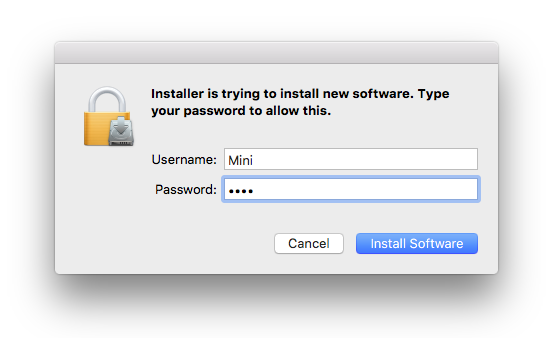
7. Click 'Install Software'.

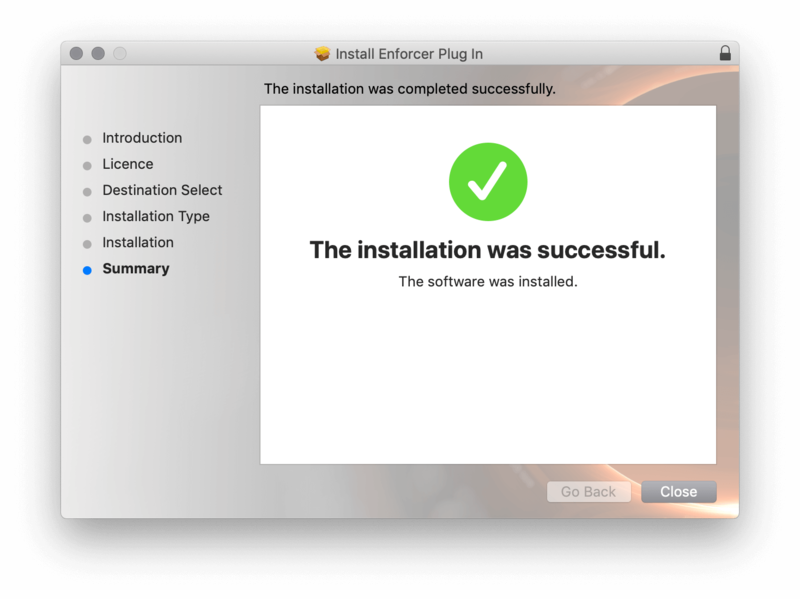
8. Click 'Close'.

Activation
1. Open your iLok license manager application > click 'Sign In'.

2. Enter your iLok registered User ID and password > click ‘Sign In'.

3. Once you are signed in, click the ‘Redeem’ icon which is located at the top-right corner of the iLok Licence Manager’s interface.

4. Copy and paste/manually enter the 30-digit code from your Plugin Boutique User Account into the available Activation Code boxes, and then click ‘Next'.

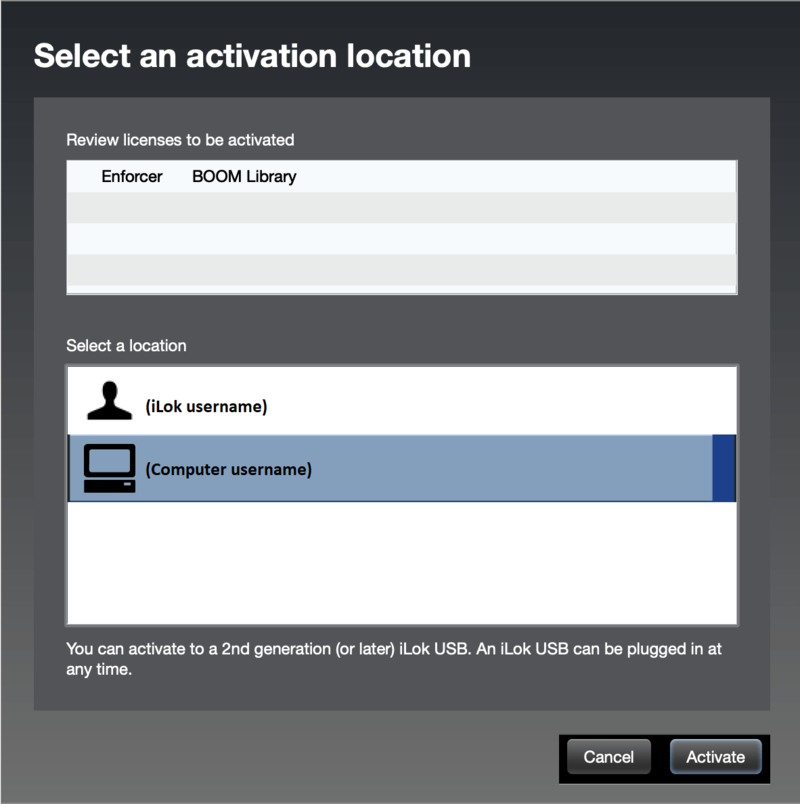
5. Select your activation destination > Click 'Activate'.

6. Click 'Ok'.

7. Open your newly installed software in your DAW.

Windows
iLok Registration
1. Go to the iLok website and create a new account if you are not currently registered and do not have the iLok Licence Manager installed on your computer.
Note: Skip to the 'Exponential Audio Software Installation' procedure if you are already an iLok registered user.

2. Download and install the iLok License Manager.
Windows Software Installation
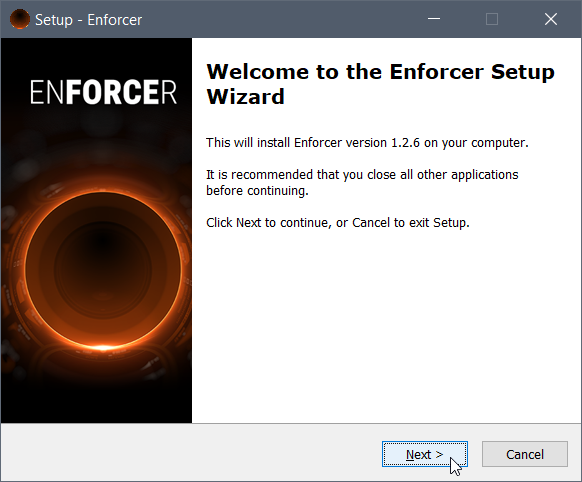
1. Download the installer file from your Plugin Boutique User Account > Double click it to extract the contents and open the .exe file to begin the installation. Click 'Next' to begin the setup.

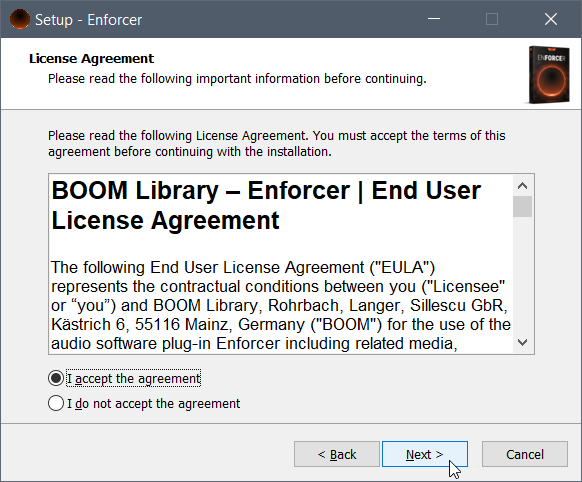
2. Select 'I Accept the Agreement' and then click 'Next'.

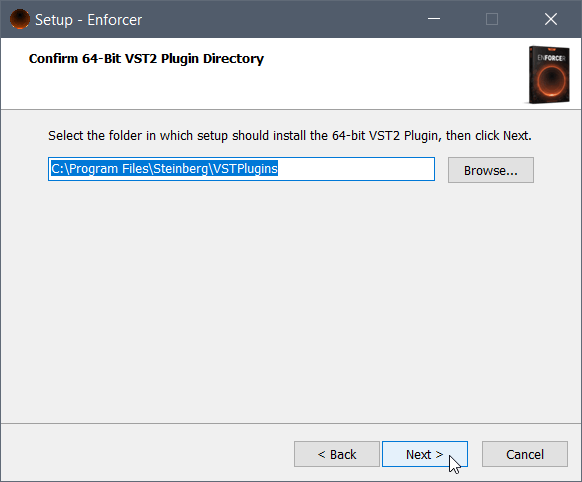
3. Select the directory you wish to install the plugin to 'Next'.

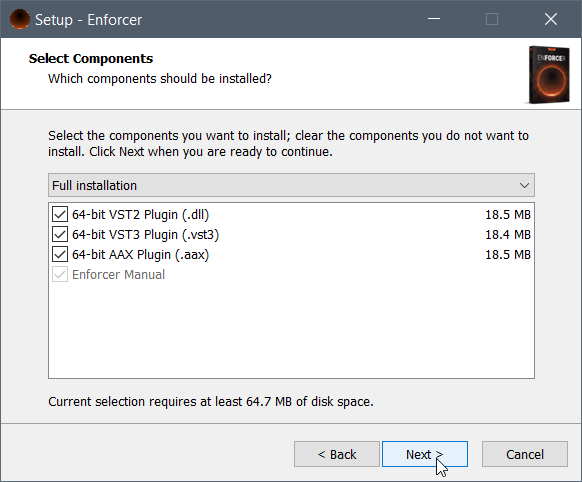
4. Select the plugin formats you wish to install and then click 'Next'.

5. Click 'Next'.

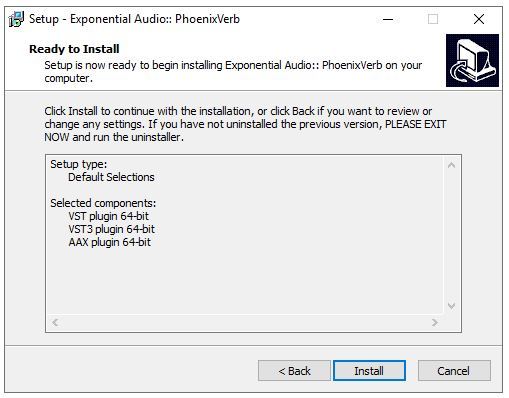
6. Click 'Install'.

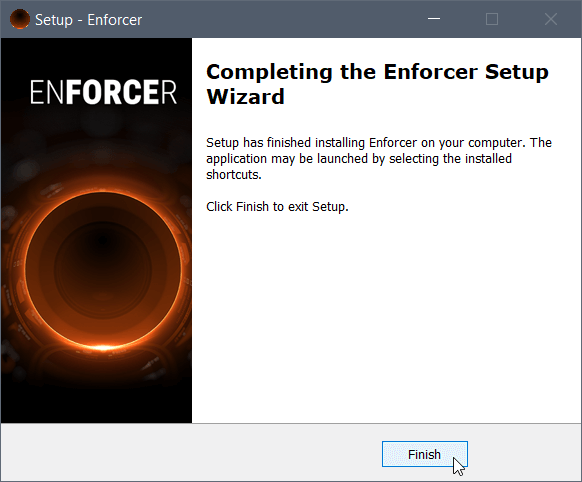
7. Click 'Finish'.

Activation
1. Open your iLok license manager application > click 'Sign In'.

2. Enter your iLok registered User ID and password > click ‘Sign In'.

3. Once you are signed in, click the ‘Redeem’ icon which is located at the top-right corner of the iLok Licence Manager’s interface.

4. Copy and paste/manually enter the 30-digit code from your Plugin Boutique User Account into the available Activation Code boxes, and then click ‘Next'.

5. Select your activation destination > Click 'Activate'.

6. Click 'Ok'.

7. Open your newly installed software in your DAW.