


 Log In

Free gifts available with your purchase


Instant Breaks
Bloom Drum Breaks fuses high-energy drum loops, fills and one-shots into a dynamic and playable instrument, made to infuse your tracks with rhythmic vitality and designed to provide for genres that thrive on rhythm.
Whether you're looking to add the pulsating grooves of drum and bass, the intricate intensity of breakcore, or the laid-back beats of hip-hop, this tool offers a gateway to crafting beats with unprecedented ease and versatility.

What Can Bloom Drum Breaks Do?
- Add rhythm to your tracks with powerful drum breaks
- Manipulate and blend breaks for any genre
- Sculpt unique top loops and percussive patterns
- Create compelling drum sequences from kits and one-shots
- Provide access to meticulously crafted recreations of classic breaks
- (New!) Allow you to import your own samples and personalise the instrument.
Instantly find the perfect drum break for your tracks. With Bloom Drum Breaks, switch between authentic royalty-free loops to concoct distinctive rhythms, amplify their impact with extensive modulation, and shape them with a suite of drum-focused effect processors.
Selecting the perfect drum break for your project is now an intuitive, and enjoyable experience, offering seamless keyboard control for triggering and tweaking sounds. Four macro controls deliver immediate effects processing, while the Edit page unlocks comprehensive customisation, featuring precise control over sample editing, beat manipulation, and effects across 250 presets.
How it Works
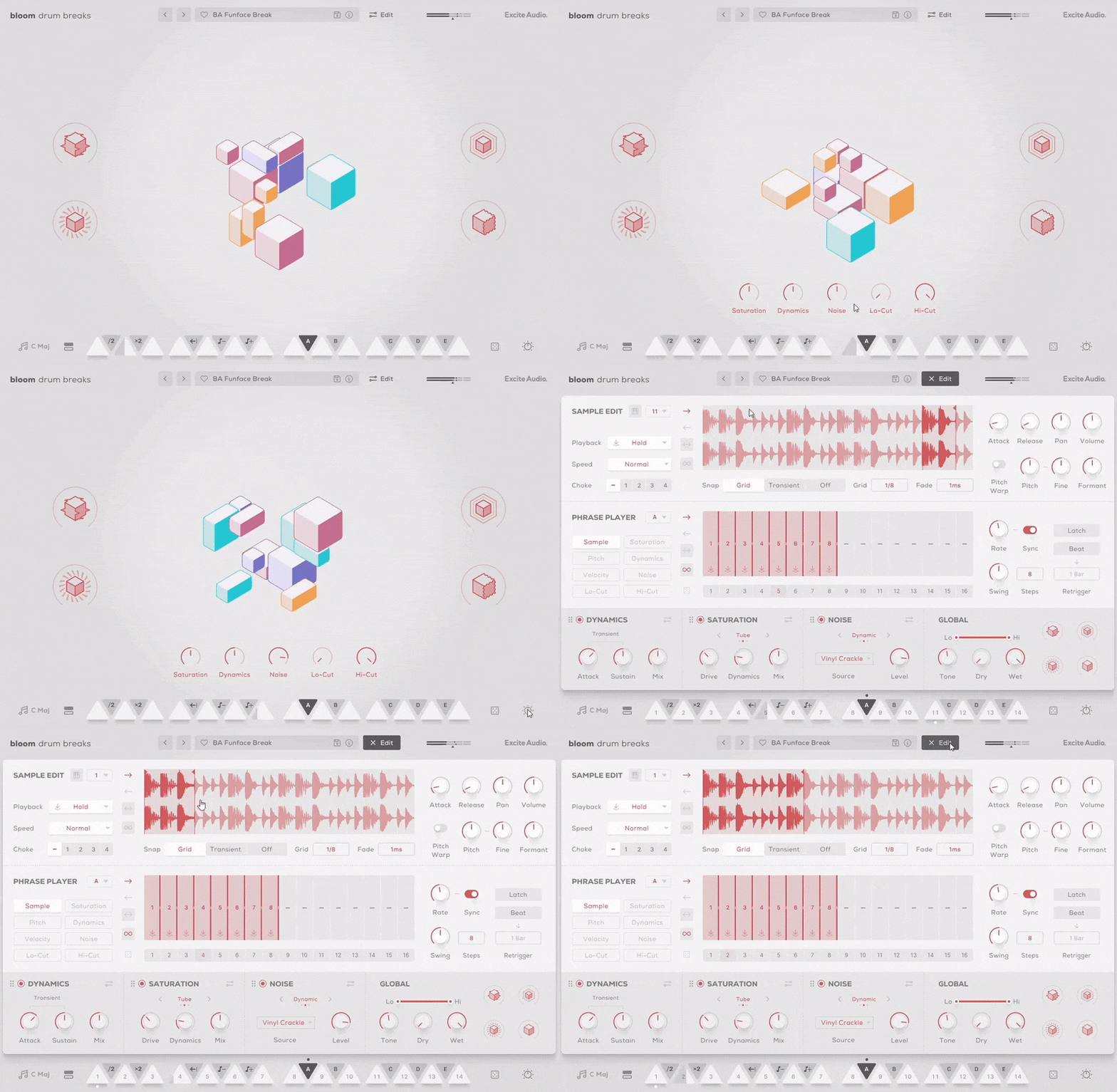
Start in your desired tempo, choose a sample bank or preset, and trigger one of 14 bpm-synced drum loops spread across two octaves. White notes set off drum samples and loops, while black notes alter properties like playback speed and pitch, as well as trigger custom sequences and effect modulation. Four powerful macro controls govern a specialized chain of effects, fine-tuned to the diverse drum samples that form the instrument.
The Main Page
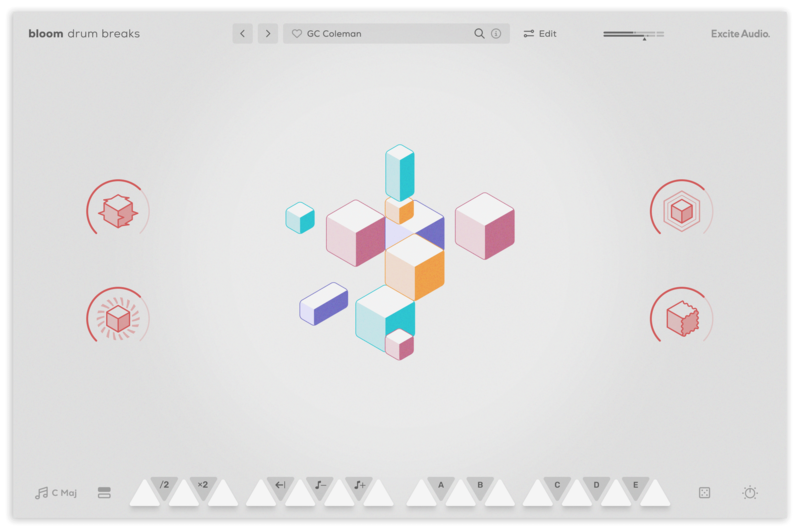
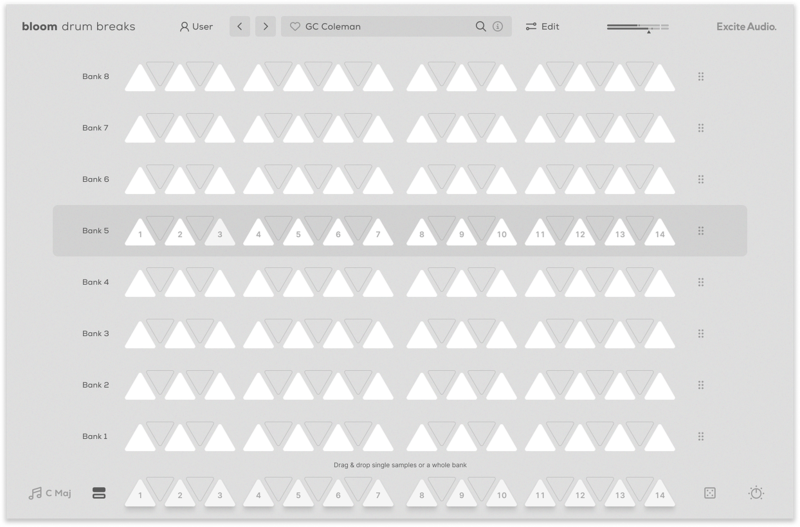
There are eight banks of sounds to choose from, and the sounds in each bank can dragged onto any of the 14 white notes. Trigger a sample with a MIDI white note to set the groove in motion, or use the Phrase Player to integrate the sample into a dynamic sequence. This Phrase Player isn't just about triggering rhythms – it's a tool for sculpting and modulating effect properties, enabling each bank to produce a vast spectrum of rhythmic textures.
Audition and Load Samples & Banks
The Edit Page: Forge Your Rhythm
Bloom Drum Breaks' Edit page is your control centre for tailoring its sample material, allowing you to tweak, chop and rearrange any of the existing drum samples and make them uniquely yours.
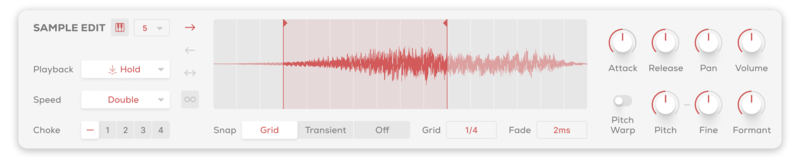
In the Sample Edit panel, manipulate how the 14 source samples in each bank respond. Adjust sample start and endpoints, trigger types, playback direction, and speed. Fine-tune pitch, formant, attack, and release, and explore choke groupings for intricate rhythmic interactions.
Sample Edit Section
Import Your Own Samples
Make the Bloom instrument your own with the ability to drag and drop audio files into it. You can do this via the waveform view on the edit page or any empty slot on the banks page. Set the key and BPM of your samples to make them integrate seamlessly with the Bloom engine.
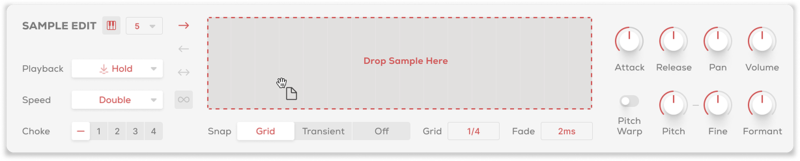
Sample Import
Sequencing Reimagined
The Phrase Player sequences drum samples with various modes at your disposal. Assign one of the five black keys to trigger a pattern of chops or loops and create dynamic curves for pitch, velocity, filters, and all three effects: Saturation, Noise, and Dynamics.
Complex setups are made simple, allowing you to trigger various drum sounds and evolve their characteristics throughout each sequence. Traditional arpeggiator functions, such as Rate, Latching, and Swing, provide a familiar yet powerful foundation for your workflow.
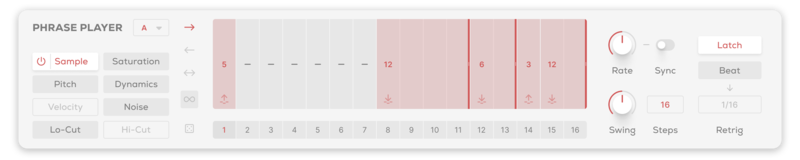
Phrase Player Section
Bloom Drum Breaks includes three bespoke effects modules: Saturation, for adding warmth and character; Noise, for textural layers and grit; and Dynamics, for precise control over the punch and presence of your beats. These rearrangeable effects modules offer integral processing for reimagining and shaping your drum breaks presenting essential controls upfront, with expandability for in-depth tweaking.

Effects Section
Features
- 14 Sample Keys
- 5 Factory Modifiers: Half-time, Double-Time, Reverse, Octave Down, Octave Up
- 5 Custom Modifiers
- 8 Sample Banks / 112 Drum Phrases
- Samples Synced to Host BPM
- Key Selection
- Sample Randomise
- 4 Macros: Digital, Lo-Fi, Slap Verb, Phaser
- 5 Main FX Parameters: Saturation, Dynamics, Noise, Lo-Cut, Hi-Cut
- Global Bypass
- 250 Presets
- All samples that come with Bloom Drum Breaks are royalty-free
- Import up to 112 of your own samples (these can be swapped at any time)
Edit Page - Sample Edit
- Waveform Display
- Playback Direction: Forwards, Backwards, Pendulum, Loop
- Playback Modes: Hold, Latch, Relative
- Playback Speed: Normal, Double, Half
- 4 Choke Groups
- Start / End Markers with Snap to Grid, Snap to Transient
- Sample Crossfade, Attack, Release, Pan, Volume
- Sample Pitch, Fine, Formant, Pitch Warp
Edit Page - Phrase Player
- Sample Mode for triggering sequences
- FX Modulation: Saturation, Dynamics, Noise, Lo-Cut, Hi-Cut, Pitch, Velocity
- Playback Direction: Forwards, Backwards, Pendulum, Loop
- Sample / Modulation Randomise
- Phrase Rate, Sync, Swing, Steps, Latch, Beat Retrigger controls
Edit Page - FX
- 3 Rearrangable Effects: Saturation, Dynamics, Noise
- Saturation Mode: Tube, Tape, Fuzz
- Saturation Parameters: Drive, Dynamics, Mix, Feedback Amount / Frequency, Tone
- Dynamics Parameters: Transient Attack / Sustain, Mix, Gate Amount, Compression Amount / Attack / Release
- 15 Noise Types: Vinyl Crackle, Cassette & Tape Static, Crowd Noise, White Noise, Amp Hiss & more
- Noise Mode: Constant, Dynamic, Ducked
- Noise Parameters: Level, Envelope Threshold / Release, Tone
- Global Lo-Cut, Hi-Cut, Tone, Dry, Wet
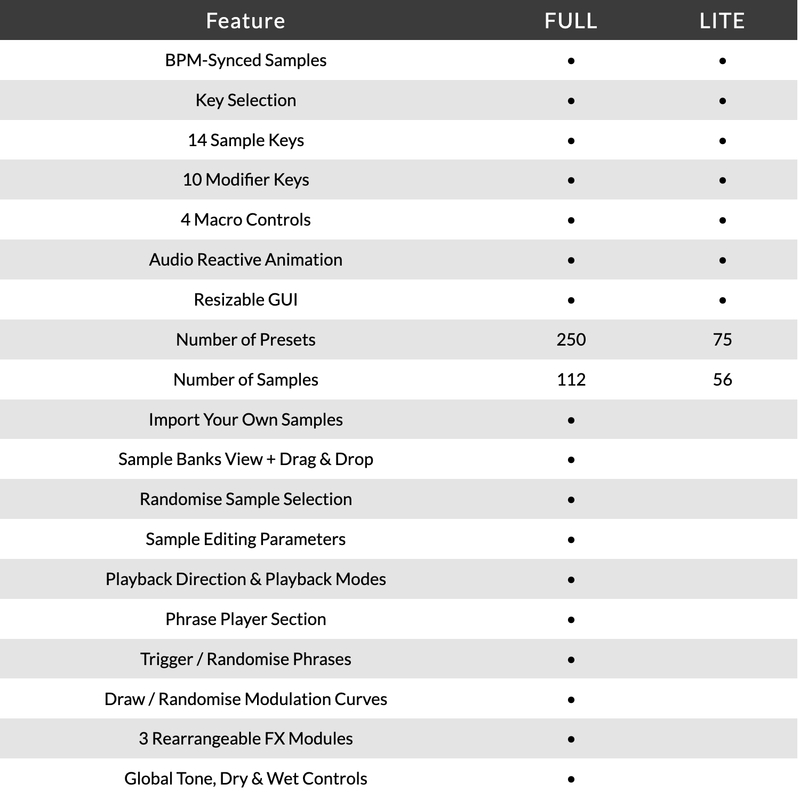
Version Comparison

Gear News
The go-to blog for red-hot, up-to-the-second news for musicians, producers and engineers
"Bloom Drum Breaks makes it easy to whip up extremely useful bespoke breaks."

Dokkodo Sounds
Composer, Producer, and Sound Designer - Inner Ocean Records, Ninja Tune Music, EMI.
"Bloom Drum Breaks is hugely inspirational and leads to a very creative workflow. The built-in Phrase Player gives you tons of flexibility to make something truly unique!"

Attack Magazine
A magazine dedicated to dance music production and culture.
"The Bloom series will help your music blossom. It's a great addition to your setup when looking for that extra spark."
macOS
- macOS 10.15 or higher (Intel / Native Apple Silicon supported).
- Plugin Formats: VST, VST3, AU, AAX, Standalone
- DAW's Supported: Ableton Live, Pro Tools, Logic Pro, FL Studio, Cubase, Nuendo, Reaper, Reason + more.
- Compatibility: 64-bit compatible only.
Windows
- Windows 7 or higher
- Plugin formats: VST, VST3, AAX, Standalone
- DAWs supported: Ableton Live, Pro Tools, FL Studio, Cubase, Nuendo, Reaper, Reason + more.
- Compatibility: 64-bit compatible only.
Please Note:
- An internet connection is required to authorise this software.
- When accessing this software via a Rent to Own plan or the Beatport Studio membership, it's installed and run through the Beatport Access portal. An internet connection is required every 30 days to validate your license.
Reviews Summary
While it aims to provide a helpful overview, it may not capture every perspective or detail. We encourage you to read individual reviews to make an informed decision.
Users generally praise the plugin for its great sound quality, punchy and human-feeling drum breaks, and time-saving workflow compared to traditional break chopping. The concept and presets are widely appreciated as innovative and fun. However, several reviewers noted a learning curve with the sequencer and edit page, limitations with pre-made samples, and missing features such as a proper mixer or multiple outputs. Additionally, a few users experienced high CPU usage, stability issues or crashes in larger projects, and found some presets overly noisy.


