AudioThing

Wurly

4.6 (22 Reviews)
$33.63 $59.00

43% off until Jan 05

AudioThing Wurly
AudioThing Wurly
Wurly - Vintage Electric Piano, Wurlitzer Plugin - AudioThing gallery thumbnail
AudioThing Wurly
AudioThing Wurly
Buy Now
Product information

Authentic Reed Sound

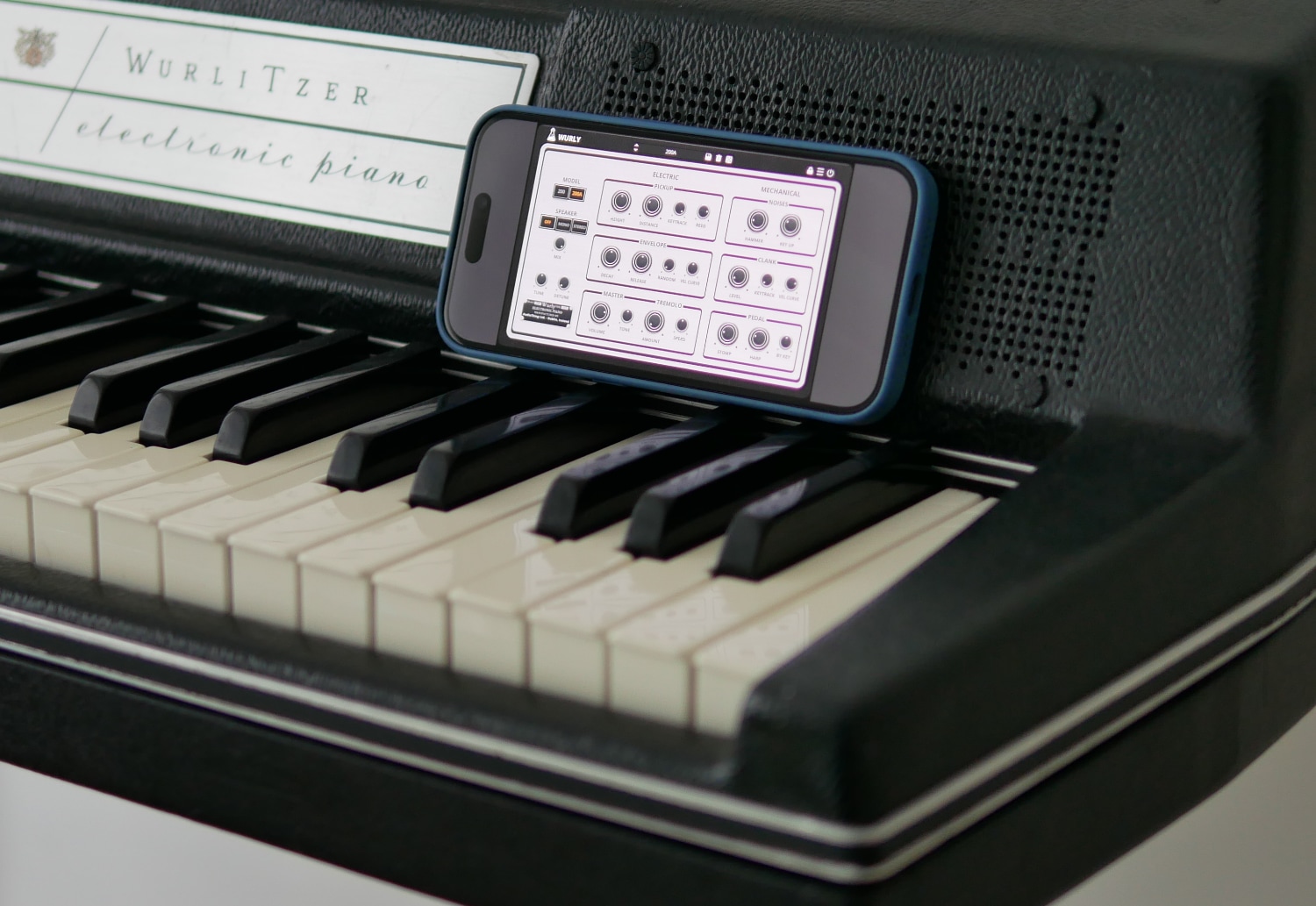
Wurly is a plugin emulation of the famous Wurlitzer electric pianos from the 60s and 70s. Faithfully capturing the distinct, soulful tone and dynamic feel of the original instruments, this emulation includes both the classic 200 and the refined 200A models.

Wurly provides a comprehensive set of controls for shaping the electric elements of the sound, including pickup emulation, envelope settings, and the iconic built-in tremolo (historically mislabeled as ‘Vibrato’). The geometry of the pickup and reed has been precisely modeled to ensure maximum authenticity. The electric section uses physical modeling techniques to capture the true behavior and sound of the original instruments.

It also offers detailed control over the mechanical aspects, such as hammer, key, pedal noises, and clank section. The Mechanical section uses both physical models and samples to fine-tune each nuance of the piano’s character, adding depth and realism to the emulation.

AudioThing have also carefully sampled the speakers on each model so you can blend the direct sound with the speaker sound.

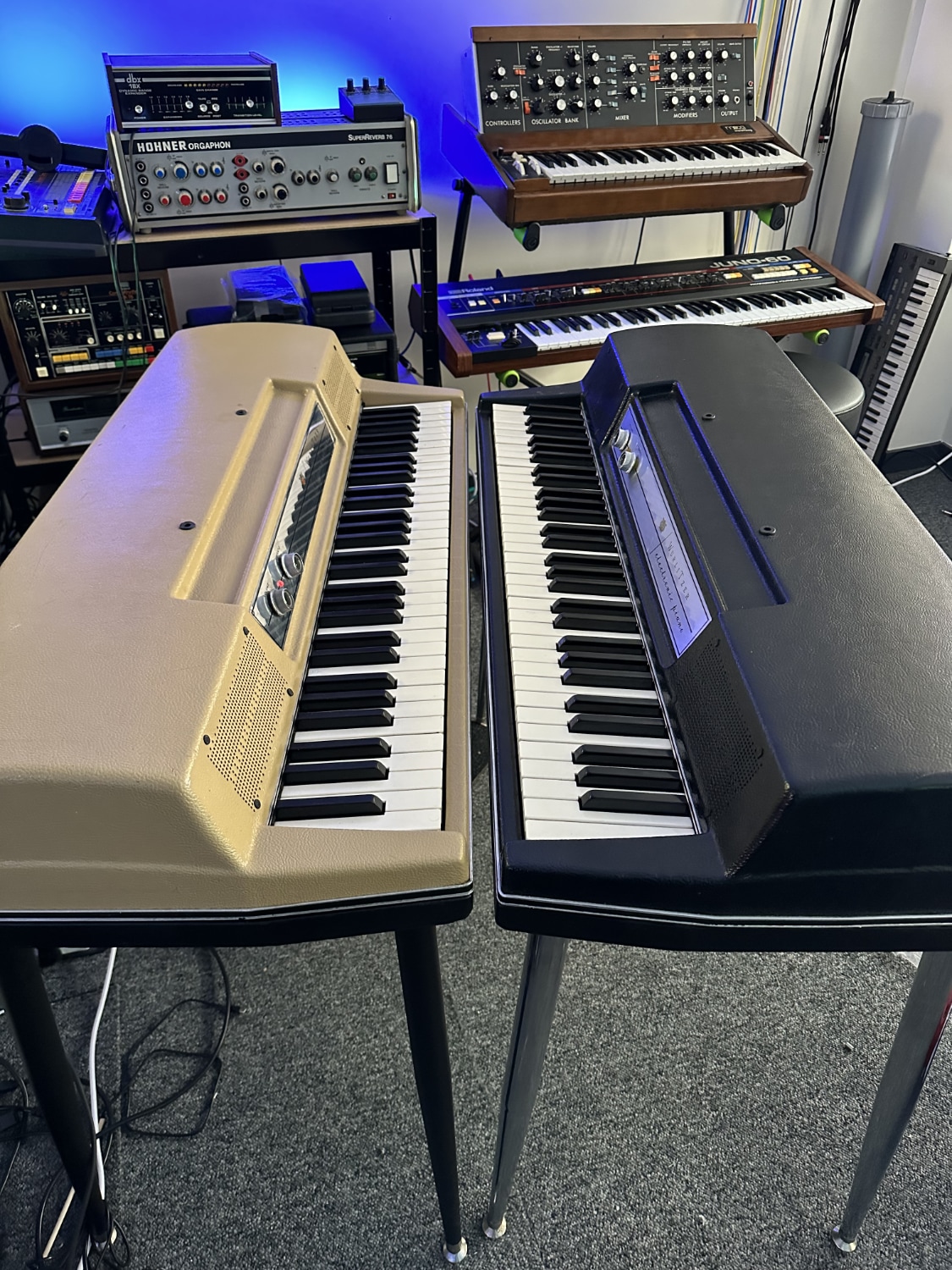
Wurlitzer Pianos

Introduced in 1968, the Wurlitzer 200 electric piano marked a significant design evolution with its sleek, contemporary style and built-in chrome legs. Known for its vibrant, versatile sound—from soft, bell-like tones to aggressive, biting notes—the 200 series used an electromechanical method where hammers strike metal reeds, and the vibrations are picked up by electrostatic pickups.

The upgraded Wurlitzer 200A, released in the early 1970s, improved upon its predecessor with better electrical noise shielding, enhanced action for more expressive play, and upgraded speakers for a warmer sound.

Popular across various music genres from rock to soul, the Wurlitzer electric pianos remain iconic for their unique timbre and enduring presence in both classic recordings and modern tracks.
The Emulation

They have combined physical modeling techniques for both the electric and mechanical sections with high-quality samples, specifically for the mechanical components, to faithfully recreate the iconic sounds of the Wurlitzer 200 and 200A electric pianos.

This hybrid approach ensures that each nuance of the original instruments’ tone and response is captured, delivering an authentic and dynamic playing experience.
Effects

Wurly features a set of four high-quality effects, inspired by classic gear and designed to complement the electric piano’s character.

  • Overdrive, for rich harmonic distortion inspired by classic guitar pedals
  • Phaser, delivering rich, sweeping movement inspired by vintage analog designs
  • Flanger, BBD based, capable of everything from subtle modulation to swirling textures
  • Spring Reverb, adding classic vintage reverb

You can rearrange the effects in any order using drag and drop.

Features

  • 200 and 200A Models
  • Physical Modelling and Samples
  • Electric and Mechanical Controls
  • Speakers (mono/stereo)
  • Resizable Window
  • Preset system with randomizer
  • Brightness and Contrast Controls
  • 4 high-quality fx

System Requirements

Windows

  • Windows 7-11
  • 2GHz CPU, 4 GB RAM
  • VST2, VST3, AAX, CLAP (64-bit)   

Mac

  • OS X 10.13 – macOS 14
  • Apple Silicon (M chips) Native (Universal 2 Binary)
  • 2GHz CPU, 4 GB RAM
  • VST2, VST3, AU, AAX, CLAP (64-bit)
  • Universal 2 Binary
Installation Instructions

Please note: Speaker is used as the example.

Windows

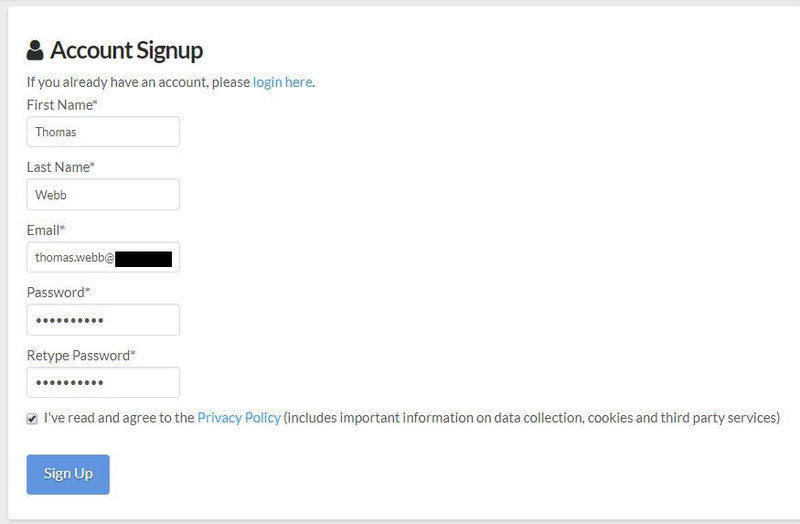
1. Visit the AudioThing Login/Registration Page and enter your personal details to set up an account > then read the 'Privacy Policy' and tick the box before clicking 'Sign Up'.

Note: If you already have an existing AudioThing account, Login here and skip to step 3 of the installation process. 

2. A confirmation email will now be sent to your registered email > click the link within the email to activate your account and Login here.

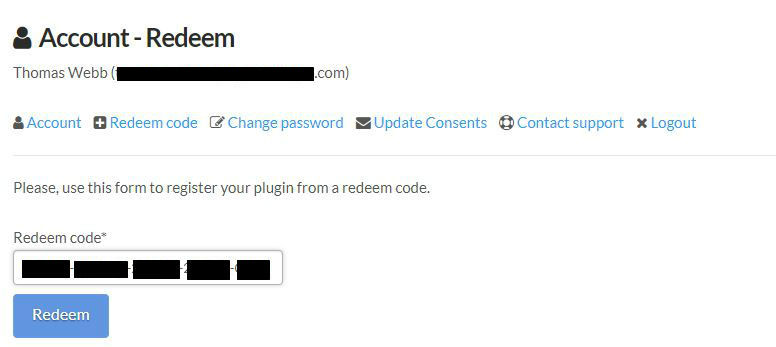
3. Once logged into your account, visit the Redeem Page and copy and paste the serial number from your User Account into the box provided > then click 'Redeem'.

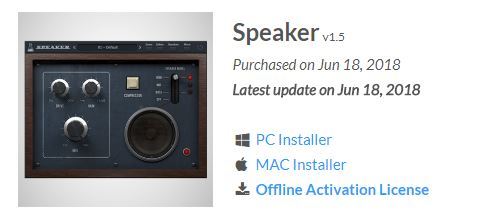
4. Download your preferred installer as well as the Activation Licence Key.

Note: Click the ‘license.atl’ file, e.g ‘speaker_license.atl’ to download it to your computer > be sure to save this to a memorable computer location so that you can easily locate and upload it when activating your software. 

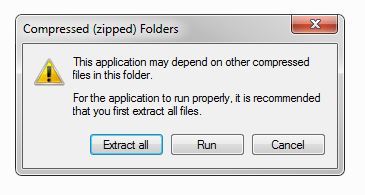
5. Double-click the compressed folder to reveal the installer file.

6. Double-click the extracted .exe file > click ‘Run' to open the installation window. 

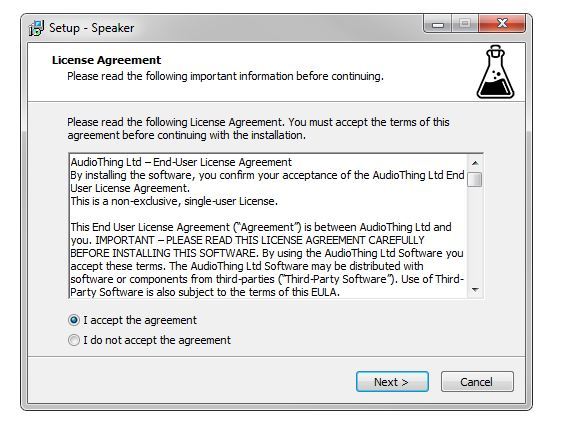
7. Read through the license agreement and click ‘I accept the agreement’ > click ‘Next’.

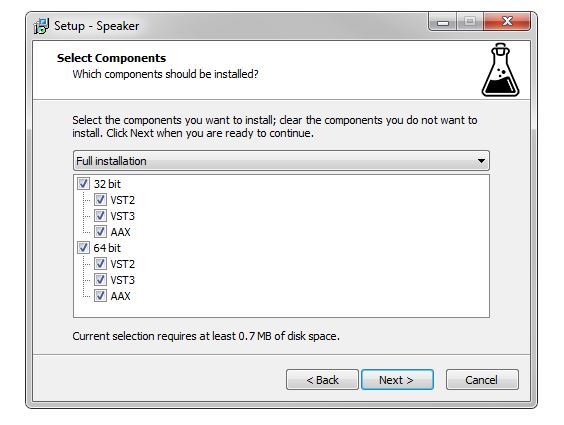
8. Select the component (s) that you wish to install > click ‘Next’.

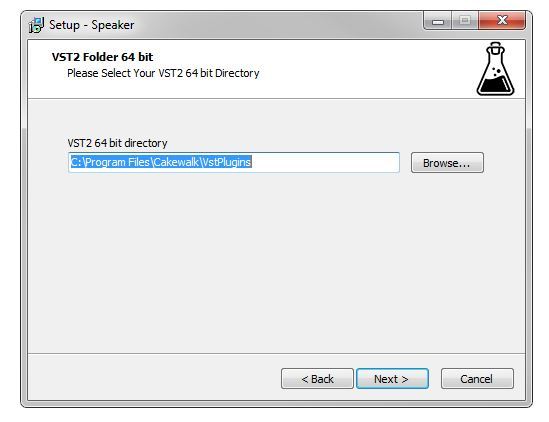
9. Choose and confirm the 64-bit plugin directory in which to save your software to > click ‘Next’. 

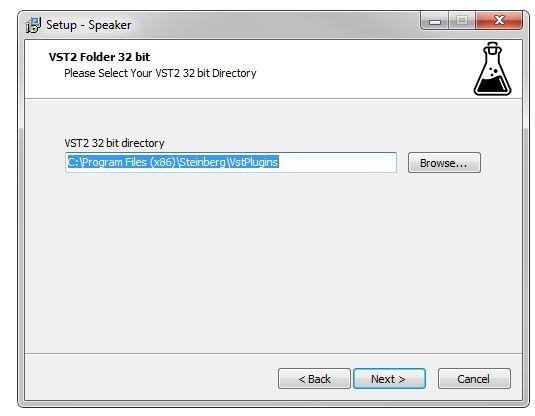
10. Choose and confirm the 32-bit plugin directory in which to save your software to > click ‘Next’.

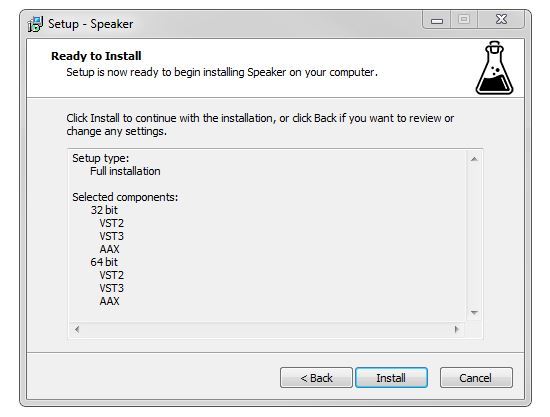
11. Review the installation and click ‘Install’. 

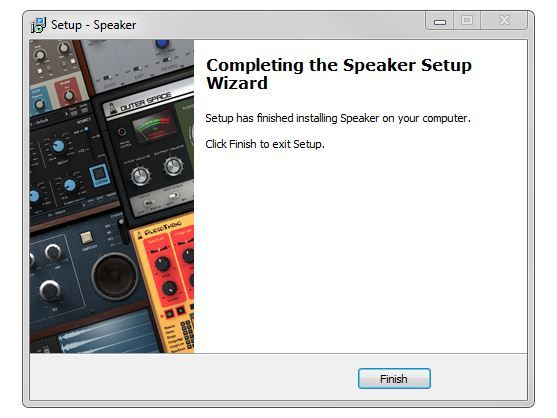
12. The installation of your software has successfully completed > click ‘Finish’.

Offline Activation

1. Restart your DAW, and rescan your plugin selection to show the new installation (in the event it fails to appear). 

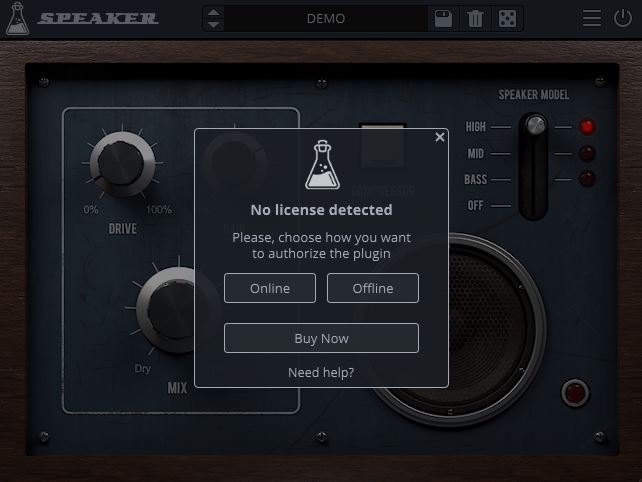
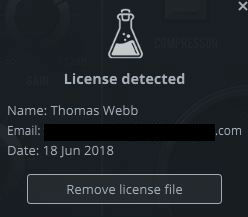
2. Locate and open the plugin on an appropriate track. You will be greeted by the window shown below > click 'Offline'.

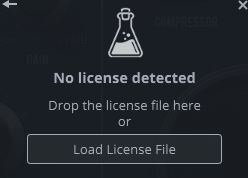
3. Load or drag and drop the downloaded Key License File into the box to activate your software. 

4. The software is now activated and ready for use within your DAW.

Online Activation

1. Restart your DAW, and rescan your plugin selection to show the new installation (in the event it fails to appear). 

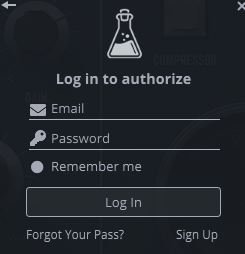
2. Locate and open the plugin on an appropriate track. You will be greeted by the window shown below > click 'Online'.

3. Enter your registered account email and password details > click 'Log In'.

4. The software is now activated and ready for use within your DAW.

Mac

1. Visit the AudioThing Login/Registration Page and enter your personal details to set up an account > then read the 'Privacy Policy' and tick the box before clicking 'Sign Up'.

Note: If you already have an existing AudioThing account, Login here and skip to step 3 of the installation process. 

2. A confirmation email will now be sent to your registered email > click the link within the email to activate your account and Login here.

3. Once logged into your account, visit the Redeem Page and copy and paste the serial number from your User Account into the box provided > then click 'Redeem'.

4. Download your preferred installer as well as the Activation Licence Key.

Note: Click the ‘license.atl’ file, e.g ‘speaker_license.atl’ to download it to your computer > be sure to save this to a memorable computer location so that you can easily locate and upload it when activating your software. 

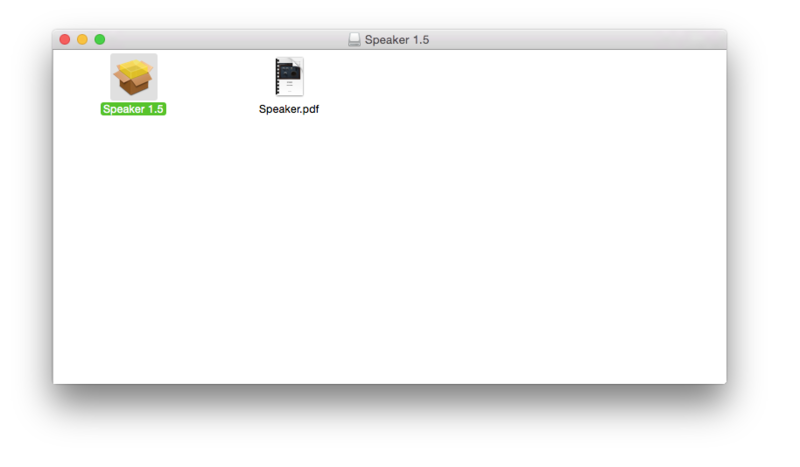
5. Double-click the .dmg file to open the installer window. 

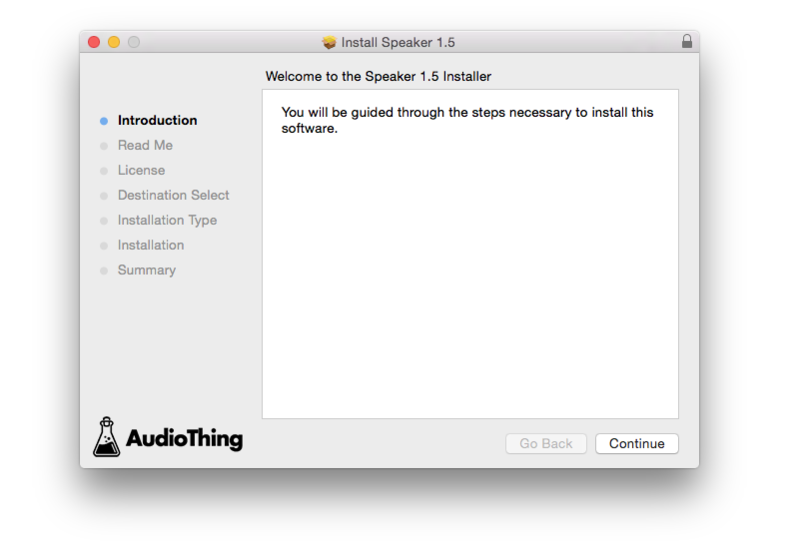
6. Double-click the installer icon to begin the installation process > click ‘Continue’.

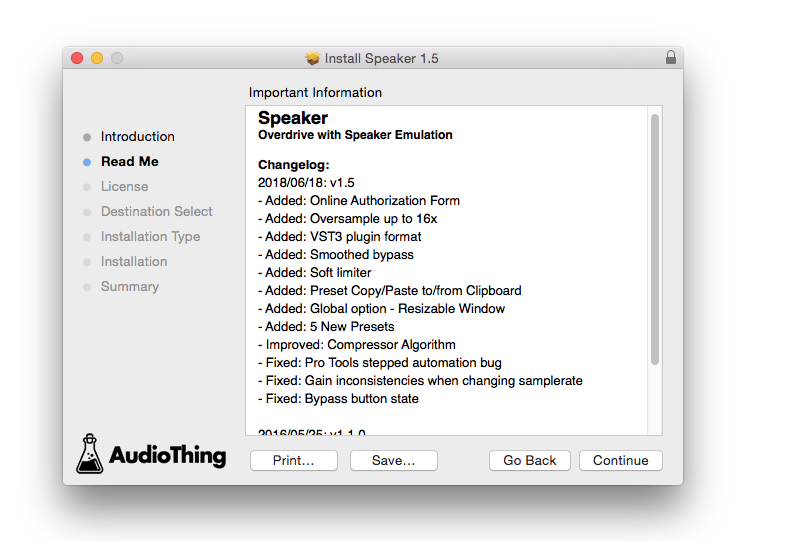
7. Read the info and click ‘Continue’.

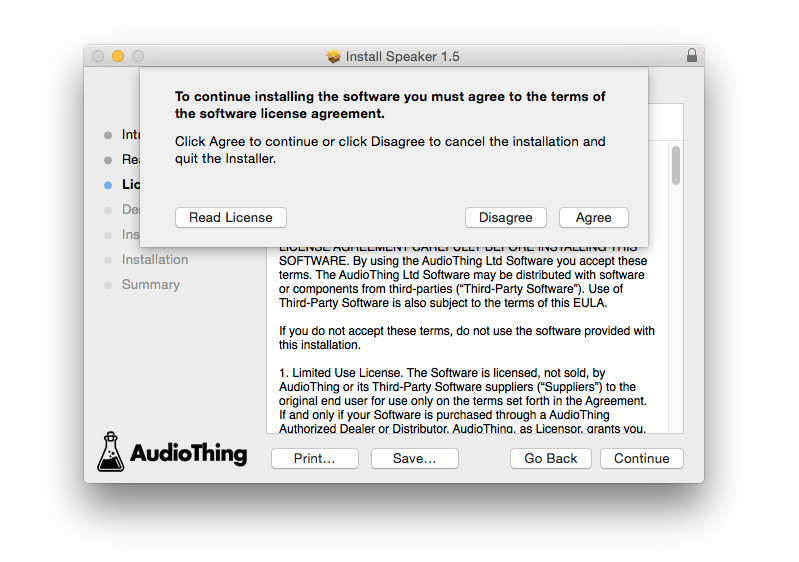
8. Read the Software License Agreement > click ‘Continue’ and then ‘Agree’.

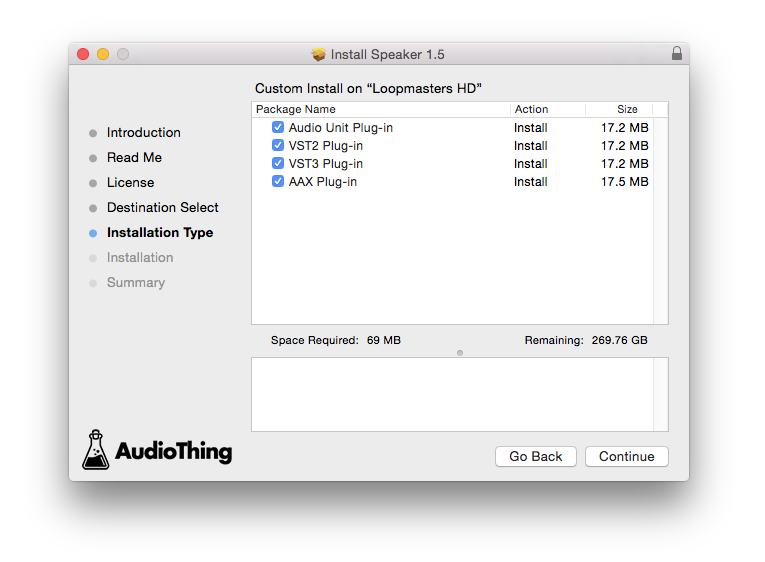
8. Select the component (s) that you wish to install to your computer, and click ‘Continue’. 

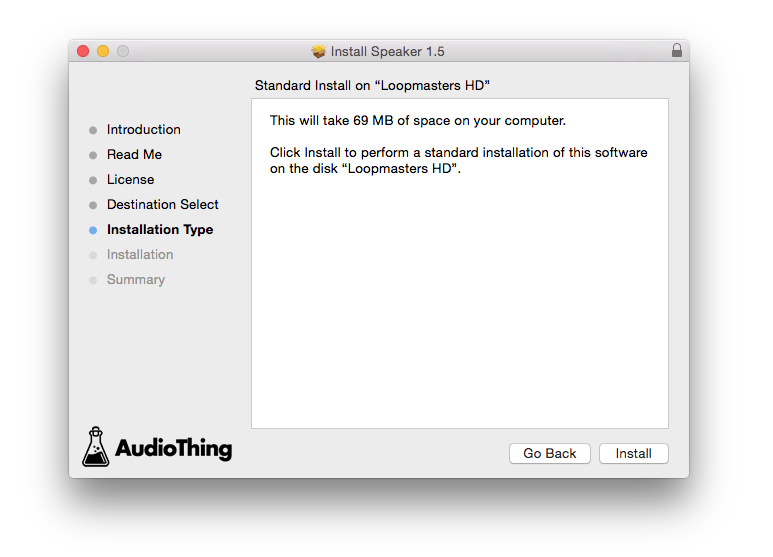
9. Review the installation and click ‘Install’.

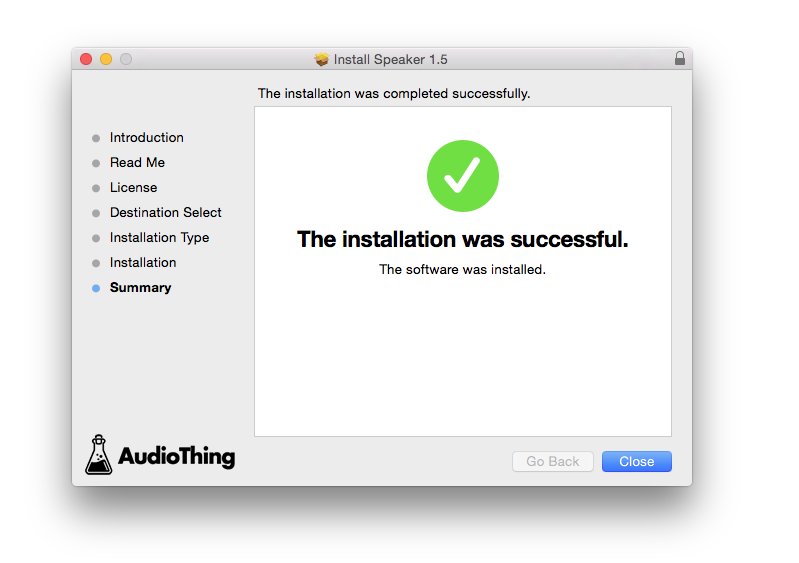
10. The installation of your software has successfully completed > click ‘Close’. 

Offline Activation

1. Restart your DAW, and rescan your plugin selection to show the new installation (in the event it fails to appear). 

2. Locate and open the plugin on an appropriate track. You will be greeted by the window shown below > click 'Offline'.

3. Load or drag and drop the downloaded Key License File into the box to activate your software. 

4. The software is now activated and ready for use within your DAW.

Online Activation

1. Restart your DAW, and rescan your plugin selection to show the new installation (in the event it fails to appear). 

2. Locate and open the plugin on an appropriate track. You will be greeted by the window shown below > click 'Online'.

3. Enter your registered account email and password details > click 'Log In'.

4. The software is now activated and ready for use within your DAW.

Plugin Boutique Rewards

Discover the most rewarding loyalty programme among all plugin retailers.

  • Free Loopmasters Samplepacks
  • Discounts on products and courses
  • Extra Virtual Cash claimed immediately at checkout
Find out more

Follow us:

X (Twitter) Facebook YouTube Instagram
Logo Logo

Plugin Boutique Limited, Part of the Beatport Group LLC.

Copyright © 2011-2025 Plugin Boutique. All rights reserved