


 Log In
Free gifts available with your purchase
Royal Upright Y5 is based on robot-assisted deep multisampling of a modern Yamaha U5 upright piano with its sostenuto pedal. The direct and intimate sound of the Royal Upright Y5 is ideal for jazz or pop singer-songwriter material, vocal accompaniment and any musical setting where the sound of gigantic concert grand might be too overpowering.
The Yamaha U5 upright piano was first introduced in 1967. It was designed to be a high-quality, affordable piano that would appeal to a wide range of musicians, quickly becoming one of Yamaha's most popular models, and it remains so today.
Known for its rich, full sound and its responsive action, the U5 is a popular choice for both students and professionals, and is often used in concert halls and recording studios. It’s been updated several times over the years, but has always maintained its unique design and sound, which can now be yours in the Royal Upright Y5.
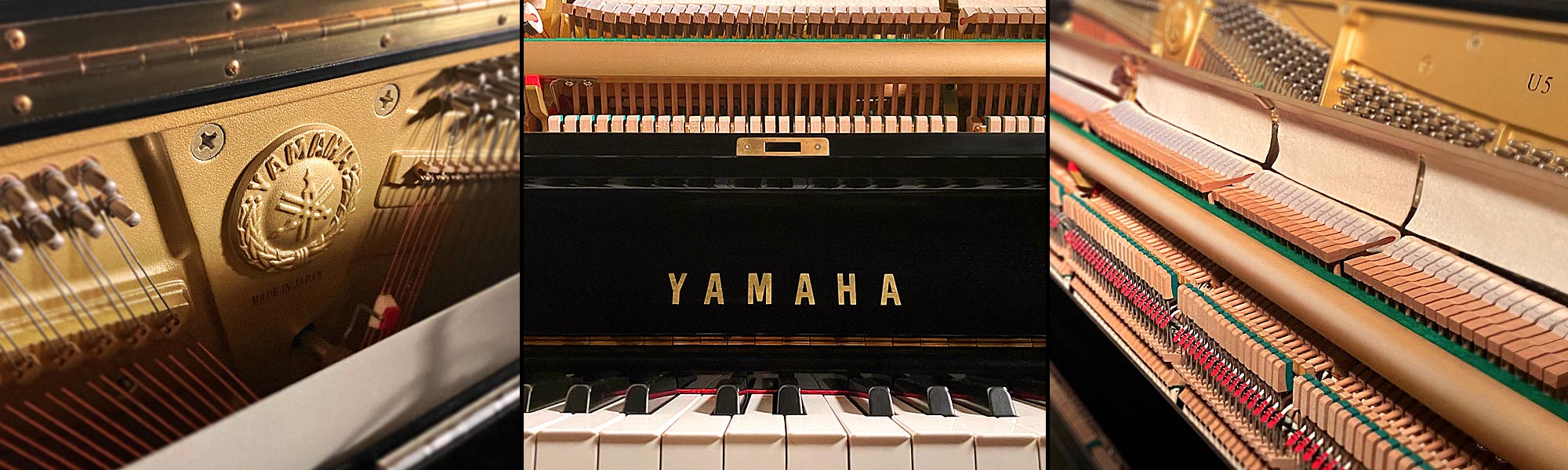
They used DPA microphones for the close miking and Schoeps mics for medium-distanced coincident pair to record this spectacular piano at the legendary Fonoprint Studios in Bologna, Italy, within the walls of a 15th century convent.
In addition to their many IK sample sessions over the years, Fonoprint has hosted the very best Italian and international artists from Ennio Morricone to Luciano Pavarotti to Andrea Bocelli.
Infinite piano expressions
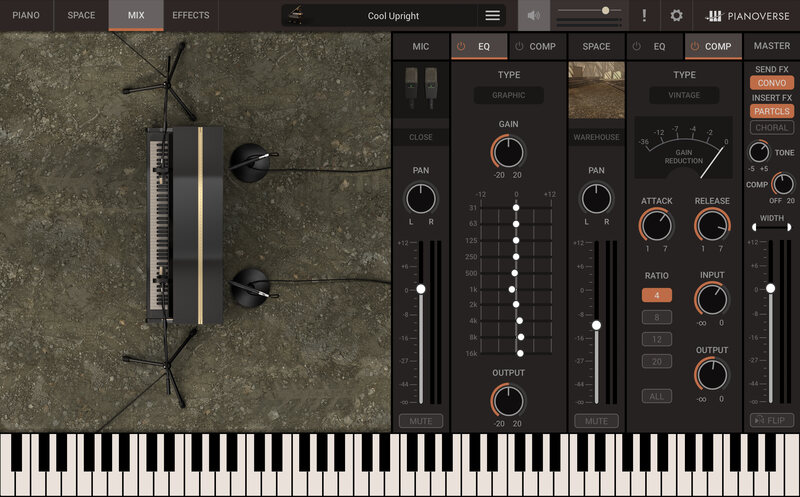
Introducing a powerful new performance engine, Pianoverse recreates perfectly the immersive experience of playing the world’s finest pianos, while adding an inspiring range of sound-shaping environments, from iconic to exotic.
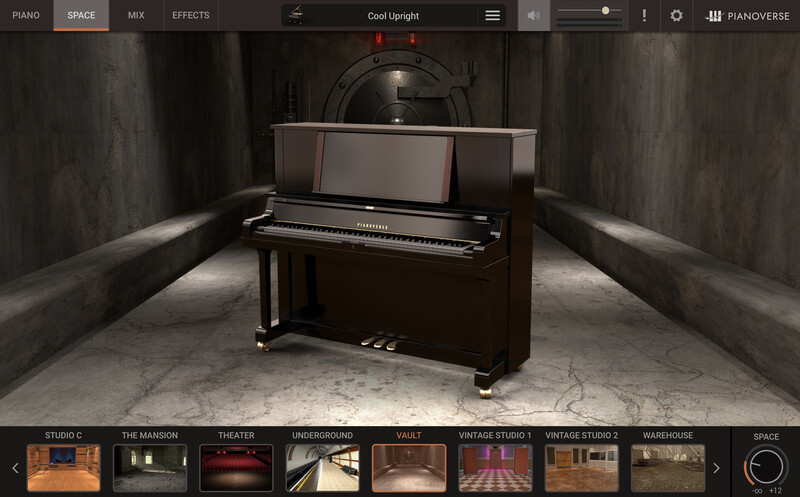
Pianoverse begins as a series of 8 remarkable instruments paired with unique spaces and loaded with presets. As we seek and gain access to other exceptional pianos, we’ll expand the series further. You can start with one or two and add others later, endlessly discovering new inspiration as you need it.
Features
- The finest world-class pianos, meticulously tuned and recorded
- Robot-assisted sampling for unparalleled accuracy and precision
- New sound engine with redesigned round robin and voice management
- Continuous pedal control for half- and catch-pedaling
- Advanced controls: lid position, harp resonance, pedal and piano mallets noise
- Multiple instrument and room microphone options
- Studio-essential EQ, compression, limiting and stereo width
- 30 revolutionary generative sound Spaces to explore
- 12 high-end creative cinematic effects to tailor the sound
- New All-access subscription option
- Optimized resizable interface
- Native support of Apple M1 processor
- Works as a 64-bit plug-in or standalone instrument for Mac/PC
- MIDI control with MIDI learn
System Requirements
macOS (64-bit only)
- Minimal: Intel® Core™ 2 Duo (Intel Core i5 suggested), 8 GB of RAM (32 GB suggested), macOS 10.13 or later. 30 GB of hard disk space for each piano title.
- Runs natively on Apple’s M1 processors.
- Requires an OpenGL 2 compatible graphics adapter.
- Supported Plug-in formats (64-bit): Audio Units, VST 2, VST 3, AAX.
Windows (64-bit only)
- Minimal: Intel® Core™ 2 Duo or AMD Athlon™ 64 X2 (Intel Core i5 suggested), 8 GB of RAM (32 GB suggested), Windows® 7 or later. 30 GB of hard disk space for each piano title.
- Requires an OpenGL 2 compatible graphics adapter.
- Requires an ASIO compatible sound card.
- Supported Plug-in formats (64-bit): VST 2, VST 3, AAX.


