


 Log In

Free gifts available with your purchase

The Orchestral Woodwind Powerhouse
Power Woodwinds is an MSoundFactory instrument featuring a complete woodwind ensemble explicitly tailored for the versatile demands of modern music production. It combines the timeless elegance of orchestral woodwinds with a contemporary twist, delivering rich and vibrant sounds designed to elevate your tracks instantly. With its streamlined interface and intuitive controls, you can effortlessly add lush woodwind arrangements to your compositions without slowing down your creative flow.
Whether you're crafting an ambient track, a pop-rock song, orchestrating epic film trailers, composing emotive soundtracks, or producing majestic symphonies, Power Woodwinds stands ready to infuse your music with unparalleled depth and grandeur.
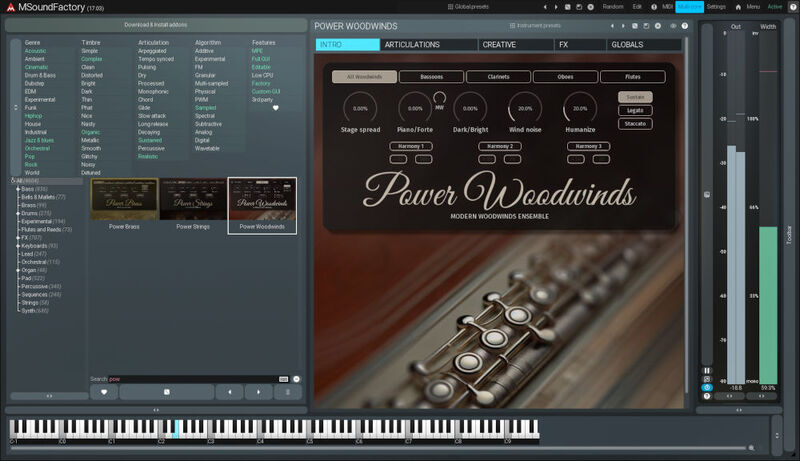
Start Fast
Power Woodwinds is an MSoundFactory instrument for orchestral woodwinds tailored specifically for the fast-paced demands of modern music production. It combines the timeless elegance of orchestral woodwinds with a contemporary twist, delivering rich and vibrant sounds designed to elevate your tracks instantly. With its streamlined interface and intuitive controls, you can effortlessly add lush woodwind arrangements to your compositions without slowing down your creative flow. No matter what genre of music you make, Power Woodwinds stands ready to infuse your music with unparalleled depth and grandeur. With an optimized sample library, Power Woodwinds is a lightweight instrument, CPU- and RAM-efficient. Don't hire an orchestra; use Power Woodwinds.
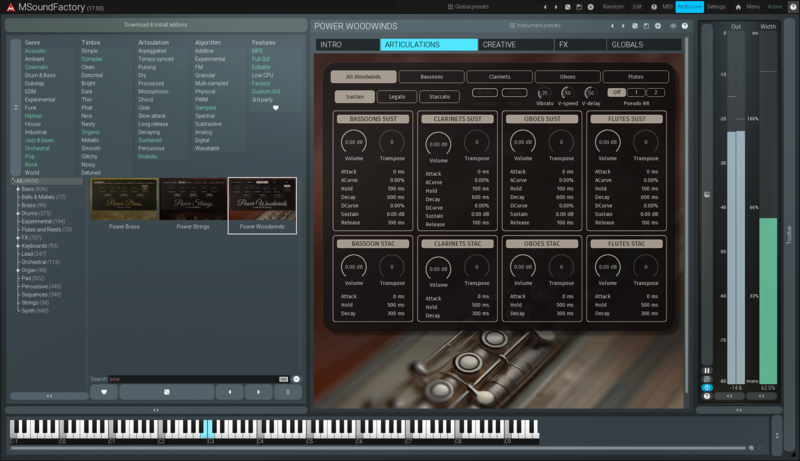
Articulations
Power Woodwinds offers a diverse range of articulations, from smooth legato to crisp staccato, allowing you to achieve the perfect expression for any musical idea. You can quickly switch between them during a live performance using the low keys of your keyboard. You may also enable multiple articulations at the same time. Power Woodwinds offers independent pitch and volume per articulation, which is ideal for extremely easy layering. In addition, every articulation has access to its detailed envelope settings.
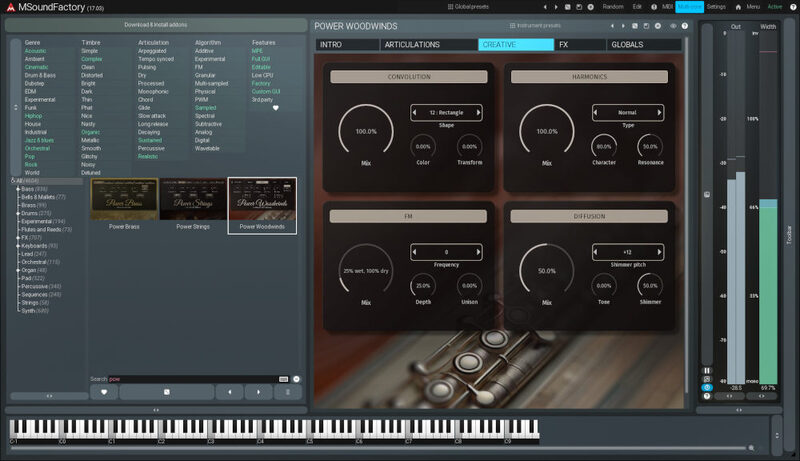
Get Creative
Woodwinds don't have to sound like woodwinds. The "Creative tab" opens a whole new world of sounds to you. You can make the woodwinds sound like a synth using Convolution. There's Frequency Modulation available, you can control harmonics and apply a nice Diffusion. It's crazy versatile, and the results are a great blend between natural and artificial.
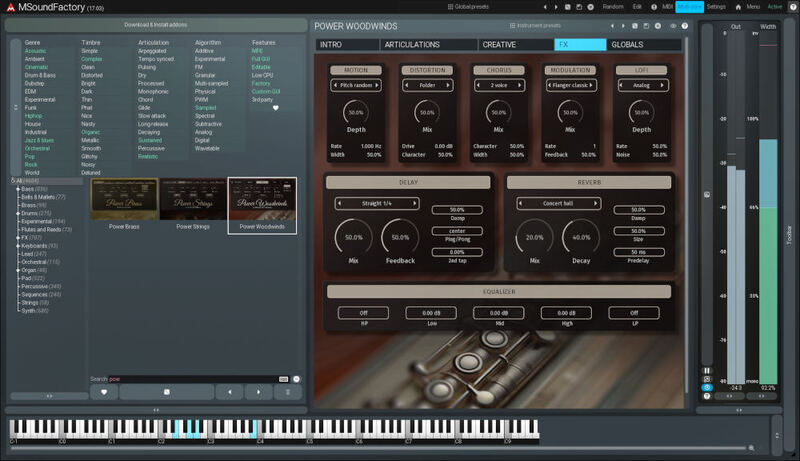
FX Section
Don't bother with effect plugins. To finalize the sound, Power Woodwinds has its own Reverb offering five types of rooms and halls, and an advanced delay. Power Woodwinds' effect section includes also a five-band EQ, Motion FX, Distortion, Chorus, Modulation, and LoFi. That should boost your creativity no matter how hard you try to resist it.
FREE for some
If you already have MSoundFactory or MSoundFactoryLE, Power Woodwinds is completely free to download. You just need to run MPluginManager and select it. You can also buy it separately to use with the free version of MSoundFactory - MSoundFactory Player. Just make sure you’re up to date with the latest version.
System Requirements
Windows
- Windows 8 / 10 / 11 (64-bit)
- VST / VST3 / AAX compatible host (64-bit)
- Intel/AMD processor with SSE2 support
macOS
- macOS 10.14 and newer (64-bit)
- VST / VST3 / AU / AAX compatible host
- Intel/AMD/M1 processor with SSE2 support
- Native Apple Silicon ARM CPU support









