/ Virtual Instruments / Iconica Sketch
Steinberg

Iconica Sketch

4.0 (1 Reviews)
$119.99
Iconica Sketch - GUI
Creating A Spine Chilling Horror Soundtrack - a Masterclass with Baltic Shimmers & Iconica Sketch gallery thumbnail
Create Massive Hybrid Cinematic Drones | Production Lab With Dom | HALion 7 | Iconica Sketch gallery thumbnail
Iconica Sketch - Demoproject "Unshaken" MIDI Playthrough Cubase 13 gallery thumbnail
Buy Now
Product information

Bring your orchestral ideas to life with Iconica Sketch

Iconica Sketch is the perfect starting point for composers. It offers you a complete orchestra with 34 different instruments and 140 articulations in an exceptionally intuitive interface — optimized in file size and CPU performance. The original recordings from Iconica have been carefully selected and re-mastered to deliver a well-balanced, high-quality orchestral experience.

  • A whole orchestra in a compact file size (4.6 GB) with enhanced CPU performance
  • 140 of the most important short and long articulations (including legatos)
  • 34 different instruments ranging from violins to percussion
  • A new mix, based on the original Orchestral Tools recordings from Iconica

System Requirements

System Requirements

  • 4.6 GB free HD space
  • Please note that this library requires the free HALion Sonic 7 or the full version of HALion 7
  • Internet connection required for activation, download, account setup and personal / product
  • registration. Additional software is required for the installation.

PC

  • Operating System: Windows 10 (64-bit), Windows 11 (64-bit) Version 21H2 or higher
  • Plugin Formats: VST3, AAX

Mac

  • Operating System: macOS Big Sur, Monterey, Ventura, Sonoma, Sequoia
  • Apple Silicon Compatibility: Rosetta 2 App, Native App
  • Plugin Formats: VST3, AU, AAX
Installation Instructions
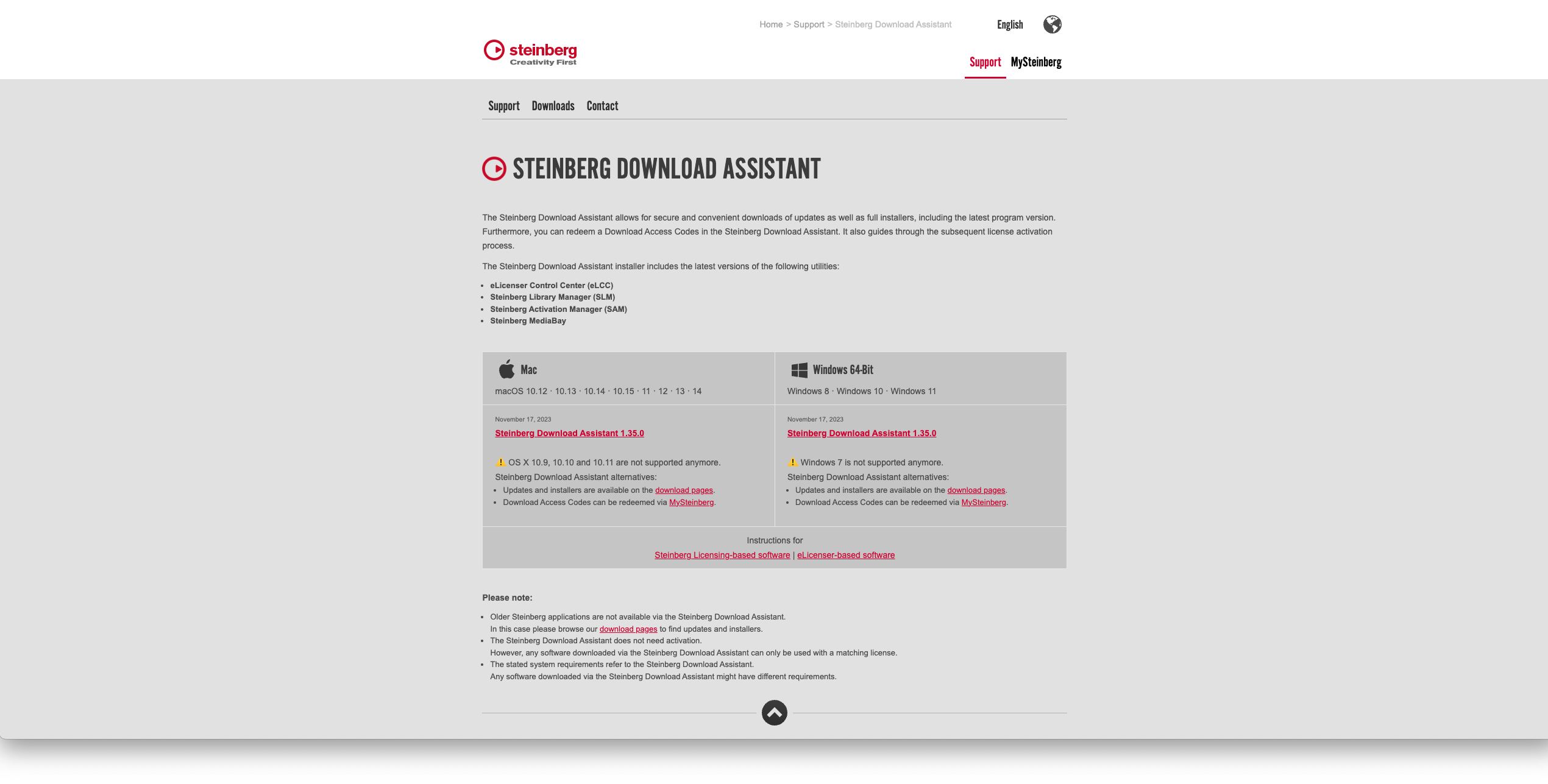
Activation

1. Go to https://www.steinberg.net/go/ or click 'Download' in your Plugin Boutique User Account.

2. Download the relevant installer > Complete the installation of the Steinberg Download Assistant.

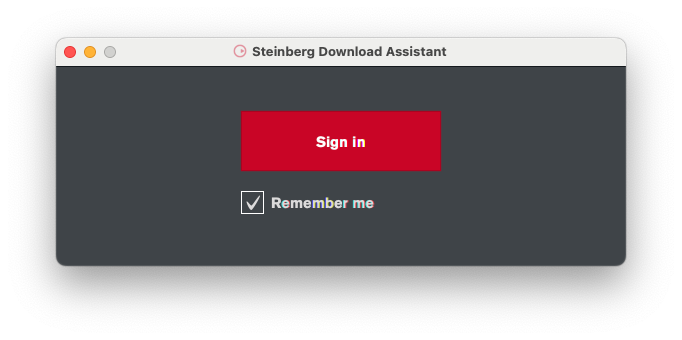
3. Click 'Sign in'.

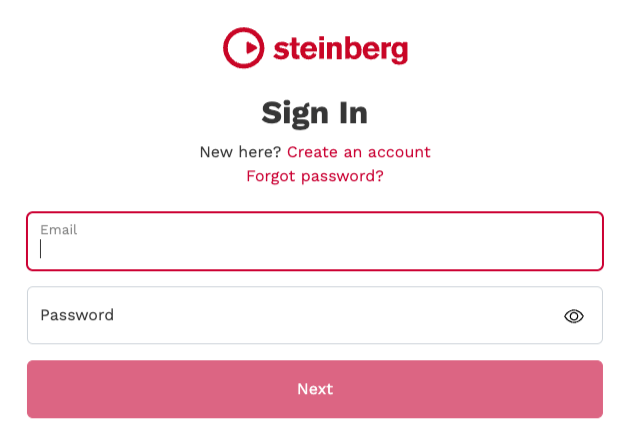
4. Click 'Create an account' > if you already have a Steinberg account, login and skip to step 

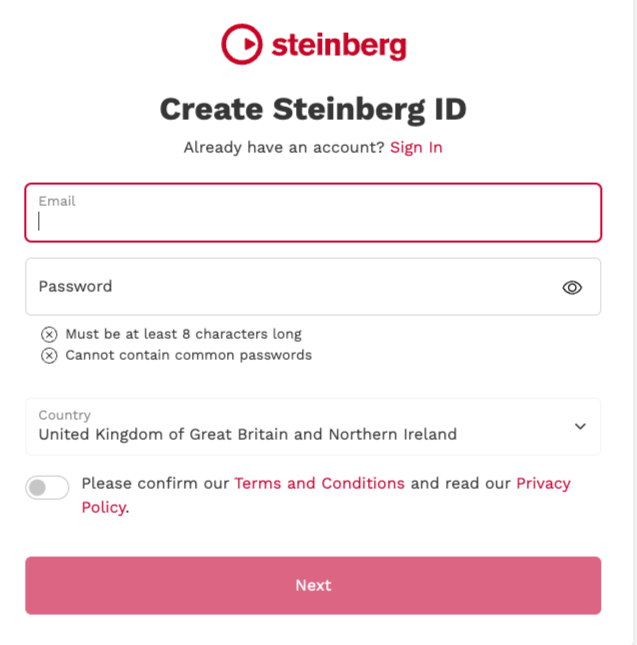
5. Enter the requested details > Click 'Next'.

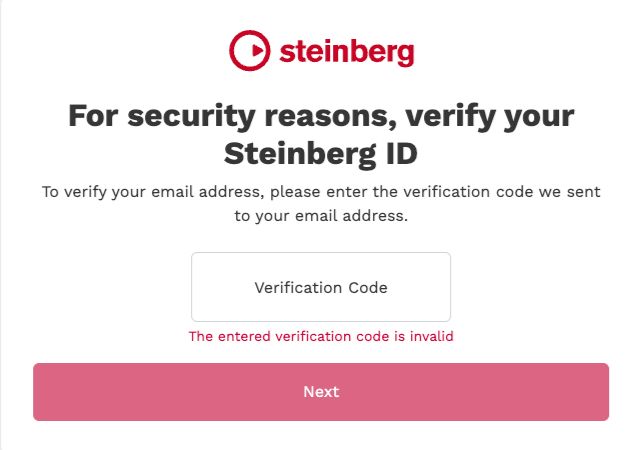
6. Enter the verification code found in your email from Steinberg > Click 'Next'.

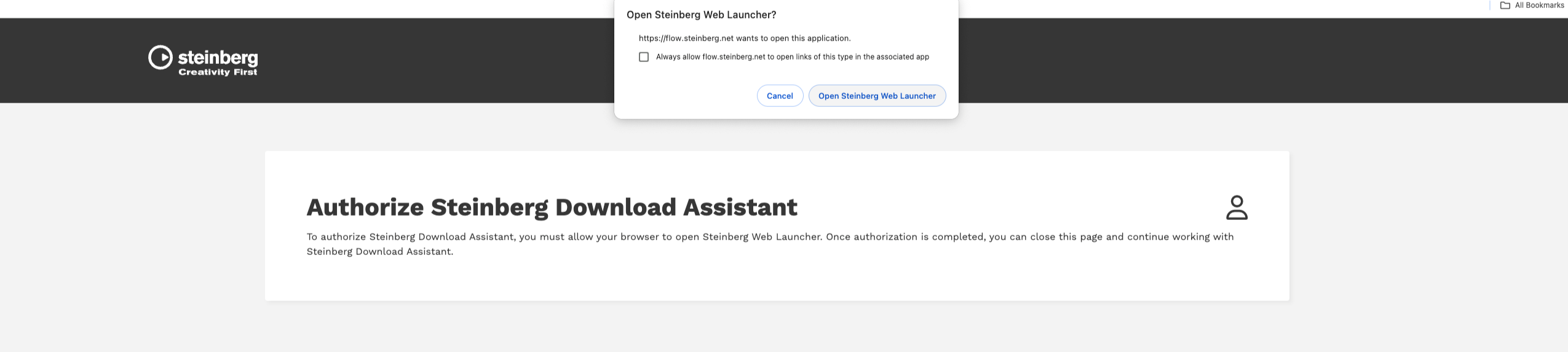
7. Click 'Open Steinberg Web Launcher'.

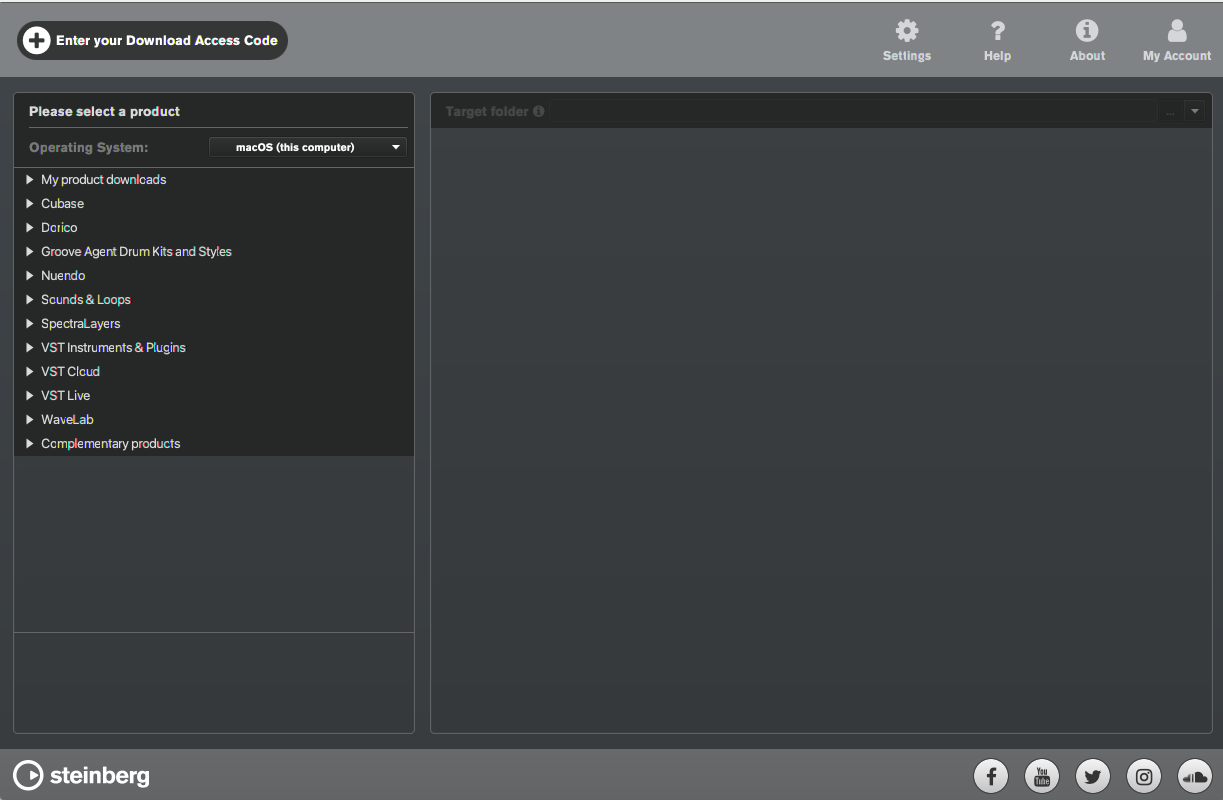
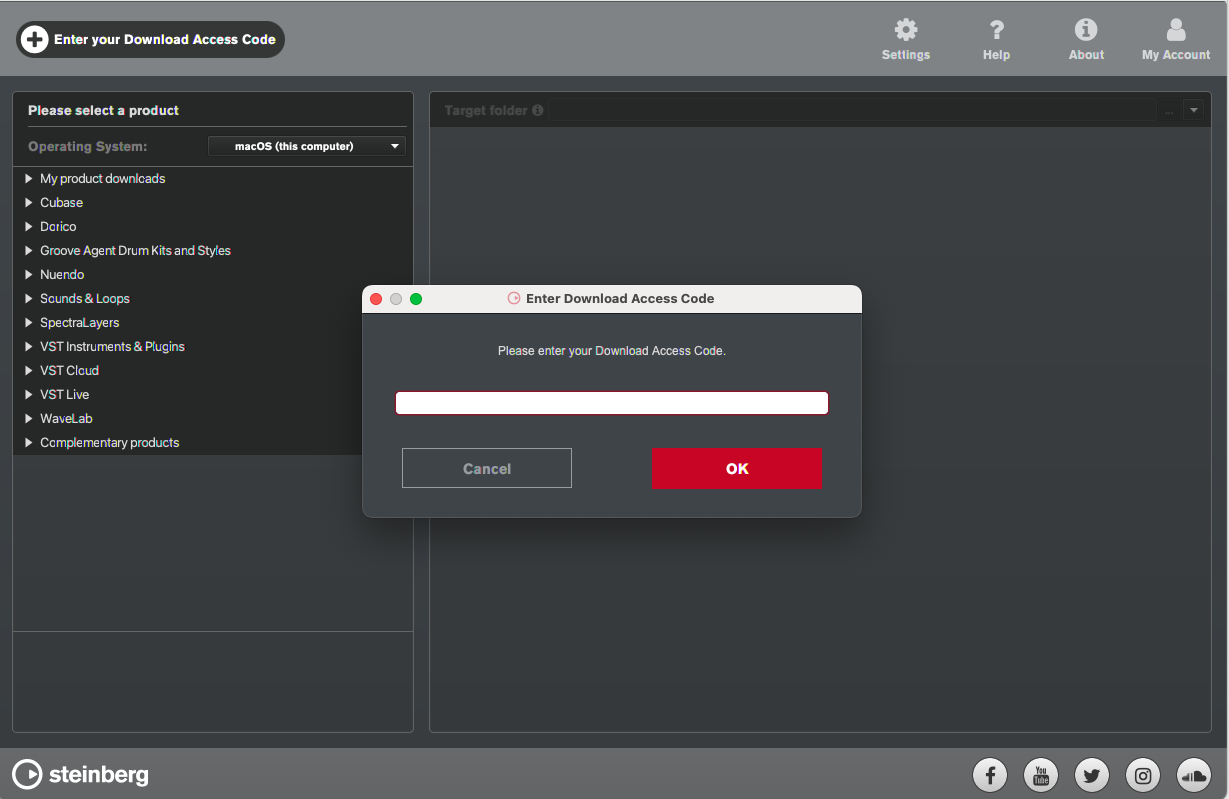
8. Click 'Enter your Download Access Code'.

9. Enter the serial number found in your Plugin Boutique User Account.

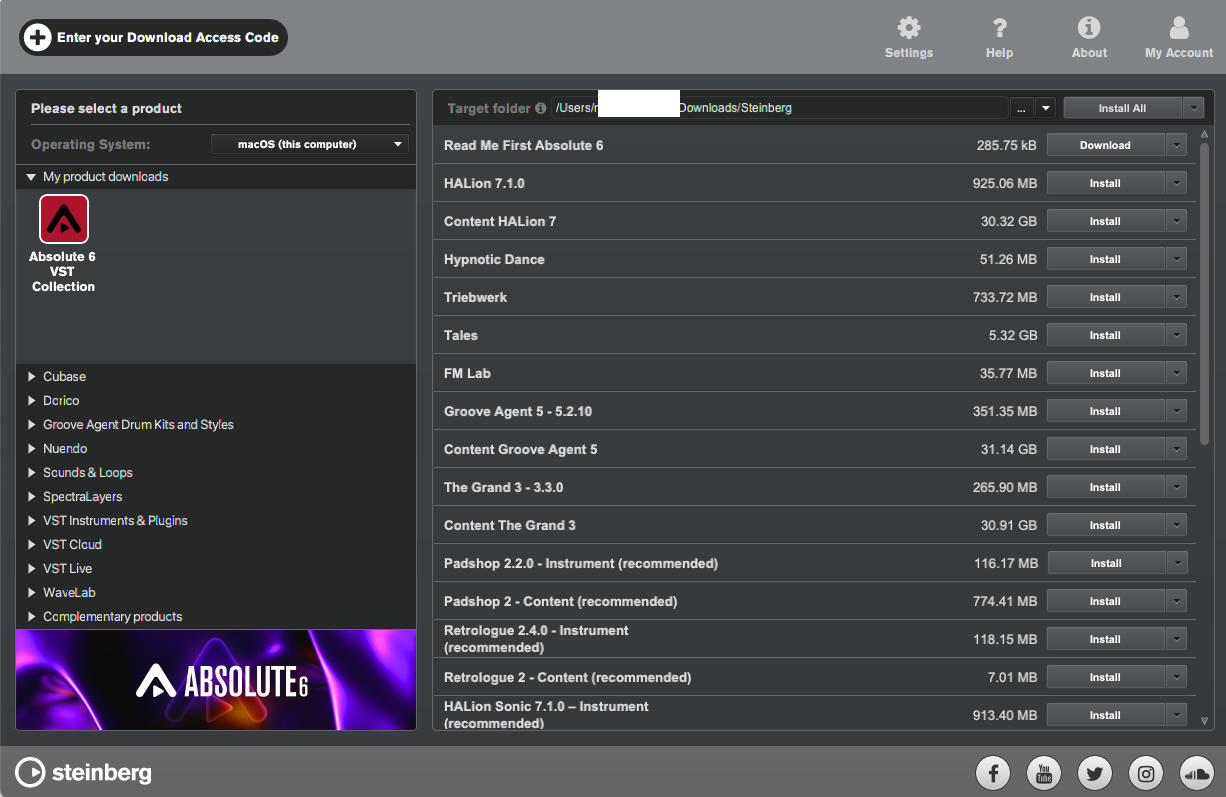
10. Download/Install the relevant products.

Your software is now installed and ready to be used!

Plugin Boutique Rewards

Discover the most rewarding loyalty programme among all plugin retailers.

  • Free Loopmasters Samplepacks
  • Discounts on products and courses
  • Extra Virtual Cash claimed immediately at checkout
Find out more

Follow us:

X (Twitter) Facebook YouTube Instagram
Logo Logo

Plugin Boutique Limited, Part of the Beatport Group LLC.

Copyright © 2011-2025 Plugin Boutique. All rights reserved