/ Virtual Instruments / Subdivine
Diginoiz

Subdivine

4.5 (520 Reviews)
$55.00
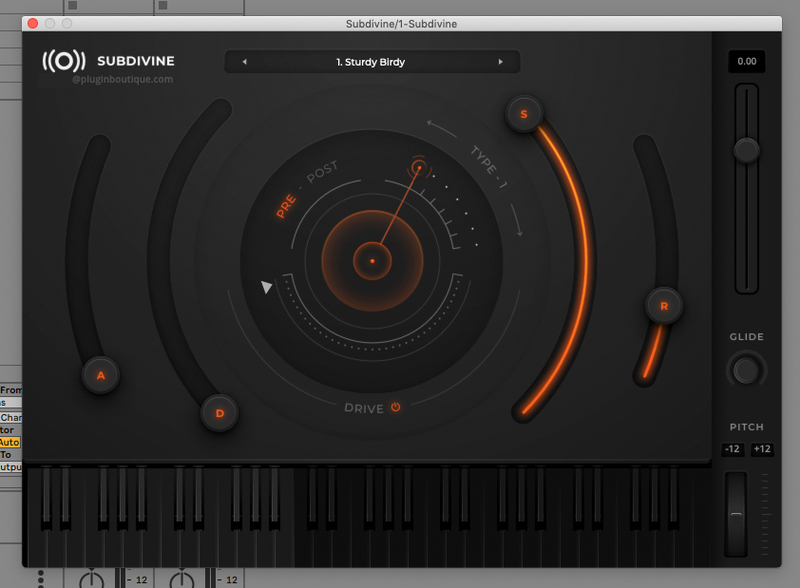
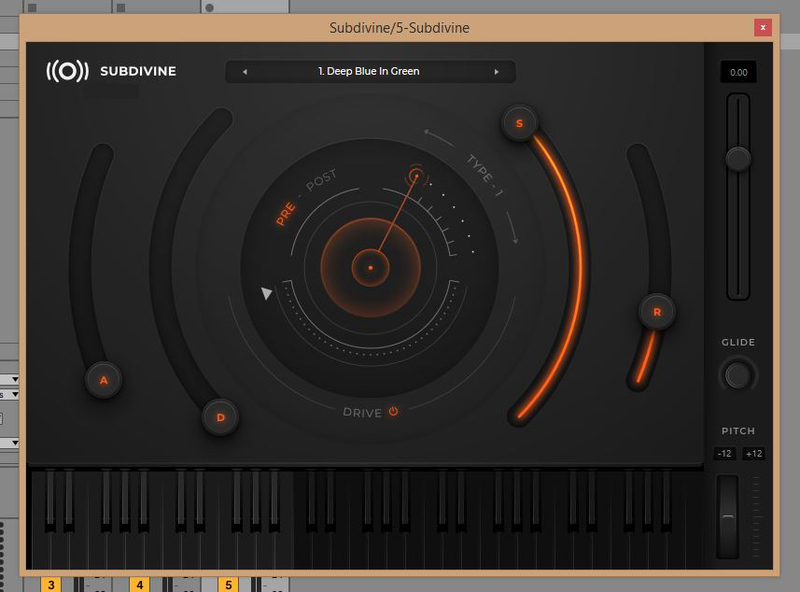
Subdivine User Interface
Subdivine VST– The Bass / 808 Instrument for Trap / R&B / Hip Hop gallery thumbnail
Subdivine VST – Your New Favorite Bass / 808 Instrument gallery thumbnail
Subdivine VST – Your Game Changer In The Trap Bass / 808 gallery thumbnail
Subdivine VST from Diginoiz – Overview gallery thumbnail
Buy Now
Product information

Your favourite instrument for deep and warm basses and 808s

Subdivine! An indispensable instrument in the bass-heavy music production process designed especially for those music producers and beatmakers who need solid 808-type basses in their tunes! Perfect for Trap, Hip-Hop, R&B and Future R&B, Soul and Neosoul, Pop and any genre that bases on… bass!

Subdivine is a playable library of bass samples with the interface of a synth. It was created by experienced sound designers and music producers to provide efficient workflow and usability combined with the best possible sound with lots of low-end and that stylish 808 flavour. Presets from Subdivine are divided into two groups: Analogue - sampled from some of the best analogue synths, and Digital - sampled from some great digital instruments. Every preset has its own character and unique sound that can be formed with ADSR envelope and enhanced with Drive. 

The Drive! Well, this is where the ride begins! Subdivine's Drive consists of 7 different types of distortion with different sensitivities, all of them emulations of top quality analogue and digital hardware, so the sound can be slightly warmed up or distorted like in the sickest drops humanity ever heard!

Range of Subdivine's sounds was deliberately narrowed to two octaves in order to keep the library compact, and the instrument efficient in providing the high-quality low end.

Subdivine is available in two most popular plug-in formats: VST3 and AU, so you will be able to use it in DAWs that support these formats (and others).

Features

  • Perfect for Trap, Hip-Hop, R&B, Future R&B and Soul
  • 7 types of distortion
  • Analogue and Digital presets

System Requirements

Mac

  • 64-bit only
  • OS X 10.12 or higher (Apple Silicon compatible)
  • 8GB of system RAM
  • 10GB of free space
  • VST3
  • Audio Unit

Windows

  • 64-bit only
  • Windows 7 or higher
  • 8GB of system RAM
  • 10GB of free space
  • SSE3 support
  • VST3

Supported Hosts

  • Cubase
  • Logic
  • FL Studio
  • Ableton Live 10.1 and above
  • Studio One
  • Garage Band
Testimonials

Donatan

"Great selection of sounds, just the right amount of control over them. SUBDIVINE allows to quickly create good sounding basslines, which makes it a perfect instrument for every busy producer."
Installation Instructions

Registration and Activation Video

Mac

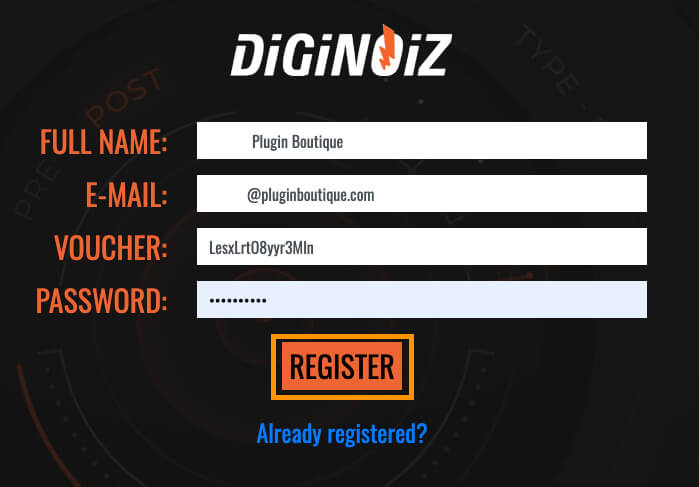
1. Visit https://www.diginoiz.com/redeem/. Enter your name, email address, voucher (listed as serial number in your Plugin Boutique account) and password > click 'REGISTER'.

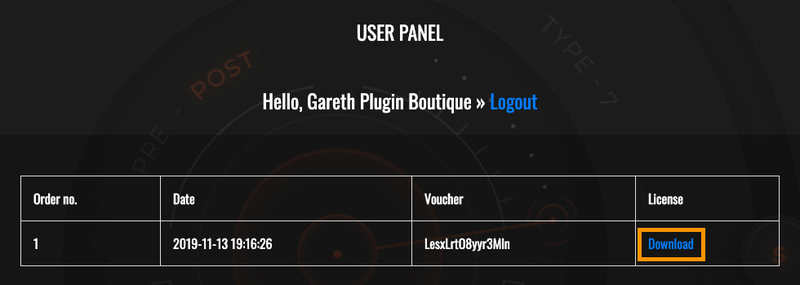
2. Click 'Download' to get your license file.

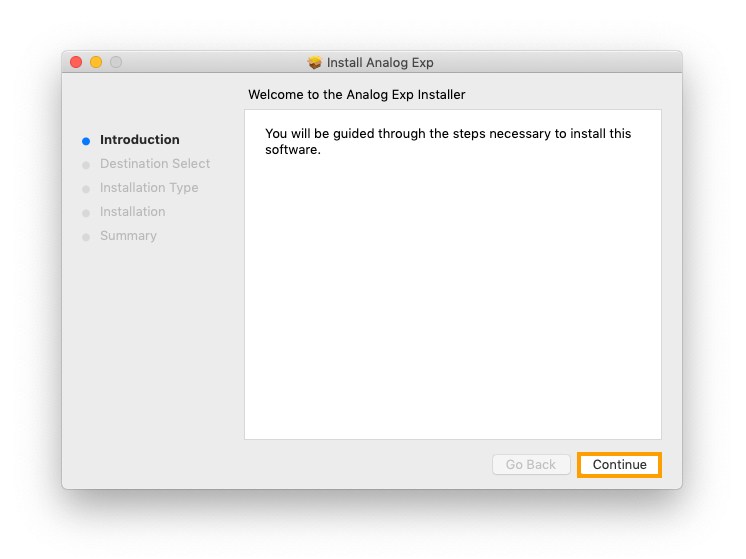
3. Download the .zip from your Plugin Boutique account and run Analog Exp.pkg > Click 'Continue'.

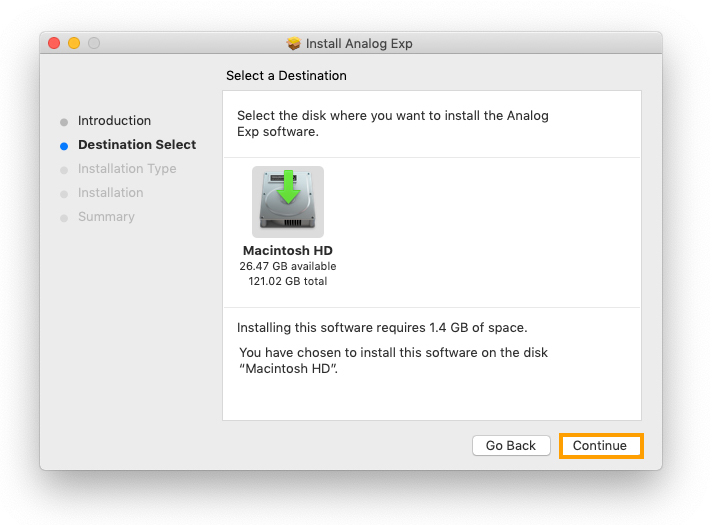
4. Select where you wish to install > click 'Continue'.

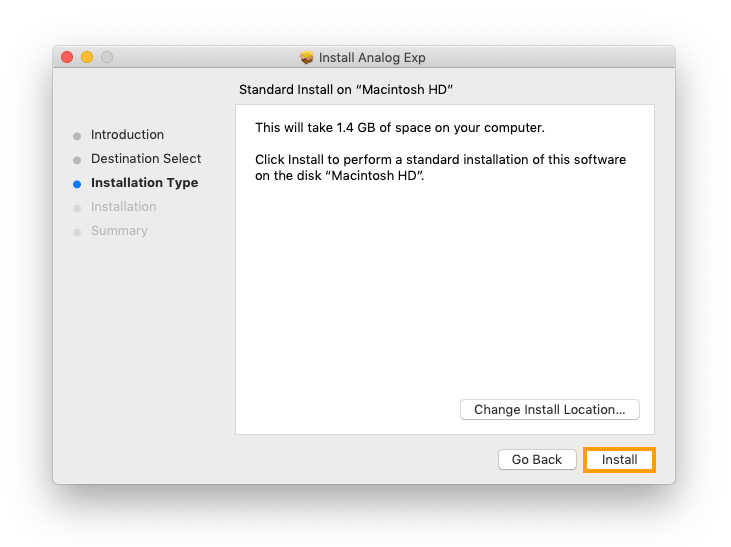
5. Click 'Install'

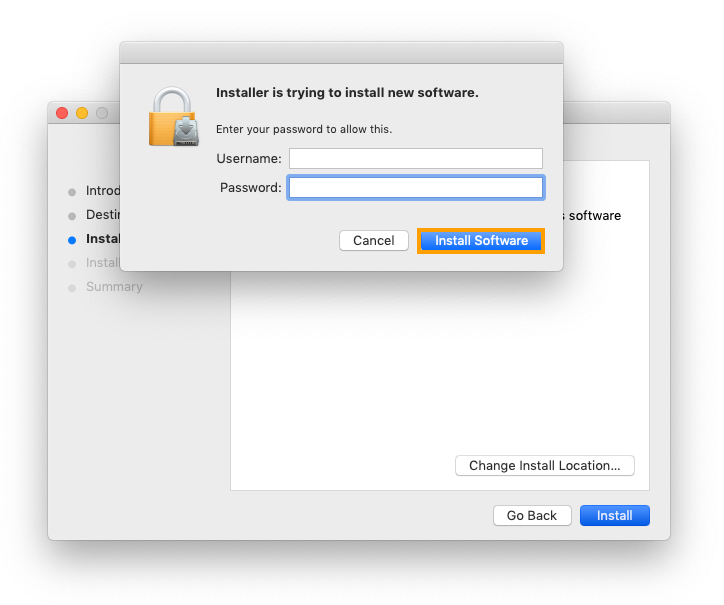
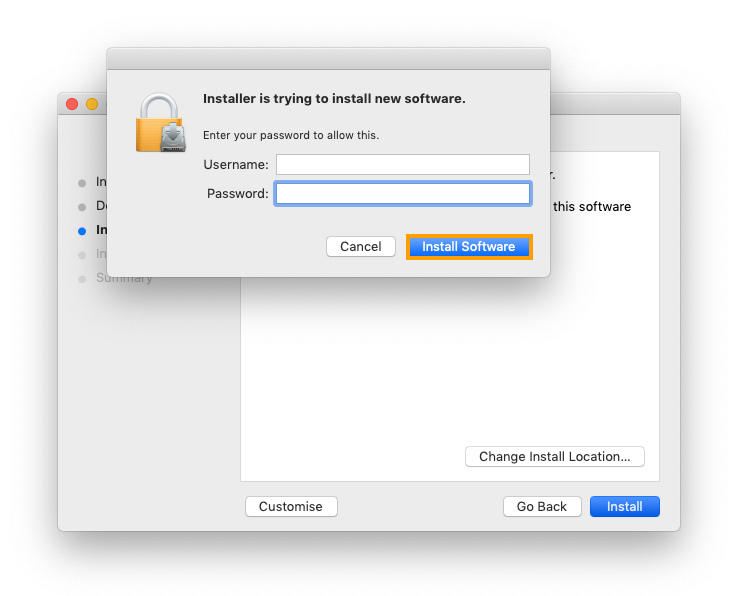
6. Enter your username and password > click 'Install Software'.

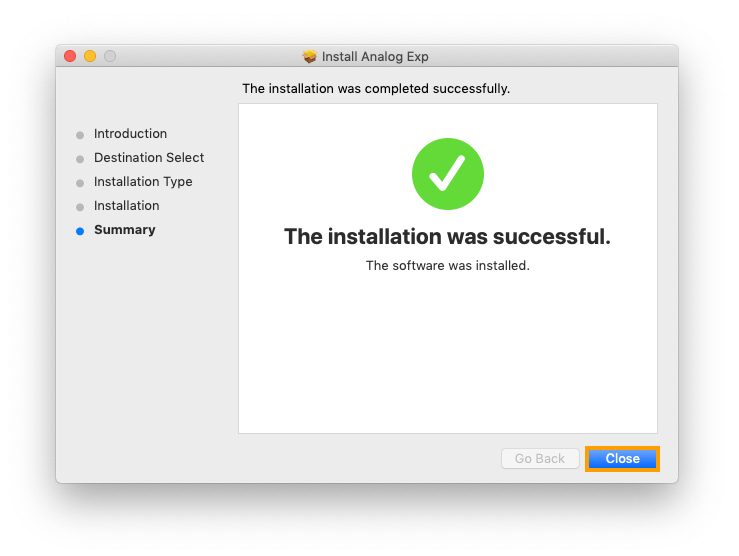
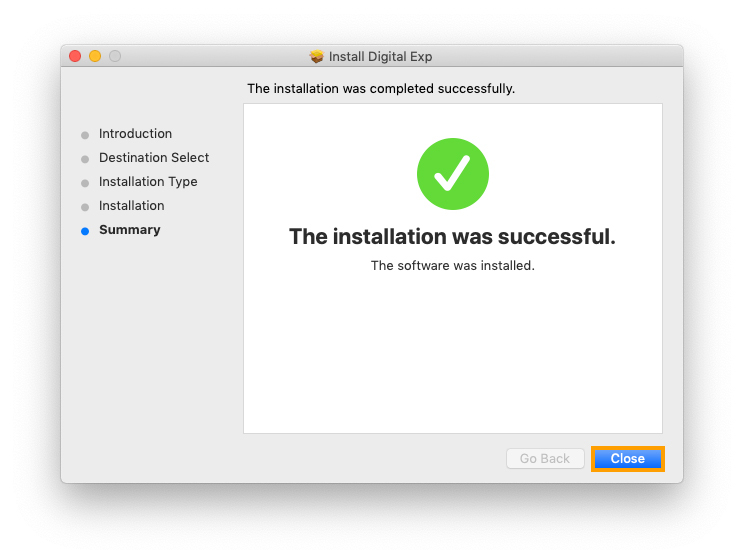
7. Click 'Close'.

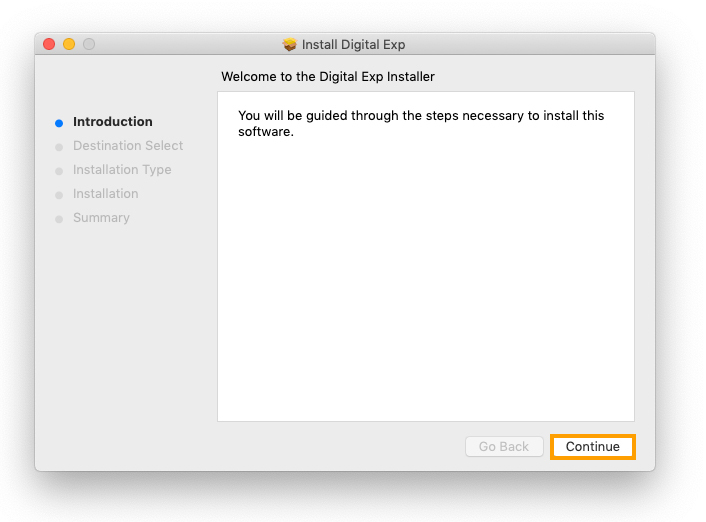
8. Run Digital Exp.pkg from the download .zip > click 'Continue'.

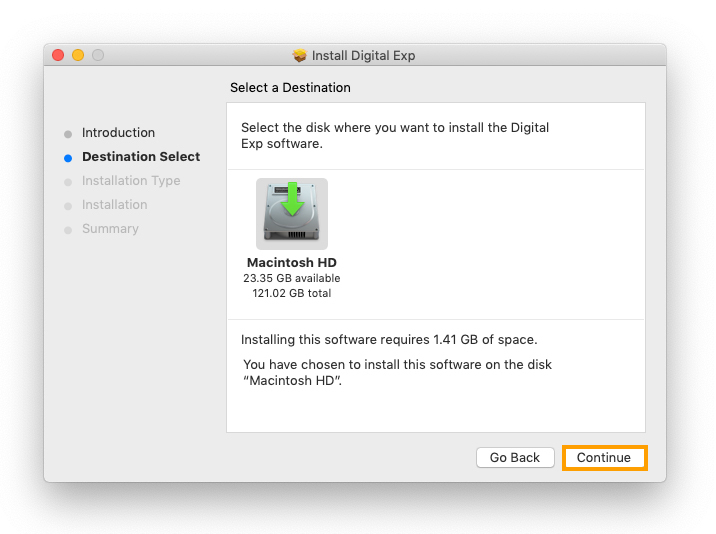
9. Select where you wish to install > click 'Continue'.

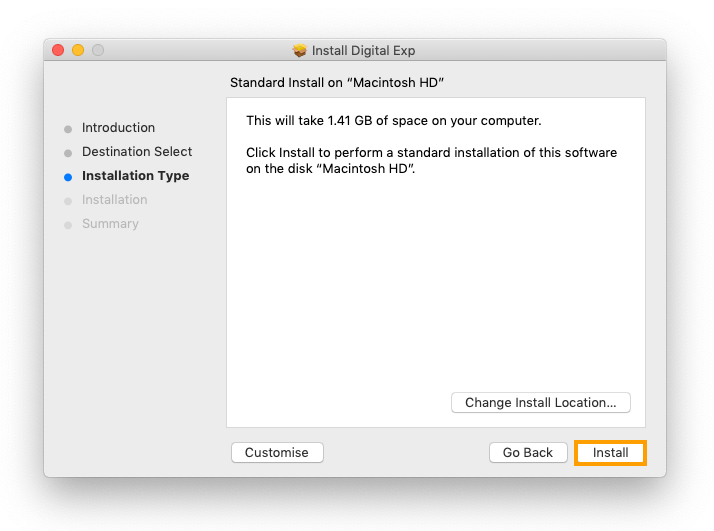
10. Click 'Install'

11. Enter your username and password > click 'Install Software'.

12. Click 'Close'.

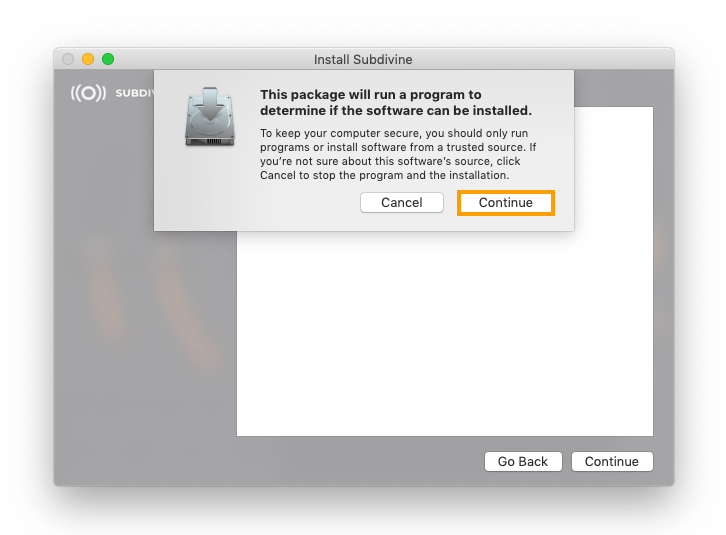
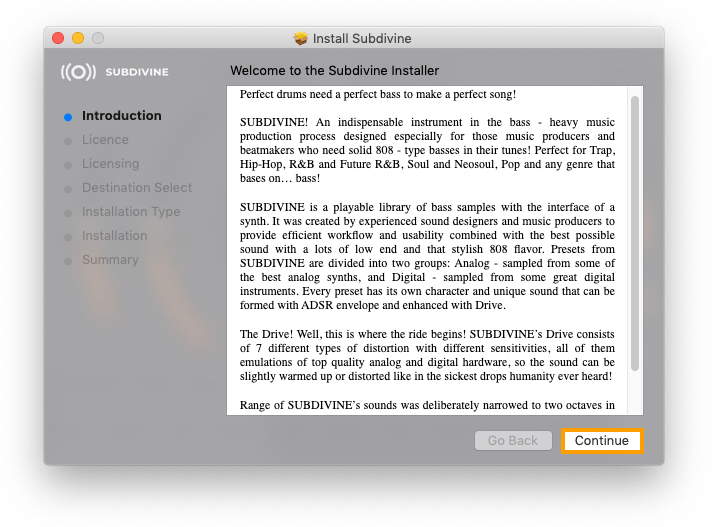
13. Run Subdivine.pkg from the download .zip > click 'Continue'.

14. Click 'Continue'.

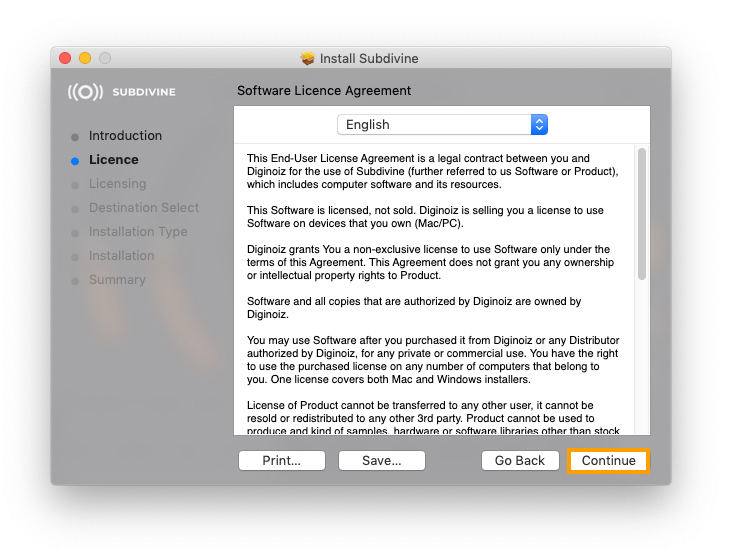
15. Read the Software Licence Agreement > click 'Continue'.

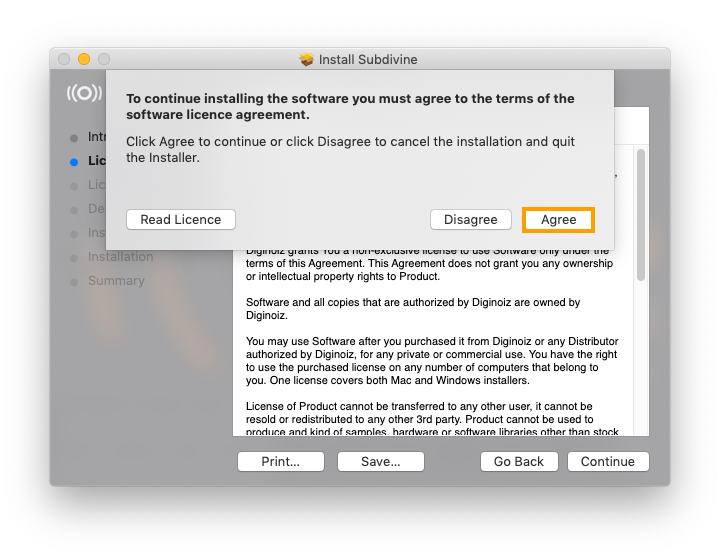
16. Click 'Agree'.

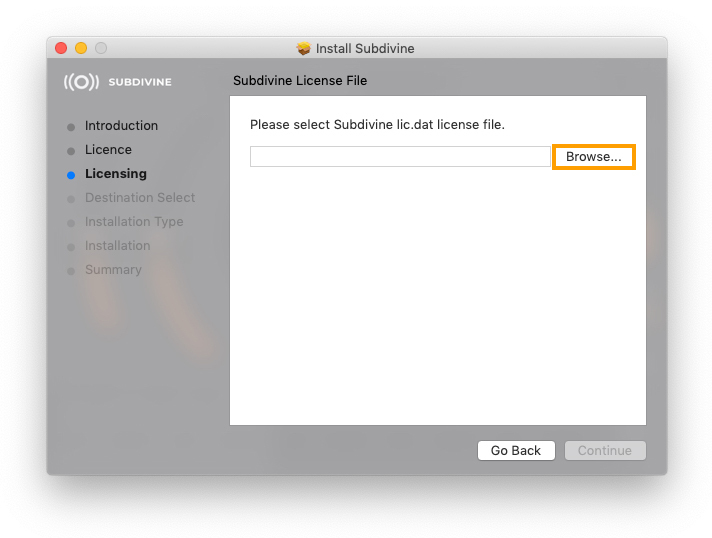
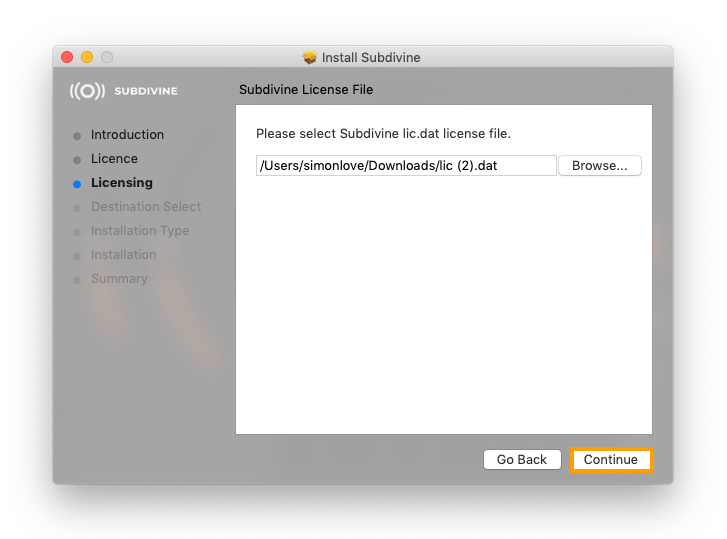
17. Click 'Browse'

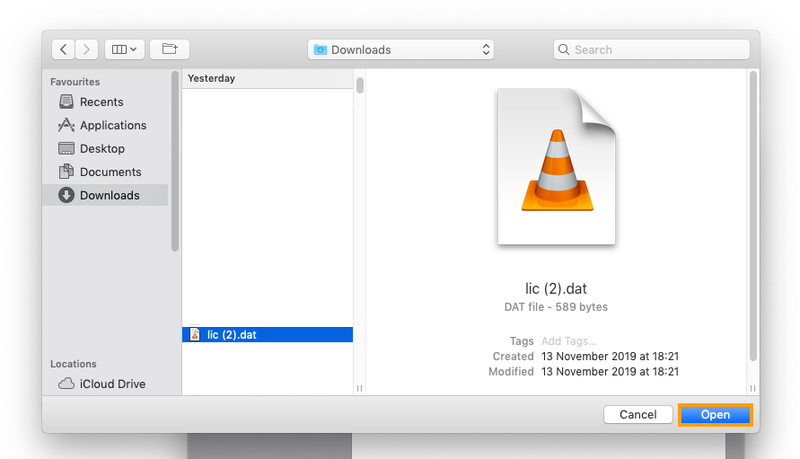
18. Select your lic.dat license file (which you downloaded in step 2) > click 'Open'.

19. Click 'Continue'.

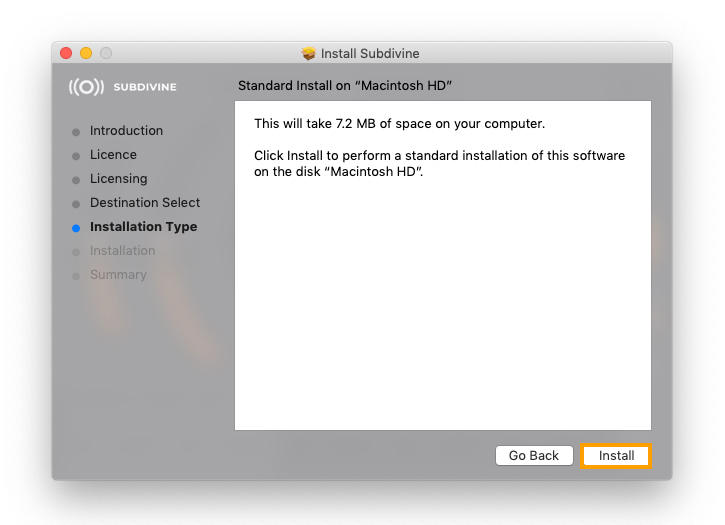
20. Click 'Install'.

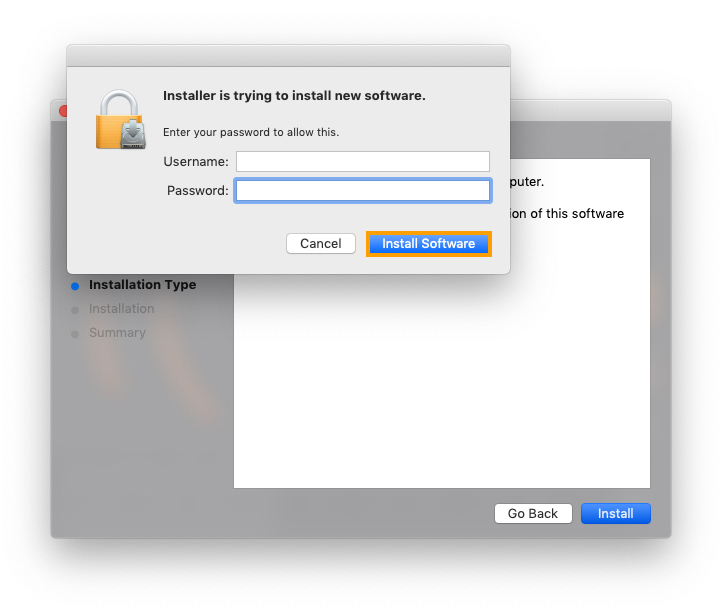
21. Enter your username and password > click 'Install Software'.

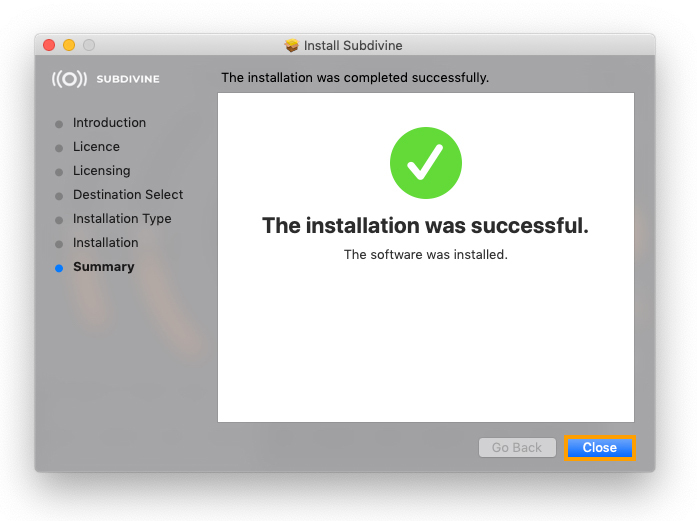
22. Click 'Close'.

Subdivine is now fully installed!

Windows

1. Visit https://www.diginoiz.com/redeem/. Enter your name, email address, voucher (listed as serial number in your Plugin Boutique account) and password > click 'REGISTER'.

2. Click 'Download' to get your license file.

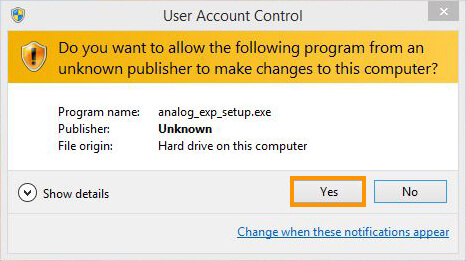
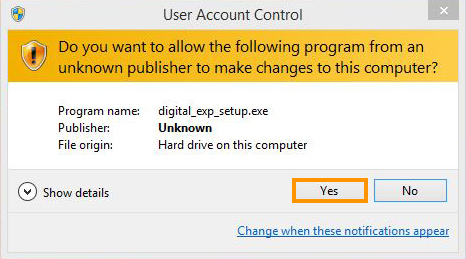
3. Download the .zip from your Plugin Boutique account and run analog_exp_setup.exe > Click 'Yes'.

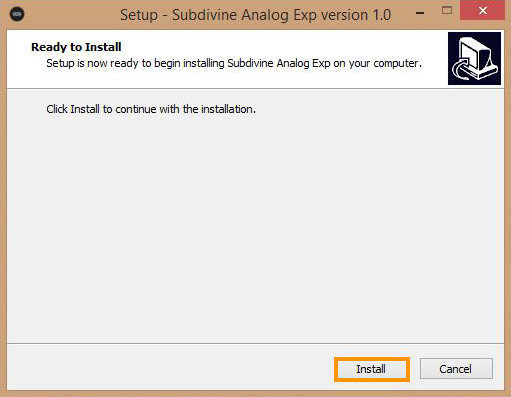
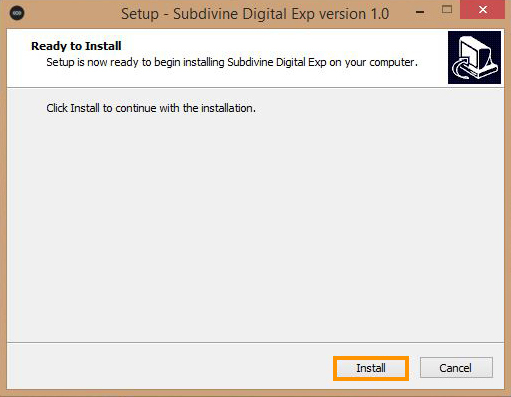
4. Click 'Install'.

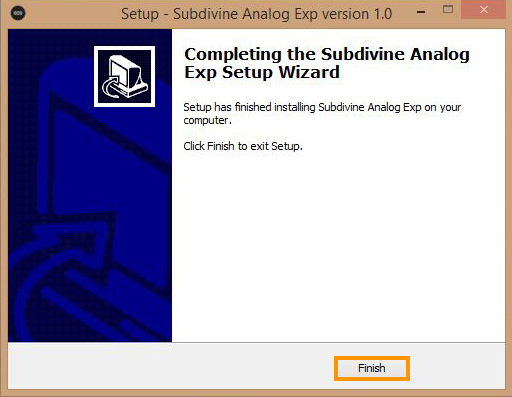
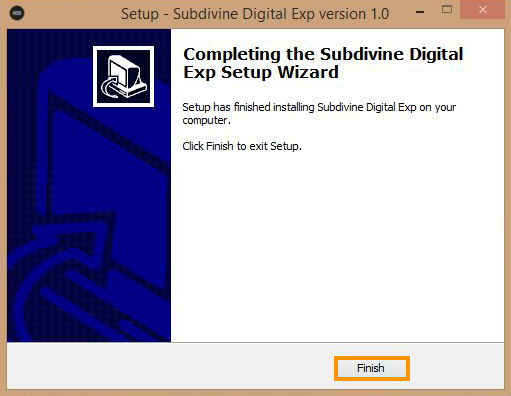
5. Click 'Finish'.

6. Open run digital_exp_setup.exe from the download .zip > Click 'Yes'.

7. Click 'Install'.

8. Click 'Install'.

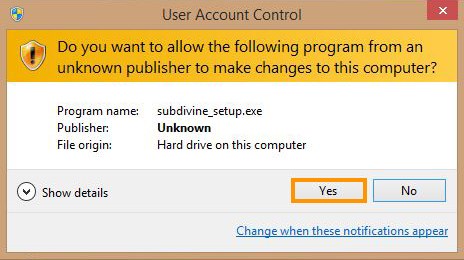
9. Run Subdivine.exe from your download .zip > Click 'Yes'.

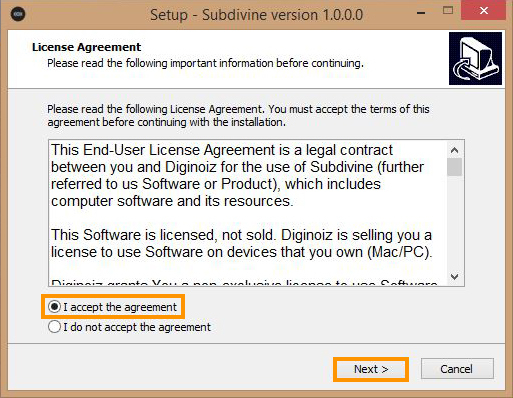
10. Read the License Agreement > click 'I accept the agreement'. Then, click 'Next >'.

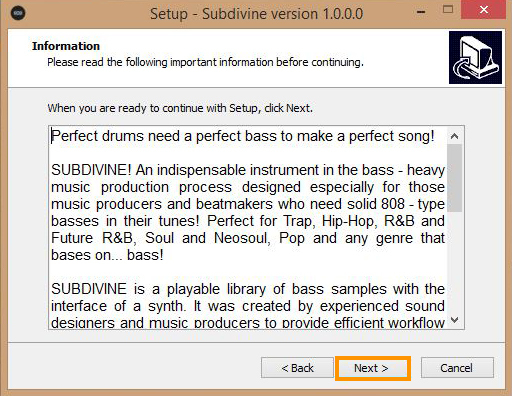
11. Read the information > click 'Next >'.

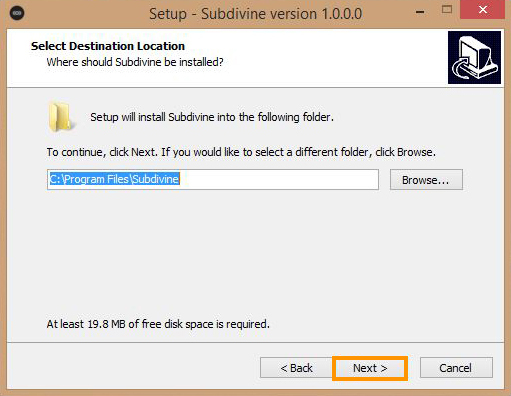
12. Click 'Next >'.

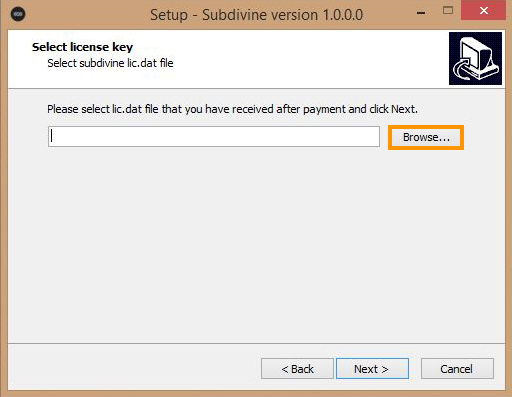
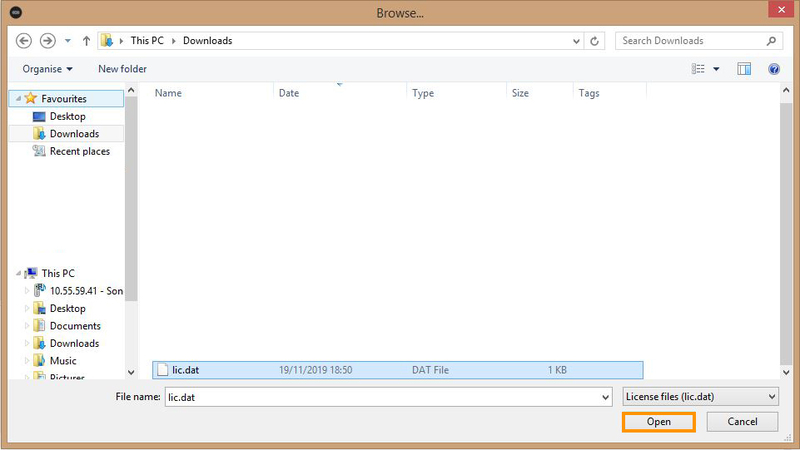
13. Click 'Browse'

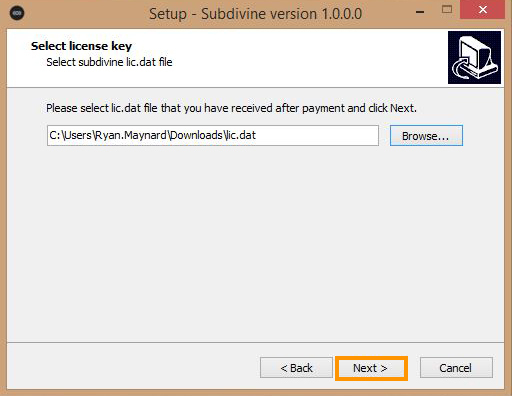
14. Select your lic.dat license file (which you downloaded in step 2) > click 'Open'.

15. Click 'Next >'.

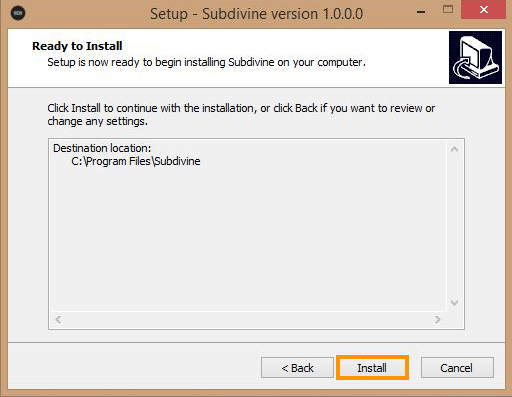
16. Click 'Install'.

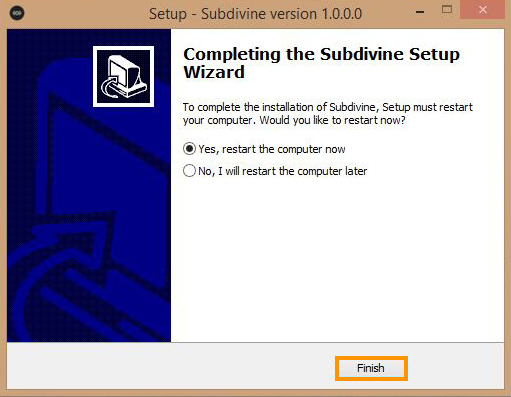
17. Click 'Finish'.

Subdivine is now fully installed!

Bundle & Save

Subdivine + Expansions Bundle
$109.00

Plugin Boutique Rewards

Discover the most rewarding loyalty programme among all plugin retailers.

  • Free Loopmasters Samplepacks
  • Discounts on products and courses
  • Extra Virtual Cash claimed immediately at checkout
Find out more

Follow us:

X (Twitter) Facebook YouTube Instagram
Logo Logo

Plugin Boutique Limited, Part of the Beatport Group LLC.

Copyright © 2011-2025 Plugin Boutique. All rights reserved