


 Log In

Free gifts available with your purchase

The Modern Concert Grand
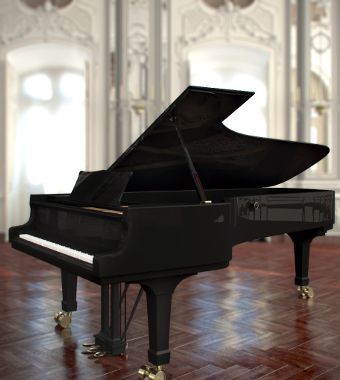
A Professional & Versatile Piano
The iconic and unmistakable sound of the Steinway D Concert Grand Piano - be inspired by its highly playable rich warm tones. Session Keys Grand S delivers the rich harmonic structure, warm tone, and full resonances of the Steinway D Concert Grand Piano, used in concerts and recordings by some of the world’s greatest artists.
The Grand Piano
Grand S delivers the rich harmonic structure, warm tone, and full resonances of the Steinway D Concert Grand Piano, used in concerts and recordings by some of the world’s greatest artists.
Two Characteristics
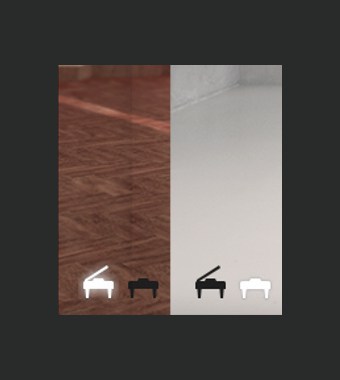
It may seem like a minor detail, but to experts, it means the world. The Grand S piano was recorded with open lid as well as with the lid removed, and separate miking techniques. As a result, Session Keys Grand S comes with two very distinct piano sample sets: "Concert" favoured in classic recordings and "Studio" for popular music applications. Switch between the two piano characteristics as your creativity requires.
Pentamorph
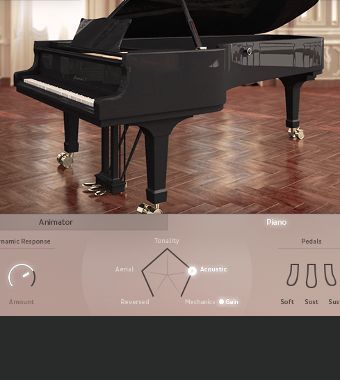
This stylish pentagonal controller makes Session Keys Grand S more than just a great piano. Not only is it beautifully designed, but it's a phenomenally powerful tool, able to transform the whole sound from normal piano to eerie atmospheres to pure mechanical sounds and back.
Instant flexible control in a single knob.
Animator
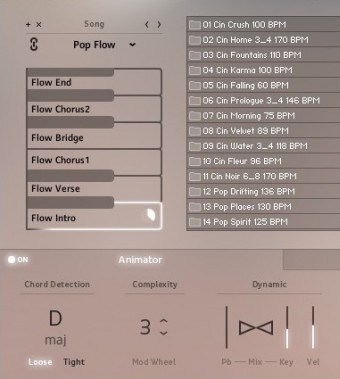
The sound of ideas coming to life: the Animator offers an intuitive and inspiring way to jam with more than 400 flexible piano phrases that follow your harmonies. Use the pitch bend and modulation wheels to increase or decrease complexity and control the dynamic of your session partner.
Smart Chord
Stuck in a black hole of inspiration and need some suitable chord changes? Full chords or Animator riffs can be played via either the pad controller or single keys. Just set the key of your song and let Smart Chord Mode create the harmonies.
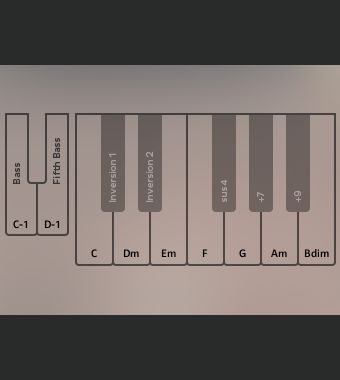
Design
Intense music production sessions can put a strain on your senses. With its pure, minimalistic and clean design Session Keys Grand S piano is easy on the eyes and helps you stay cool in heated sessions.
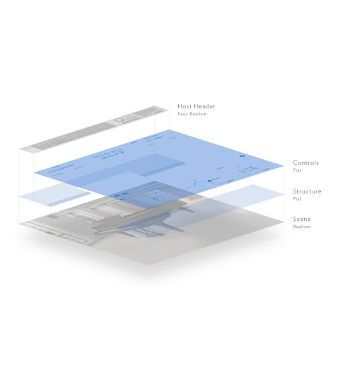
Features
- Steinway Concert Grand
- Two separate sound banks: Studio and Concert
- Pentamorph sound control to transform the whole sound with a single knob
- Animator with more than 400 flexible piano phrases
- Smart Chord function to create instant piano chords from single keys or pads
- Native Instruments NKS compatible
- Size: 11 GB / 4.91 GB (lossless sample compression)
- 24 bit, 44.1 kHz
System Requirements
PC
- Windows 7/8.1/10 (Latest Service Pack, 32/64-bit).
- Intel Core 2 Duo or AMD Athlon 64.
- 4 GB RAM.
- Compatible with the FREE Kontakt 5 Player or Kontakt 5 Version 5.5.1 or higher.
Mac
- OS X 10.9 or later (Latest Update).
- Intel Core 2 Duo.
- 4 GB RAM.
- Compatible with the FREE Kontakt 5 Player or Kontakt 5 Version 5.5.1 or higher.


MusicTech
The world's leading magazine at the intersection of music and technology.
"A great-sounding and playable piano with excellent sound-shaping controls and innovative generators..."

Recording.de
Music technology news & reviews.
"I love the sound of the Session Keys Grand S – as a matter of fact, it has earned its place in my template."






















