


 Log In

Free gifts available with your purchase
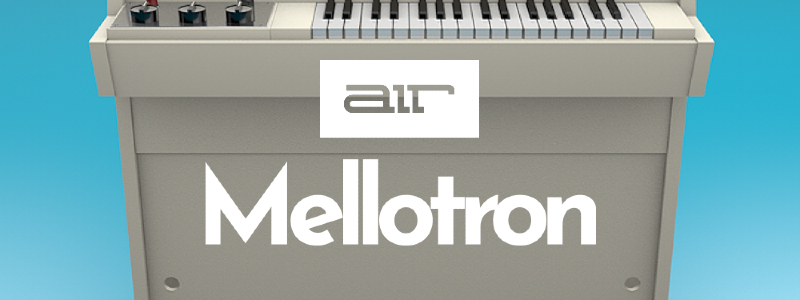
A Homage to the Original Sampler
The new Mellotron plugin instrument is a recreation of the legendary tape sample keyboard machine featured on countless classic Rock albums. It's so iconic that many consider it to be the first sampler. With over 20 years of AIR Music's experience in developing high-quality emulations, you can be assured that this instrument won't disappoint.
The new Mellotron Plugin Instrument is designed for creative music production with a wide array of parameters, settings, and controls to craft an expansive range of keyboard instrument sounds. Start with the built-in sound categories and venture into a wide variety of sound shaping sections, notably, the new Flavour section.
AIR Mellotron includes 6 Tape Sets featuring the OG's Flute, Choir and Strings tape samples, giving it a truly authentic sound. You can also select "Dirty" and "Cleaned" versions of the original tapes. Other sound-shaping parameters include Formant, Age and Sample Start. There are 30 factory presets to get you going and a selection of built-in effects, including the new AIR Flavour (instant lo-fi goodness).
Award-Winning Effects by AIR Music Technology
AIR Mellotron has world-class audio effects processing built-in to enhance your sounds as you create quickly. Choose from Compressor, Four-Band EQ, Spring Reverb, Delay and the new Flavour, each with a dedicated section to dial-in any adjustments.
New AIR Flavour - distort and transform your patches into lo-fi heaven all inside a single multi-effect. Apply eq simulations of radios, phones, and tape machines to dramatically change the timbre of a patch, distort, add noise, and tape flutter to access a range of lo-fi treatments.
The AIR Creative FX collection has been included as part of Pro Tools® since Version 8 and is considered the reference FX suite by some of the world's most respected audio professionals. AIR FX has been featured in many of the last decade's top film, game and music projects. Each plugin has been expertly designed with ease of use and will ensure professional results each time.
Desktop App
Included with your Plugin purchase is the Desktop Player application. Fire up the Desktop Version of Hype and connect your favourite MIDI Controller either by USB or Bluetooth, and you are ready to perform live. AIR's interface has been designed with ease of use and live performance for maximum playability.
Cross Compatibility
Originally exclusive to AKAI Professionals MPC and Force products by popular demand, AIR is excited to bring this plugin to AU, VST and AAX formats for use in your favourite hosts or as a Desktop App. Now you can bring your Standalone projects to your host of choice or take your production on the road with MPC OS devices.
New Features
- GUI can now be resized to scales between 50% and 200%
- Plugin presets can now be saved and loaded directly from the plugin toolbar including when using the standalone app
Features
- 30 Factory Presets
- 6 Tape Sets of the Original Choir, Flute and Strings Tape Samples
- Dirty and Cleaned Versions of the Original Tapes
- Change the Formant, Age and Sample Start to Shape the Sound Further
- Key-On and Key-Off Samples
System Requirements
Mac
- macOS 12, 13, 14, 15 (Intel & Apple Silicon)
- Intel Core i5, i7, 2.3GHz processor or higher
- 4 GB RAM (8 GB RAM recommended)
- 1 GB Free Disk Space
- VST 2/3 Plugin compatible host
- AAX plugin compatible host
- AU plugin compatible host
Windows
- Windows 10 - Windows 11
- Intel Core i5, i7, 2.3GHz processor or higher
- 4 GB RAM (8 GB RAM recommended)
- 1 GB Free Disc Space
- ASIO sound driver
- VST 2/3 Plugin compatible host
- AAX plugin compatible host
Important notes:
- An internet connection is required to authorise this software.



















