/ Generator / Drone
UVI

Drone

$149.00
Main Image
Main Image
 UVI Drone | Overview gallery thumbnail
Buy Now
Product information

Evolving textures. Infinite atmospheres.

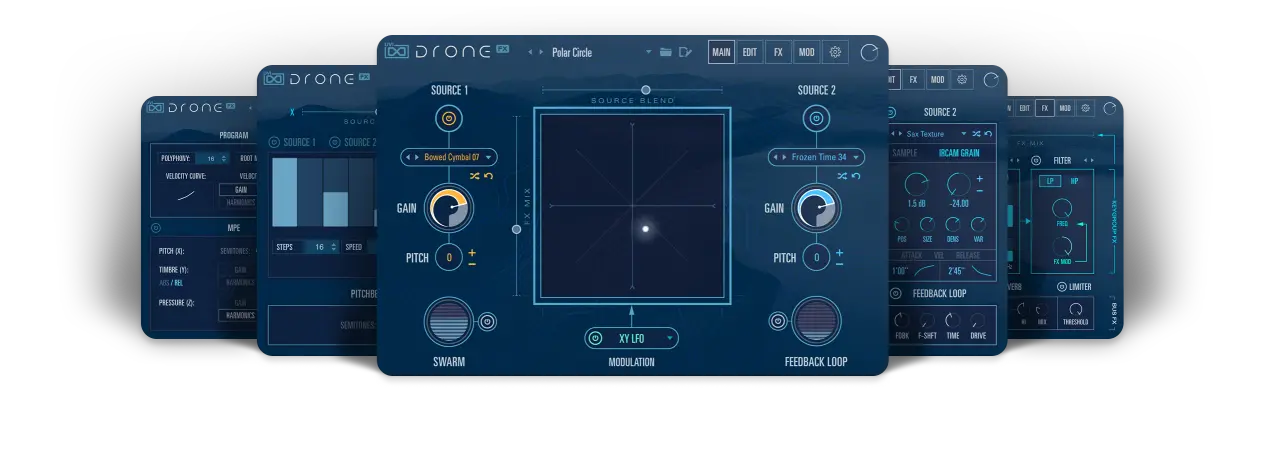
Designed for composers, sound designers, and musicians, Drone is a creative instrument that delivers constantly evolving textures and atmospheres, from deep and powerful low-end ambiences to rich and shimmering environments.

Outfit a dual-layer sample synth with hundreds of included long-format samples, turn them into mesmerizing textures with the IRCAM Granular engine, add depth, grit, and detail with built-in effects like Swarm, Feedback Loop and Harmonics, and easily craft movement to taste with a customizable XY controller, and Chaos or LFO modulators. Drone is a fully-featured tool expressly designed to create rich and detailed sonic environments and sound effects with endless movement and variety.
Features

  • Create rich and immersive drones for film, games, music and more
  • Dual sample engine with IRCAM Granular, modulation, and high-quality effects
  • Native MPE integration and surround sound sources*

UVI · Drone
System Requirements
  • Runs in UVI Workstation version 3.0.12, and Falcon version 2.0.8
  • iLok account (free, dongle not required)
  • Internet connection for the license activation
  • Supported Operating Systems:
    • MacOS 10.14 Mojave to macOS 26 Tahoe
    • Windows 10 to Windows 11 (64-bit)
  • 18GB of disk space
  • Hard Drive: 7,200 rpm recommended or Solid State Drive (SSD)
  • 4 GB RAM
Installation Instructions

Please note: UVI Falcon is used as the example

1. Visit the UVI website > enter your email address > click Create your account (skip to step 3 if you already have an account)

2. Enter your details > click CREATE YOUR ACCOUNT

3. Visit https://www.uvi.net/uvi-portal#download or click DOWNLOAD in your Plugin Boutique User Account > download the version of UVI portal for your OS > install UVI Portal

4. Open UVI Portal > enter the details used at Step 2 > click Login

5. Click Redeem Serial

6. Enter the serial number found in your Plugin Boutique User Account > click OK

7. If you already have an iLok account click I already have an iLok account and enter your details - if not click Create an iLok account and follow the instructions > agree with UVI's EULA > click REGISTER

8. Click My Products > click Install

9. Click Activate 

10. iLok Cloud Manager will open > login if necessary > find your UVI product > right-click > click Activate

11. Select an activation location > click Activate

12. Click OK

13. Return to the UVI Portal > click Synchronize

Your software is installed and ready to use. Enjoy!

Plugin Boutique Rewards

Discover the most rewarding loyalty programme among all plugin retailers.

  • Free Loopmasters Samplepacks
  • Discounts on products and courses
  • Extra Virtual Cash claimed immediately at checkout
Find out more

Follow us:

X (Twitter) Facebook YouTube Instagram
Logo Logo

Plugin Boutique Limited, Part of the Beatport Group LLC.

Copyright © 2011-2026 Plugin Boutique. All rights reserved