


 Log In

Free gifts available with your purchase
Product information
Footstep foley designer
Walker 2 is a comprehensive, flexible and easy to use sound design tool that delivers everything you need to create realistic or completely fantastical footsteps and movement sounds. Built on a massive and all-new sample library, Walker 2 delivers an epic collection of shoe and feet options, surfaces, and clothing materials, customizable sub-layers, user sample support, effects and more to help you dial-in the perfect sound for your production.
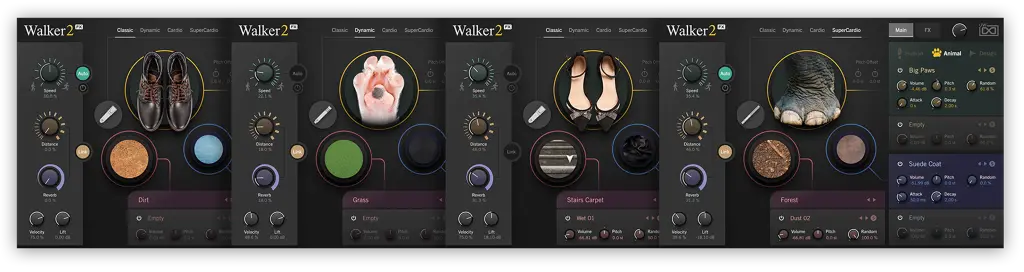
Deep, flexible, well organized, and supremely easy to use, Walker 2 is an indispensable tool for post facilities and sound designers.
Features
- Creative and customizable footstep designer for film, video and post-production
- Includes 22 shoe/foot types, 32 surfaces, 24 clothing materials, and sub-layers
- Intuitive workflow with deep creative possibilities
System Requirements
- Runs in UVI Workstation version 3.1.5, and Falcon version 2.5.7
- iLok account (free, dongle not required)
- Internet connection for the license activation
- Supported Operating Systems:
- MacOS 10.14 Mojave to macOS 26 Tahoe
- Windows 10 to Windows 11 (64-bit)
- 3GB of disk space
- Hard Drive: 7,200 rpm recommended or Solid State Drive (SSD)
- 4 GB RAM
Installation Instructions


