/ Drum Machine / Synsonic BD-808
Synsonic Instruments

Synsonic BD-808

4.3 (299 Reviews)
FREE
BD-808 - Main Image
BD-808 - Main Image
BD 808 by Synsonic Instruments - Part 1 gallery thumbnail
BD 808 by Synsonic Instruments - Part 2 gallery thumbnail
Product information

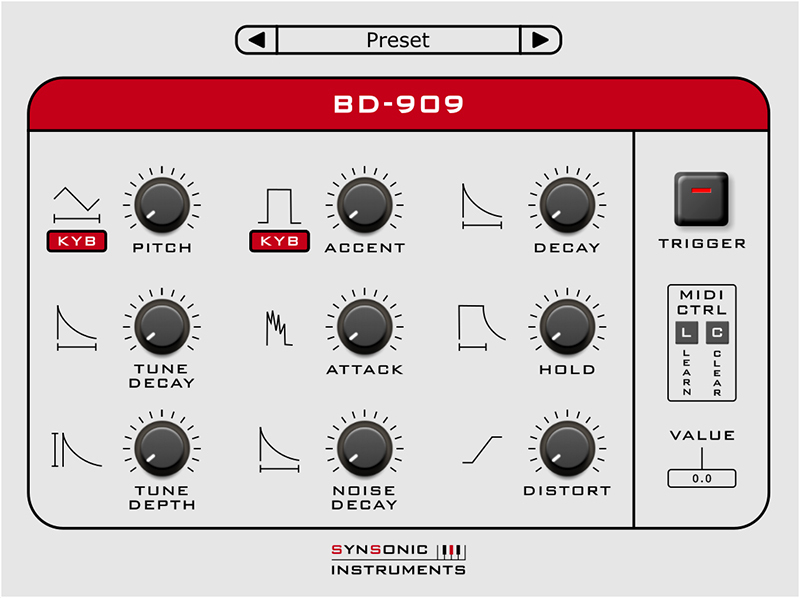
The Synsonic Instruments BD-808 Software-Plugin is useful for creating 808-style Bass Drum Sounds.

The underlying signal processing is based on a detailed analysis of the original 808 Bass Drum circuit.

With the MIDI-Control it is also possible to use the plugin as a Bass Synthesizer.

Originally the 808 Bass Drum has the following parameters for sound-shaping:

  • Accent: Strength of the drum sound
  • Level: Output level
  • Decay: Duration of the drum sound
  • Tone: Amount of attack-click

Additionally the Synsonic Instruments BD-808 offers the following useful soundshaping possibilities:

  • Tune: Tuning in halftones
  • Fine: Tuning in cents
  • LongDecay: Extends decay range
  • MidiSync-Tune: Tune depends on played Midi-Note
  • MidiSync-Accent: Accent depends on Velocity of played Midi-Note

With the MIDI Learn function you can assign any MIDI-Controller to a parameter of the Bass Drum.

Check out Synsonic Instruments BDE-01 (Bass Drum Engine) HERE

System Requirements

Mac

  • AU - Audio Units (32 & 64-Bit)
  • VST (32 & 64-Bit)

PC

  • VST (32 & 64-Bit)

Supported Sample Rates:

  • 44.1kHz, 8 kHz and 96 kHz

Tested and Certified in:

  • Cubase, Logic and Ableton Live
Installation Instructions
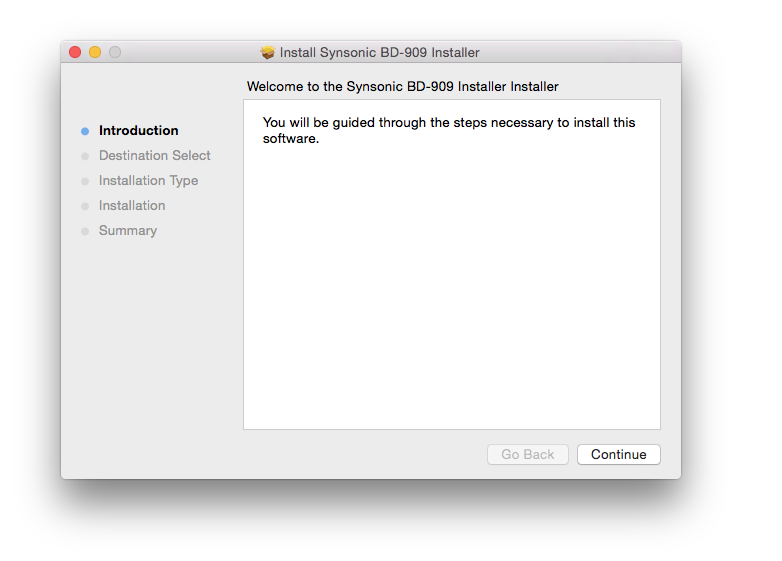
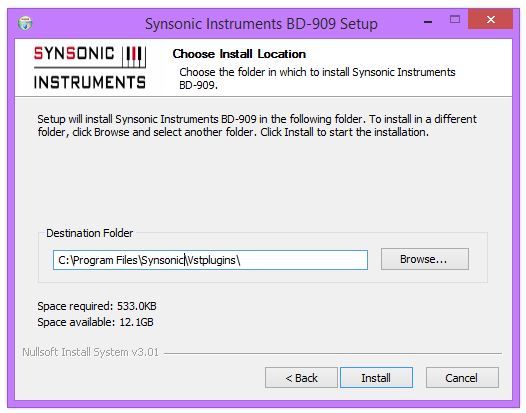
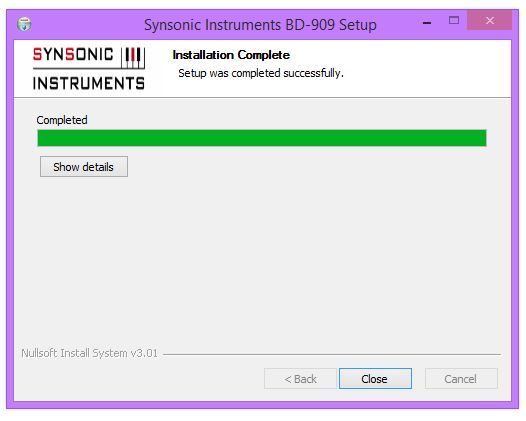
Note: BD-909 is used as the example.

Mac

1. Download the .zip folder from your User Account.

2. Double-click the .zip folder to extract and reveal its contents.

3. Double-click on your preferred AU and/or VST installer file to begin the installation process > click 'Continue.'

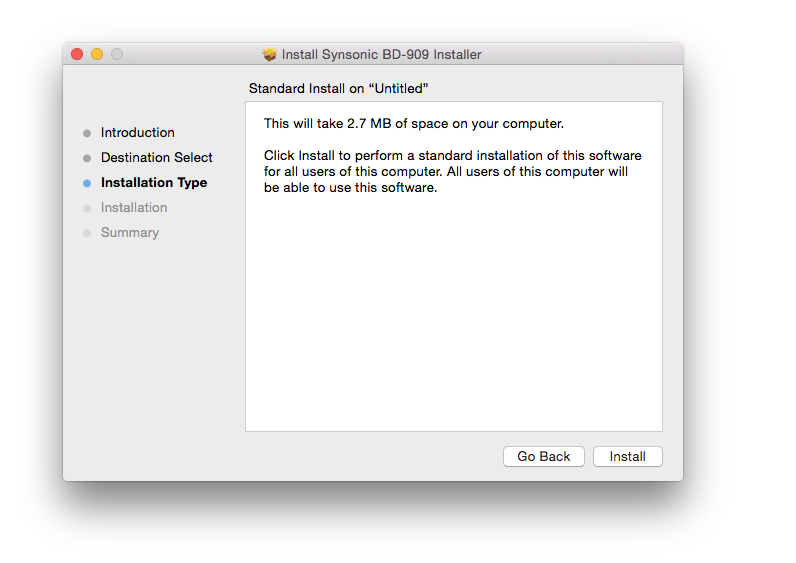
4. Read through the installation details and click 'Install.'

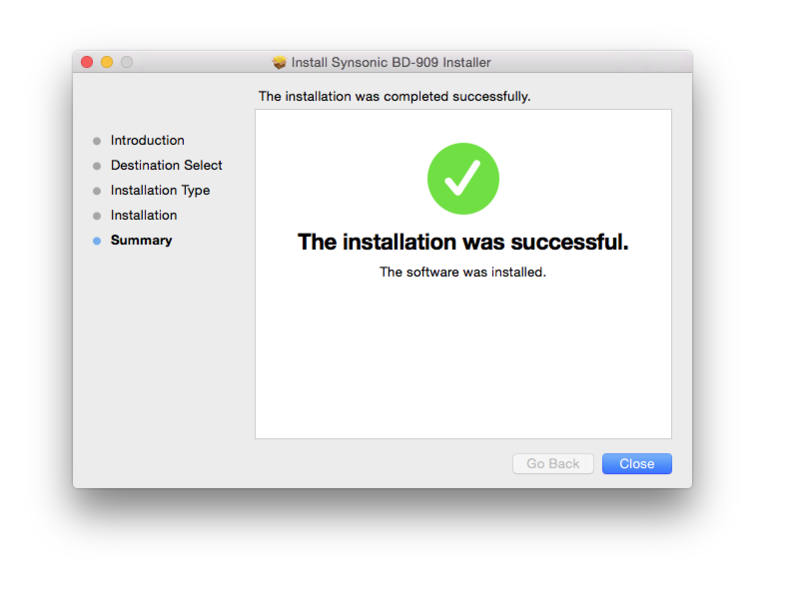
6. The installation of your software has successfully completed > click 'Close.'

7. Restart your DAW and/or Rescan your Plugin List within the 'Plugin Manager' area in order to show the new installation, and select the software from the 'Instruments' drop-down selection. 

Your Software is now Ready for Use Within Your DAW!

PC

1. Download the .zip folder from your User Account.

2. Double-click the .zip folder to extract and reveal its contents.

3. Double-click on your preferred 32 and/or 64-bit .exe installer file to begin the installation process.

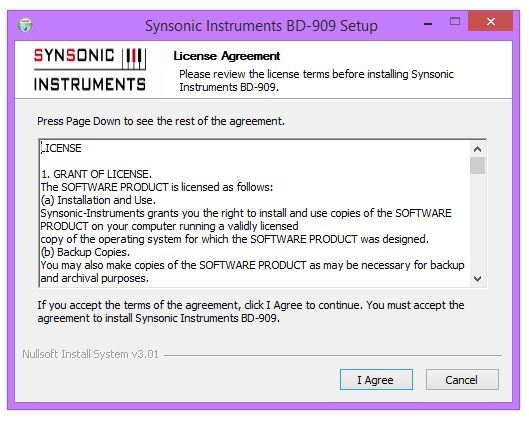
4. Read through the Licence Agreement and click 'I Agree.'

5. Select the VST computer folder in which to save your software to > click 'Install.'

Note:

  • For the 32-bit version of this software (on 64 bit systems), select the folder path similar to: C:\Program Files (x86)\Synsonic\Vstplugins\
  • For the 64-bit version of this software, select the folder path similar to: C:\Program Files\Synsonic\Vstplugins\

6. The installation of your software has successfully completed > click 'Close.'

7. Restart your DAW and/or Rescan your Plugin List within the 'Plugin Manager' area in order to show the new installation, and select the software from the 'Instruments' drop-down selection. 

Your Software is now Ready for Use Within Your DAW!

Plugin Boutique Rewards

Discover the most rewarding loyalty programme among all plugin retailers.

  • Free Loopmasters Samplepacks
  • Discounts on products and courses
  • Extra Virtual Cash claimed immediately at checkout
Find out more

Follow us:

X (Twitter) Facebook YouTube Instagram
Logo Logo

Plugin Boutique Limited, Part of the Beatport Group LLC.

Copyright © 2011-2025 Plugin Boutique. All rights reserved