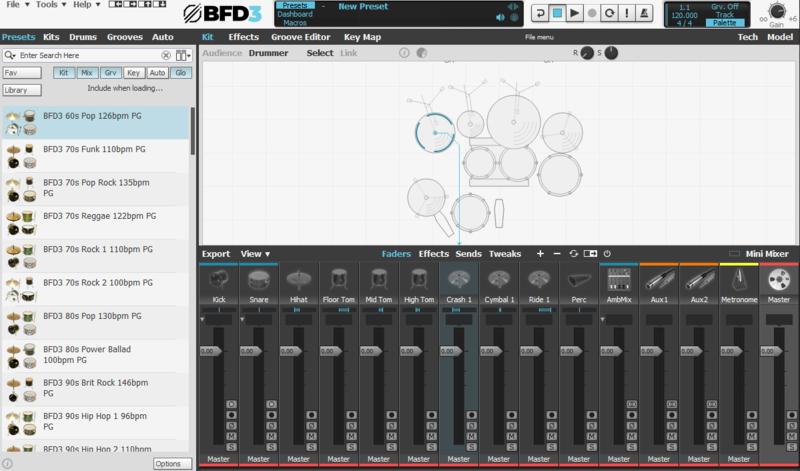
Buy BFD Player Expansion: Dark Mahogany, get a free gift with purchase:
Dark Mahogany
Flagship BFD Player Expansion
BFD Dark Mahogany envelopes your productions in the resounding, commanding presence of a Q Drums Mahogany drumkit. Drawing its inspiration from the mid-2000's California hard rock scene, this drumkit effortlessly straddles the line between accompanying a wall of colossal guitars and locking into the groove of your tight bass lines and chug-laden rhythm sections.
The heart of this kit lies within its meticulously tuned 24x18 bass drum, boasting unparalleled perfection, accompanied by two exceptional snares: the iconic Ludwig 402 and a Q Drums aluminium beauty. These drums bestow upon your production the immense weight and robustness it craves, infusing a modern drum sound that's bound to ignite creativity. Featuring a solitary rack tom and two formidable floor toms, this drumkit possesses a distinctive character, rendering tribal-like, thunderous tom fills an effortless endeavour. The core sound is deep and woody, endowing your composition with an authentic "live in the studio" ambiance.
The mellifluous Zildjian hi-hat and cymbals exhibit a dynamic, ethereal quality that seamlessly complements the drum shells, creating a harmonious musical landscape.
Recorded at the renowned Middle Farm Studios in the picturesque South Devon, England, these drums were captured with painstaking attention to detail, ensuring that the dreaded machine-gun effect is entirely absent. Employing top-tier microphones and preamps, the studio harnessed the essence of its stone-walled live room with unparalleled precision.
To facilitate your creative journey, BFD Dark Mahogany provides five expertly crafted presets, perfect for moments of spontaneous inspiration when you wish to bypass the intricacies of mixing. Additionally, an original mix preset offers the raw, unadulterated studio recordings, allowing you to retrace your steps and make your own production choices once the songwriting process is complete.
Whether crafting hard rock anthems, delving into the realms of metal, or exploring the pop genre, BFD Dark Mahogany is your go-to choice. It delivers drums brimming with character, ready to take a prominent role in your music, enhancing its overall impact.
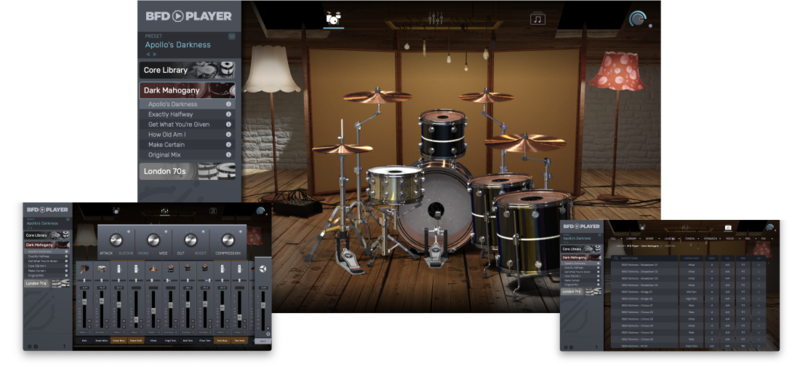
Delve into the rhythm-rich world of BFD Dark Mahogany and elevate your music with our extensive collection of 348 individual Grooves. Whether you're creating thunderous tom fills, tight bass riffs, or colossal guitar-driven tracks, our meticulously designed grooves will add depth and dimension to your music.
Features
KICK
- 24”x18” Q Drum Co. Mahogany
SNARE
- 14”x7” Q Drum Co.Aluminium
- 14”x6.5” Ludwig 402 Snare
RACK TOM
- 13”x10” Q Drum Co.Mahogany
FLOOR TOMS
- 16”x16” Q Drum Co.Mahogany
- 18”x16” Q Drum Co.Mahogany
HI HATS
- Zildjian K Sweet HiHat 16”
CYMBALS
- Zildjian K Sweet Hihat 16"
- Zildjian K Sweet Ride 23”
- Zildjian K Sweet Crash 16”
- Zildjian K Custom Dark Crash 20”
System Requirements
Windows
- Windows 10 version 1909 and above
- 2GB free disk space (10.5 GB for all content recommended)
- 4GB RAM (8GB recommended)
- Dual-core 2.5GHz CPU
- BFD Player 1.1.0 required
- Not compatible with BFD3

Mac
- macOS 10.13 to macOS 13 Ventura (Apple Silicon compatible)
- 2GB free disk space (10.5 GB for all content)
- 4GB RAM (8GB recommended)
- Dual-core 2.5GHz CPU
- BFD Player 1.1.0 required
- Not compatible with BFD3
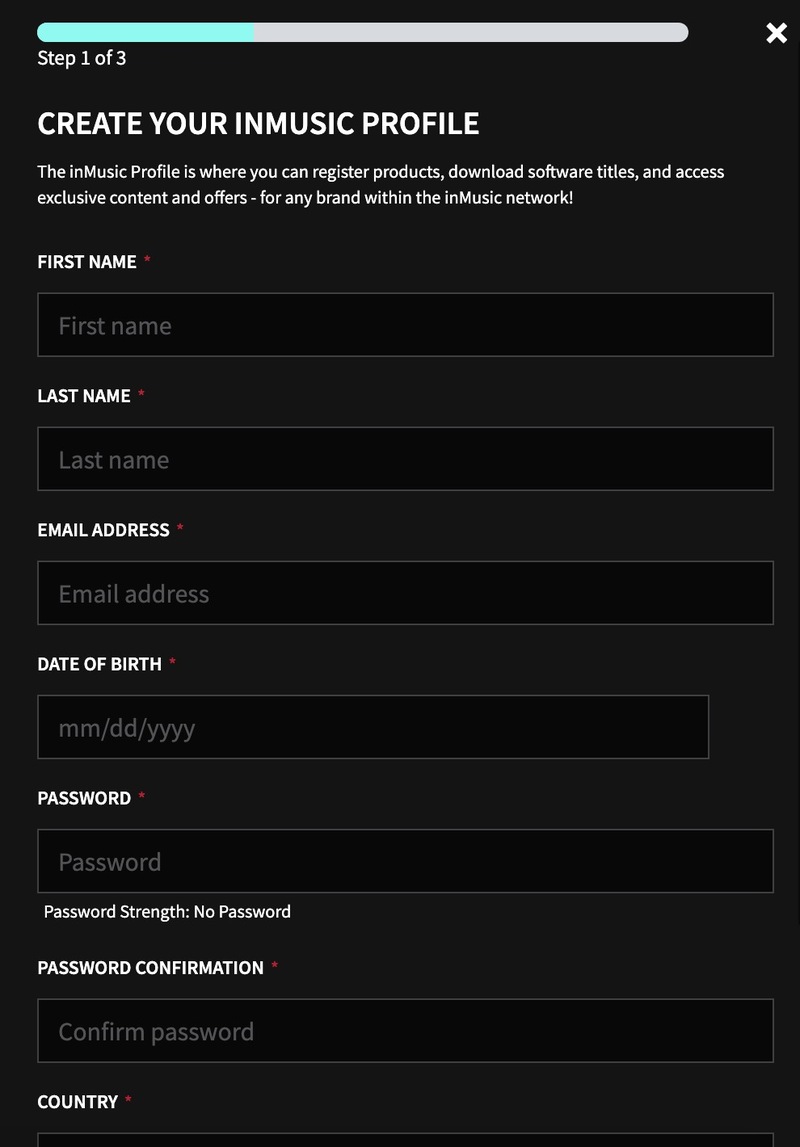
Note: BFD3 is used as an example.
Registration
1. Go to https://profile.inmusicbrands.com/customer/account/login/ > Enter your email address and password > Click 'Create Account'.

2. Enter your details > Click 'NEXT STEP'.

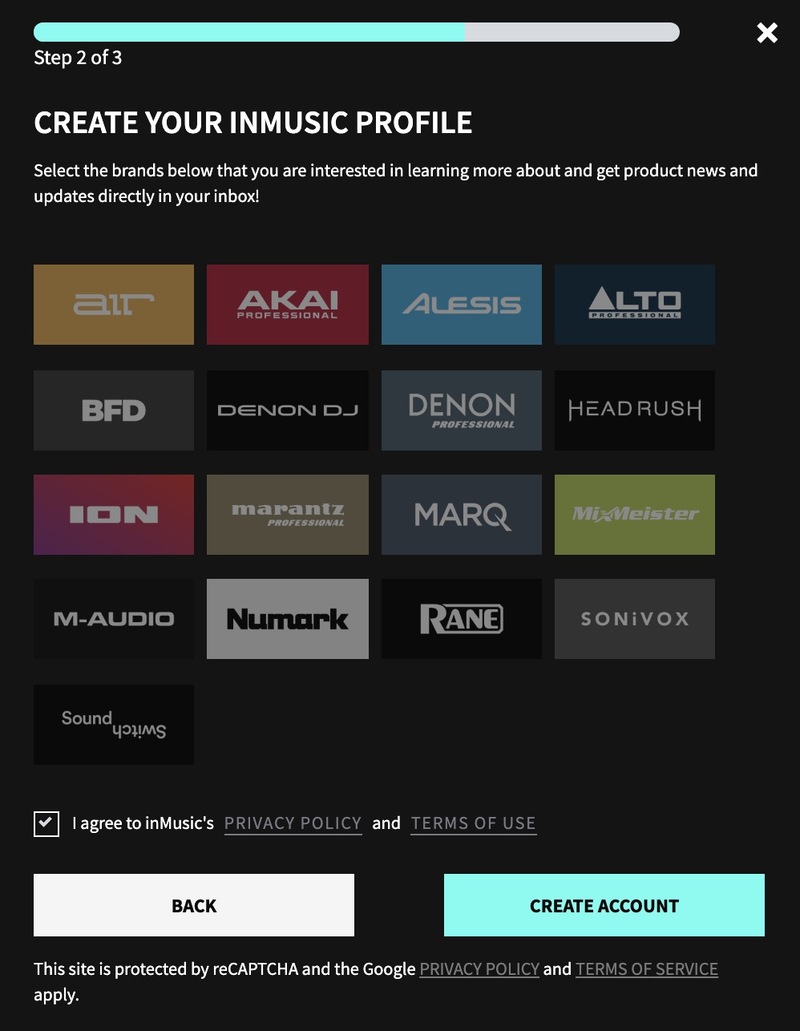
3. Select brands you're interested in > Click 'I agree to inMusic's PRIVACY POLICY and TERMS OF USE' > Click 'CREATE ACCOUNT'./

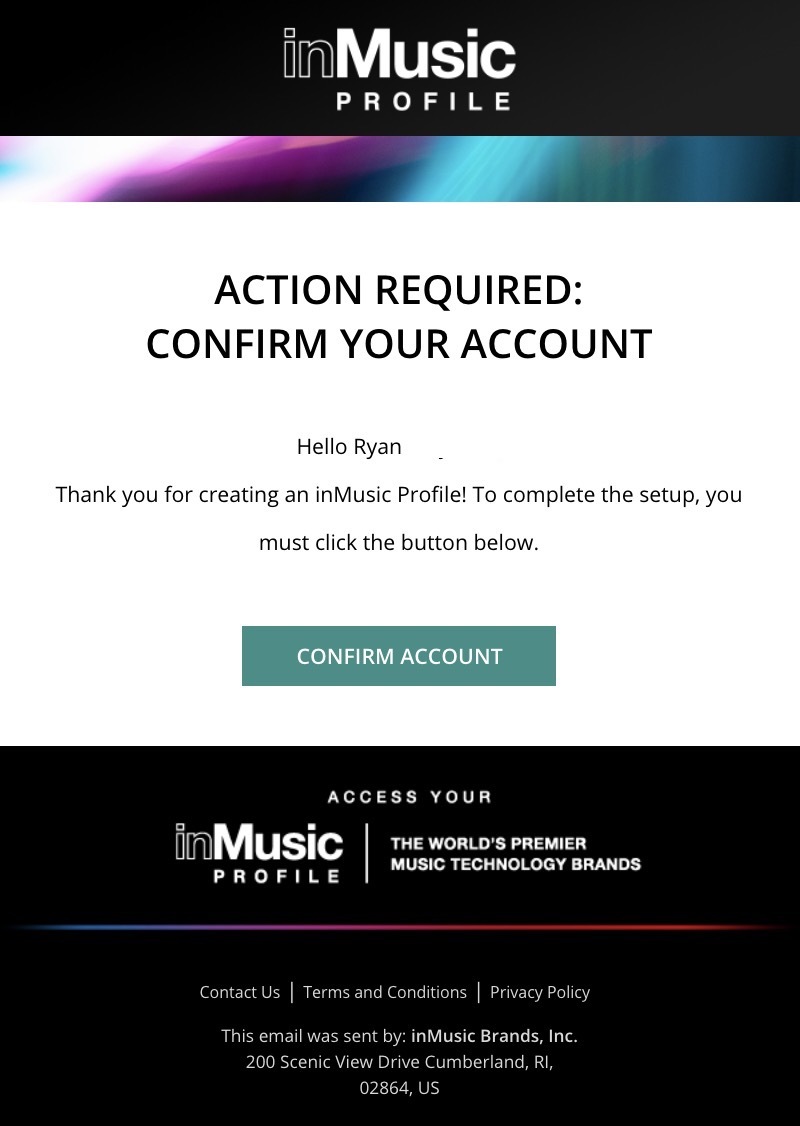
4. You have just created an inMusic account. You will now be sent a confirmation email.

5. Locate the account confirmation email > Click 'CONFIRM ACCOUNT'.

Your account is now confirmed!

Mac Installation
1. Download the BFD License Manager from your Plugin Boutique account.
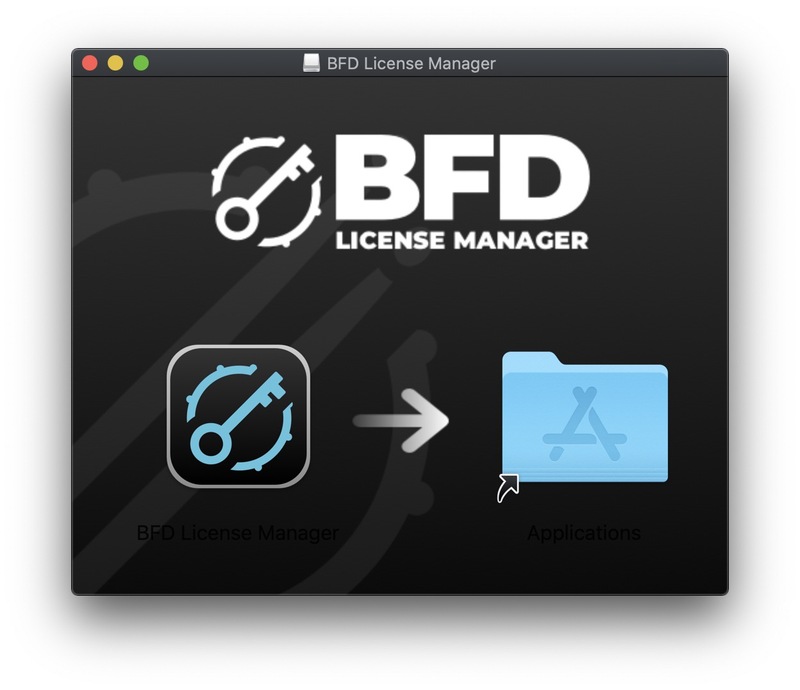
2. Run the BFD License Manager installer > Drag the BFD License Manager icon over to your Applications folder.

3. Open the BFD License Manager when it has installed > Click 'Login via browser'.

4. Enter your details and log into your account.

5. Go back to the BFD License Manager > Click 'Products' on the toolbar > Select 'Register Product Serial'.
6. Enter the serial number found in your Plugin Boutique account > Click 'Register'.
7. Your serial is now registered > Click 'OK'.

8. Click 'Authorize'.
9. Your product is now authorised > Click 'OK'.

Core Library Installation
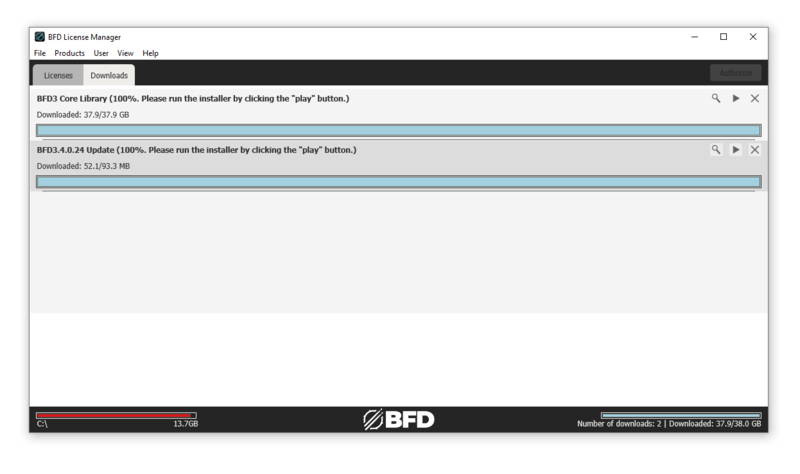
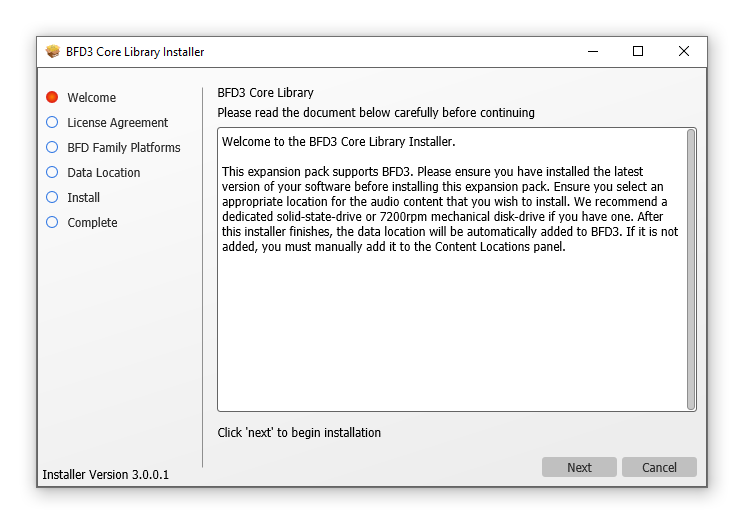
1. Go back to the BFD License Manager > Click on BFD3 > Click the download button by 'BFD Content Installer'. You will now download the BFD3 Core Library (this is a large download and may take a while).
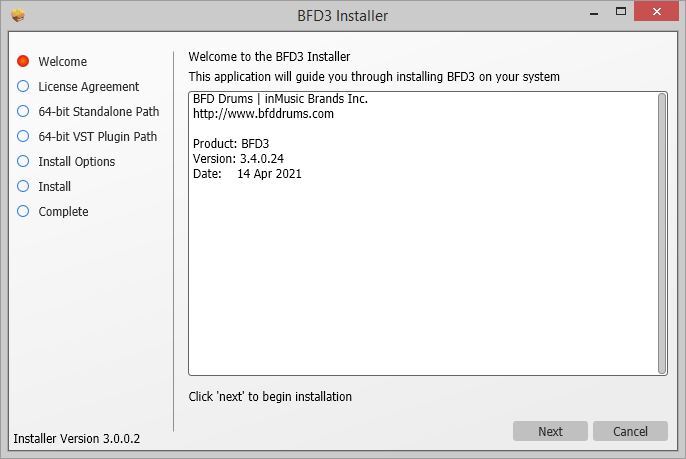
2. Click the 'play' button when the download has finished to install the core library > Click 'Next'.

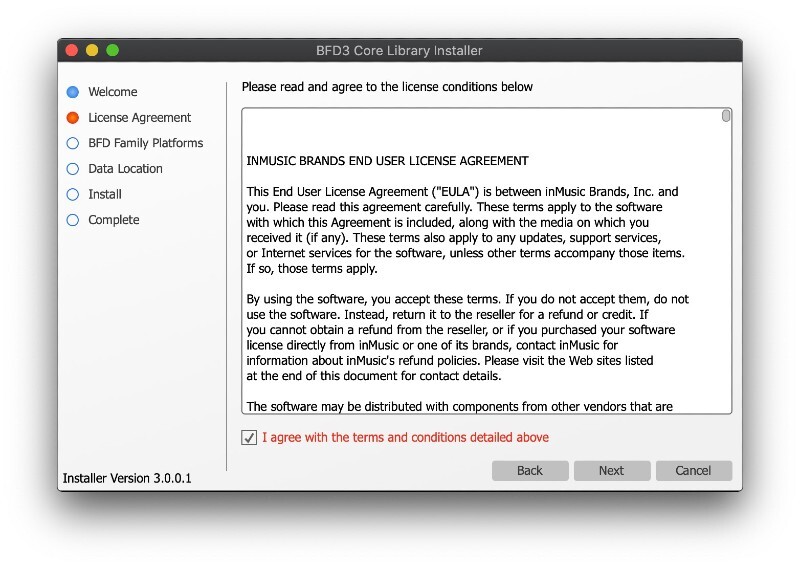
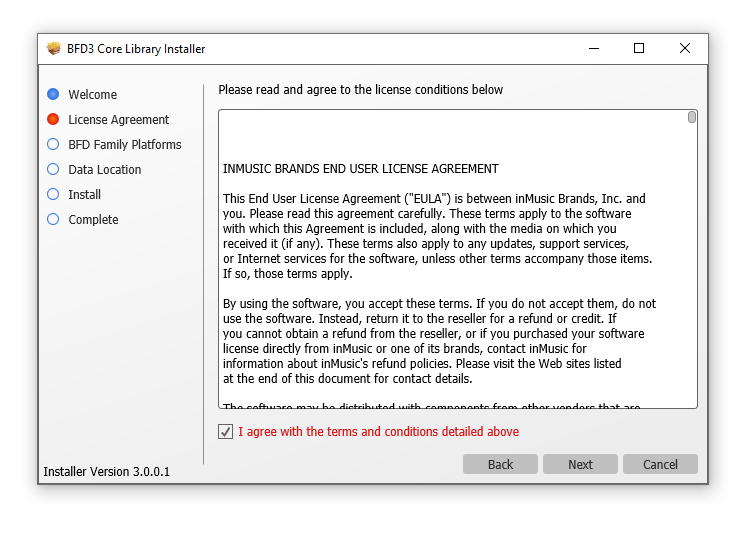
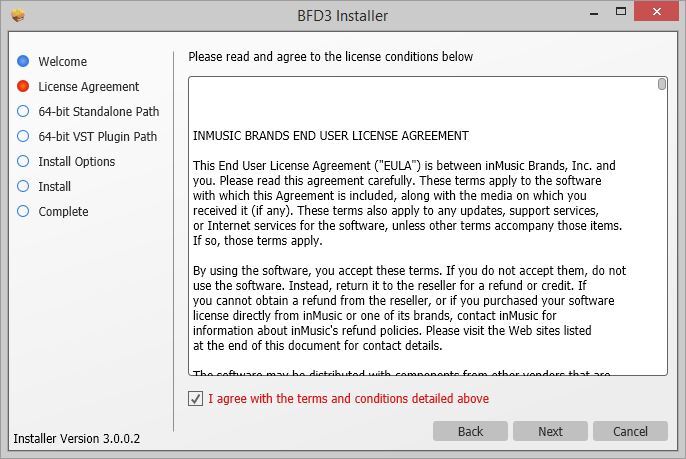
3. Read the License Agreement > Click 'I agree with the terms and conditions detailed above' > Click 'Next'.

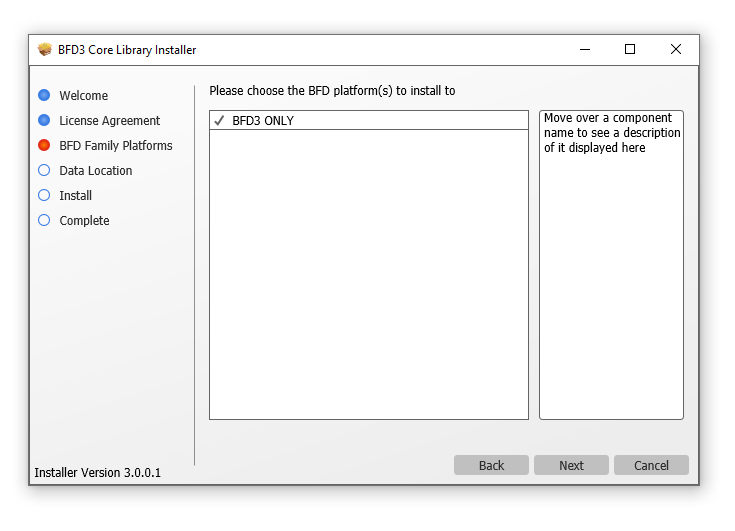
4. Click 'BFD3 ONLY' > Click 'Next'.
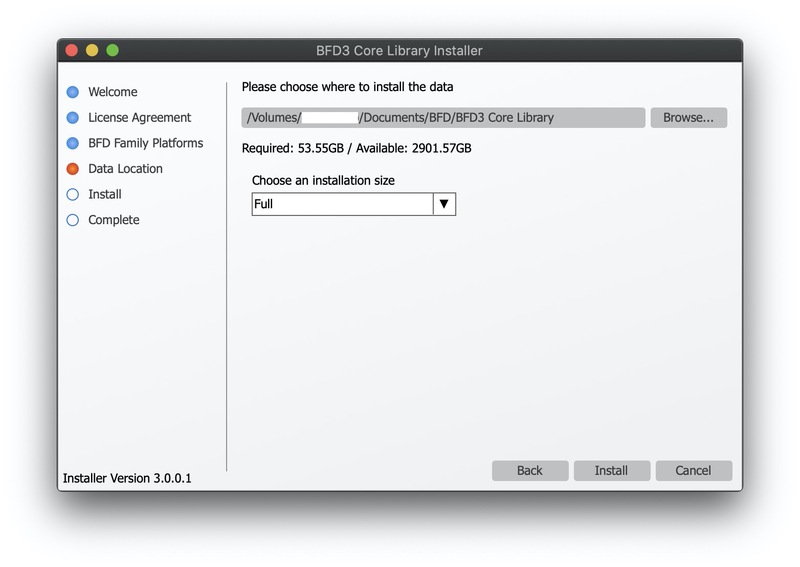
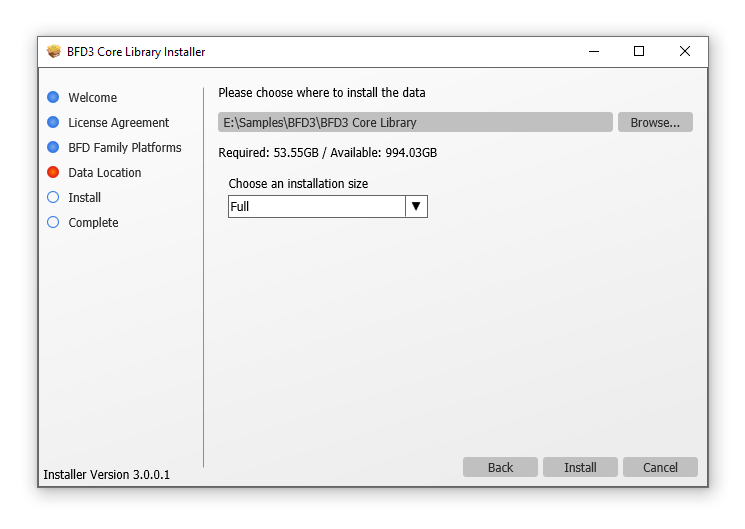
5. Choose where you want to install the library (if you have enough space, leave this as the default and install it on your main drive) > Select the installation size > Click 'Install'.

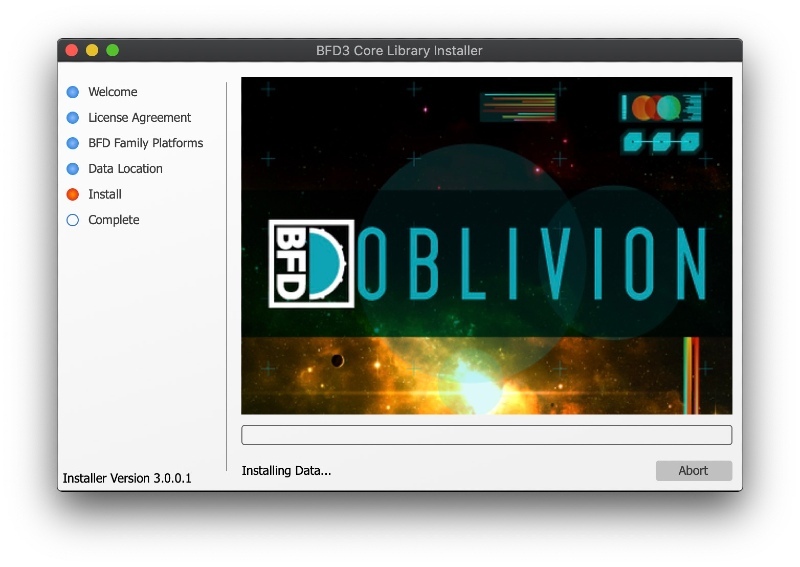
6. Please wait for the Core Library to install.

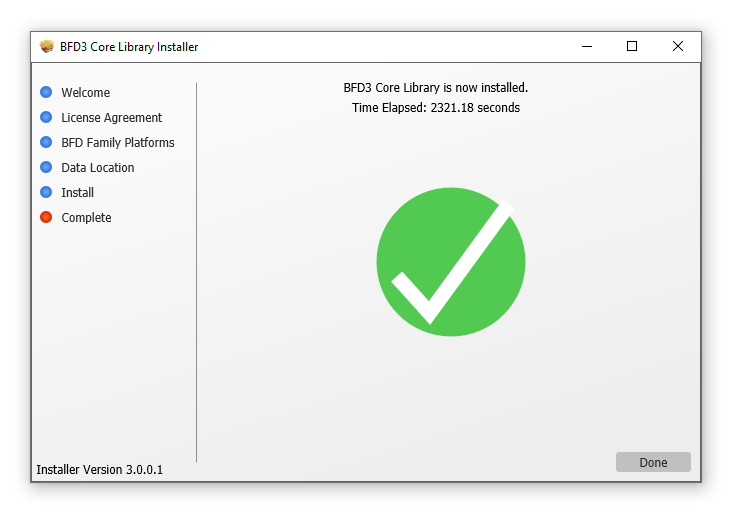
7. The BFD3 Core Library is now installed > Click 'Done'.
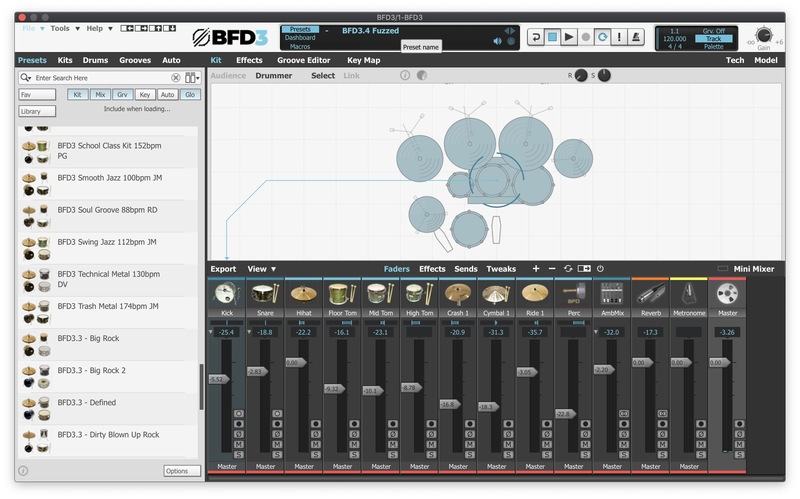
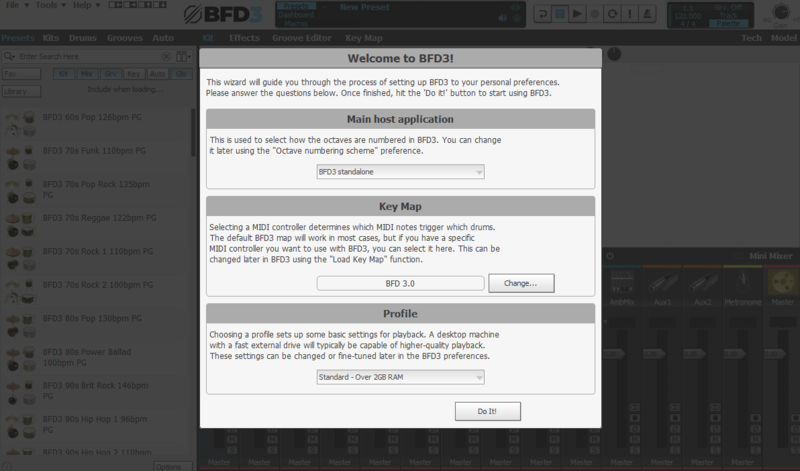
8. Open BFD3 in your DAW > Choose your preferences > Click 'Do It!'.

BFD3 is now installed, activated and ready to use in your DAW!

Windows Installation
1. Download the BFD License Manager from your Plugin Boutique account.
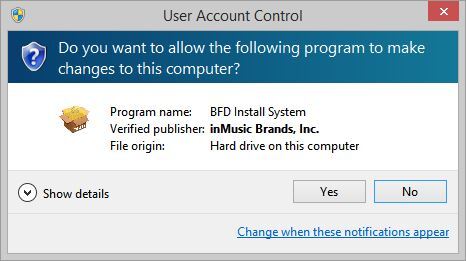
2. Run the BFD License Manager installer (you may need to find it in your download folder in Windows Explorer and open it from there) > click 'Yes'.
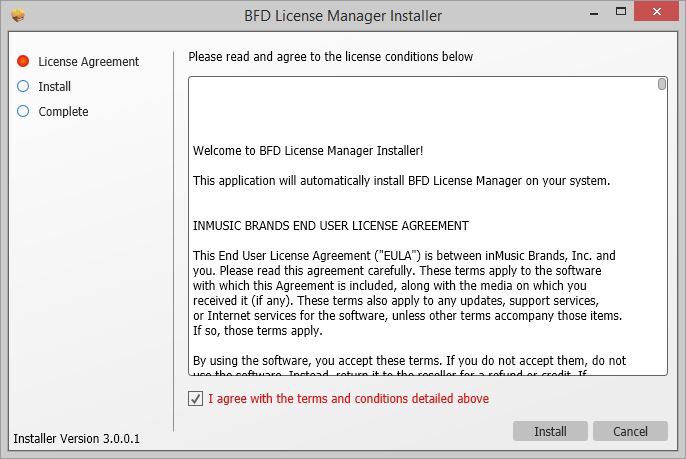
3. Read the License Agreement > Click 'I agree with the terms and conditions detailed above' > Click 'Install'.
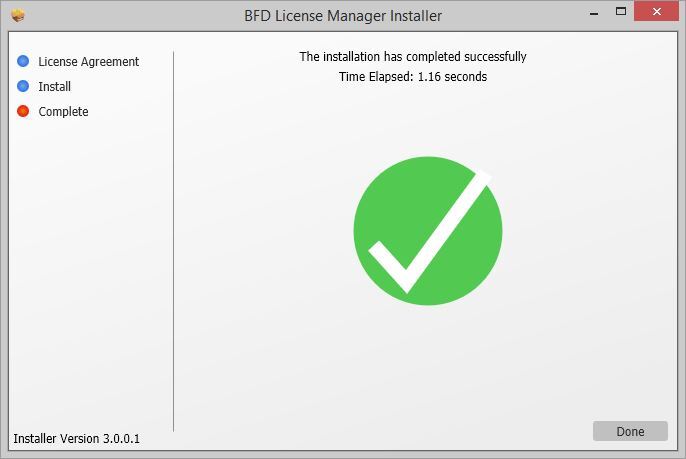
4. The BFD License Manager is now installed > Click 'Done'.
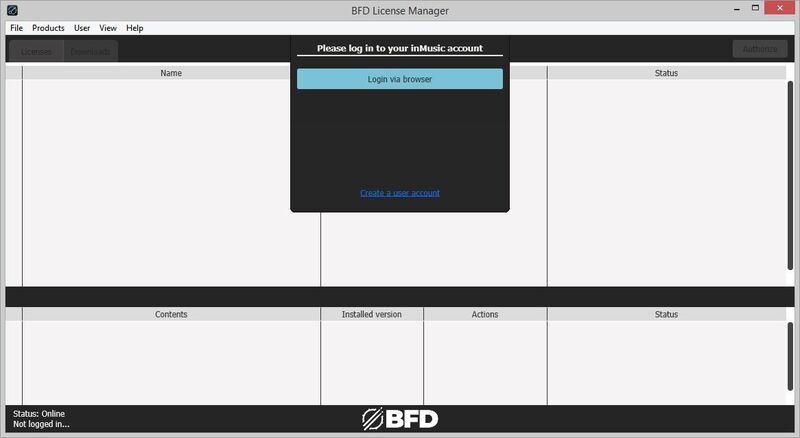
5. Open the BFD License Manager > Click 'Login via Browser'.
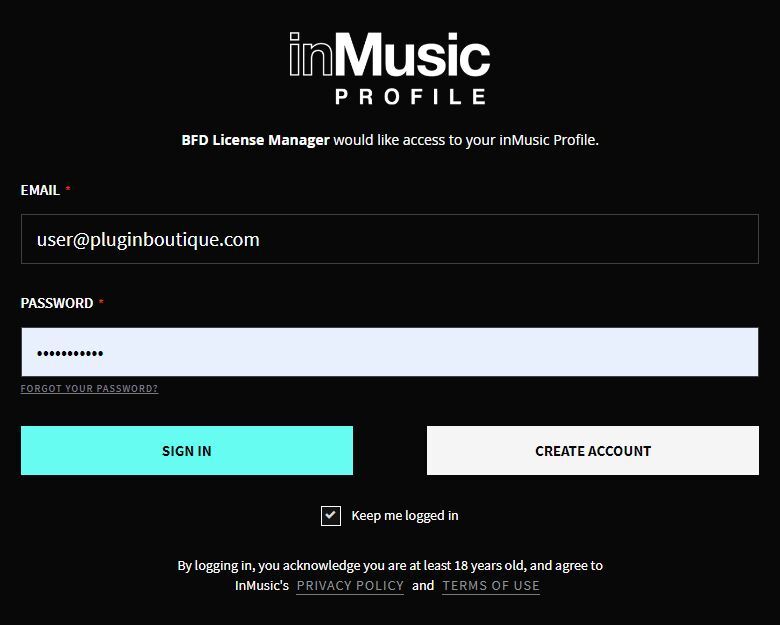
6. Your browser will now open a new tab > Log in with your details.
7. Go back to the BFD License Manager > Click 'Products' in the toolbar > Select 'Register Product Serial...'.
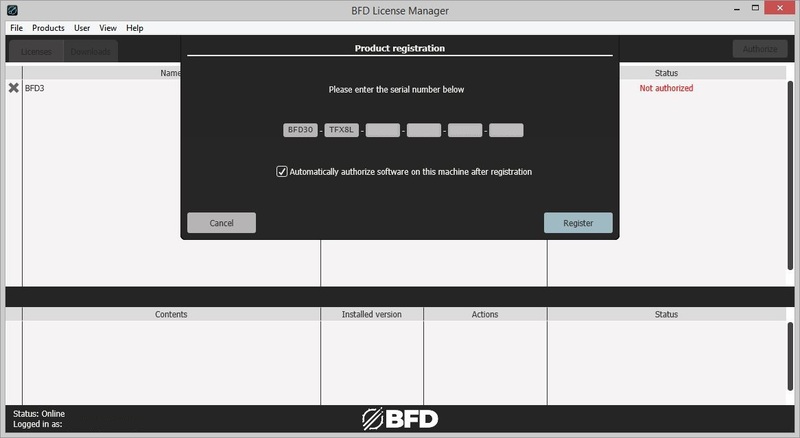
8. Enter the serial number found in your Plugin Boutique account > Click 'Register'.
9. Click on your license > Click 'Authorize'.
10. Click 'Authorize' again.
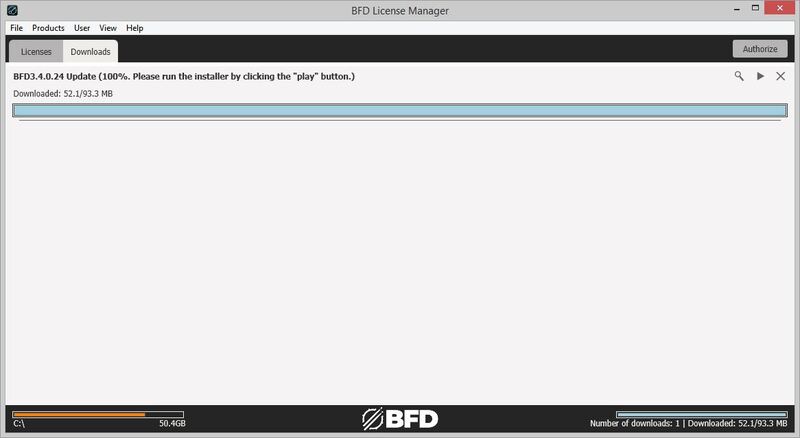
11. Click the download button next to 'BFD3 Software Installer' to download the BFD3 installer.
12. Wait for the download to finish > Click the 'play' button.
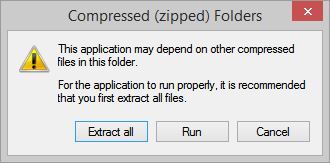
13. Extract the contents of the ZIP folder.
14. Click 'Next'.
15. Read the License Agreement > Click 'I agree with the terms and conditions detailed above' > Click 'Next'.
16. Click 'Next'.
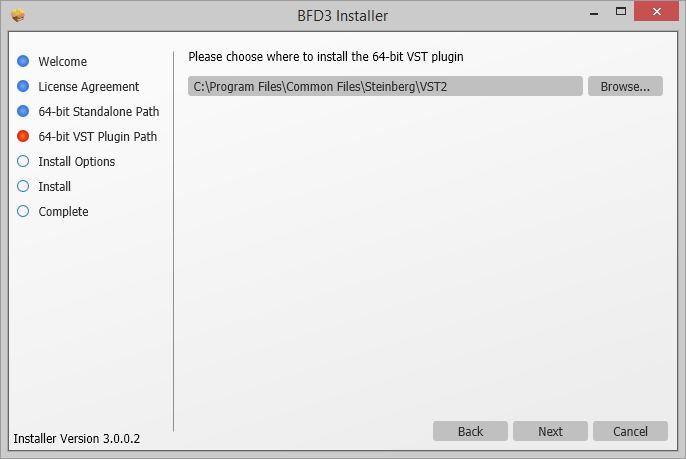
17. Click 'Browse...' > Select the VST folder that your DAW uses > Click 'Next'.
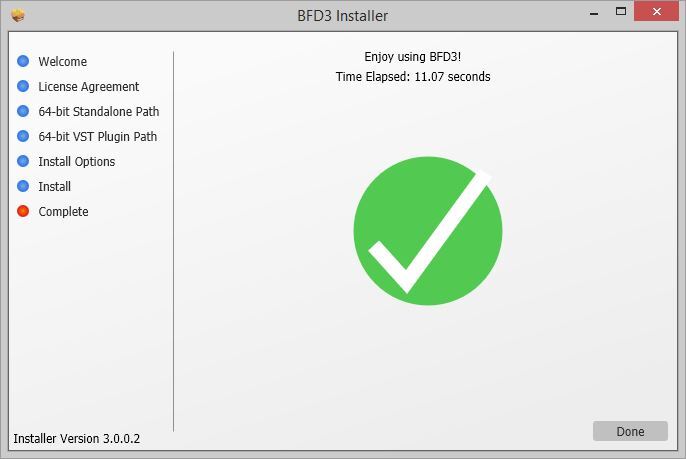
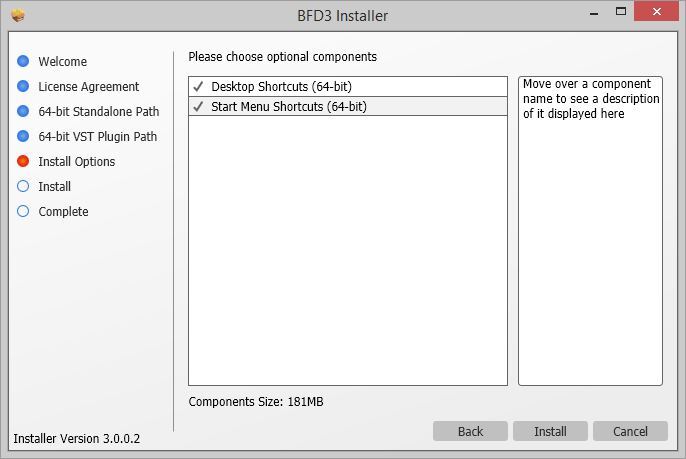
18. Click 'Install'.
BFD3 is now installed on your system.
Factory Content Installation
1. Click the download button next to 'BFD3 Content Installer'

2. Wait for the download to finish > Click the 'play' button for the 'BFD3 Core Library'.

3. Click 'Next'.

4. Select 'I agree with the terms and conditions detailed above' > Click 'Next'.

5. Select 'BFD3 ONLY' > Click 'Next'.

6. Click 'Install'.

7. Wait for the Core Libary to install > Click 'Done'.

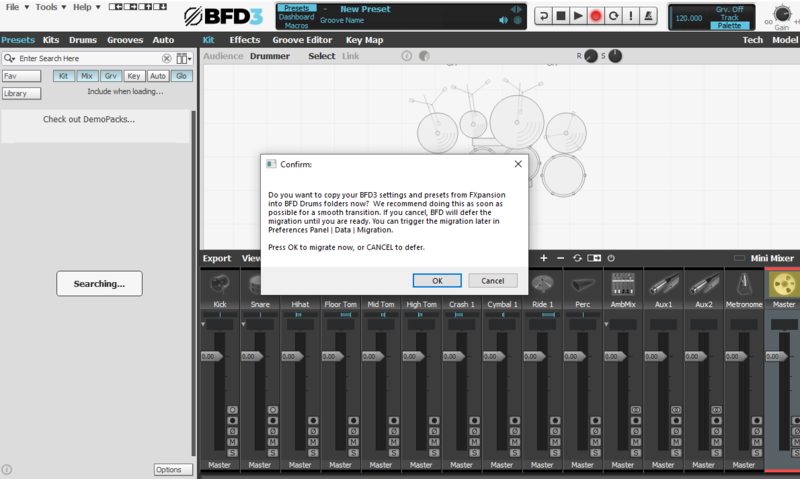
8. Open BFD3 in your DAW > Choose your preferences > Click 'OK'.

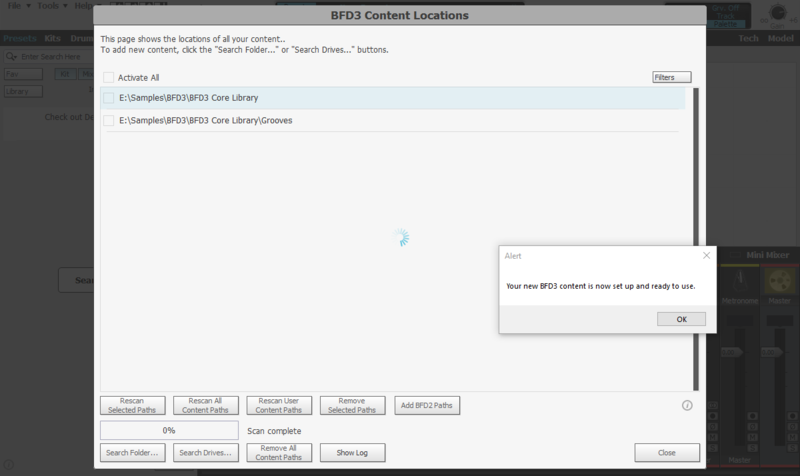
9. Click 'OK'

10. Select your preferences > Click 'Do It!'

BFD3 is now installed, activated and ready to use in your DAW!