/ Expansion Packs / Sky (CUBE Expansion)
Lunacy

Sky (CUBE Expansion)

4.7 (39 Reviews)
$49.00
Lunacy Sky (CUBE Expansion)
Introducing Sky - Celestial Guitars gallery thumbnail
Sky - Preset Highlights gallery thumbnail
Buy Now

Buy Sky (CUBE Expansion), get a free gift with purchase:

Product information

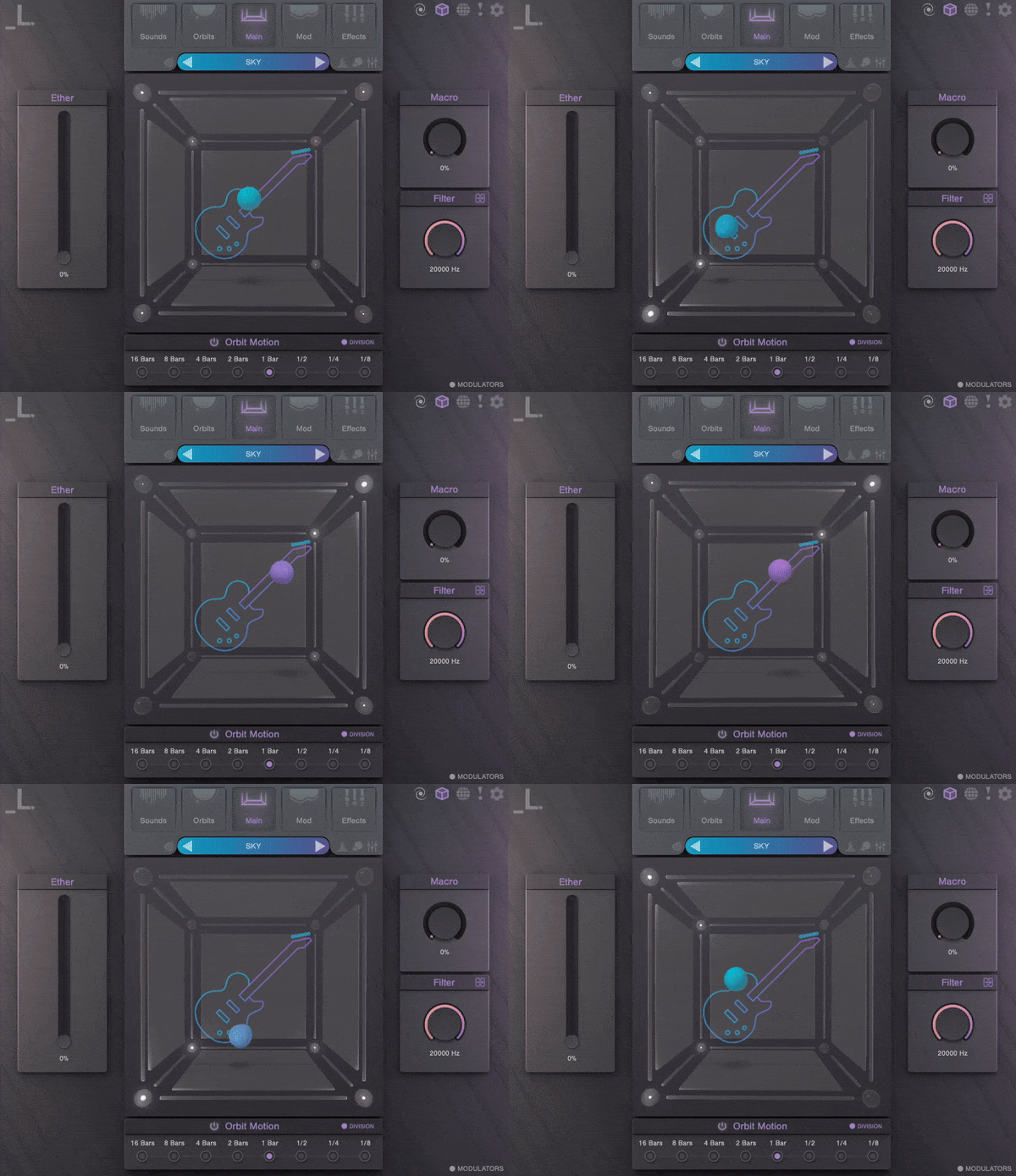
Celestial Guitars for CUBE

Sky is a CUBE expansion that sends iconic guitar sounds into the stratosphere.

Performed by LA’s finest session guitarists, processed with top-shelf guitar pedals, and mastered with tasteful post-processing, Sky knows no limits. Load up a selection of soaring pads, dreamy plucks, distorted sustains, moody reversals, and airy delays to take your tracks to new heights.
Features

  • 30 Sound Sources: A rare collection of guitar articulations featuring pristinely sampled staples in the electric and bass world, ranging from simple strums to textural pluck techniques.
  • 100 Presets: An assortment of flying leads, morphing guitar arps, and amplified pads.

System Requirements

  • CUBE or CUBE Mini Engine Required
  • macOS 10.15 and higher
  • Windows 7 and higher
  • 1.02 GB Download
  • Supported by all major DAWs

Important Note: CUBE or CUBE Mini v1.2.5 or higher is required in order to use this expansion.

Installation Instructions

Registration

1. Click the Download button in your Plugin Boutique account or go to https://lunacy.audio/register.

2. Enter your email address, the password you wish to use and your License Key which can be found in your Plugin Boutique User Account.

3. Download the relevant CUBE Full Installer.

Mac Installation

1. Download the installer from your Plugin Boutique user account and extract the zip folder.

2. Run the "CUBE_Installer_Mac_v1.0.1.dmg" installer.

3. Run the left "CUBE_v1.0.1.pkg" under the heading "Install the plugin".

4. Click "Continue".

5. Click "Continue".

6. Click "Agree".

7. Click "Install".

8. Click "Close".

9. Run the right "CUBE_Samples.pkg" under the heading "Install the samples".

10. Click "Continue".

11. Click "Install".

12. Click "Close".

13. Launch your DAW and create a new stereo instrument track, then insert CUBE onto the channel.

14. Enter your 20 digit serial code. This can be found on your My Account page. Make sure to include the first 4 letters. Then click Activate.

Your software is now activated and ready to use.

Windows Installation

1. Download the installer from your Plugin Boutique user account and extract the zip folder.

2. Run the first installer "01_CUBE Plugin Installer v1.0.1.exe".

2. Click "I accept the agreement", then click "Next".

3. Click "Install".

4. Click "Finish".

5. Now run the second installer "02_CUBE Samples Installer.exe".

6. Click "Next".

7. Click "Install".

8. Click "Finish".

9. Launch your DAW and create a new stereo instrument track, then insert CUBE onto the channel.

10. Enter your 20 digit serial code. This can be found on your My Account page. Make sure to include the first 4 letters. Then click Activate.

Your software is now activated and ready to use.

Bundle & Save

Everything Bundle
$549.00

Plugin Boutique Rewards

Discover the most rewarding loyalty programme among all plugin retailers.

  • Free Loopmasters Samplepacks
  • Discounts on products and courses
  • Extra Virtual Cash claimed immediately at checkout
Find out more

Follow us:

X (Twitter) Facebook YouTube Instagram
Logo Logo

Plugin Boutique Limited, Part of the Beatport Group LLC.

Copyright © 2011-2025 Plugin Boutique. All rights reserved