/ Expansion Packs / BFD Sphere
BFD

BFD Sphere

4.6 (47 Reviews)
$14.00 $49.00

71% off until Dec 07

BFD Sphere Main Image
FXpansions BFD Sphere Expansion Pack gallery thumbnail
Buy Now
Product information

BFD Sphere is a hard rock and metal expansion pack for BFD3 produced by Tesseract and 4D Sounds founder Acle Kahney. Conceived as Kahney's ideal drum sound, the pack was recorded with Francesco Cameli (Bullet For My Valentine, Queen, Phil Collins, New Model Army and more) at London's Sphere Studios before its relocation.

The pack includes high-detail 4-tom DW and Vibe kits alongside a Ludwig Black Beauty snare. Drums were tuned to complement the acoustics of Sphere's live room and were hit by Jamie Postones (Tesseract) and Mike Malyan (Monuments) - highly skilled drummers well respected for bringing a new force to modern drumming. Neve preamps were used throughout for warmth and definition.

As well as the natural kits, BFD Sphere comes with additional processed versions designed to be dropped straight into metal and hard rock mixes. All kits feature presets with factory cymbals and hihats. Please note that the included snare features Hit and Rimshot articulations only.

Features

  • Conceived by Tesseract founder Acle Kahney
  • 4-tom DW and Vibe kits with Black Beauty snare
  • Natural and mix-processed versions
  • Geared towards metal and hard rock styles
  • Presets supplied with factory BFD cymbals

System Requirements

  • BFD3
  • Internet connection for download and authorization

Disk space requirements:

  • BFD3 version: 2.4 GB
Installation Instructions

Registration

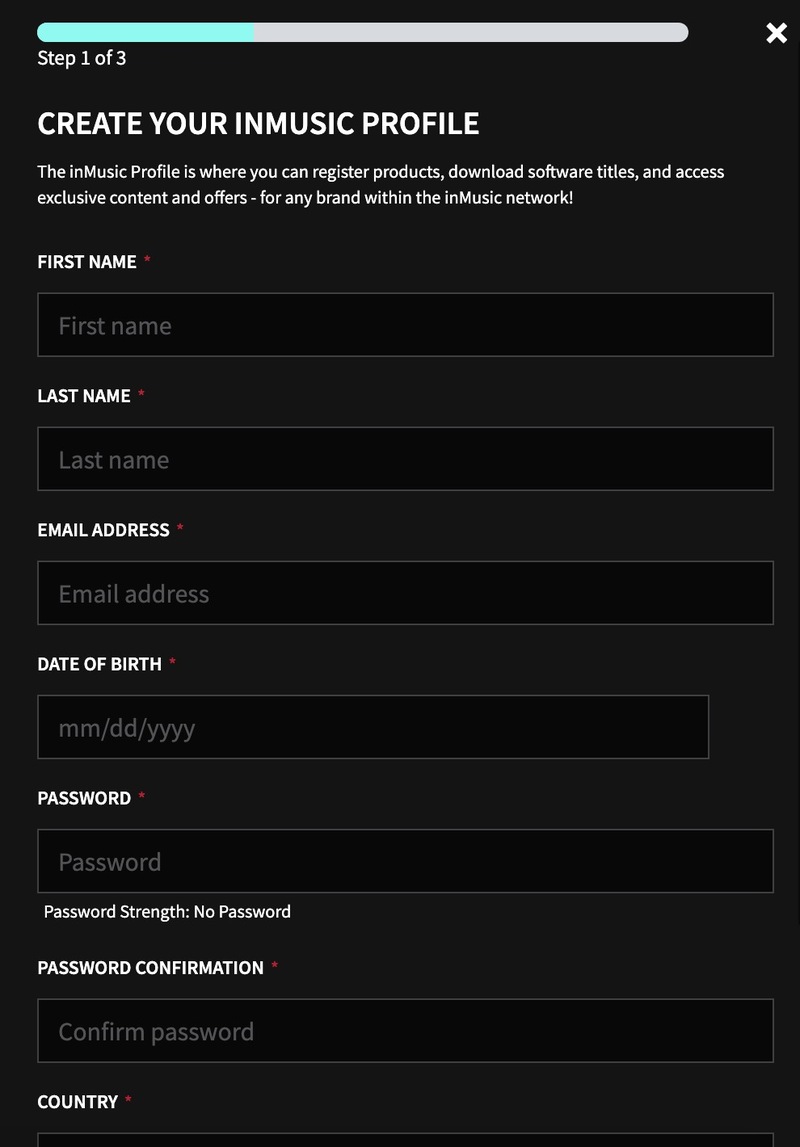
1. Go to https://profile.inmusicbrands.com/customer/account/login/ > Enter your email address and choose a password > Click CREATE ACCOUNT

2. Enter your details > Click NEXT STEP

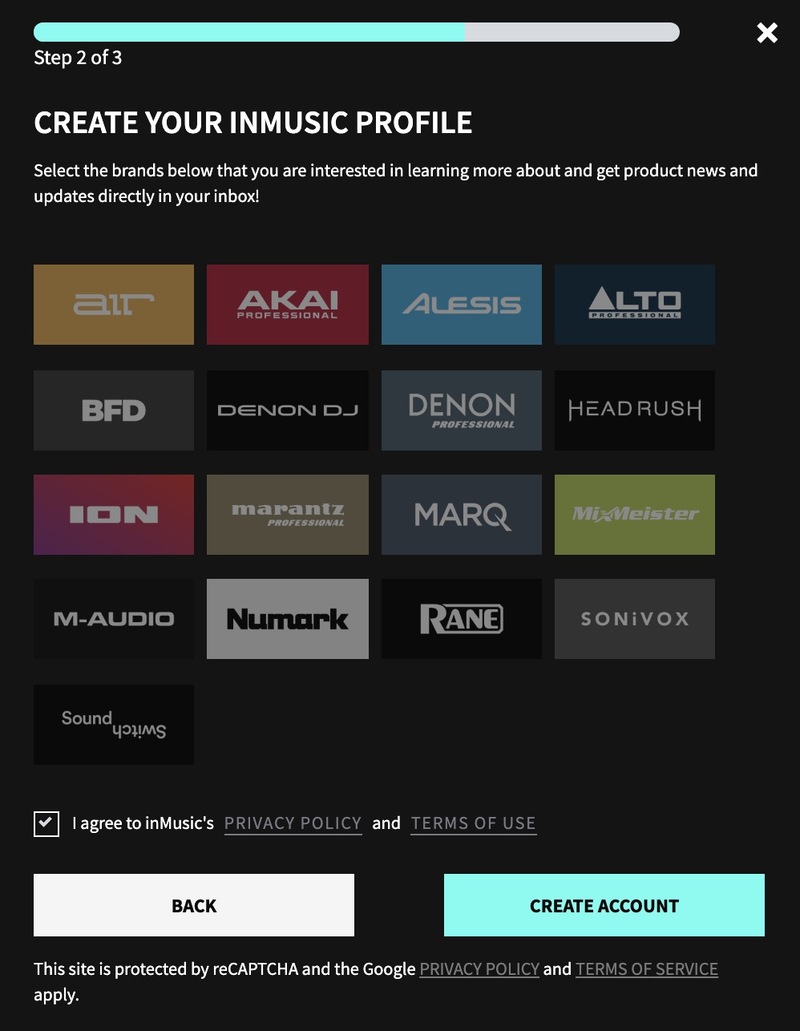
3. Select brands you're interested in > Click I agree to inMusic's PRIVACY POLICY and TERMS OF USE > Click CREATE ACCOUNT

4. You have just created an inMusic account. You will now be sent a confirmation email.

5. Locate the account confirmation email > Click CONFIRM ACCOUNT.

Your account is now confirmed!

Installation

1. Download the InMusic Software Center from your Plugin Boutique account

2. Install the InMusic Software Center > Run the InMusic Software center > Click LET's GO!

3. Enter your details as in step 1 of Registration above > Click SIGN IN

4. Click Add Product

5. Click Software > Enter the serial number found in your Plugin Boutique account

6. Click ADD

7. Click My Expansions

8. Click Download

9. Click Install to install your expansion

10. Open BFD3 in your DAW > The expansion will be available to the left

Your expansion is installed and ready to use. Enjoy!

Plugin Boutique Rewards

Discover the most rewarding loyalty programme among all plugin retailers.

  • Free Loopmasters Samplepacks
  • Discounts on products and courses
  • Extra Virtual Cash claimed immediately at checkout
Find out more

Follow us:

X (Twitter) Facebook YouTube Instagram
Logo Logo

Plugin Boutique Limited, Part of the Beatport Group LLC.

Copyright © 2011-2025 Plugin Boutique. All rights reserved