/ Expansion Packs / BFD Heavy
BFD

BFD Heavy

4.5 (31 Reviews)
$14.00 $49.00

71% off until Dec 07

BFD Heavy - Main Image
BFD Heavy Expansion Pack - Demo gallery thumbnail
Buy Now
Product information

BFD Heavy is an expansion for BFD3BFD Eco and BFD2 featuring 2 stunning Yamaha birch drumkits and a variety of presets designed for hard rock and metal styles.

Containing meticulous recordings of both a Yamaha Recording Custom and a Birch Custom Absolute kit, BFD Heavy includes 3 kicks, 9 toms and a bonus reduced-detail Yamaha Jimmy Chamberlin steel-shell snare (taken from BFD Signature Snares Vol.2). Kicks include wood and felt beater versions while the bonus snare and 5 of the included toms are provided in stick and mallet versions. BFD Heavy's expressive articulations include rim shots and rim clicks on the birch toms and half-edge samples on the bonus snare.

BFD Heavy is recorded in similar studio conditions as BFD Percussion, other Yamaha-based expansions such as BFD Maple Custom Absolute and the Mapleworks kits in BFD3.

Features

  • Expansion for BFD3BFD Eco & BFD2
  • 2 Yamaha drumkits with bonus snare
  • 3 Kicks played with felt and wood beaters
  • 9 Toms (5 played with sticks and mallets)
  • Snare with sticks/mallets and strainer on/off

System Requirements

  • Windows 7 or higher (Windows)
  • OSX 10.5.8, 10.6.2 or higher (Mac)
  • BFD3BFD Eco or BFD2 (v2.1 or higher)
  • Internet connection (for download and authorization)
  • 5 GB hard drive space for a full install

Please note: BFD3BFD Eco or BFD2 (v2.1 or higher) is required to run this Expansion Pack.

Installation Instructions

Registration

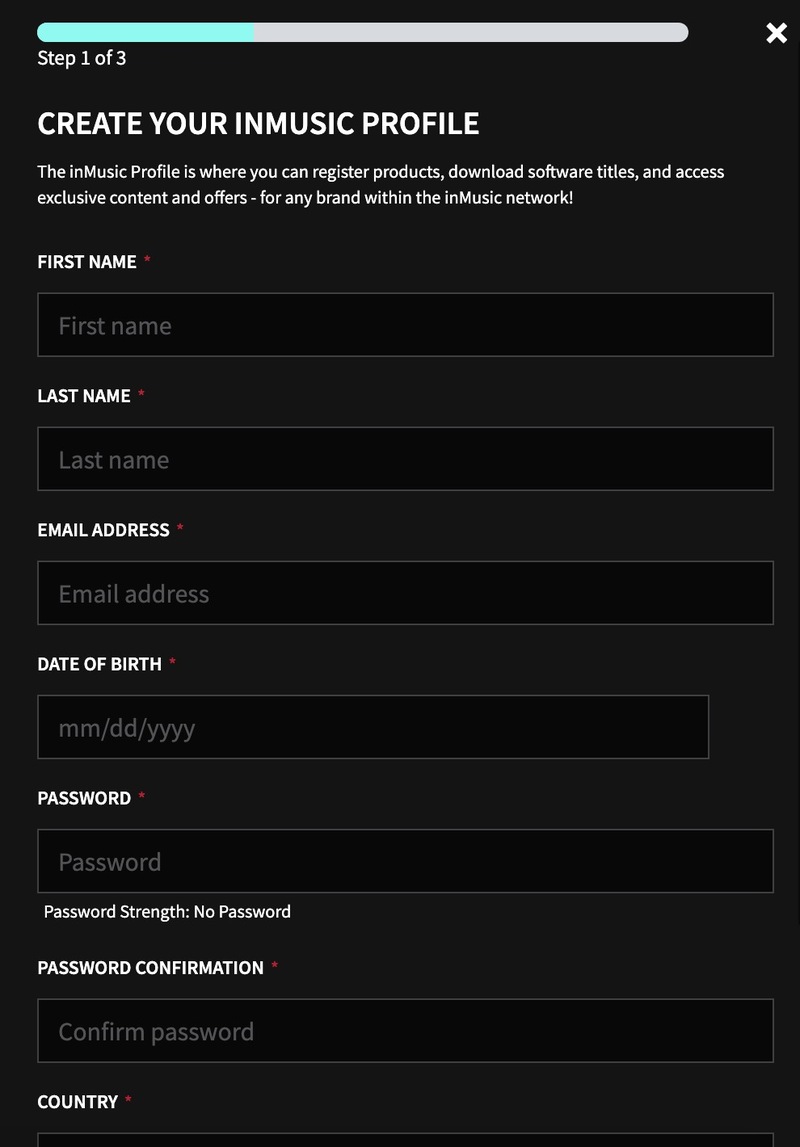
1. Go to https://profile.inmusicbrands.com/customer/account/login/ > Enter your email address and choose a password > Click CREATE ACCOUNT

2. Enter your details > Click NEXT STEP

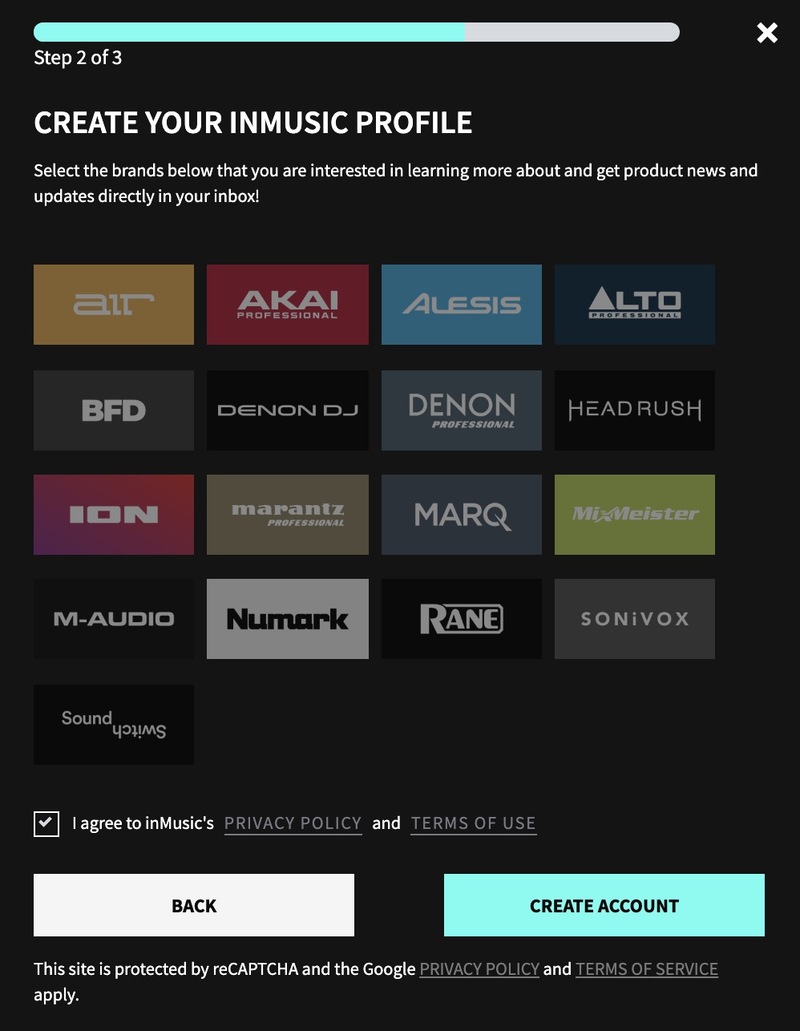
3. Select brands you're interested in > Click I agree to inMusic's PRIVACY POLICY and TERMS OF USE > Click CREATE ACCOUNT

4. You have just created an inMusic account. You will now be sent a confirmation email.

5. Locate the account confirmation email > Click CONFIRM ACCOUNT.

Your account is now confirmed!

Installation

1. Download the InMusic Software Center from your Plugin Boutique account

2. Install the InMusic Software Center > Run the InMusic Software center > Click LET's GO!

3. Enter your details as in step 1 of Registration above > Click SIGN IN

4. Click Add Product

5. Click Software > Enter the serial number found in your Plugin Boutique account

6. Click ADD

7. Click My Expansions

8. Click Download

9. Click Install to install your expansion

10. Open BFD3 in your DAW > The expansion will be available to the left

Your expansion is installed and ready to use. Enjoy!

Plugin Boutique Rewards

Discover the most rewarding loyalty programme among all plugin retailers.

  • Free Loopmasters Samplepacks
  • Discounts on products and courses
  • Extra Virtual Cash claimed immediately at checkout
Find out more

Follow us:

X (Twitter) Facebook YouTube Instagram
Logo Logo

Plugin Boutique Limited, Part of the Beatport Group LLC.

Copyright © 2011-2025 Plugin Boutique. All rights reserved