/ Expansion Packs / BFD Signature Snares Vol. 2
BFD

BFD Signature Snares Vol. 2

4.6 (23 Reviews)
$14.00 $49.00

71% off until Dec 07

BFD Signature Snares Vol.2 - Main Image
Buy Now
Product information

BFD Signature Snares Vol.2 is the second instalment of Yamaha artist signature snares for  BFD3, BFD Eco and BFD2 - 5 detailed and immaculately recorded snares with varied beater types to swap into your kits.

The snares are captured in similar conditions to the BFD Jazz & Funk and BFD Percussion expansions as well as those used for the Mapleworks kits in BFD3. The sounds work well with any combination of other BFD library sounds, offering a punchy and upfront sound with dynamic playability.

When used in BFD3 and BFD2, the snares offer an additional 'rim click' articulation as well as a 'half-edge' for use with electronic drum positional sensing.

BFD Signature Snares Vol.1 is also available.

Features

  • Expansion for BFD3BFD Eco & BFD2
  • 5 Yamaha Signature-series snares
  • Multiple articulations including rim-clicks
  • Played with various beaters - sticks, brushes, mallets and rods

System Requirements

  • BFD3
  • Internet connection (for download and authorization)
  • 5.8 GB hard drive space for a full install
Installation Instructions

Registration

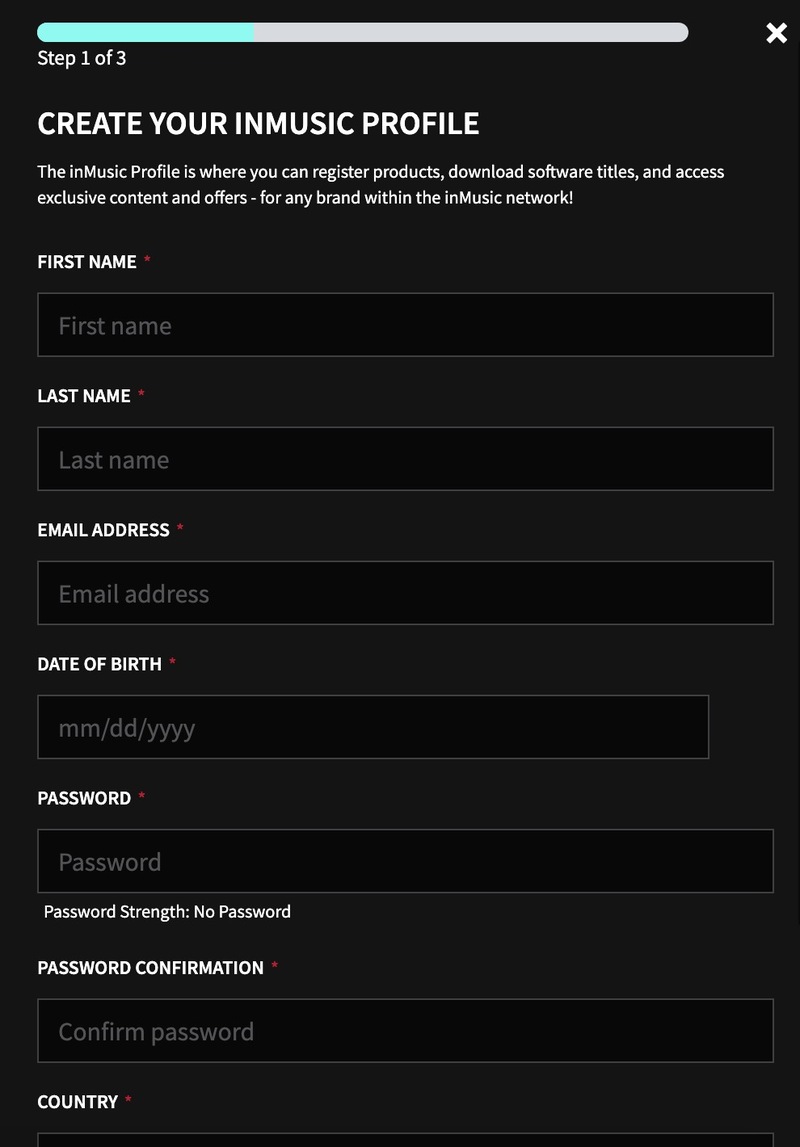
1. Go to https://profile.inmusicbrands.com/customer/account/login/ > Enter your email address and choose a password > Click CREATE ACCOUNT

2. Enter your details > Click NEXT STEP

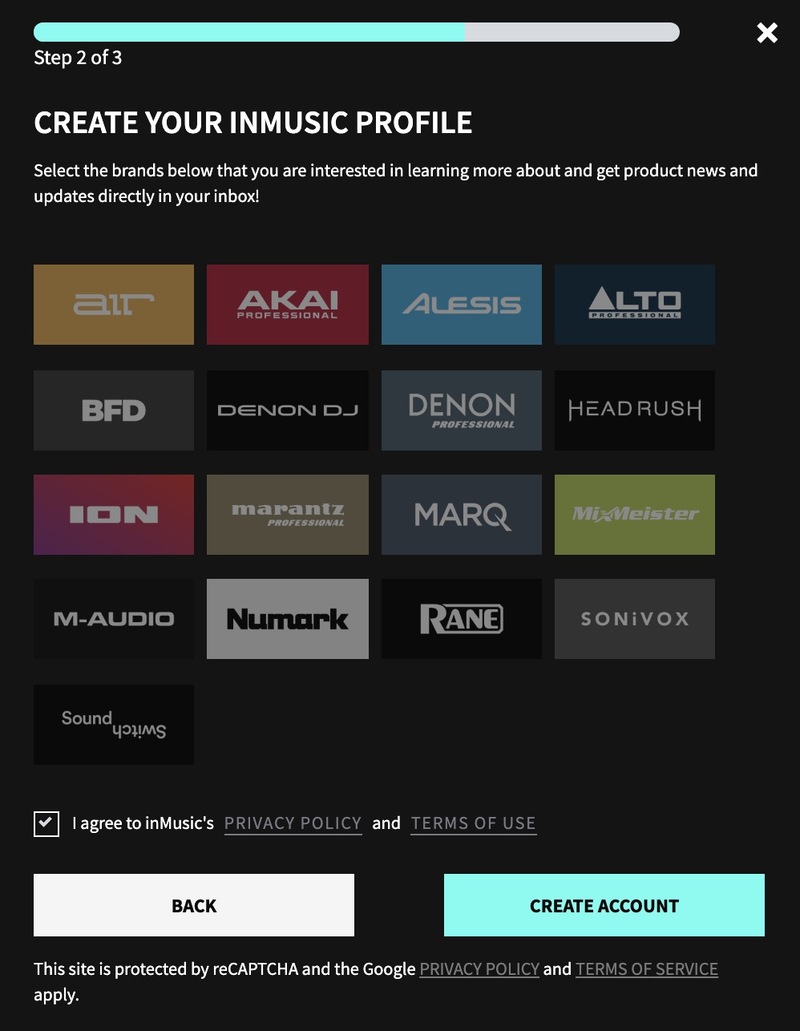
3. Select brands you're interested in > Click I agree to inMusic's PRIVACY POLICY and TERMS OF USE > Click CREATE ACCOUNT

4. You have just created an inMusic account. You will now be sent a confirmation email.

5. Locate the account confirmation email > Click CONFIRM ACCOUNT.

Your account is now confirmed!

Installation

1. Download the InMusic Software Center from your Plugin Boutique account

2. Install the InMusic Software Center > Run the InMusic Software center > Click LET's GO!

3. Enter your details as in step 1 of Registration above > Click SIGN IN

4. Click Add Product

5. Click Software > Enter the serial number found in your Plugin Boutique account

6. Click ADD

7. Click My Expansions

8. Click Download

9. Click Install to install your expansion

10. Open BFD3 in your DAW > The expansion will be available to the left

Your expansion is installed and ready to use. Enjoy!

Plugin Boutique Rewards

Discover the most rewarding loyalty programme among all plugin retailers.

  • Free Loopmasters Samplepacks
  • Discounts on products and courses
  • Extra Virtual Cash claimed immediately at checkout
Find out more

Follow us:

X (Twitter) Facebook YouTube Instagram
Logo Logo

Plugin Boutique Limited, Part of the Beatport Group LLC.

Copyright © 2011-2025 Plugin Boutique. All rights reserved