/ Expansion Packs / Zampler Expansion: Ultimate Drums
Beat

Zampler Expansion: Ultimate Drums

4.6 (44 Reviews)
$16.00
Beat Zampler Expansion: Ultimate Drums
Buy Now
Product information

Not only because 303 + 808 + 909 equals 2020, Beat searched their sample archive for sounds of the legendary drum machine, and sampled all the drummies they could find in the studio that host the typical TR-909 sound. Namely the Roland TR8 and TR-09, the well rocked Novation DrumStation and a brand new MC-707.

But Beat didn't just record the grooveboxes and modules, they refined them for you as always with their outboard setup. Among others with their TLA Ivory compressor and their MPC 2500, which has already become something like their number 1 for powerful and dirty drums.

And Beat have gone one step further! The pack contains not only drums without end, but also patterns in MIDI format!

Features

  • 42 Drum kits by Roland TR-909, TR-09, TR8, MC-707 and Novation DrumStation
  • 15 Single Drum-shot patches
  • 20 TB-03 Acid patches
  • 212 MIDI Drum patterns

System Requirements

  • 198MB available disk space
  • Zampler 1.0.2+

Important Note: This software requires a copy of Zampler 1.0.2+ or higher. You can download Zampler for free HERE.
Installation Instructions

Note: Zampler Expansion: Toraiz AS-1 is used as the example.

Mac

1. Download the .zip folder from within your User Account, and double-click it to reveal its contents.

2. Save the main folder entitled 'Toraiz AS-1' to a computer location of choice, e.g documents or to an external hard drive.

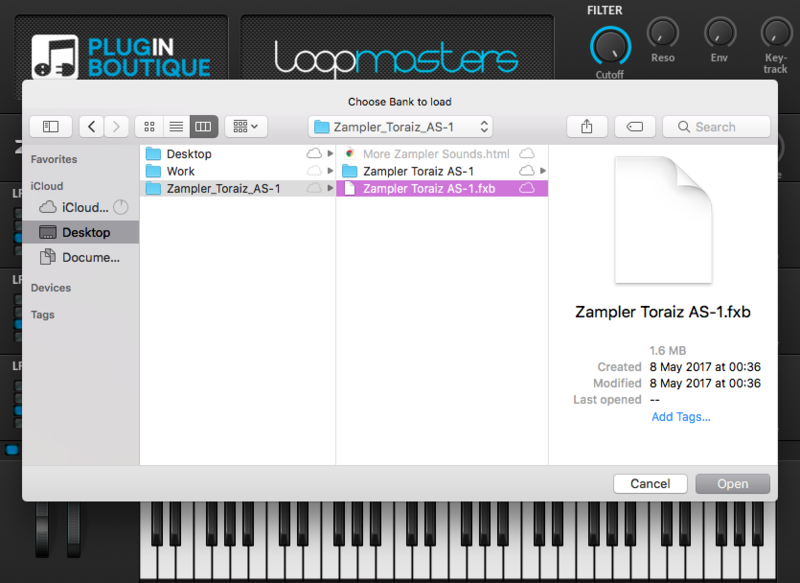
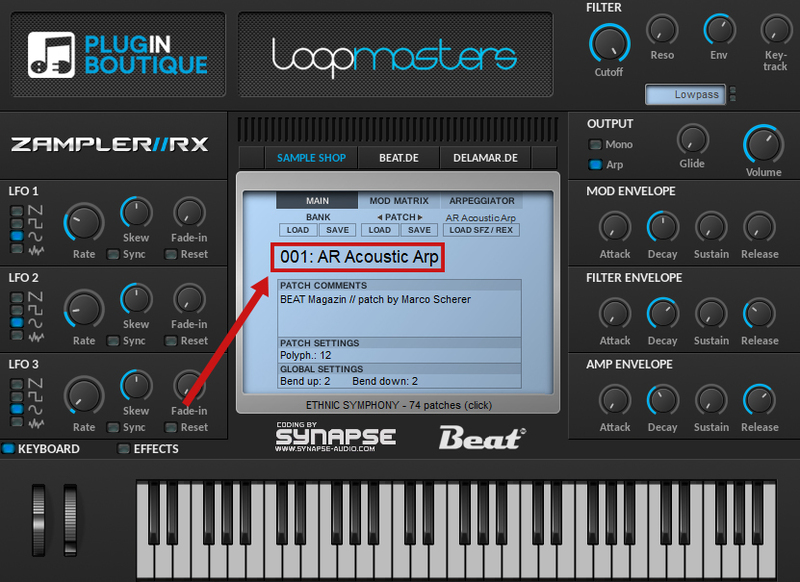
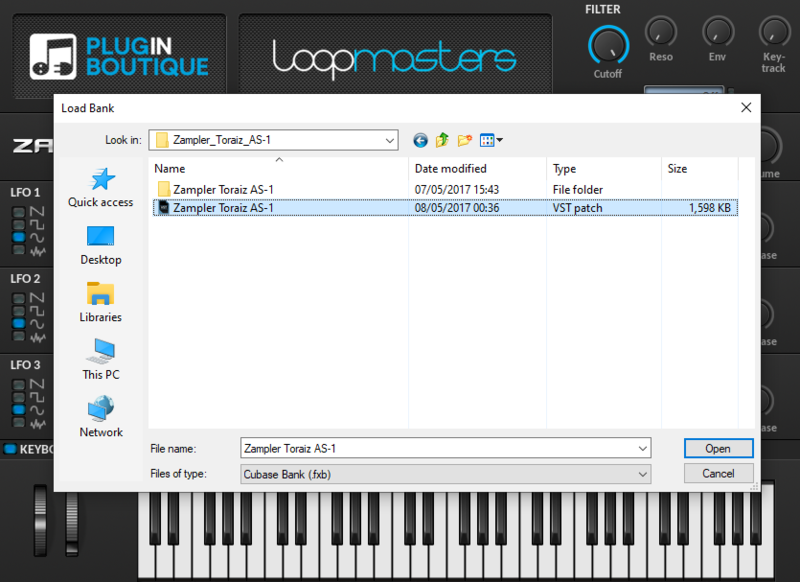
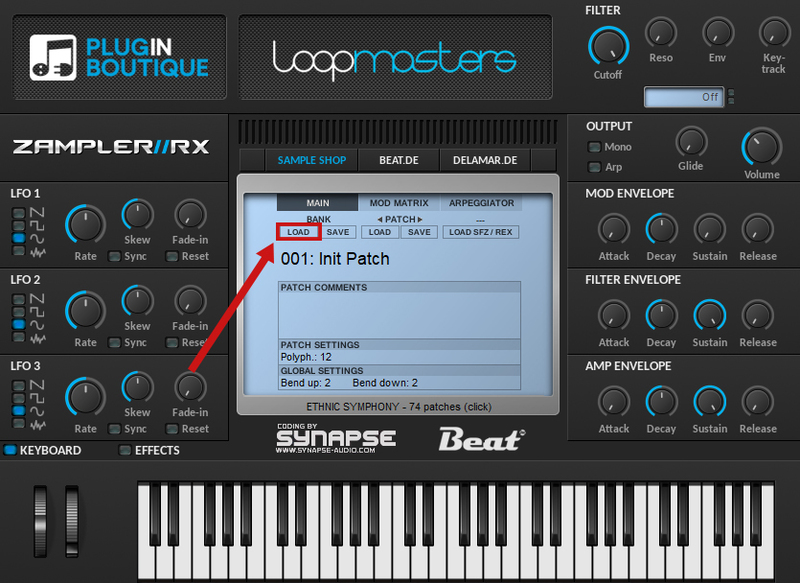
3. Open Zampler within your DAW > Go to 'Bank' and click 'Load'.

4. Find the .fxb file inside of the download folder > Click 'Open'.

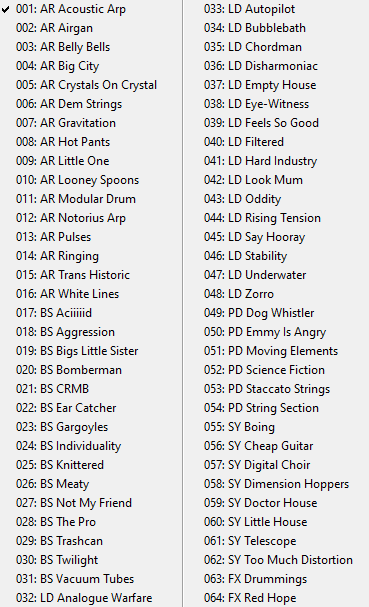
5. The Zampler patches can now be found by clicking on the patch name.

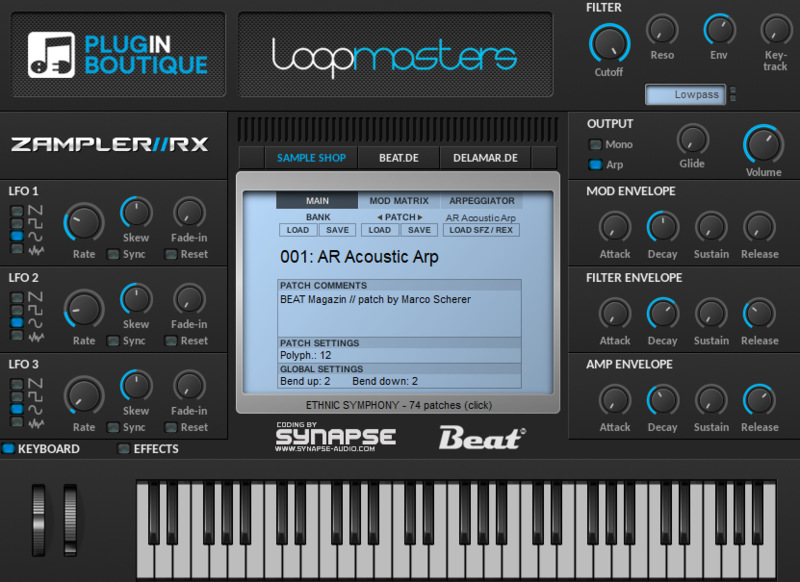
Your patch is now loaded and ready to use within Zampler.

Windows

1. Download the .zip folder from within your User Account, and double-click it to reveal its contents.

2. Save the main folder entitled 'Toraiz AS-1' to a computer location of choice, e.g documents or to an external hard drive.

3. Open Zampler within your DAW > Go to 'Bank' and click 'Load'.

4. Find the .fxb file inside of the download folder > Click 'Open'.

5. The Zampler patches can now be found by clicking on the patch name.

Your patch is now loaded and ready to use within Zampler.

Plugin Boutique Rewards

Discover the most rewarding loyalty programme among all plugin retailers.

  • Free Loopmasters Samplepacks
  • Discounts on products and courses
  • Extra Virtual Cash claimed immediately at checkout
Find out more

Follow us:

X (Twitter) Facebook YouTube Instagram
Logo Logo

Plugin Boutique Limited, Part of the Beatport Group LLC.

Copyright © 2011-2025 Plugin Boutique. All rights reserved