


 Log In

Free gifts available with your purchase
The Supreme Delay
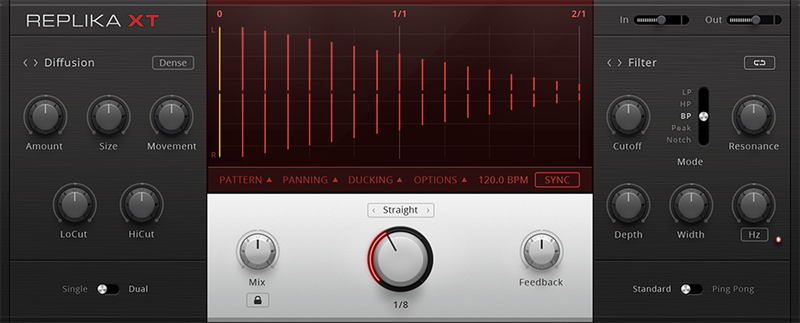
Infinite Dimensions
REPLIKA XT is a creative multi-mode delay. With five vivid delay modes and advanced options, this effect delivers pure inspiration.
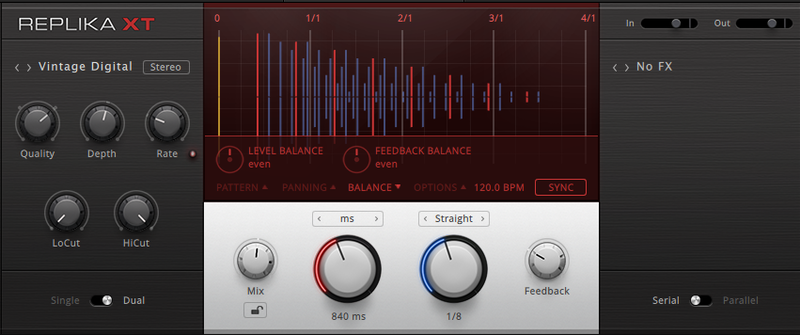
A Tool For All Occasions
Five deeply modeled delay modes span crisp digital repeats, analog warmth, and experimental textures. Advanced options offer fast ways to open up your mix with pinpoint creative control. And an elegant interface puts new possibilities right before your eyes. From single instruments to entire mixes, REPLIKA XT will add new character to your music.
Five Ways to Delay
Each of the five modes was inspired by some of the most revered delays in history, making REPLIKA XT an all-in-one solution for distinctive, high-quality echoes, space, and width.
- Modern delivers clean, precise, controllable repeats.
- Vintage Digital offers warm, crunchy repeats modeled after early samplers and digital delays.
- Analogue replicates the dark, hazy sound of analog bucket-brigade pedals.
- Tape provides the organic quality of famous tape echo units and the punchy, smooth sound of tape.
- Diffusion is something entirely its own – swirling reverberant echoes that no physical space can provide.
Easy to Repeat
REPLIKA XT makes it easy to create sophisticated rhythms, widen your mix, or explore a universe of sound design possibilities. Use the pattern controls to quickly create rhythmic repeats that shift organically with the music. Dial in the perfect stereo image with panning for each delay and dry signal, or adjust ducking time to keep percussive hits tight – uncompromising control at a glance.

Seven Steps to Effection
Combine the delay modes with pristine effects to produce classic mixing tricks, and add shimmer, dimension, and motion to your music. REPLIKA XT includes seven time-based and pitch effects to add to your repeats. Or turn the delay down and use them on their own.
Included Artist Presets
REPLIKA XT features custom presets by some of today’s leading sound artists, including:
- Funkstörung
- Richard Devine
- Roger Lyons (Lionrock, engineer/programmer for Kaiser Chiefs, New Order, and Ultravox)
- Marcus Byrne (keyboards/programmer for Take That, ELO, Gary Barlow, and Annie Lennox)
- Chris Shaw (producer/engineer for Bob Dylan, Public Enemy, Ween, SFA)
- TOM and His Computer (Lulu Rouge)
The presets range from hyper-modulated echoes to subtle widening effects – each with the professional signature of the artist that created it. Use them as they are or as starting points for your own sonic explorations.
Features
- Studio-quality delay with vast sonic flexibility
- Comprehensive, all-in-one solution for intricate rhythms, mixing tricks, and more
- Straightforward interface makes dialing-in sounds fast and intuitive
System Requirements
- macOS 11, 12 or 13 (latest update)
- Windows 10 or 11 (64-bit, latest Service Pack)
- Intel Core i5 or equivalent AMD CPU, 4 GB RAM (6 GB recommended)
- Apple Silicon Mac (native mode or using Rosetta 2)
- An Internet connection and a graphics card that supports OpenGL 2.1 or higher or Direct X 9 or 11 are required to download and activate this product. In case of graphics issues, please install the latest drivers for your GPU. This can be necessary even if Windows reports them as up to date. Once installed and activated, the product can be used offline.
- Windows (64-bit only): VST, VST3, AAX
- Mac OS X (64-bit only): VST, VST3, AU, AAX


