


 Log In

Free gifts available with your purchase
Important Note: This is an upgrade path for existing owners of SphereDelay. The standard purchase path is also available here.
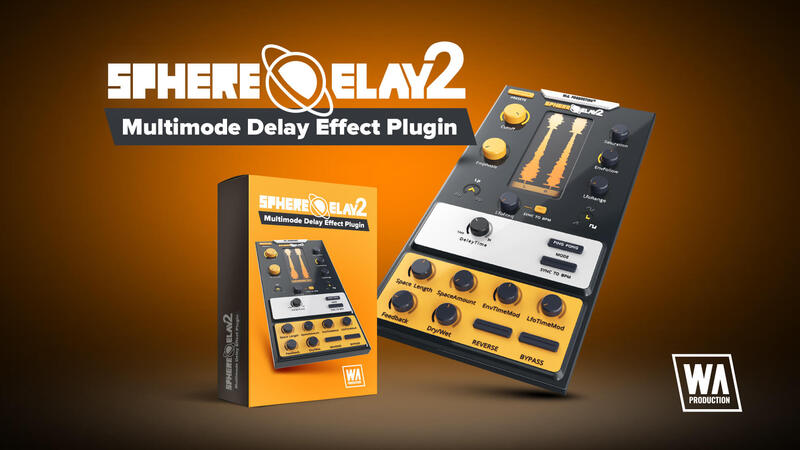
Redefining the Echoes of Innovation
SphereDelay 2 emerges as an avant-garde multimode delay effect plugin, meticulously crafted for producers and sound engineers who demand more than just the ordinary. Building on the groundbreaking foundation of SphereDelay, this sequel elevates the experience with a suite of novel features and enhancements.
What’s New in SphereDelay 2?
- Revamped GUI: A modernized interface offers a more intuitive and visually engaging user experience.
- Advanced Engine: Upgraded for superior sound quality and performance.
- Space Length Parameter: Introduces a new dimension to the delay effect, allowing for expansive soundscapes.
- Space Amount Parameter: Provides granular control over the intensity of the space effect.
- Envelope Time Modulation: Adds dynamic modulation options for crafting complex sound textures.
- Resizable GUI: Flexibility to fit any screen or workflow.
- Enhanced Compatibility: Smooth integration with the latest DAWs and operating systems.
Core Features Retained and Refined
- Four Distinct Delay Modes: Mono, Stereo, Ping-Pong, and Ping-Pong Separate, each offering unique delay characteristics.
- Dynamic Delay Time Modulation: Shape your sound with LFO and envelope follower modulation in each delay mode.
- Innovative Reverse Feature: Reverse the input while maintaining the feedback signal's integrity for unique sound design.
- Robust Stereo Filter: A versatile filter with saturation, LFO, and envelope follower modulation for fine-tuning your delay signal.
- Expansive Preset Library: Over 50 high-quality presets, from classic tape delay imitations to psychedelic, spacey effects.
Empowering Creativity Across All Levels
SphereDelay 2 is designed to inspire both budding and seasoned producers. Its advanced features cater to professionals seeking unique sounds, while its intuitive interface makes it accessible to beginners. Whether you're sculpting a signature sound or exploring new sonic territories, SphereDelay 2 offers unparalleled creative freedom.
Delve into the World of Delay Like Never Before
SphereDelay 2 isn't just an effect; it's a gateway to sonic exploration. Its enhanced engine and new parameters invite you to dive deeper into the realm of sound design. The Space Length and Amount parameters, in particular, offer new avenues for creating expansive, immersive audio landscapes.
Join the SphereDelay 2 Revolution
W. A. Production proudly introduces SphereDelay 2, a testament to their commitment to innovation in audio effects. W. A. Production invite you to experience this cutting-edge plugin, whether through a demo or the full version, and join a community of forward-thinking producers and sound engineers. Discover the limitless possibilities with SphereDelay 2, where each echo tells a story of creativity and technical prowess.
.jpg?t=1789336275)
NENE
Production Duo
"Sphere Delay 2 has significantly improved my workflow. This level of control over the delay response adds a new dimension to my tracks, making it easier to create more engaging and responsive soundscapes."
.jpg?t=1789336275)
Sulvida
Producer, DJ
"I'm impressed with Sphere Delay 2's versatility. The modulation parameters particularly stand out, allowing for dynamic delay effects that really enhance my productions. The ability to modulate delay time and filter cutoff seamlessly integrates with the energy of my tracks."


